
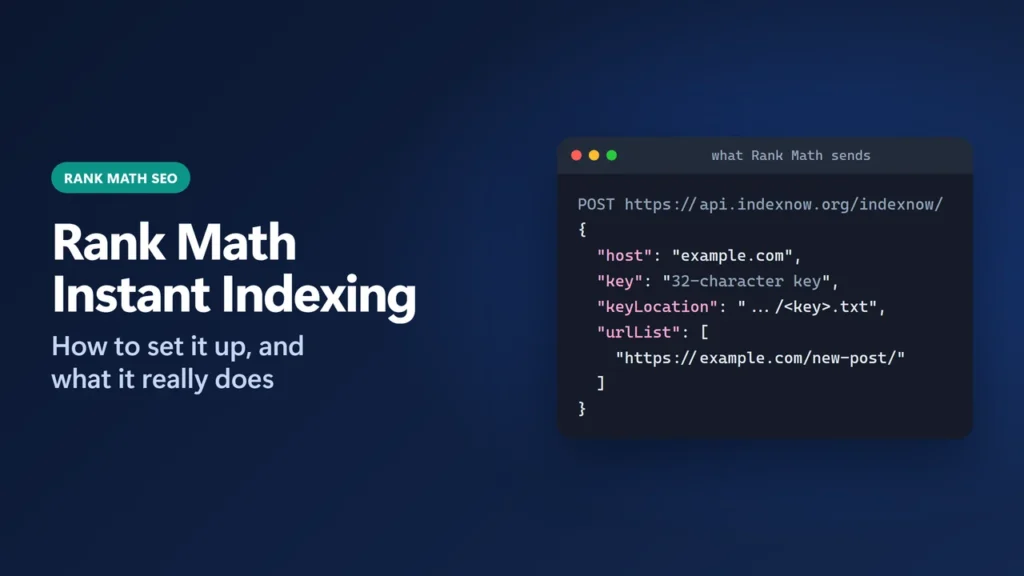
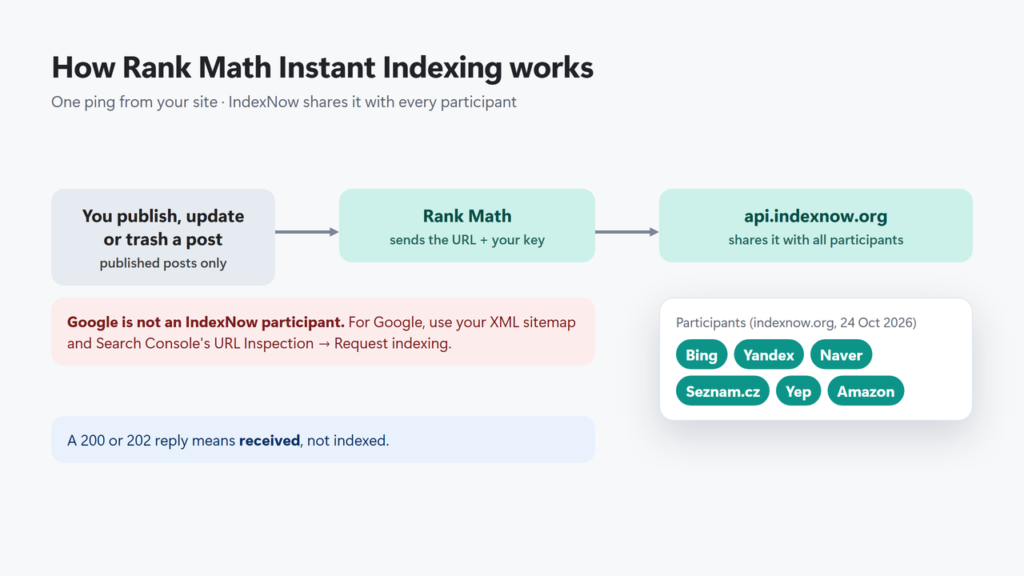
Rank Math Instant Indexing is the plugin’s IndexNow module. When you publish, update or trash a post, it tells the IndexNow service about that URL, and IndexNow shares it with the search engines that take part, such as Bing and Yandex. It is free and switched on by default on new installs. It does not notify Google, and a successful submission means the URL was received, not that it was indexed.
This guide shows how to set it up, what it sends and when, how to read the History tab, and what to use for Google instead. For the rest of the plugin, see my Rank Math review.
How I worked this out: this site runs Rank Math with the Instant Indexing module on: Rank Math SEO 1.0.280 with Rank Math PRO, in Easy Mode. On 24 October 2026 I read its Instant Indexing screen and its History log, and the screenshot below comes from it. The details of what the module does come from Rank Math’s knowledge base and the source code of the free Rank Math SEO plugin, version 1.0.280. The IndexNow rules come from indexnow.org, and the Google details from Google Search Central. All were checked on 24 October 2026.
Key takeaways
- Instant Indexing is free and on by default on new installs. It submits published posts and pages automatically.
- It submits on publish, on every update of a published post, and when a published post is moved to the trash.
- Drafts, scheduled posts and noindex pages are not submitted.
- Rank Math sends to api.indexnow.org, which shares the URL with every participating engine. Google is not on that list.
- A 200 or 202 in the History tab means IndexNow received the URL. Indexing is still up to each search engine.
Table of Contents
- 1What Rank Math Instant Indexing Does
- 2How to Set Up Rank Math Instant Indexing
- 3What Gets Submitted Automatically
- 4Submitting URLs by Hand
- 5Reading the History Tab
- 6Does Rank Math Instant Indexing Work for Google?
- 7Common Problems and Fixes
- I can’t see the Instant Indexing settings
- History shows 403 Forbidden
- History shows 429 Too Many Requests
- A page was submitted but is not indexed
- It submits every small edit
- 8Where This Fits
- 9Frequently Asked Questions
- Is Rank Math Instant Indexing free?
- Does Rank Math Instant Indexing submit to Google?
- Which search engines receive IndexNow submissions?
- Does a 200 response mean my page is indexed?
- Does Rank Math submit drafts or scheduled posts?
- How do I fix a 403 error in the History tab?
What Rank Math Instant Indexing Does
IndexNow is an open protocol: a site pings one endpoint with a list of changed URLs and a key that proves it owns the site. Rank Math sends that ping to api.indexnow.org, and indexnow.org says submitted URLs are “automatically shared with all other participating search engines”.
On 24 October 2026, indexnow.org listed Bing, Yandex, Naver, Seznam.cz, Yep and Amazon as participants. Google was not on the list, and Google’s Search Central documentation does not describe using IndexNow. Rank Math’s code includes a note for the Submit URLs screen that reads “The URLs will be submitted to Bing and Yandex only, and not to Google.” In practice the reach is a little wider than that note suggests, because IndexNow passes the URLs to every participant. (The machine-readable list on indexnow.org also includes the Internet Archive.)
How to Set Up Rank Math Instant Indexing
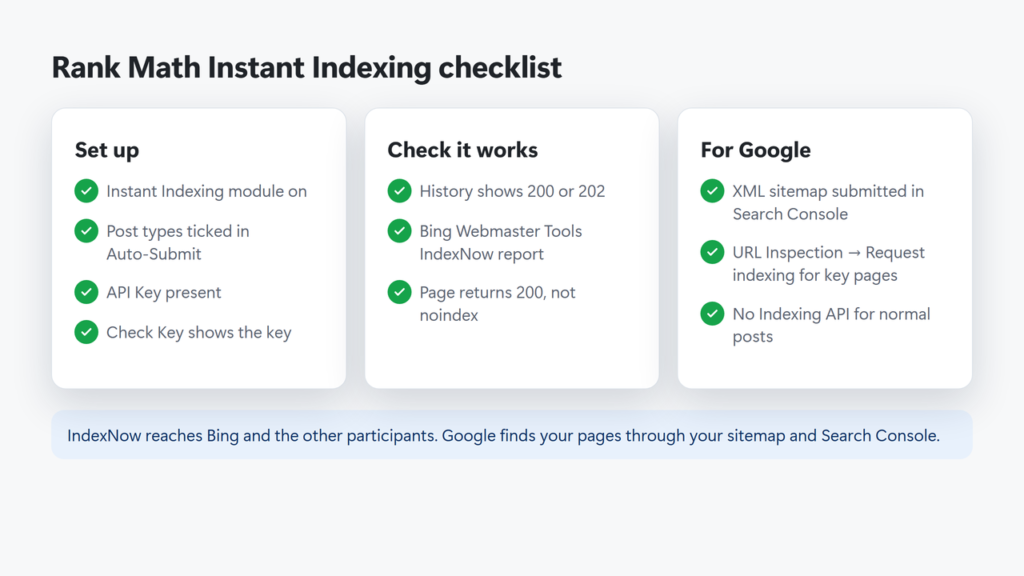
- Go to Rank Math SEO → Dashboard → Modules and make sure Instant Indexing is on. On a new install it is already on.
- Open Rank Math SEO → Instant Indexing → Settings.
- Under Auto-Submit Post Types, tick the content you want submitted. Posts and Pages are ticked by default. Leave out post types you keep out of search.
- Check that the API Key field has a key. Rank Math creates one for you; it is a 32-character code.
- Click Check Key next to API Key Location (Advanced Mode only; in Easy Mode, open
yoursite.com/<key>.txtyourself). The page should show the same key. Search engines use this file to confirm you own the site. - Click Save Changes.
You do not need a Bing Webmaster Tools account for this. The key file is created by WordPress on the fly: no file is written to your server, so there is nothing to upload; the key is stored in the database.
What Gets Submitted Automatically
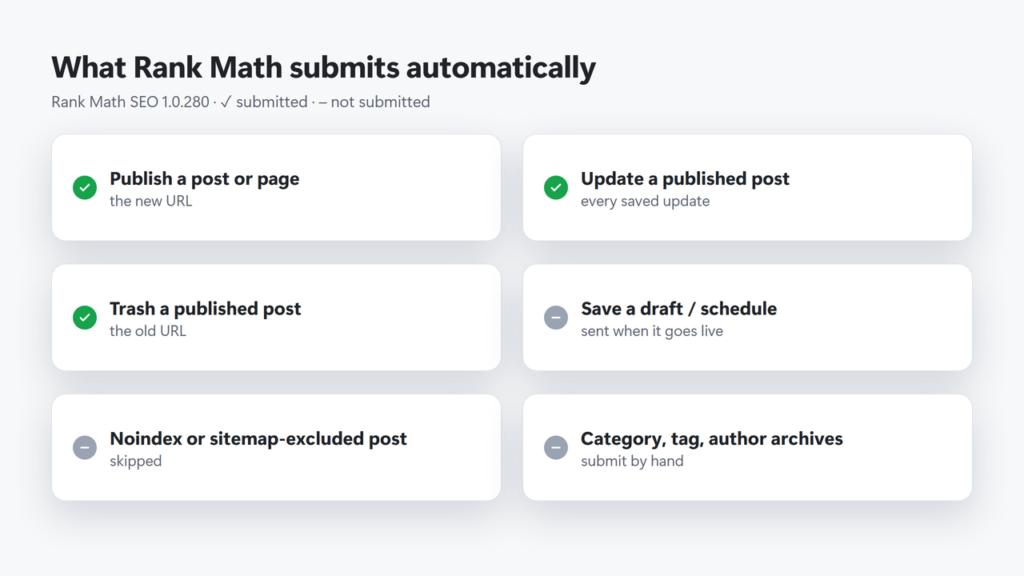
Rank Math watches each post type you ticked and decides on every save. This is how version 1.0.280 behaves:
| When you… | Submitted? | Notes |
|---|---|---|
| Publish a post | Yes | The new URL is sent. |
| Update a published post | Yes | Every saved update counts, even a small one, unless the post has Rank Math’s Lock Modified Date set. |
| Move a published post to the trash | Yes | The old URL is sent, so engines can drop it. |
| Save a draft or schedule a post | No | It is sent when it goes live. |
| Publish a noindex post | No | Also skipped: posts listed in Rank Math’s sitemap Exclude Posts setting. |
| Save twice within 5 seconds | Once | Rank Math drops the repeat. |
| Switch a published post back to draft or private | No | Submit the URL by hand if it should drop out. |
Category, tag and author archives, and a latest-posts home page, are not submitted automatically; only posts of the ticked types are. A static front page is a Page, so it is submitted like any page; on this site the home page shows up in History as an automatic submission. Revisions, autosaves and products hidden in WooCommerce are skipped too.
Submitting URLs by Hand
You can also send URLs yourself. That is useful after you change a category page, or when you fix a page that is not a post.
- Submit URLs tab: paste URLs, one per line, and click Submit URLs. The screen says up to 10,000, which is the IndexNow limit for one request.
- Posts list: hover over a published post and click Instant Indexing: Submit Page, or tick several posts and choose Instant Indexing: Submit Pages from Bulk actions. These links only appear for post types ticked in Auto-Submit Post Types.
IndexNow asks sites to submit URLs that have changed, not the whole site at once, and to avoid resubmitting the same URL many times a day. Every submitted URL counts toward your site’s crawl quota, so sending unchanged pages does not help.
Reading the History Tab
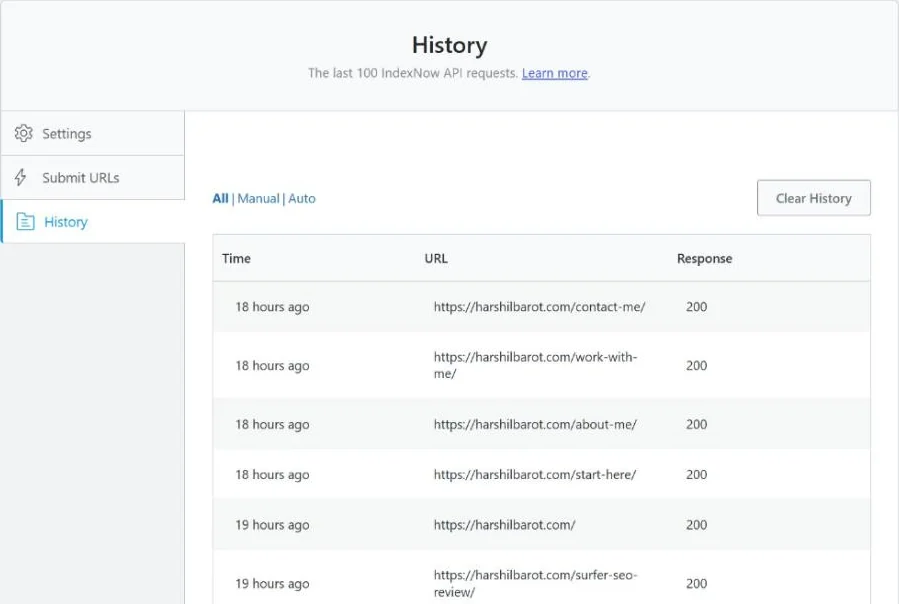
Rank Math SEO → Instant Indexing → History lists the last 100 requests, with the time, the URL and IndexNow’s reply. A batch of URLs shows as one row, such as …/first-url/ [+12]. You can filter by Manual or Auto. Rank Math treats 200, 202 and 204 as success.
On this site, on 24 October 2026, the History tab held exactly 100 rows, and they covered only ten days (13 to 23 October), so on an active site old entries roll off quickly. All 100 replies were 200. Of those, 97 were automatic, including the home page, and 3 were manual: two-URL batches sent from this site on 23 October, each logged as a single row ending in [+1].
| Response | What it means | What to do |
|---|---|---|
| 200 OK | IndexNow received the URL. | Nothing. Indexing is up to each engine. |
| 202 Accepted | Received; the key will be checked later. | Normal on a first submission. |
| 400 Bad Request | The request was not valid. | Check the URLs are complete and on your domain. |
| 403 Forbidden | The key could not be confirmed. | Click Check Key; see the fix below. |
| 422 Unprocessable Entity | A URL is not on your site, or the key format is wrong. | Submit only your own URLs. |
| 429 Too Many Requests | Too many submissions (possible spam). | Slow down; stop resubmitting unchanged pages. |
| 0 with “WP_Error: …” | Your server could not send the request at all. | Ask your host whether outgoing requests to api.indexnow.org are blocked. |
Does Rank Math Instant Indexing Work for Google?
No. Rank Math sends nothing to Google directly, Google is not listed as an IndexNow participant, and Google’s documentation does not describe using IndexNow, so do not count on these pings for Google. For Google, the routes Google documents are your XML sitemap and, for a few important URLs, URL Inspection → Request indexing in Search Console. Google says a request does not guarantee indexing and that asking more than once does not speed it up.
Rank Math also makes a separate free plugin, Instant Indexing for Google, which uses Google’s Indexing API. Google’s documentation says that API “can only be used to crawl pages with either JobPosting or BroadcastEvent embedded in a VideoObject”, and the plugin’s own readme repeats that Google recommends it only for job posting and live streaming sites. The plugin was last updated on 21 November 2025 and is marked “Tested up to” WordPress 6.6. For a normal blog, stick with sitemaps and Search Console.
Common Problems and Fixes
I can’t see the Instant Indexing settings
Check that the module is on under Rank Math SEO → Dashboard → Modules. If the screen is there but the API Key Location row and Check Key button are missing, you are in Easy Mode: switch to Advanced Mode on the Dashboard, or open yoursite.com/<key>.txt directly.
History shows 403 Forbidden
The key could not be confirmed. Click Check Key (Advanced Mode), or open yoursite.com/<key>.txt in your browser. If the key URL shows a 404 page or your home page instead of the key, a cache, security plugin or redirect rule is probably getting in the way (plain permalinks can also cause it). If a page cache served the wrong copy, purge it; my guide to purging LiteSpeed Cache shows how for LiteSpeed. Rank Math’s fix is to create a plain text file in your site’s root folder, named <key>.txt, that contains only the key. You can also click Change Key if the key has leaked; if you made the file by hand, replace it with the new key.
History shows 429 Too Many Requests
IndexNow does not publish its exact limits; each engine sets its own. Stop bulk-submitting pages that have not changed. indexnow.org asks sites not to submit the same URL many times a day unless it has changed meaningfully.
A page was submitted but is not indexed
That is normal. indexnow.org says a 200 “only indicates that the search engine has received your URL”. Each engine then decides based on its crawl quota and the page’s quality. Make sure the page is not noindex, returns 200, and is in your sitemap.
It submits every small edit
That is how the module works: any saved update to a published post is sent, unless Lock Modified Date is set. If you fix typos often, batch your edits, or untick post types that change constantly and submit them from the Submit URLs tab (unticking also removes the row and bulk actions for that type).
Where This Fits
Instant Indexing is one small part of Rank Math. If you are weighing another SEO plugin, my review of SEOPress covers its free and paid features. If you are also deciding what to tell AI crawlers, see my llms.txt guide, and for the wider SEO tools I have reviewed, see my SEO tools roundup.
Frequently Asked Questions
Is Rank Math Instant Indexing free?
Yes. The Instant Indexing (IndexNow) module is part of the free Rank Math SEO plugin and is switched on by default on a new install.
Does Rank Math Instant Indexing submit to Google?
No. It uses IndexNow, and Google is not listed as an IndexNow participant. For Google, use your XML sitemap and URL Inspection in Search Console.
Which search engines receive IndexNow submissions?
Rank Math sends to api.indexnow.org, which shares URLs with all participants. On 24 October 2026 indexnow.org listed Bing, Yandex, Naver, Seznam.cz, Yep and Amazon. Google is not listed.
Does a 200 response mean my page is indexed?
No. It only means IndexNow received the URL. Each search engine decides whether and when to crawl and index it.
Does Rank Math submit drafts or scheduled posts?
No. A post is submitted when it is published, when a published post is updated, and when a published post is moved to the trash.
How do I fix a 403 error in the History tab?
Click Check Key, or open yoursite.com/.txt. If the page does not show the key, create a text file named after the key in your site’s root folder containing only the key, or clear whatever cache or rule is blocking it.