Kling AI Review 2026 : Best AI Video Generator for Text-to-Video & Image Animation?

If you want a straight answer: Kling AI is a powerful AI video generator that can turn simple text or images into realistic, cinematic videos with smooth motion and strong visual consistency. It performs better than many tools in motion realism and ease of use. However, it still has limits like short video length, access restrictions, and occasional prompt sensitivity. Overall, it is one of the best AI video generator options right now for creators, marketers, and beginners who want fast, high-quality AI video creation without editing skills.

Kling AI video generator review for beginners

What is Kling AI and Why Everyone Is Talking About It

Kling AI is an advanced AI video creation tool developed to generate videos from text prompts and images. It belongs to a new category of AI video generator tools that are transforming how content is created online.

Instead of using complex video editing software, Kling AI allows you to describe a scene in words, and it generates a complete video automatically. This makes it part of the growing ecosystem of text to video AI and image to video AI platforms.

The reason Kling AI is trending globally is simple. It delivers high-quality motion, realistic physics, and cinematic output that many earlier tools struggled to achieve. As AI video technology evolves, tools like Kling AI are leading the shift toward automated video production.

My Expert Experience with Kling AI

I tested Kling AI across multiple use cases, including social media content, storytelling, and product visualization. The goal was to evaluate whether it actually performs in real-world scenarios.

Here’s what stood out immediately. The motion quality feels more natural than most AI generated videos. When I created a scene involving moving water and wind, the output showed believable motion rather than robotic animation.

However, prompt clarity plays a huge role. When prompts are vague, results can become inconsistent. But when prompts are detailed, the output quality improves significantly.

From an expert perspective, Kling AI is not just another AI content generator. It is a serious AI video platform that shows where the future of AI video production is heading.

Kling AI Features Explained in Simple Terms

Understanding Kling AI features is important before you start using the tool. Let’s break everything down in a beginner-friendly way.

Text to Video Generation

Kling AI text to video allows users to create videos from written prompts. This feature is ideal for storytelling, marketing, and educational content.

Image to Video Animation

Kling AI image to video helps convert static images into animated visuals. This is especially useful for brands and content creators.

Realistic Motion Engine

The tool uses advanced AI video technology to simulate real-world physics, improving motion accuracy.

Camera Control Options

You can define camera movements such as zoom, pan, and angle shifts, which makes videos more cinematic.

High-Resolution Output

Kling AI supports HD output, making it suitable for YouTube, Instagram, and TikTok.

AI Video Editing Tool Capabilities

Basic editing features are included, allowing users to refine scenes and transitions.

These features position Kling AI as a strong competitor among AI video generator online tools.

Kling AI Tutorial: How To Use Kling AI Step-by-Step

If you are new, this Kling AI tutorial will guide you through the process.

Step 1: Visit the Platform

Go to the Kling AI website and complete the Kling AI login or Kling AI sign up process.

Step 2: Choose Input Type

Select between text to video generator or image to video generator.

Step 3: Enter Your Prompt

Write a clear and detailed prompt describing your scene.

Step 4: Customize Settings

Adjust video length, motion style, and camera angles.

Step 5: Generate Video

Click generate and let the AI process your request.

Step 6: Download Your Video

Use the Kling AI download option to save your video.

This workflow makes Kling AI one of the easiest AI video generator tutorials available.

DupDub AI Review.

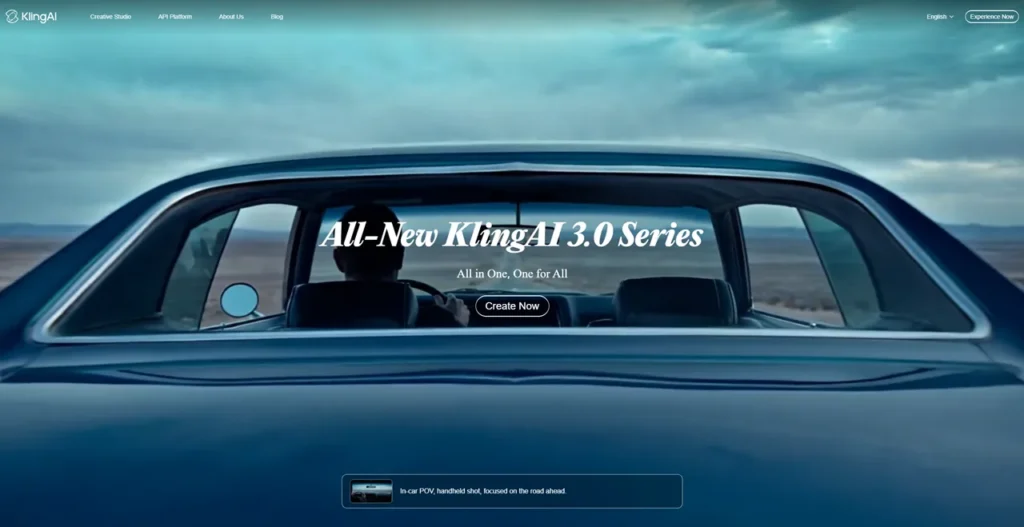
What is Kling AI video generator and how does it work in 2026

Real-World Use Cases of Kling AI

Kling AI is not just a trend. It has real applications across industries.

YouTube Content Creation

Creators use it as an AI video generator for YouTube to produce engaging videos quickly.

Instagram and TikTok

Short-form content creators benefit from AI video generator for Instagram and AI video generator for TikTok capabilities.

Digital Marketing

Businesses use it as an AI video marketing tool to create ads and promotional content.

Education and Training

Educators use AI video creator tools to explain concepts visually.

Product Marketing

Brands use Kling AI animation to showcase products in motion.

These use cases show why Kling AI is gaining popularity among AI tools for creators.

Kling AI Pricing, Free Access, and Plans

Kling AI pricing is still evolving, but here is what we know.

Kling AI free access may be available in limited versions or trial-based access. Some users may need invitations.

Future pricing models are expected to include:

  • Credit-based usage
  • Subscription plans
  • Enterprise solutions

If you are looking for an AI video generator free option, Kling AI may offer limited features in its free tier.

Always check the official Kling AI website for updated pricing details.

Kling AI Pros and Cons (Honest Analysis)

Pros

  • High-quality AI generated videos
  • Realistic motion and physics
  • Beginner-friendly interface
  • Supports text to video AI and image to video AI.
  • Fast video generation

Cons

  • Limited availability in some regions.
  • Short video duration
  • Requires detailed prompts for best results.
  • Occasional inconsistencies.

Despite these drawbacks, Kling AI remains a strong AI video creation software.

Higgsfield AI Review.

Kling AI vs Sora vs Runway: Full Comparison

When comparing tools, it is important to understand differences.

Kling AI vs Sora AI Video Generator

Sora focuses on longer cinematic videos, while Kling AI excels in motion realism and accessibility.

Kling AI vs Runway AI Video Generator

Runway offers advanced editing features, but Kling AI delivers better raw generation quality.

Final Comparison Insight

Kling AI is ideal for users who want quick, high-quality results without complex editing.

This makes it a strong player in AI video generator comparison discussions.

Best Kling AI Prompts for High-Quality Results

Prompt quality directly affects output quality. Here are expert tips.

  • Be specific about environment and lighting.
  • Describe motion clearly.
  • Use cinematic language.
  • Avoid vague instructions.

Example:
A cinematic drone shot of a mountain landscape at sunrise with clouds moving slowly and soft golden light

Using better prompts improves AI video automation results significantly.

Advanced Tips to Get Better Results with Kling AI

To maximize output quality, follow these strategies.

  • Use layered prompts with detailed descriptions.
  • Experiment with camera angles.
  • Test multiple variations.
  • Combine image and text inputs.
  • Focus on storytelling elements.

These tips can help you produce professional-level AI generated videos.

Common Mistakes to Avoid

Many beginners make simple mistakes.

  • Writing vague prompts.
  • Expecting perfect results instantly.
  • Ignoring camera control settings.
  • Overloading prompts with too many ideas.

Avoiding these mistakes will improve your experience with Kling AI.

Is Kling AI Good for Business and Monetization?

Yes, Kling AI has strong commercial potential.

Businesses can use it for:

  • Ad creation
  • Social media marketing
  • Product demos
  • Content scaling

It fits well into AI content creation tool ecosystems and supports AI video production workflows.

For agencies and marketers, Kling AI can reduce costs and increase output speed.

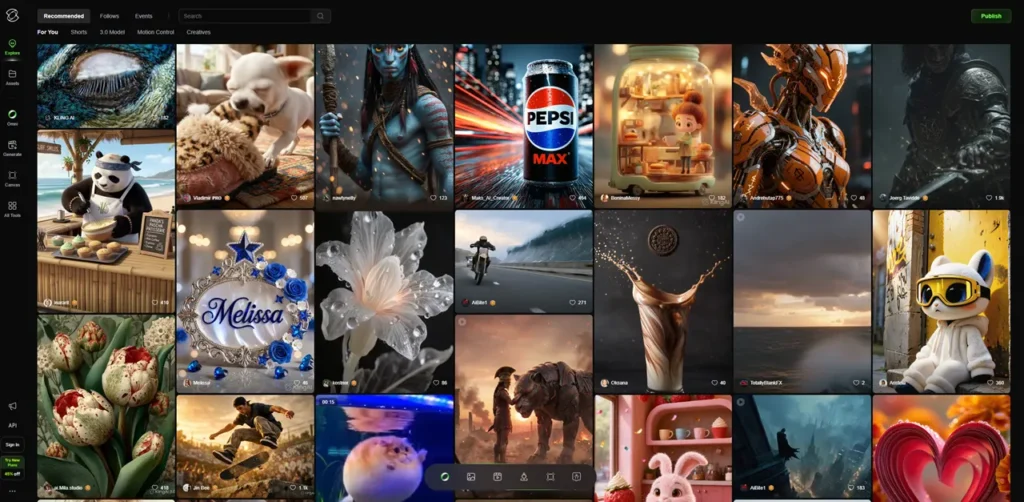
Complete Kling AI review with real examples and results

Future of Kling AI and AI Video Innovation

Kling AI represents the next phase of AI video innovation.

Future updates may include:

  • Longer video generation
  • Better consistency
  • Real-time editing
  • Integration with other AI tools.

Kling AI update 2026 is expected to bring major improvements in AI video software capabilities.

Abacus AI Review.

Final Verdict: Should You Use Kling AI?

Kling AI is one of the most promising AI video generator tools available today. It offers a balance of quality, usability, and innovation.

If you are a beginner, creator, or marketer, Kling AI can help you create high-quality videos quickly. While it still has some limitations, its potential is huge.

It is not perfect yet, but it is definitely one of the best AI tools 2026 for video creation.

Conclusion

Kling AI is changing how videos are created. It simplifies the process and makes video production accessible to everyone. As AI video tools continue to evolve, Kling AI is likely to become a major player in the industry.

If you want to stay ahead in digital content creation, exploring Kling AI now is a smart move.

FAQs

What is Kling AI?

Kling AI is an AI video generator that creates videos from text prompts and images.

Is Kling AI free?

Kling AI free access may be limited depending on availability.

How does Kling AI work?

It uses AI models to generate video frames based on text or image input.

Can beginners use Kling AI?

Yes, it is designed for beginners and requires no editing skills.

What makes Kling AI different?

Its realistic motion and physics-based animation set it apart.

Is Kling AI better than Sora?

It depends on use case, but Kling AI is easier for beginners.

Can I use Kling AI for social media?

Yes, it works well for YouTube, Instagram, and TikTok.

Is Kling AI available globally?

Availability may vary, so check the official website for updates.

🔁 Sharing is caring—let’s spread the love together! 💞

Leave a Comment