
At a glance
- Best for
- Founders, marketers and small businesses building MVPs or internal tools without code
- Skip it if
- you need custom architecture, strict compliance or fine control over the code
- Price
- Free plan; Pro $25 per user/month, billed monthly (checked 13 Oct 2026)
- Main drawback
- Results depend heavily on prompt quality
Check current pricingCompare alternatives
Affiliate link: I may earn a commission. It does not change my rating.
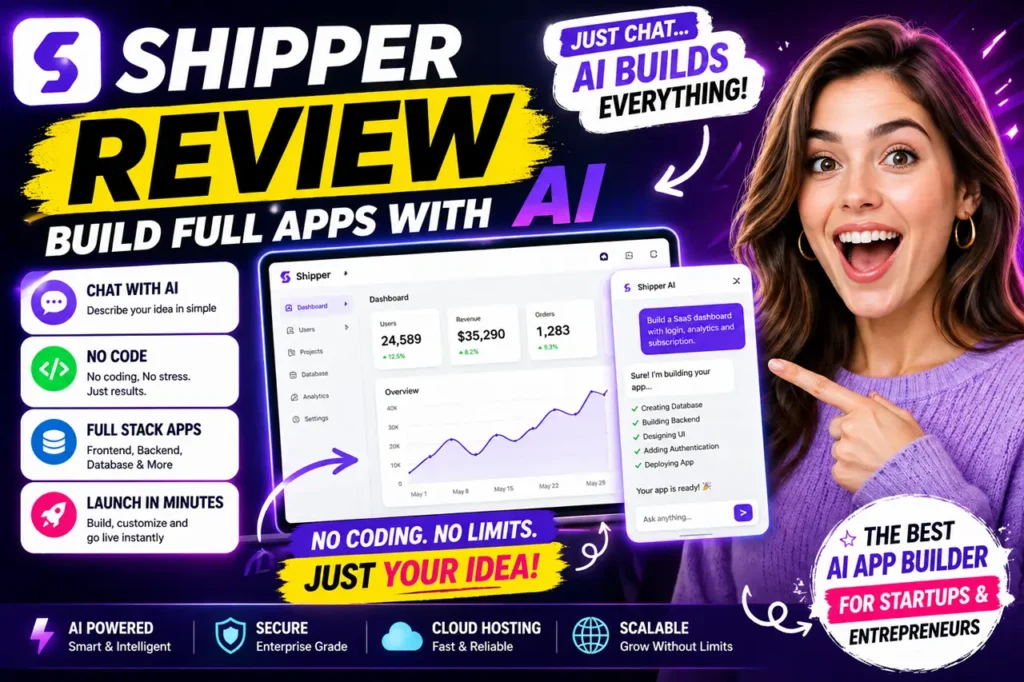
Shipper (shipper.now) is a no-code AI app builder: you describe what you want in a chat, and it builds the app — front end, back end, database and log-in — and hosts it for you. It can also build websites, browser extensions and chat bots for WhatsApp, Telegram, Slack and Discord. I rate it 4.4/5: very fast for MVPs and internal tools, less suited to complex systems that need fine-grained control.
Table of Contents
- 1Quick Verdict
- 2How Shipper Works
- 3Key Features
- 4What You Can Build
- 5Shipper Pricing
- 6Pros and Cons
- 7Shipper vs Bubble, Webflow and Replit
- 8Plan Your App Before You Prompt
- 9Tips for Better Results
- 10Who Should Use Shipper — and Who Should Skip It
- 11Final Verdict
- 12FAQs
- What is Shipper?
- Can beginners use Shipper?
- Does Shipper require coding?
- What can I build with Shipper?
- Is Shipper better than Bubble
- How much does Shipper cost?
- Is Shipper good for startups?
- What are Shipper alternatives?
Quick Verdict
Affiliate disclosure: some links on this page are affiliate links, so I may earn a commission if you buy, at no extra cost to you.
★ EDITOR’S CHOICE
Shipper
My rating: 4.4/5
An AI app builder that turns plain-language ideas into working apps — ideal for non-coders.
Affiliate link: I may earn a commission at no extra cost to you.
How Shipper Works
- Describe your idea in plain English — for example, “Create a SaaS dashboard with login, analytics and subscription payments.”
- Shipper generates the interface, back-end logic, database and authentication.
- Refine it by chatting: “add dark mode”, “improve the layout”, “add a payment system”.
- Publish it with the built-in hosting.
Key Features
- Full-stack generation — front end, back end, database and authentication from one prompt.
- Chat-based iteration — every change is a message, not code.
- Built-in hosting — publish without setting up a server.
- Connectors — APIs, payments and authentication services.
- AI Advisor — an AI mentor that reviews your project and suggests improvements to copy, marketing, design and architecture.
- Unlimited teammates on paid plans; Max adds a choice of AI models and “AI Employees”.
What You Can Build
SaaS products, booking systems, simple CRMs, marketplaces, internal dashboards, landing pages, browser extensions and messaging bots. It is at its best for a first version you can put in front of users quickly.
Shipper Pricing
| Plan | Price | Credits | Highlights |
|---|---|---|---|
| Free | $0 | Starter allowance | Try the builder |
| Pro | $25 per user/month, billed monthly | 100 per month (larger credit tiers available) | Everything you can build, connectors, AI Advisor, unlimited teammates |
| Max | $200 per user/month, billed monthly | 500 per month | Priority support, early access, AI Employees, choice of AI models |
Credits are used as you build and refine, so bigger projects and more revisions cost more. Start on the free plan, then size your Pro credit tier to how often you build.
Pros and Cons
| Pros | Cons |
|---|---|
| No coding needed; very fast first versions | Limited for complex enterprise apps |
| Builds apps, sites, extensions and bots in one place | Results depend heavily on prompt quality |
| Hosting and AI Advisor included | Usually needs several rounds of refinement |
Shipper vs Bubble, Webflow and Replit
Bubble offers more control over logic and data but takes longer to learn. Webflow is the stronger choice for design-led websites rather than apps. Replit is aimed at people comfortable working with code. Shipper’s advantage is speed for non-coders; its trade-off is less precise control.
Plan Your App Before You Prompt
The biggest difference between a usable first version and a messy one is the brief. Before opening Shipper, write down:
- Who uses it — the user roles (for example admin, staff, customer) and what each can see and do.
- What it stores — the main records (leads, bookings, orders) and the fields each needs.
- The key screens — a short list of pages, such as dashboard, list view, detail view and settings.
- What must connect — payments, email, log-in or another service.
Paste that brief into your first prompt. It saves credits, because you spend fewer rounds correcting a structure the AI had to guess.
Tips for Better Results
- Be specific in prompts: name the pages, user roles and data you need.
- Build in small steps and test after each change.
- Do not expect a perfect app on the first prompt; plan for a few iterations.
- Test log-ins, payments and forms properly before sharing the app.
Who Should Use Shipper — and Who Should Skip It
It suits founders validating an idea, marketers building small tools, small businesses that need an internal app, freelancers delivering simple client projects and beginners learning to build with AI. Skip it if you are building a complex system that needs custom architecture, strict compliance or fine control over the code.
If you are creating content rather than apps, see my DupDub review, Higgsfield AI review and Kling AI review.
Final Verdict
Shipper earns 4.4/5 from me. It is one of the quickest ways to go from an idea to a working app without code, especially for MVPs and internal tools. Be clear in your prompts, budget for a few rounds of changes, and switch to traditional development when the project outgrows it.
FAQs
What is Shipper?
Shipper is an AI app builder that creates apps using chat prompts.
Can beginners use Shipper?
Yes, it is designed for beginners.
Does Shipper require coding?
No, it is a no code platform.
What can I build with Shipper?
You can build SaaS apps, dashboards, and marketplaces.
Is Shipper better than Bubble
It depends on your needs. Shipper is faster, Bubble is more flexible.
How much does Shipper cost?
Pro costs $25 per user a month with 100 credits, and Max costs $200 per user a month with 500 credits. A free plan lets you try it first.
Is Shipper good for startups?
Yes, it is ideal for MVP development.
What are Shipper alternatives?
Bubble, Webflow, Glide, and Adalo.