At a glance
- Best for
- Beginners and faceless video creators wanting quick voiceovers and simple videos
- Skip it if
- you need studio-quality voiceovers or perfectly natural emotion
- Price
- From $132/year (Personal, billed annually); 3-day free trial (checked 14 Nov 2026)
- Main drawback
- Some voices lack emotional depth on longer scripts
Check current pricingCompare alternatives
Affiliate link: I may earn a commission. It does not change my rating.
DupDub is an AI voice and video platform that combines text-to-speech, voice cloning, video translation, talking avatars, transcription and AI writing in one browser-based studio. I used it for YouTube scripts, short reels and voiceovers, and I rate it 4.4/5: it is fast and easy for beginners, but some voices lack emotional depth, lip sync in translated videos is imperfect, and premium features use credits quickly.
Table of Contents
- 1Quick Verdict
- 2What DupDub Does
- 3My Experience Using DupDub
- What worked well
- What needs improvement
- 4Features in Practice
- Text to speech
- Voice cloning
- Video translation and lip sync
- Talking avatars
- Transcription, subtitles and AI writing
- 5DupDub Pricing and Credits
- 6Who DupDub Suits
- 7Who Should Skip It
- 8Tips for Better Results
- 9Is DupDub Safe and Legitimate?
- 10DupDub vs Specialised Tools
- 11Final Verdict
- 12FAQs
- What is DupDub AI used for?
- Is DupDub free?
- Is DupDub good for YouTube automation?
- Does DupDub support multiple languages?
- Can I clone my voice?
- Is DupDub beginner-friendly?
- Is DupDub safe?
- Is DupDub worth it?
Quick Verdict
Review scope: my observations come from hands-on use of DupDub for YouTube scripts, short reels and voiceovers. Plans, credit costs and limits were rechecked on DupDub’s official pricing page on 13 October 2026. Figures you see in the pricing screenshot below may be older than the table. Update: prices and plan details in this article were rechecked in November 2026; see the date beside each table.
⚡ Key Takeaways
- What it is: a browser-based AI studio for text-to-speech, voice cloning, video translation, talking avatars, transcription and AI writing.
- Best for: beginners and creators who want fast voiceovers and simple videos without recording equipment.
- Pricing: a 3-day free trial with 5 credits, then paid plans from $132 a year (Personal) billed annually.
- Watch-outs: premium voices use five times the credits of standard voices, and video translation ten times; some voices lack emotional depth; lip sync is decent, not perfect.
- My rating: 4.4/5 — convenient and quick, best when you plan your credits.
| Type | All-in-one AI voice and video studio (by Mobvoi) |
| Core tools | Text-to-speech, voice cloning, video translation with optional lip sync, photo and gesture avatars, transcription, AI writing |
| Best for | Beginners, faceless YouTube channels, short-form video creators |
| Free option | 3-day trial with 5 credits, personal use only |
| Paid plans | From $132/year (Personal), billed annually |
| My rating | 4.4 / 5 |
What DupDub Does
DupDub is made by Mobvoi, a company registered in Singapore, according to DupDub’s own site. Instead of switching between a voice tool, a dubbing tool and a video editor, you work in one studio:
- Text to speech — type or paste a script and generate a voiceover from a library of AI voices, with adjustable tone and speed.
- Voice cloning — create a custom voice from your own recording, usable across languages.
- Video translation — dub a video into another language, with optional lip sync at extra credit cost.
- AI avatars — photo and gesture avatars that present your script on camera, so you do not have to.
- Transcription, subtitles and AI writing — turn audio into text, add subtitles and draft scripts.
My Experience Using DupDub
I tested DupDub across several kinds of content: YouTube scripts, short reels and standalone voiceovers.
What worked well
- Setup was very fast, and the interface is beginner-friendly.
- Voice generation takes seconds.
- I did not need any recording equipment or a quiet room.
What needs improvement
- Some voices lack emotional depth, and longer scripts can sound slightly robotic.
- The credit system is not transparent until you study the per-second rates (see the pricing section).
- Lip sync in translated videos is decent, not perfect.
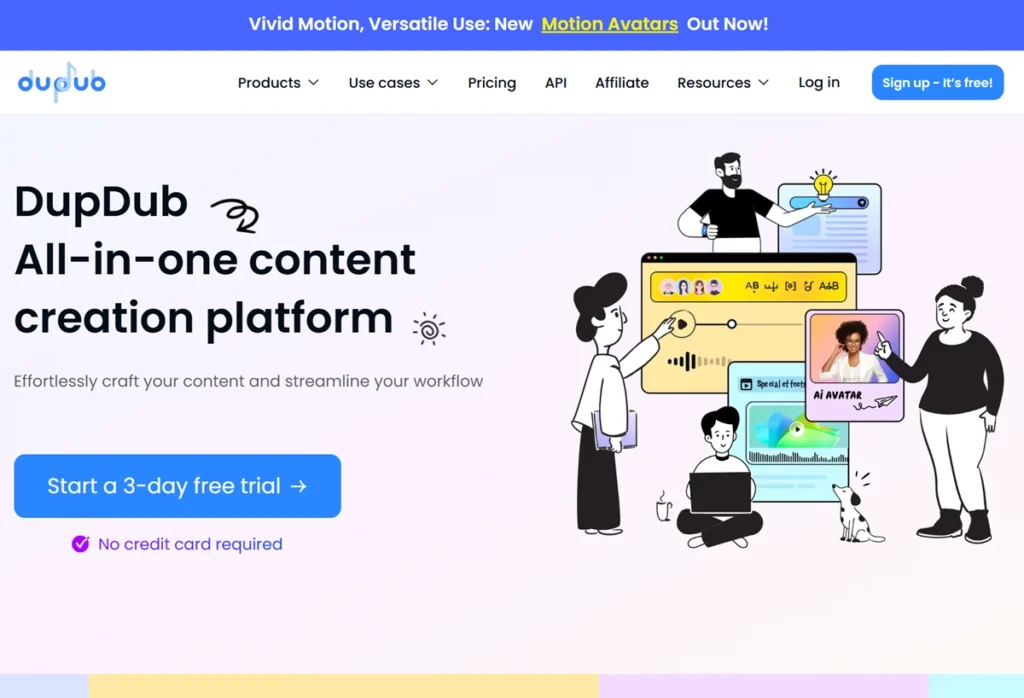
Overall, DupDub is not the most advanced tool in any single feature, but having voice, video and text in one place saved me switching between apps.
Features in Practice
Text to speech
The workflow is simple: paste your text, pick a voice, adjust tone and speed, and generate. It worked well for YouTube voiceovers, ads and reels. For long scripts, splitting the text into shorter paragraphs gave more natural pacing. Standard voices are the cheapest per second; the more natural “Ultra” and premium voices cost five times as many credits.
Voice cloning
Personal includes 3 instant cloned voices, Professional 5 and Ultimate 10, and clones can be used across languages. In my testing, the result depended heavily on the sample: clean audio produced a noticeably closer clone. It is useful for keeping a consistent brand voice, but not as refined as dedicated voice-cloning software.
Video translation and lip sync
Video translation dubs an existing video into another language. It is the most credit-hungry feature: 0.2 credits per second, plus another 0.1 credits per second if you add lip sync. The lip sync I got was decent but not perfect — fine for social clips, less so for close-up talking-head footage.
Talking avatars
Photo and gesture avatars present your script on screen, which suits explainer videos, training content and product walkthroughs when you do not want to appear on camera. Video length per avatar clip is capped by plan: 3 minutes on Personal, 5 on Professional and 10 on Ultimate.
Transcription, subtitles and AI writing
The same credits cover transcription, subtitles and AI writing. Transcription supports 57 languages on every plan, which makes it handy for repurposing a video into captions or a blog draft.
DupDub Pricing and Credits
| Plan | Price (billed annually) | Credits | Cloned voices | Max avatar video |
|---|---|---|---|---|
| Free | $0 — 3-day trial | 5 credits | — | 3 min |
| Personal | $132/year ($11/month) | 150 per month | 3 | 3 min |
| Professional | $360/year ($30/month) | 500 per month | 5 | 5 min |
| Ultimate | $1,320/year ($110/month) | 2,500 per month | 10 | 10 min |
The prices above are billed annually; DupDub advertises 25% off annual billing compared with monthly. Paid plans include a commercial licence, while the free trial is for personal use only.
Credits are where the real cost sits, because each feature uses them at a different rate. On the Personal plan’s 150 monthly credits, that works out to roughly 125 minutes of standard voiceover, about 25 minutes with Ultra or premium voices, or about 12.5 minutes of video translation (less if you add lip sync). Before choosing a plan, estimate how many minutes of each feature you need in a month.
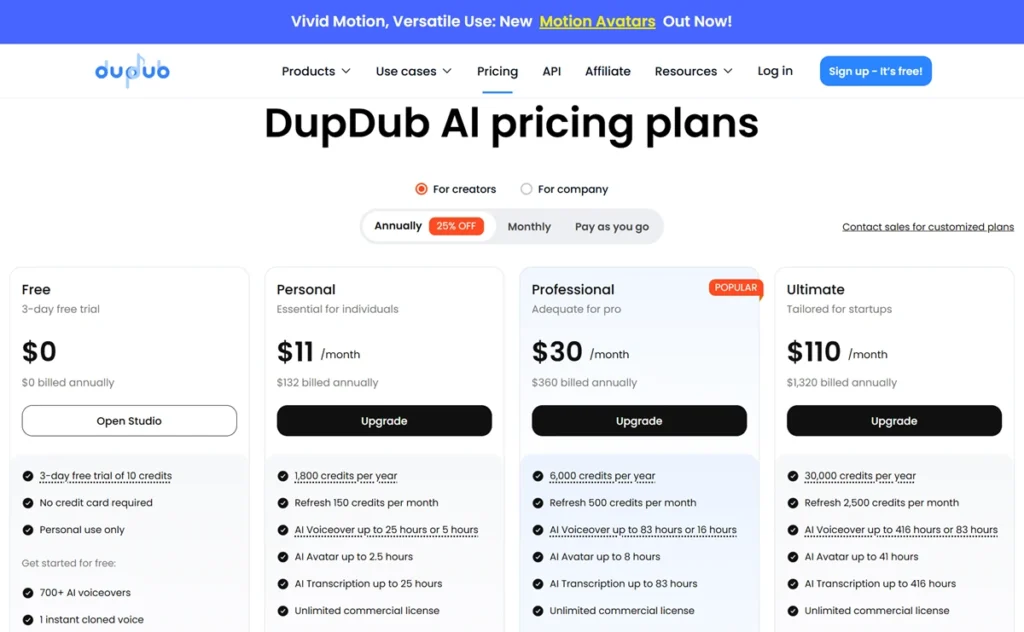
The screenshot above shows DupDub’s plan page from an earlier check; use the table for the figures I verified on 14 November 2026.
Who DupDub Suits
- Faceless YouTube channels that need regular voiceovers.
- Creators producing Instagram Reels, YouTube Shorts and TikTok videos.
- Small businesses making explainer, product and training videos.
- Freelancers who deliver voiceovers or simple videos for clients (check the commercial licence on your plan).
Who Should Skip It
- Anyone who needs studio-quality voiceovers or perfectly natural emotion.
- Editors who need advanced, timeline-based video editing.
- Teams that translate long videos every week on a small budget — translation and lip sync use credits fastest.
Tips for Better Results
- Use shorter sentences and break long scripts into paragraphs.
- Test several voices on a short sample before spending credits on the full script.
- Use standard voices for drafts and switch to premium voices only for the final export.
- Combine the AI voiceover with light manual editing and add subtitles.
Is DupDub Safe and Legitimate?
DupDub is a cloud-based product from Mobvoi that runs in your browser, with no software to download. As with any AI tool, avoid uploading confidential material, and read the commercial-licence terms before using generated voices or avatars in client work.
DupDub vs Specialised Tools
If you want one tool for voice, video and text, DupDub is convenient and quick to learn. If you need the most realistic voices or the most accurate cloning, a dedicated voice tool usually does better, at the cost of juggling more apps and subscriptions.
Final Verdict
DupDub earns 4.4/5 from me. It is worth it if speed and convenience matter more than perfect realism, especially for beginners and faceless video channels. Start with the free trial on a short script, then choose a plan by estimating the minutes of each feature you will use, because premium voices and video translation drain credits much faster than standard voiceovers.
FAQs
What is DupDub AI used for?
It is used for creating voiceovers, videos, and AI-generated content.
Is DupDub free?
Yes, it offers a free trial with limited features.
Is DupDub good for YouTube automation?
Yes, it is widely used for creating faceless YouTube videos.
Does DupDub support multiple languages?
Yes, it supports multiple languages and accents.
Can I clone my voice?
Yes, DupDub voice cloning allows custom voice creation.
Is DupDub beginner-friendly?
Yes, it is easy to use and requires no technical skills.
Is DupDub safe?
Yes, it is a legitimate and secure platform.
Is DupDub worth it?
Yes, especially for beginners and content creators.

Affiliate disclosure: some links on this page are affiliate links, so I may earn a commission if you buy, at no extra cost to you.