At a glance
- Best for
- Businesses, agencies managing client sites and developers wanting Git and staging
- Skip it if
- you are on a tight budget, run a hobby blog or need email hosting bundled
- Price
- $35/mo or $350/year (one site) (checked 10 Oct 2026)
- Main drawback
- Premium price for a single site, plus overage charges
Check current pricingCompare alternatives
Affiliate link: I may earn a commission. It does not change my rating.
Kinsta is premium managed WordPress hosting built on Google Cloud, with a polished dashboard (MyKinsta), container isolation, staging, daily backups and developer tools. I rate it 4.86/5. It is excellent value when its managed operations save your team real work; for a small hobby site, the $35-a-month entry price is hard to justify. This guide covers what you get, the real cost including overages, and who should choose it.
Black Friday 2026 (checked 13 November): until 1 December, Kinsta gives new customers 50% off the first 3 months on monthly plans or 3 months free on annual plans, after the free first month on select plans. On Single 20GB that’s $17.50 a month for three months (my calculation), or $315 for the first year on annual billing. The prices below are Kinsta’s standard rates. My Kinsta Black Friday guide has the details.
Review scope: my rating and the interface screenshots come from my use of Kinsta’s dashboard; the screenshots may differ from the current version. Prices and plan terms were checked on 10 October 2026. This article does not include a new controlled speed benchmark or a measured uptime figure. Update: prices and plan details in this article were rechecked in November 2026; see the date beside each table.
Purchase buttons use my Kinsta affiliate link, and I may earn a commission if you buy. See my affiliate disclosure.
Table of Contents
- 1Key Takeaways
- 2What Kinsta Is
- 3What You Get in Practice
- The MyKinsta dashboard
- Daily backups
- Staging
- Developer tools
- Automatic updates and bulk actions
- CDN, caching and security
- Analytics
- 4Kinsta Pricing and Plans
- Overages: the costs beyond the plan
- Multiple sites and enterprise
- Free month and refunds
- 5Performance: What to Measure
- 6Kinsta Pros and Cons
- 7Kinsta vs Alternatives
- 8Who Should Use Kinsta — and Who Should Skip It
- 9Final Verdict
- 10FAQs
- What is Kinsta hosting?
- Is Kinsta better than Bluehost?
- Is Kinsta good for SEO?
- Does Kinsta offer free SSL?
- Is Kinsta beginner-friendly?
- Can I host multiple websites?
- Does Kinsta have a free trial or refund policy?
Key Takeaways
- Entry plans cost $35 a month or $350 a year for one site (about $29.17 a month on annual billing), checked 10 October 2026.
- You choose between visit-based and server-bandwidth-based billing; overages are $0.50 per 1,000 extra visits or per extra GB, and $2 per GB of extra storage.
- Eligible new single-site plans get the first 30 days free; the 30-day money-back policy has conditions and exclusions.
- Staging and daily backups are included, but test a restore and protect recent orders before restoring an older copy.
What Kinsta Is

Kinsta runs WordPress sites on Google Cloud, using C2 and C3D virtual machines depending on the location, with each site isolated in its own container with plan-specific resource limits. You manage everything through MyKinsta: sites, backups, staging, domains, caching and analytics. Kinsta handles the infrastructure and platform maintenance; your content, plugins, access permissions and custom code are still yours to manage.

Isolation means a neighbour’s traffic spike should not slow your site down, but it is not the same as unlimited dedicated hardware — traffic peaks still need resource and cost planning.
What You Get in Practice
The MyKinsta dashboard
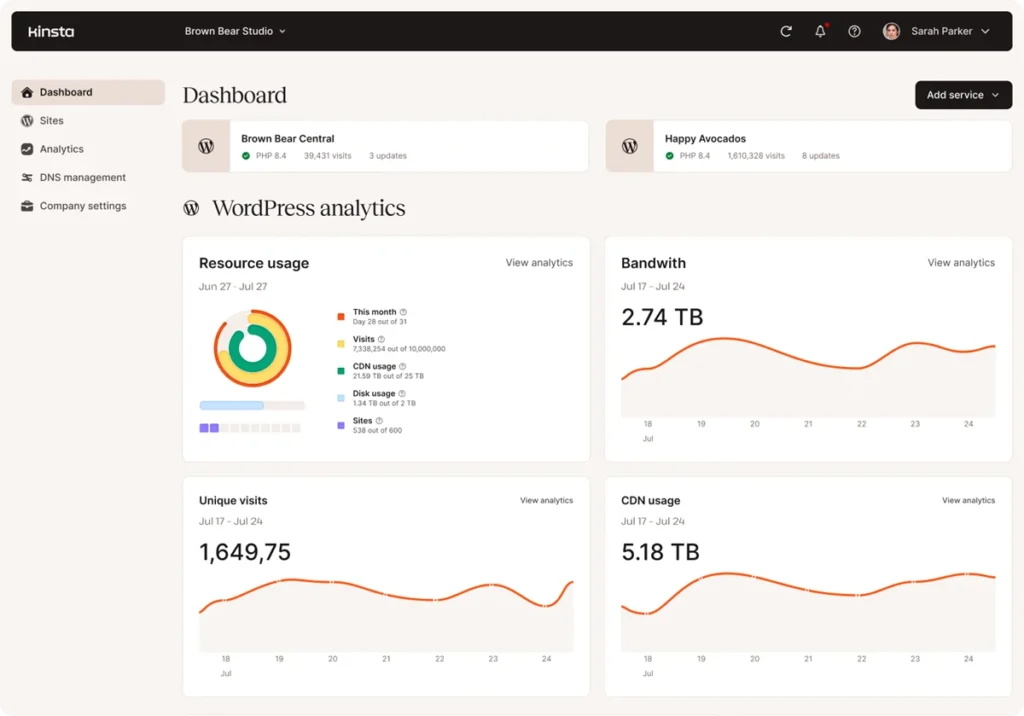
The dashboard is the main reason Kinsta feels easy to run: every site, environment and setting is in one clean interface.
Daily backups
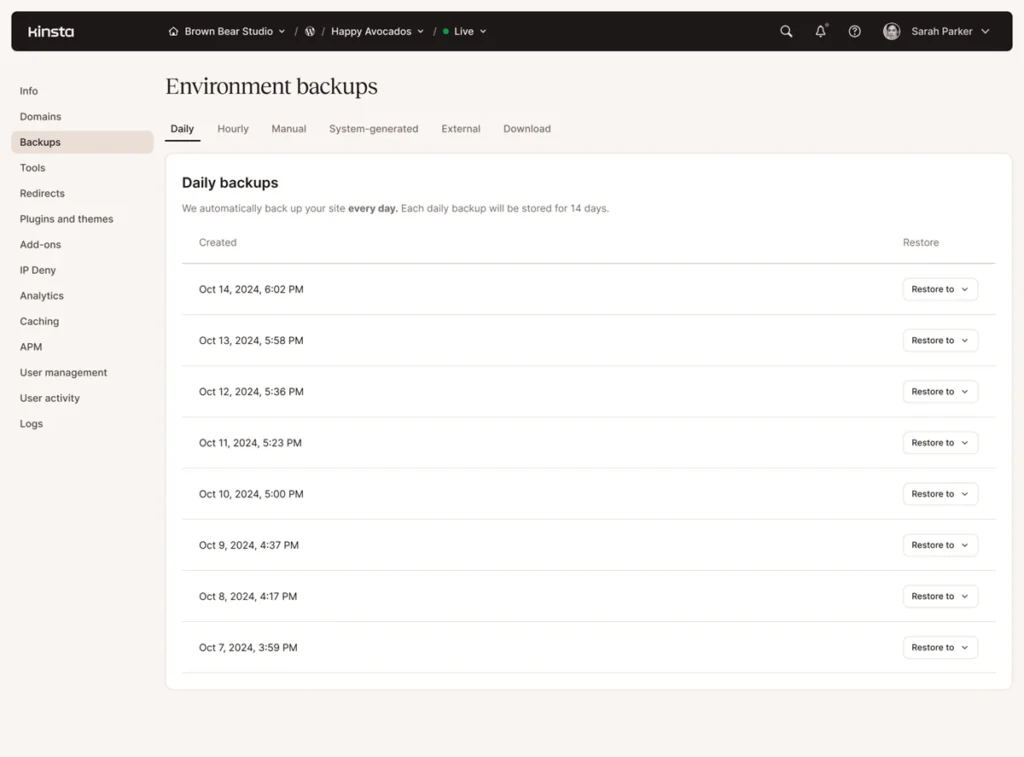
Automatic daily backups give you recovery points with plan-specific retention. Keep an independent copy as well, and test a restore before you rely on it — a restore cannot bring back orders or edits made after the snapshot.
Staging
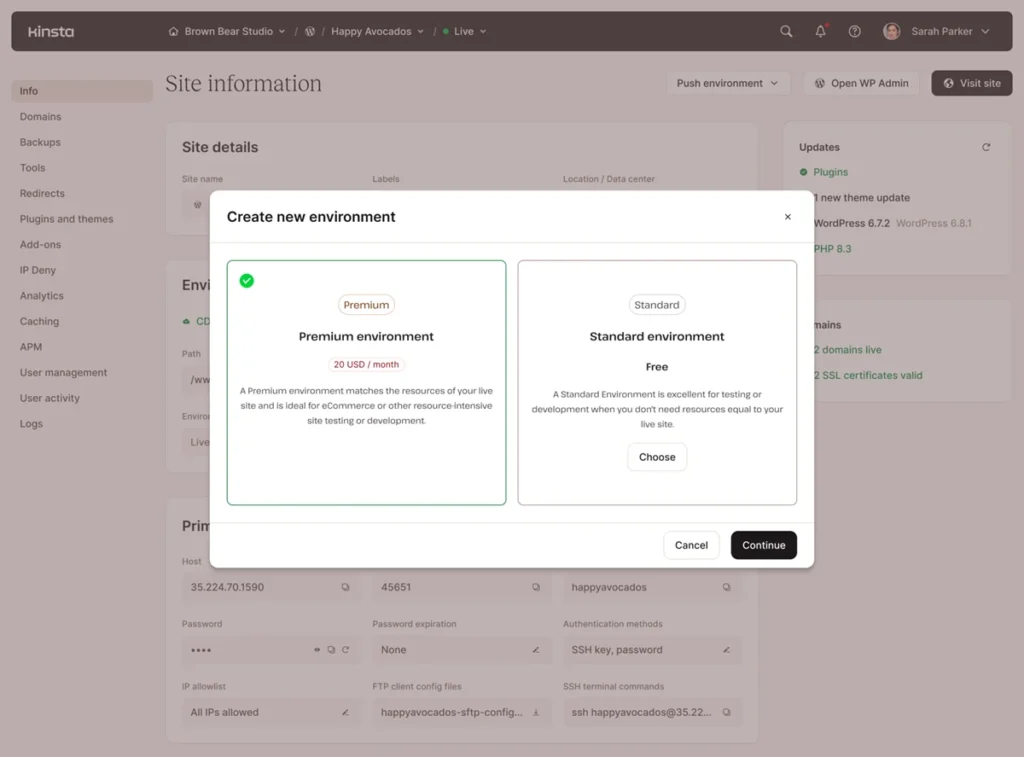
Staging lets you test plugin updates, theme changes and new features before they go live, then push the changes to production.
Developer tools
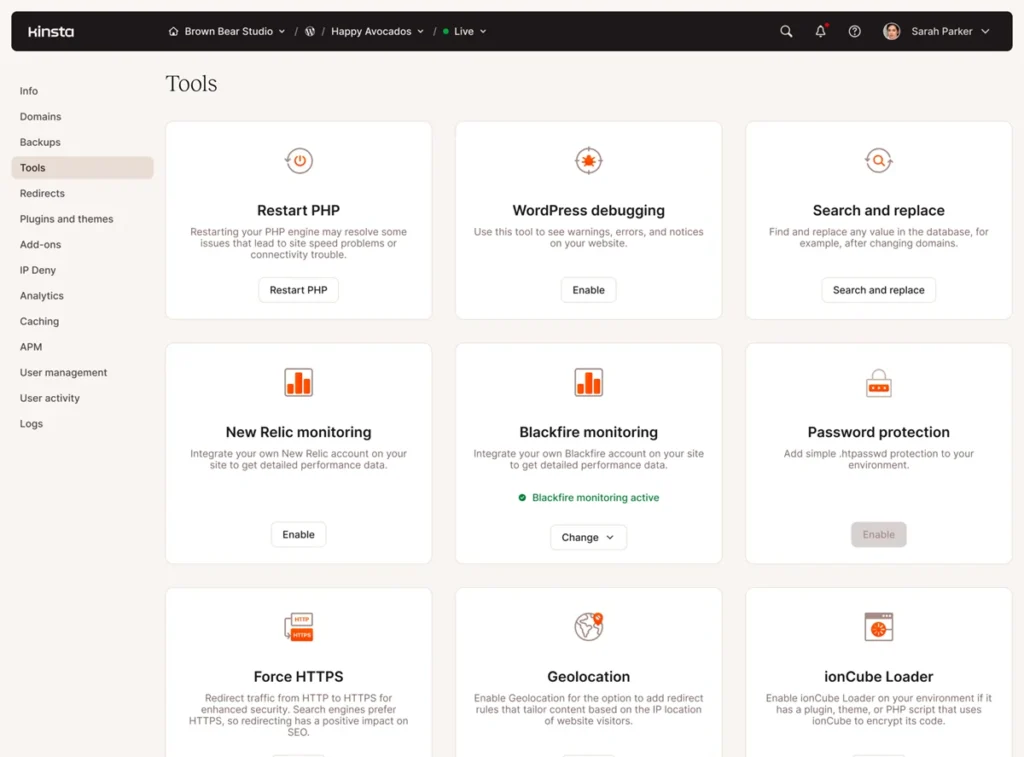
Developers get SSH access, Git, WP-CLI and direct database access.
Automatic updates and bulk actions
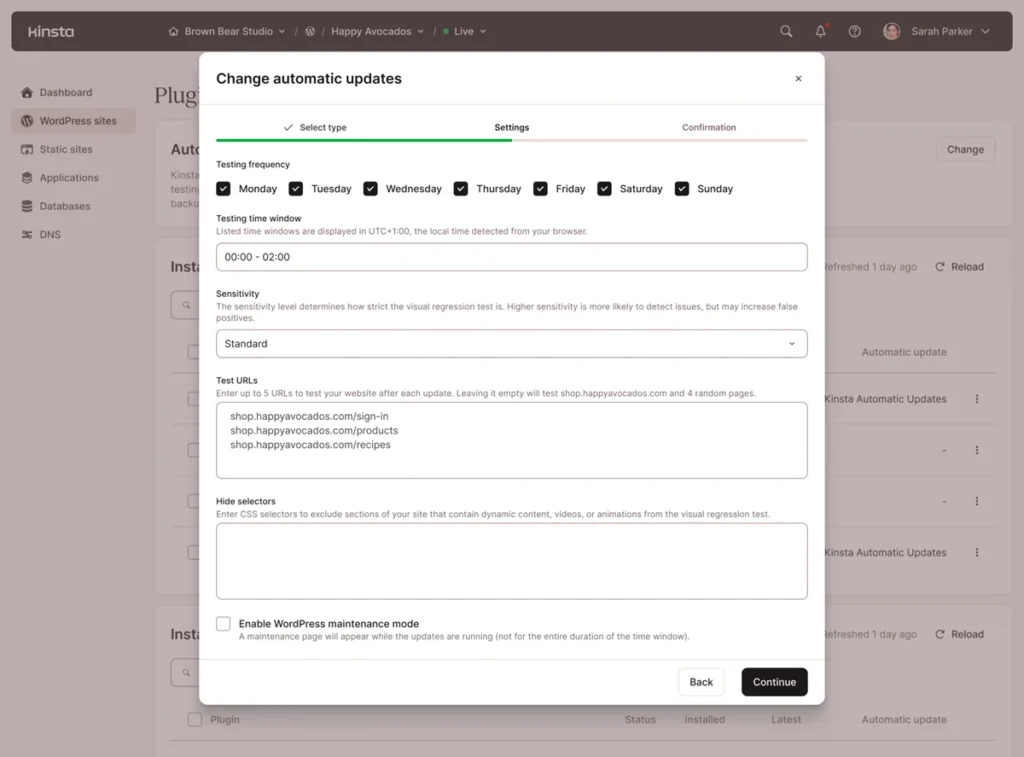
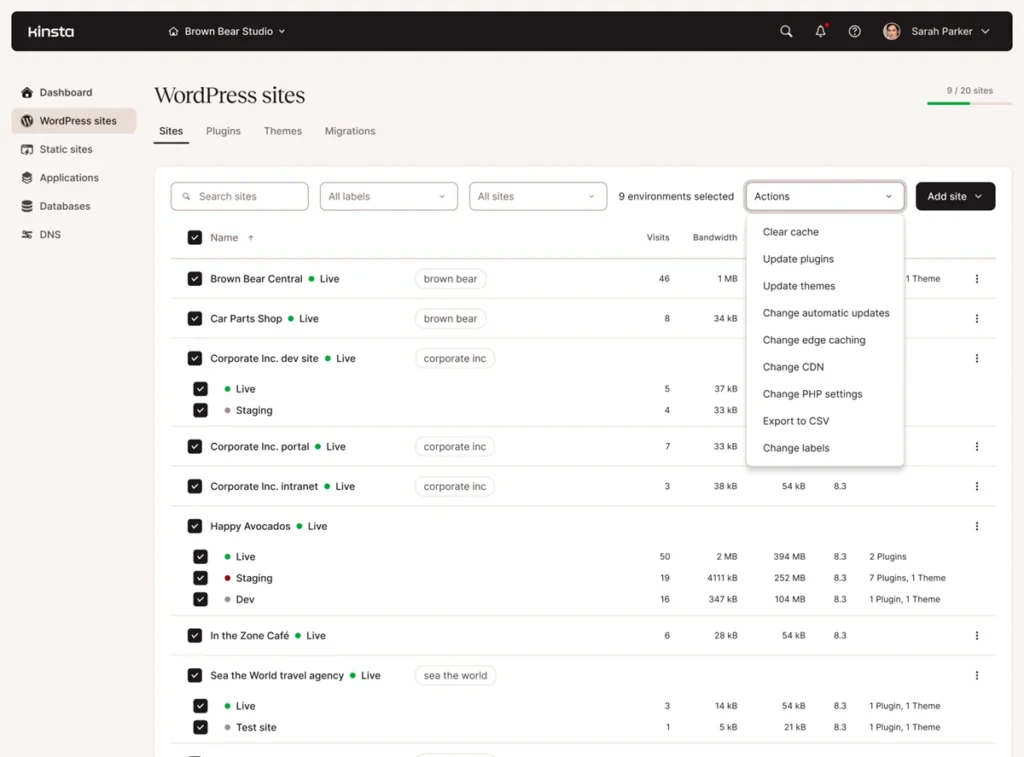
Kinsta offers automatic plugin and theme updates — check whether they are included on your plan or sold as an add-on — and bulk actions let agencies apply updates or changes across many sites at once.
CDN, caching and security
Every plan includes a CDN with edge caching, Cloudflare integration, free SSL, a firewall, malware scanning and DDoS protection.
Analytics
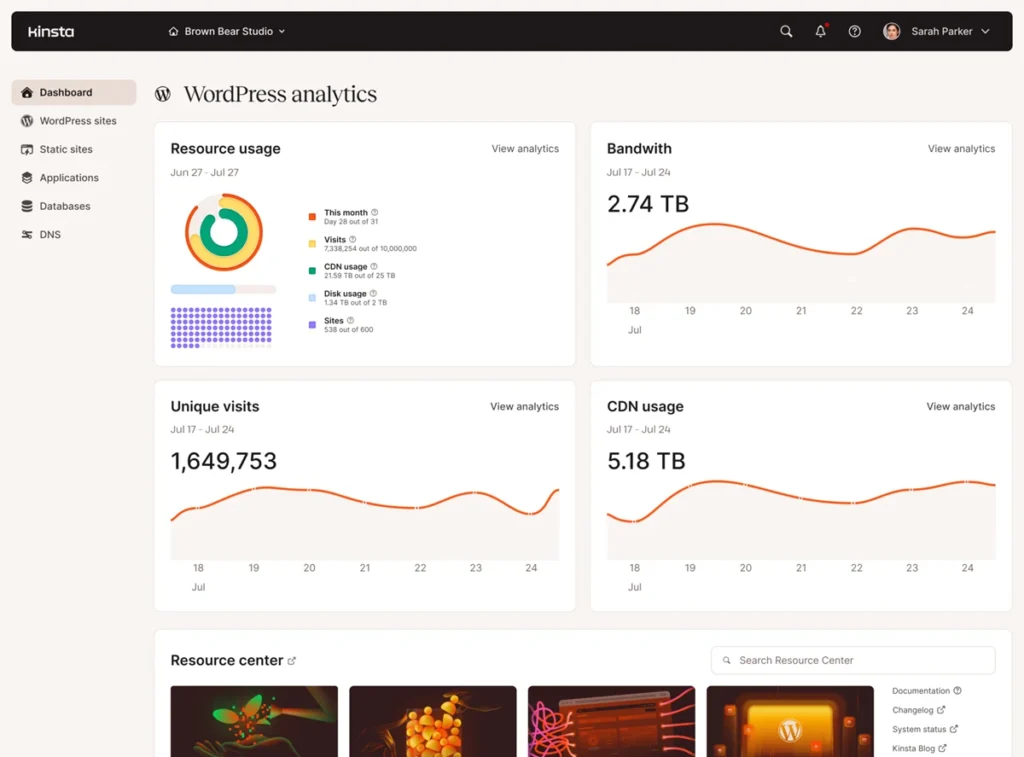
Built-in analytics show resource use, cache performance and visits, which helps you see whether you are approaching your plan’s limits.
Kinsta Pricing and Plans
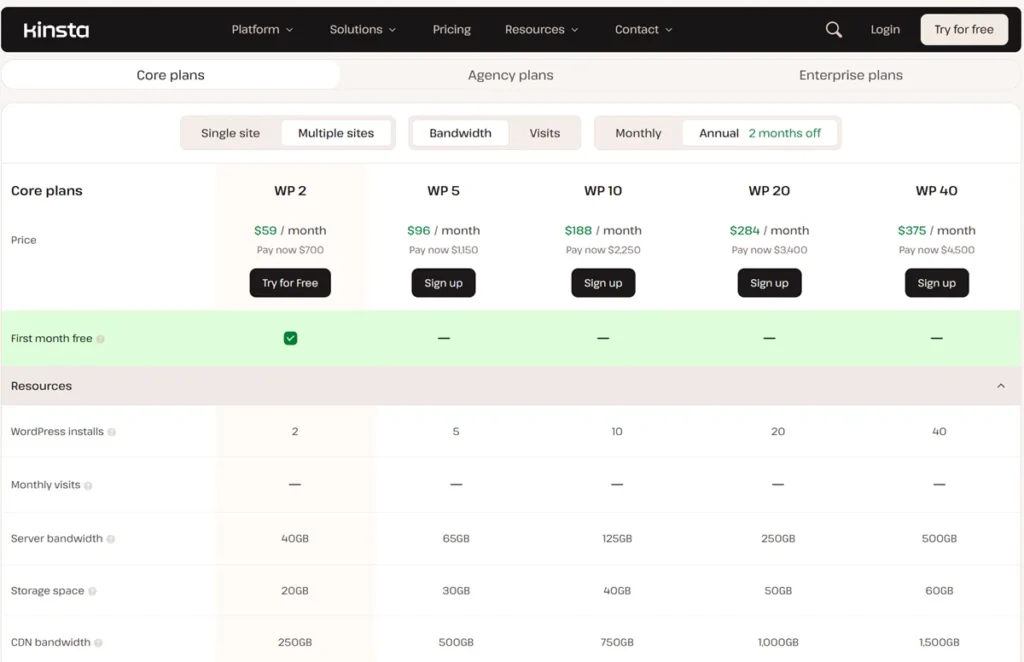
| Entry option | Included reference limits | Listed ongoing price |
|---|---|---|
| Single 35k visits | 1 install, 35,000 monthly visits, 10 GB storage | $35/month or $350/year |
| Single 20GB bandwidth | 1 install, 20 GB server bandwidth, 10 GB storage | $35/month or $350/year |
These are two billing choices for the same entry plan, not two allowances you get together. The annual total is prepaid and works out to about $29.17 a month. Prices exclude tax and paid extras. For Kinsta’s Black Friday status and how it compares with other managed hosts, see my Black Friday WordPress hosting deals guide.
Overages: the costs beyond the plan
Visit-based plans charge $0.50 per 1,000 visits over the allowance; bandwidth-based plans charge $0.50 per extra GB. Extra storage costs $2 per GB per month, calculated daily and prorated. CDN transfer and add-ons have their own allowances. For example, 20,000 visits over the allowance would add $10 at that rate. Estimate your normal traffic and a campaign spike before choosing the billing basis.
Multiple sites and enterprise
Multi-site plans add more installs, traffic and resources, and enterprise options offer custom infrastructure and dedicated support. Review the full renewal quote rather than multiplying the entry price.
Free month and refunds
Kinsta’s documentation offers the first 30 days free on eligible new Single 35k, Single 20GB, WP 2 and Launch subscriptions, with normal billing afterwards. The 30-day money-back policy has conditions and excludes items such as overages and some fees, so confirm the terms and cancel in time if the plan is not right for you.

Performance: What to Measure
Kinsta’s speed comes from Google Cloud’s premium network, container isolation, server-level caching and CDN delivery. Hosting improves server response (TTFB) and helps Largest Contentful Paint, but Interaction to Next Paint and Cumulative Layout Shift depend mostly on your theme, JavaScript and images. Before and after a move, measure your real pages with a cold and warm cache, check uncached pages such as carts and checkouts, and monitor availability over a defined period.
Kinsta Pros and Cons
| Pros | Cons |
|---|---|
| Google Cloud C2/C3D machines with container isolation | Premium price: $35 a month for one site (about $29 on annual billing) |
| MyKinsta dashboard with staging, backups, analytics and bulk actions | Overage charges for extra visits, bandwidth and storage |
| Developer tools: SSH, Git, WP-CLI and database access | WordPress only |
| CDN, edge caching, SSL and security included | No email hosting |
Kinsta vs Alternatives
| Host | Choose it over Kinsta if… |
|---|---|
| WP Engine | you want WP Engine’s developer workflow or its multi-site Essential plans |
| Cloudways | you want to pick your own cloud provider and pay less, accepting more hands-on management |
| SiteGround | you want managed WordPress features at a lower entry price |
| Hostinger | budget matters most and your site is small or medium |
| Bluehost | you are a beginner who wants a cheap, simple starting plan |
Who Should Use Kinsta — and Who Should Skip It
Kinsta suits businesses that need stability, agencies managing many client sites, developers who want Git and staging workflows, and WooCommerce stores willing to test their checkout carefully. Skip it if you are on a tight budget or run a small hobby blog — Hostinger or SiteGround will cost far less — or if you need email hosting bundled with your website.
Final Verdict
Kinsta earns 4.86/5 from me. It is one of the most polished managed WordPress platforms, and the dashboard, isolation and tooling are excellent. It is not cheap, so calculate the full bill, including likely overages, before you buy. For cheaper options, browse my web hosting reviews.
Planning to buy during the sales? My Kinsta Black Friday guide covers the countdown, last year’s 50% offer and whether to wait.
FAQs
What is Kinsta hosting?
Kinsta’s managed WordPress service provides hosting infrastructure, a website dashboard and operational tools. Your content, plugins and business decisions remain your responsibility.
Is Kinsta better than Bluehost?
They have different management scopes and bills. Kinsta offers far more management and tooling; Bluehost is much cheaper. This article does not include a fresh controlled speed or security comparison.
Is Kinsta good for SEO?
It can support availability and page experience, but hosting does not guarantee rankings. Measure your site’s LCP, INP and CLS and improve content and crawlability as well.
Does Kinsta offer free SSL?
Yes, SSL is included with managed WordPress plans. Check your domain setup and make sure all page resources load over HTTPS.
Is Kinsta beginner-friendly?
MyKinsta makes administration simple, but a beginner should still compare the ongoing cost, backup recovery and support scope. A small hobby site may not need premium hosting.
Can I host multiple websites?
Yes. Kinsta offers multi-site plans and additional-site options. Compare the total site allowance, storage and usage rather than multiplying the entry price.
Does Kinsta have a free trial or refund policy?
Kinsta’s documentation offers the first 30 days free for eligible new Single 35k, Single 20GB, WP 2 and Launch subscriptions, with normal billing afterwards. The 30-day money-back policy has conditions and exclusions, including overages and certain fees.

Affiliate disclosure: some links on this page are affiliate links, so I may earn a commission if you buy, at no extra cost to you.