Kinsta and WP Engine are both premium managed WordPress hosts, and either will look after a business site well. The practical differences are in how they price capacity, what the entry plan includes, how long backups are kept, and the refund terms. Kinsta’s single-site plan costs $35 a month; WP Engine’s Essential plan is advertised from $28 a month on annual billing.
This guide lines the two up on those points, so you can pick on fit rather than on brand name.
Table of Contents
- 1Kinsta vs WP Engine at a Glance
- 2Pricing: Read the Billing Terms, Not Just the Number
- 3How Each Measures Your Plan
- 4Backups, Plugins and Daily Running
- 5Migrations and Support
- 6Which Should You Choose?
- 7Frequently Asked Questions
- Is Kinsta better than WP Engine?
- Which is cheaper, Kinsta or WP Engine?
- Do Kinsta and WP Engine include free migration?
- Can I use any plugin on WP Engine?
- How long are backups kept?
Kinsta vs WP Engine at a Glance
| Kinsta (Single) | WP Engine (Essential) | |
|---|---|---|
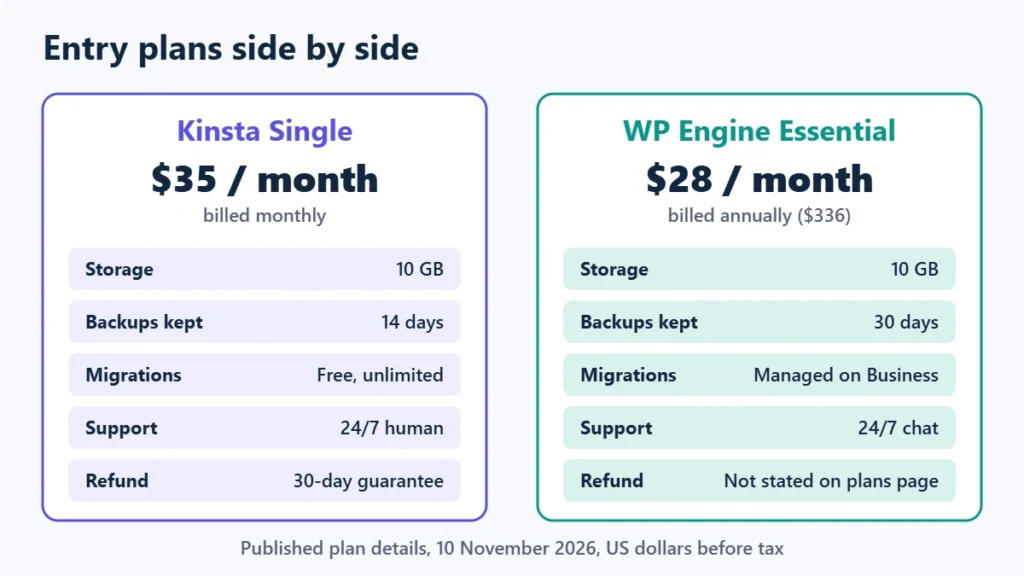
| Entry price | $35 a month, monthly billing | From $28 a month, billed annually ($336) |
| Plan measured by | Your choice: server bandwidth or visits | Visits, storage and bandwidth |
| Entry capacity | 1 site, 10 GB storage, 20 GB server bandwidth, 125 GB CDN (bandwidth plan) | 1 site, about 25,000 visits, 10 GB storage |
| Backups | Automatic daily, 14 days retention | Automatic daily, 30 days retention |
| Migrations | Free and unlimited on all plans | Managed migrations on Business plans |
| Support | 24/7 human support | 24/7 chat; phone from Business |
| Refunds | 30-day money-back guarantee | Not stated on its plans page |
Pricing: Read the Billing Terms, Not Just the Number
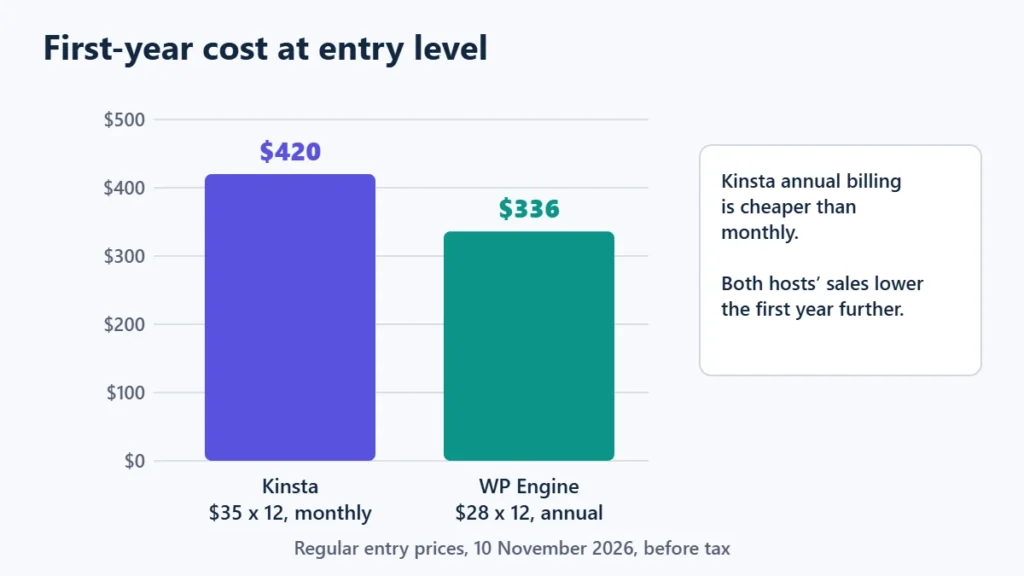
The headline prices are not directly comparable. Kinsta’s $35 is a monthly price, and it offers a discount for paying annually. WP Engine’s $28 is the annual-billing rate, so you pay $336 up front. WP Engine’s plan terms add that first-year prices and coupons apply to new customers buying Essential plans, and that renewal pricing can change.
Both were running seasonal offers on 10 November 2026. Kinsta showed a first month free plus 50% off the next three months for new customers, ending 1 December 2026. Treat any sale price as temporary and budget for the regular rate. The Kinsta Black Friday guide and Black Friday WordPress hosting deals track the details.
How Each Measures Your Plan
This difference matters more than the price for many sites. Kinsta lets you choose a plan billed by server bandwidth or by visits. If your traffic is high but your pages are light and well cached, bandwidth-based billing can suit you better than counting every visit.
WP Engine’s Essential tiers are described by visits and storage: one site with about 25,000 visits and 10 GB, up to three sites with 75,000 visits and 15 GB, up to ten sites with 100,000 visits and 20 GB, and up to 30 sites with 400,000 visits and 50 GB. Its plan comparison lists Essential’s environment type as shared, with isolated resources starting on Business plans.
Check your analytics before choosing. A plan that looks cheaper can cost more if your traffic regularly exceeds its allowance.
Backups, Plugins and Daily Running
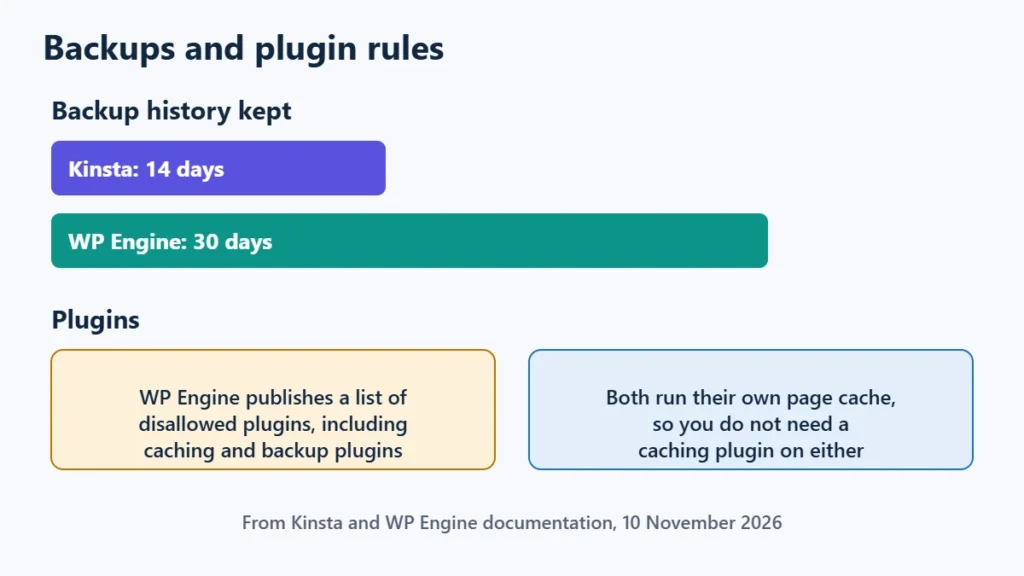
- Backups. Both take daily automatic backups. WP Engine’s documentation says it keeps 30 days of checkpoints, stored off-site, and you can download them as a ZIP. Kinsta’s single-site plan lists 14 days of retention, and Kinsta can also send backups to your own AWS or Google Cloud storage.
- Plugin rules. WP Engine publishes a list of disallowed plugins, including caching and backup plugins that duplicate its own systems. Check the list before you move if your site depends on a specific plugin.
- Built-in caching. Both run their own page caching, WP Engine’s EverCache among them, so you do not need a caching plugin. The guide to WP Rocket vs LiteSpeed Cache explains why a second page cache causes problems.
- Updates. WP Engine manages WordPress, PHP and MySQL updates on Essential. Kinsta offers automatic plugin and theme updates with visual regression testing as an add-on, from $3 per site a month.
- Staging and developer access. Both include free one-click staging environments, and WP Engine lists SSH access on Essential.
Migrations and Support
Kinsta includes free, unlimited WordPress migrations on all plans, handled by its team. WP Engine lists managed site migrations as a Business plan feature, so on Essential you would usually migrate yourself, for example with a migration plugin.
Kinsta lists 24/7 human support on every plan. WP Engine offers 24/7 chat on Essential and adds phone support from Business. If you want a refund window, Kinsta states a 30-day money-back guarantee after any free period. WP Engine’s plans page does not state one, so confirm its current refund terms before paying a year up front.
Which Should You Choose?
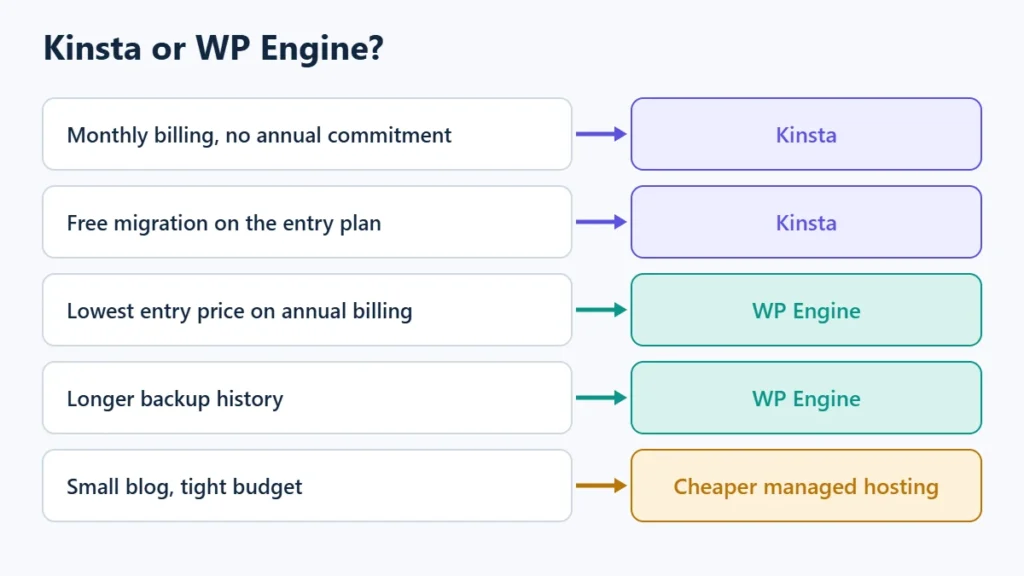
| Your priority | Better fit |
|---|---|
| Monthly billing with no annual commitment | Kinsta |
| Free migration handled for you on the entry plan | Kinsta |
| A stated money-back guarantee | Kinsta |
| Lowest entry price on annual billing | WP Engine |
| Longer backup history | WP Engine |
| High traffic on light, well-cached pages | Kinsta’s bandwidth-based plan |
| A small blog on a tight budget | Cheaper managed hosting first |
For a closer look at each host, read the Kinsta review and the WP Engine review. If neither budget fits, the best managed WordPress hosting comparison covers lower-cost options.
To check current plans, see Kinsta’s pricing or WP Engine’s plans. Affiliate links: I may earn a commission at no extra cost to you.
Frequently Asked Questions
Is Kinsta better than WP Engine?
Neither is better for every site. Kinsta suits people who want monthly billing, free migrations and a refund window. WP Engine suits people who want the lowest annual entry price and a longer backup history.
Which is cheaper, Kinsta or WP Engine?
At entry level on 10 November 2026, WP Engine was cheaper on annual billing: $336 for the year against $420 for twelve months of Kinsta on monthly billing. Kinsta’s annual billing and both hosts’ sales change those figures.
Do Kinsta and WP Engine include free migration?
Kinsta includes free, unlimited migrations on all plans. WP Engine lists managed migrations on its Business plans.
Can I use any plugin on WP Engine?
Not all of them. WP Engine publishes a list of disallowed plugins, mostly caching, backup and resource-heavy plugins. Check it before you move.
How long are backups kept?
WP Engine keeps 30 days of backups. Kinsta’s single-site plan lists 14 days of retention.

Affiliate disclosure: some links on this page are affiliate links, so I may earn a commission if you buy, at no extra cost to you.