
At a glance
- Best for
- Agencies and developers running several WordPress sites on cloud servers
- Skip it if
- you mainly run non-WordPress apps or want shared hosting with nothing to configure
- Price
- $5 per server a month (own server); managed servers from $7/month (checked 25 Oct 2026)
- Main drawback
- Managed servers can't send mail on ports 25/465/587, and resizing needs support
Check current pricingCompare alternatives
Affiliate link: I may earn a commission. It does not change my rating.
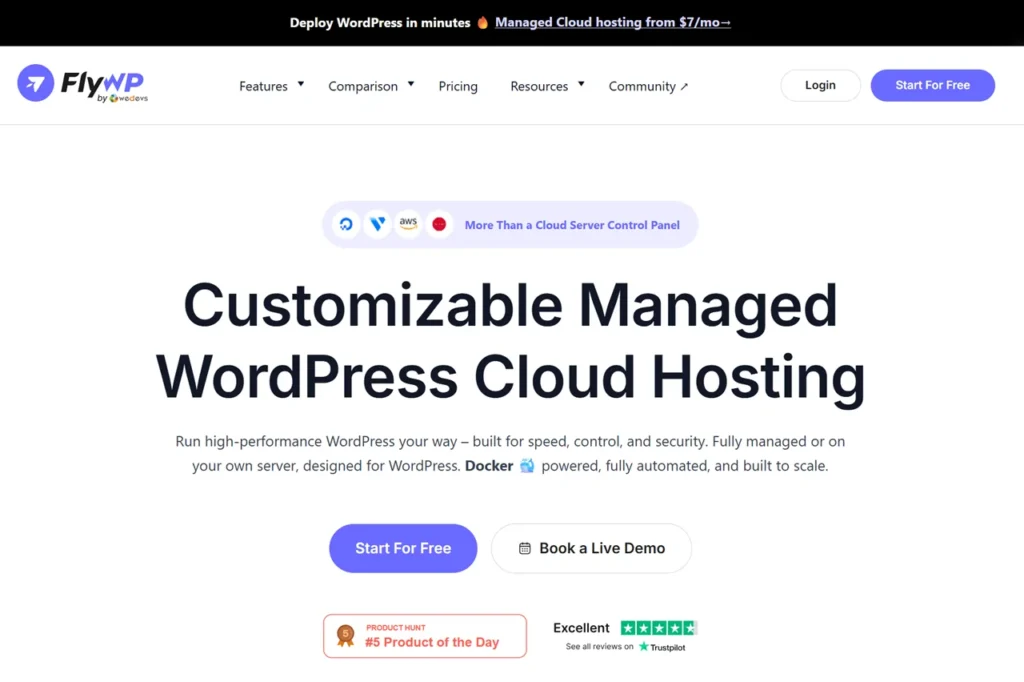
FlyWP is a server control panel built mainly for WordPress (it can also deploy Node.js apps and static sites). You either connect your own cloud server and pay FlyWP $5 a month per server (less as you add servers), or launch a FlyWP-managed server on DigitalOcean, Vultr or Akamai with the server and panel on one bill from $7 a month. Every site runs in its own Docker container, which isolates sites from each other. It suits agencies and developers running several WordPress sites who want root access without manual server work. My rating is 4.6/5.

Affiliate disclosure: some links on this page are affiliate links, so I may earn a commission if you buy, at no extra cost to you.
Table of Contents
- 1What FlyWP Is
- 2FlyWP Pricing
- 3What You Get
- 4Supported Server Providers
- 5What to Watch Out For
- 6FlyWP vs ServerAvatar and Cloudways
- 7Who Should Use FlyWP — and Who Should Skip It
- 8Frequently Asked Questions
- How much does FlyWP cost?
- Is FlyWP free?
- Does FlyWP include hosting?
- Does FlyWP work with Google Cloud?
- What is FlyWP’s refund policy?
What FlyWP Is
FlyWP is developed by weDevs. It provisions and manages WordPress-ready servers, with a choice of Nginx or OpenLiteSpeed per site and built-in Redis and FastCGI caching. Because each site sits in its own Docker container, a problem on one site is less likely to affect the others on the same server.
★ EDITOR’S CHOICE
FlyWP
My rating: 4.6/5
Manage, secure, and optimize WordPress websites on your preferred cloud server with FlyWP’s intuitive dashboard and powerful automation features.
Affiliate link: I may earn a commission at no extra cost to you.
FlyWP Pricing
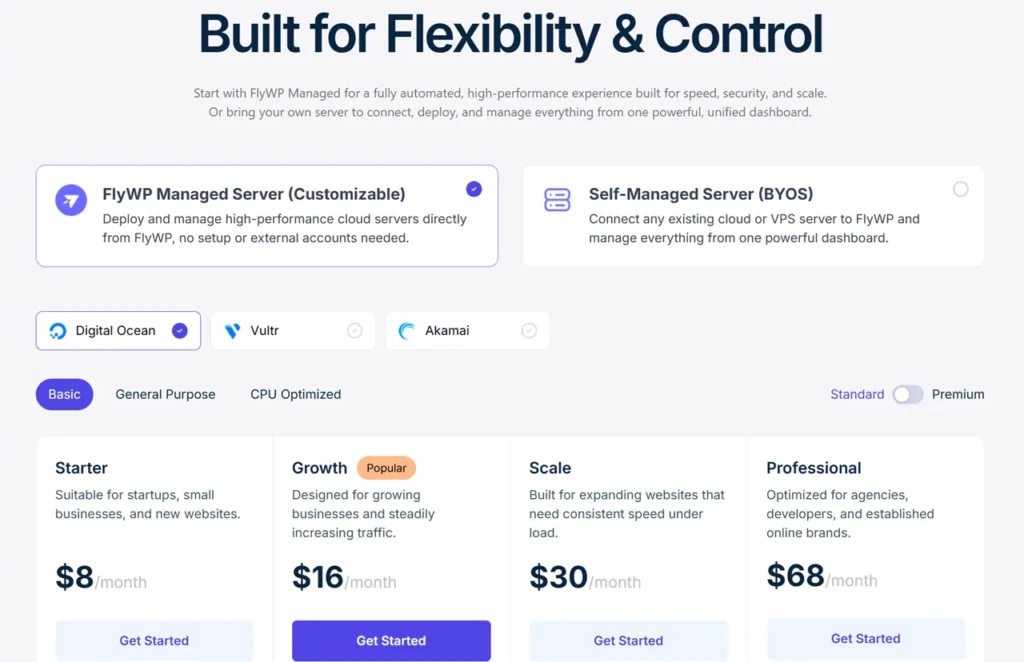
FlyWP changed its pricing on 1 April 2026. New accounts choose between bringing their own server and using a FlyWP-managed server:
| Option | Price | What’s included |
|---|---|---|
| Self-managed (your own server), 1–3 servers | $5 per server a month | Unlimited sites; everything except add-ons |
| Self-managed, 4–9 servers | $4 per server a month | Same |
| Self-managed, 10+ servers | $3 per server a month | Same |
| FlyWP-managed server, DigitalOcean Basic 1 GB | $8 a month | Server and panel on one bill; unlimited sites and visits |
| FlyWP-managed server, Vultr or Akamai Basic 1 GB | $7 a month | Same |
| Free Forever | $0 | 1 server and 1 site; no backups, provisioning or team features |
There’s a 48-hour trial for managed servers and a 14-day money-back guarantee, minus card processing fees; for managed servers, only the remaining wallet balance is refunded. Purchases made at a discount, renewals and upgrades are not refundable, and plans renew automatically. Add-ons such as the Uptime Monitor and FlySecurity Pro (by Patchstack) cost extra; their prices weren’t listed on the pricing page when I checked.
What You Get
- Per-site stacks: Nginx or OpenLiteSpeed, with Redis object caching and FastCGI page caching built in.
- Site tools: staging, one-click cloning and transfer, Git deploy, WordPress Multisite, bulk updates and full root/SSH access.
- Backups: daily or hourly schedules with your own retention, to Amazon S3, DigitalOcean Spaces, Cloudflare R2, Google Cloud Storage and other providers.
- Security: server firewall, 7G firewall rules, SSH key management and Cloudflare DNS management.
- Migration: free site migration by FlyWP’s team, plus bulk migration from Cloudways.
Supported Server Providers
You can connect servers from DigitalOcean, Vultr, Amazon EC2, Akamai (Linode) and Hetzner, or any other server as a custom server. FlyWP-managed servers run on DigitalOcean, Vultr or Akamai.
What to Watch Out For
- Bring-your-own-server means two bills: FlyWP’s per-server fee plus your provider’s server cost. Managed servers avoid this.
- Managed-server limits: resizing needs a support request, outgoing email ports (25, 465, 587) can’t be opened, and cancelling — or an unpaid bill after a three-day grace period — deletes the server, so keep off-server backups.
- The free plan is small: one server, one site and no backups.
- Docs lag the pricing change: some help pages still mention the old Growth and Business plans.
FlyWP vs ServerAvatar and Cloudways
ServerAvatar prices per plan ($12 a month for up to five servers) and has one-click installs for more non-WordPress apps, such as n8n and Mautic; FlyWP prices per server and focuses on WordPress, with Docker isolation. On monthly prices, FlyWP costs less with one or two servers ($5–10 against $12), and ServerAvatar’s $12 plan costs less from three to five servers; ServerAvatar’s discounted yearly price changes that again. Cloudways includes the server in one price, from $11 a month for a DigitalOcean server before add-ons (checked 10 October 2026).
Who Should Use FlyWP — and Who Should Skip It
Use it if you mainly manage WordPress sites, want each isolated in its own container, and like the option of either your own cloud account or a managed server on one bill.
Skip it if you mainly run other apps, such as n8n or Mautic, where ServerAvatar has one-click installs, or you want shared hosting with nothing to configure: Hostinger is simpler for one small site.
Frequently Asked Questions
How much does FlyWP cost?
Connecting your own server costs $5 per server a month for one to three servers, $4 for four to nine and $3 for ten or more. FlyWP-managed servers start at $7 a month on Vultr or Akamai, with the server included (checked 25 October 2026).
Is FlyWP free?
There is a Free Forever plan for one server and one site, without backups, provisioning or team features, and a 48-hour trial for managed servers.
Does FlyWP include hosting?
Its managed servers do: you pay FlyWP one bill for the server and the panel. On the self-managed option you rent the server from your own provider.
Does FlyWP work with Google Cloud?
Google Cloud isn’t one of FlyWP’s built-in provider integrations (DigitalOcean, Vultr, Amazon EC2, Akamai and Hetzner), but you can connect any server as a custom server.
What is FlyWP’s refund policy?
FlyWP offers a 14-day money-back guarantee, minus card processing fees; for managed servers, only the remaining wallet balance is refunded. Discounted purchases, renewals and upgrades are not refundable.