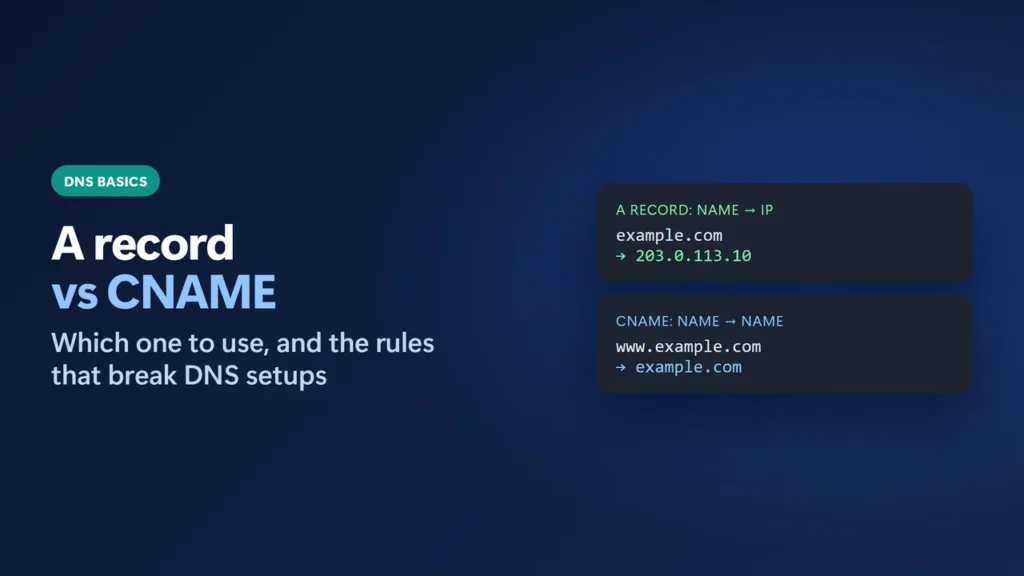
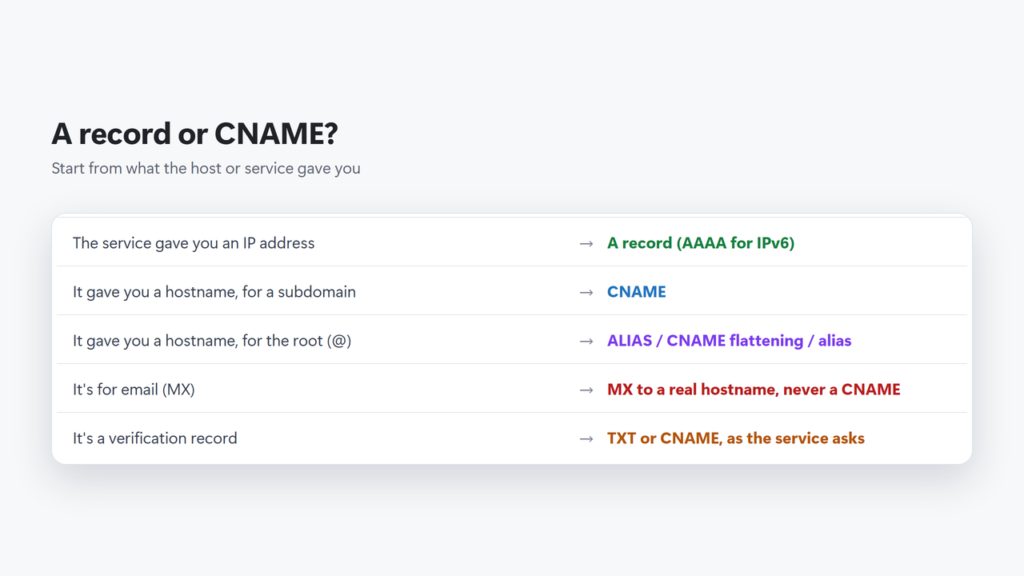
The difference between an A record vs CNAME is what they point to. An A record points a name to an IPv4 address, such as 203.0.113.10. A CNAME points a name to another name, such as www.example.com → example.com, and the lookup then continues at that name. Use an A record (plus AAAA for IPv6) for your root domain, where a standard CNAME isn’t allowed, and a CNAME for subdomains like www, shop or a verification record when a service gives you a hostname to point at. A CNAME can’t share its name with any other record.
Below I explain the rules from the DNS standards, show this site’s real records from 25 November 2026, and give a quick way to decide which one you need.
Key takeaways
- A record = name → IPv4 address. AAAA = name → IPv6 address. CNAME = name → another name.
- A CNAME can’t sit alongside other records at the same name, so the root domain normally uses A/AAAA.
- Cloudflare (CNAME flattening), Route 53 (alias) and Hostinger (ALIAS) offer workarounds for the root.
- MX and NS records must point to a real hostname, never to a CNAME.
- If a service gives you an IP, use an A record; if it gives you a hostname, use a CNAME.
Table of Contents
- 1What an A Record Is
- 2What a CNAME Record Is
- 3A Record vs CNAME: Side by Side
- 4The Rules That Trip People Up
- 1. A CNAME can’t coexist with other records
- 2. No standard CNAME at the root domain
- 3. MX and NS must not point to a CNAME
- 4. Avoid chains
- 5A Real Example: This Site’s Records
- 6Which Should You Use?
- 7How to Add Them at Hostinger
- 8Mistakes to Avoid
- What is the difference between an A record and a CNAME?
- Can I use a CNAME for my root domain?
- Should www be an A record or a CNAME?
- Can a name have both an A record and a CNAME?
- Is a CNAME slower than an A record?
- What is the difference between a CNAME and an ALIAS record?
What an A Record Is
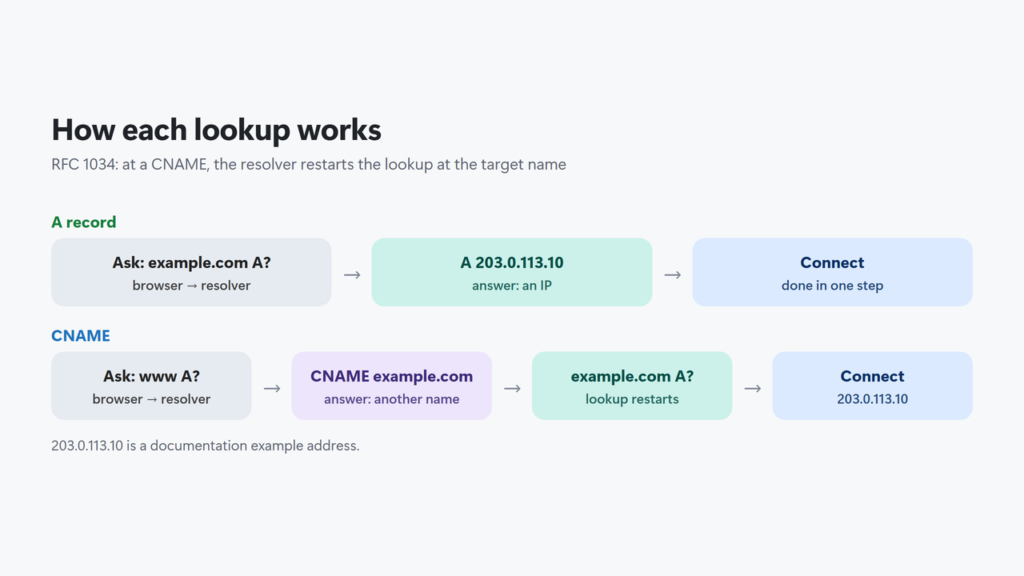
RFC 1035, the core DNS standard, defines the A record as type 1 holding “A 32 bit Internet address”, in other words an IPv4 address. A name can have several A records, which is how sites spread traffic across servers. Its IPv6 twin is the AAAA record from RFC 3596, which stores a 128-bit address. When a browser asks for example.com, an A record answers directly with the address to connect to.
What a CNAME Record Is
RFC 1034 says a CNAME “identifies its owner name as an alias” and points to the canonical (real) name. When a resolver meets a CNAME, it restarts the lookup at the target name and returns whatever is there. RFC 1035 lists the CNAME as type 5, containing “A <domain-name> which specifies the canonical or primary name for the owner”.
The useful part: if the target’s IP changes, you don’t touch your record. That’s why hosts and services often ask you to point www or a subdomain at a hostname of theirs.
A Record vs CNAME: Side by Side
| A record | CNAME | |
|---|---|---|
| Points to | An IPv4 address (AAAA for IPv6) | Another domain name |
| DNS type | 1 (AAAA is 28) | 5 |
| Works at the root domain (@) | Yes | Not as a standard CNAME |
| Can share its name with other records | Yes (MX, TXT and more at the same name) | No |
| Several per name | Yes, for load spreading | Only one per name |
| If the target’s IP changes | You must edit it | Nothing to do |
| Typical use | Root domain, a server you control | www, subdomains, SaaS and verification records |
The Rules That Trip People Up
1. A CNAME can’t coexist with other records
RFC 1034 says that if a CNAME is present at a name, “no other data should be present”, and RFC 2181 confirms an alias “may have no other data” (DNSSEC records aside). RFC 1912 puts it bluntly: “A CNAME record is not allowed to coexist with any other data.” Cloudflare enforces the same: a CNAME can’t share a name with an A, AAAA or another CNAME record.
2. No standard CNAME at the root domain
Your root domain (the “apex” or @) always has NS and SOA records, and often MX and TXT. This site’s root, for example, also has two MX records (mx1.hostinger.com and mx2.hostinger.com) in a lookup on 25 November 2026. Because a CNAME can’t share its name, a standard CNAME can’t go there. AWS’s Route 53 docs say so outright: you can’t create a CNAME at the top node of a domain. Providers work around it in different ways:
- Cloudflare: CNAME flattening. You can enter a CNAME at the root; Cloudflare answers with the final IP. Cloudflare says this is automatic at the root on all plans, and warns that flattening all CNAME records (a paid option) can make third-party domain verification fail.
- AWS Route 53: alias records. A Route 53-only extension that works at the root and points to selected AWS resources (such as CloudFront, S3 or a load balancer) or another record in the same hosted zone; resolvers see it as the record type you chose, usually A or AAAA.
- Hostinger: ALIAS. Hostinger’s help describes ALIAS as a flattened CNAME for the root (@): you add it like a CNAME with the name @, and a lookup shows the resulting A/AAAA addresses.
3. MX and NS must not point to a CNAME
RFC 2181 says the value of an NS or MX record “must not be an alias”, and RFC 1912 says the same for MX. Point your mail records at the mail server’s real hostname. (For Hostinger’s exact mail records, see Hostinger email DNS records.)
4. Avoid chains
A CNAME can point to another CNAME, but RFC 1034 says chains of aliases should be avoided: each hop is another lookup.
A Real Example: This Site’s Records
On 25 November 2026 I looked up this site’s records with PowerShell’s Resolve-DnsName through Google’s 8.8.8.8:
| Name | Record | Answer |
|---|---|---|
| harshilbarot.com | A | Two IPv4 addresses (TTL 60) |
| harshilbarot.com | AAAA | Two IPv6 addresses (TTL 60) |
| harshilbarot.com | CNAME | None (the root answers with A/AAAA) |
| www.harshilbarot.com | CNAME | www.harshilbarot.com.cdn.hstgr.net (TTL 300) |
| www.harshilbarot.com | A (asked) | The CNAME, then the target’s own A records |
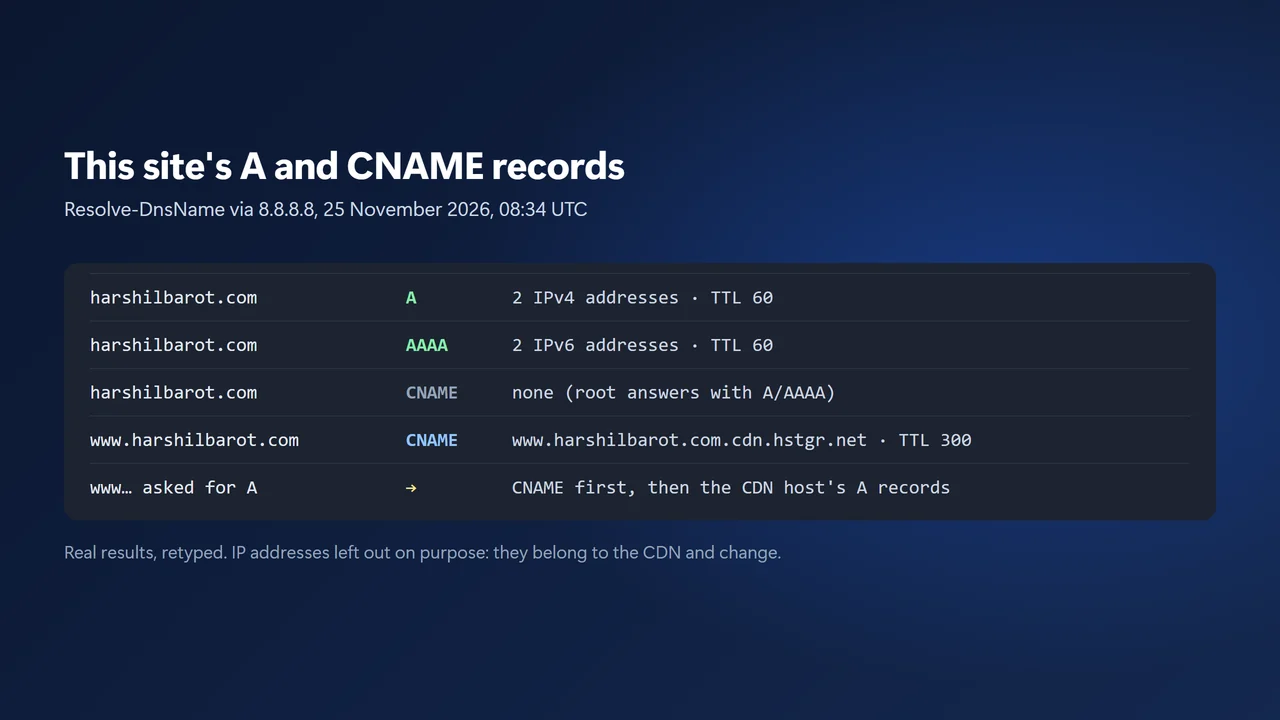
That’s the textbook setup. The root domain answers with addresses, and www is an alias for a hostname on Hostinger’s CDN (more on that in Hostinger CDN vs Cloudflare). Asking www for an A record returns the CNAME first and then the CDN hostname’s addresses, which is the restart-the-lookup behaviour RFC 1034 describes. I can’t tell from DNS alone whether the root is a plain A record or a Hostinger ALIAS record behind the CDN; both look the same to a resolver. GitHub does the same for its www name: www.github.com is a CNAME to github.com.
Resolve-DnsName www.yourdomain.com -Type CNAME -Server 8.8.8.8
Resolve-DnsName www.yourdomain.com -Type A -Server 8.8.8.8
dig +short CNAME www.yourdomain.com @8.8.8.8
Run the CNAME check to see the alias, and the A check to confirm it resolves all the way to an address. If your DNS editor refuses to save a CNAME, a common reason is that another record (often an A record) already exists at that name; remove or replace it first if the CNAME is meant to take over that name (deleting a live A record takes the name offline until the CNAME is in place).
Which Should You Use?
| You want to… | Use |
|---|---|
| Point your root domain to a server IP | A record (and AAAA if you have IPv6) |
| Point www to the same site | CNAME to your root domain or your host’s hostname |
| Connect a subdomain to a SaaS tool (shop, help, mail tracking) | CNAME to the hostname the tool gives you |
| Verify a domain with Google or another service | TXT or CNAME, whichever the service asks for |
| Point the root domain to a hostname | Your DNS provider’s flattening/ALIAS/alias feature, not a plain CNAME |
| Send email | MX records to a real hostname, never a CNAME |
For Google, Search Console verification by TXT or CNAME is the way to verify a Domain property, and Google notes most sites use TXT. Google Workspace’s help adds that CNAME record changes can take up to 72 hours to go into effect, though “typically they happen much sooner”.
How to Add Them at Hostinger
In the Hostinger dashboard, go to Domains → DNS, pick the domain and open the DNS records tab. Choose the Type (A or CNAME), fill in Name (@ or a subdomain), Value (the IP or target hostname) and TTL, then click Add Record. Hostinger’s help notes three things:
- The default TTL is 14400 seconds (4 hours), and changes can take up to 24 hours to spread (see what TTL in DNS means and how long DNS propagation takes).
- To point
wwwat an IP instead, delete the existingwwwCNAME first, because the two can’t coexist. - Fully disable Hostinger CDN before adding an A record for the root (@). Hostinger says enabling the CDN “creates an alias record for your domain”, and that changing the www CNAME while the CDN is on “may affect your website’s functionality”.
Pointing a domain with an A record keeps your DNS (and email records) at the current provider; changing nameservers moves the whole zone to Hostinger. For the second route, see how to change nameservers at Hostinger; for how domains and hosting fit together, domain vs hosting.
Mistakes to Avoid
- Adding a CNAME at the root. Use A/AAAA or your provider’s flattening/ALIAS feature.
- Adding a CNAME where another record exists. A
wwwCNAME and awwwA record can’t both exist. - Pointing MX at a CNAME. Use the mail server’s real hostname.
- Putting an IP in a CNAME (or a hostname in an A record). A takes an IP; CNAME takes a name.
- Proxying verification CNAMEs on Cloudflare. Cloudflare says domain-verification CNAMEs should be DNS only.
- Hard-coding IPs you don’t control. If a service gives you a hostname, CNAME to it. To see where a domain points today, find out who hosts a website.
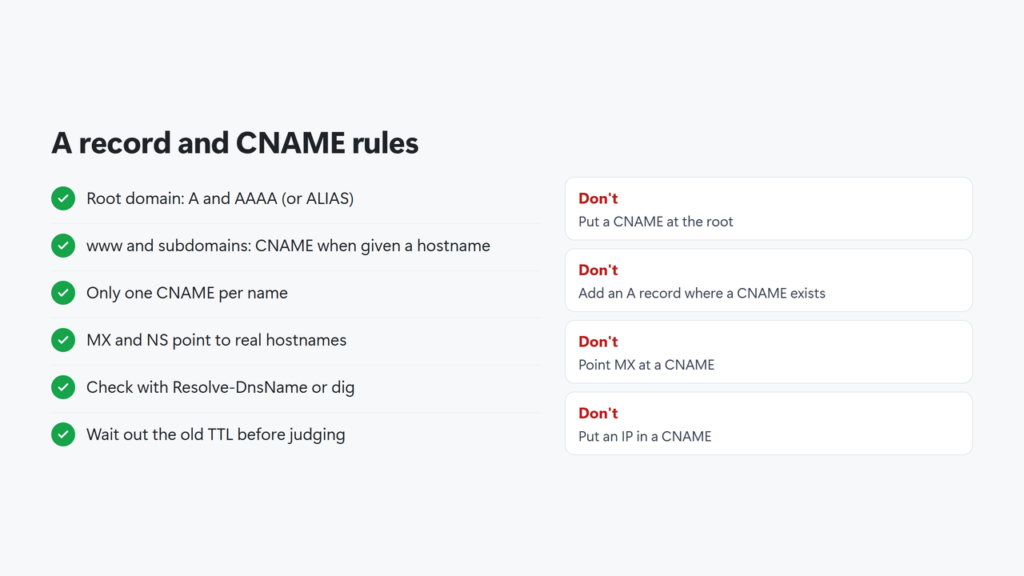
Checklist in text: root domain → A/AAAA (or ALIAS/flattening); www and subdomains → CNAME when given a hostname; one CNAME per name and nothing else beside it; MX and NS → real hostnames; check with Resolve-DnsName or dig; allow for the TTL before expecting the change everywhere.
What is the difference between an A record and a CNAME?
An A record points a name to an IPv4 address. A CNAME points a name to another name, and the lookup continues at that name.
Can I use a CNAME for my root domain?
Not a standard CNAME, because the root already has NS and SOA records and a CNAME can’t share its name. Use A records, or your DNS provider’s flattening or ALIAS feature.
Should www be an A record or a CNAME?
Either works. A CNAME to your root domain or your host’s hostname is common because you only update the IP in one place.
Can a name have both an A record and a CNAME?
No. A CNAME can’t coexist with any other record at the same name, apart from DNSSEC records.
Is a CNAME slower than an A record?
It adds a lookup step, because the resolver has to look up the target name too. Resolvers cache the results, and RFC 1034 advises avoiding long chains of aliases.
What is the difference between a CNAME and an ALIAS record?
An ALIAS (or flattened CNAME) is a provider feature that lets the root point to a hostname by answering with the final IP. A CNAME is the standard DNS record and can’t be used at the root.