A domain is your website’s address, such as example.com. Hosting is the server space where your website’s files live. You need both for a website: the domain tells browsers where to go, and the hosting delivers the site when they get there. You can buy them from the same company or from different ones.
This guide explains how the two connect, what each costs, and whether to keep them together or apart.
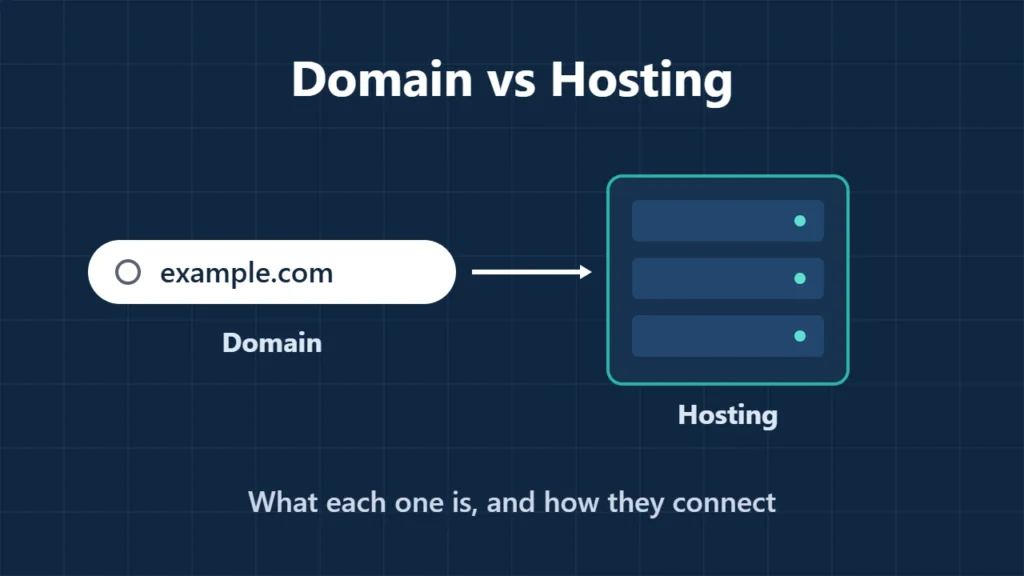
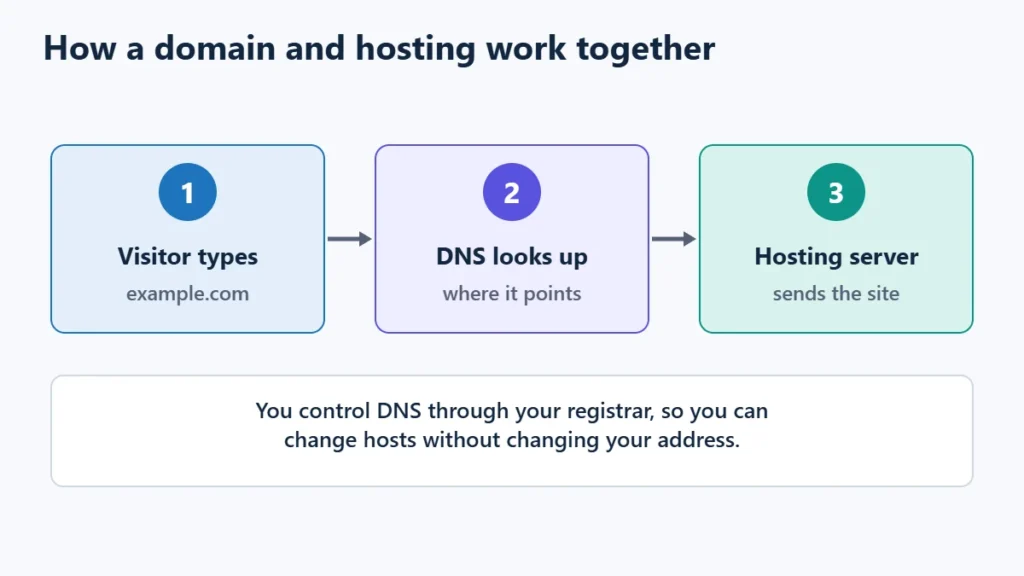
Table of Contents
- 1Domain vs Hosting at a Glance
- 2How a Domain and Hosting Work Together
- 3What Each Costs
- 4Same Company or Separate?
- 5What About Email?
- 6Getting Started: The Simple Order
- 7Frequently Asked Questions
- Can I have a domain without hosting?
- Can I have hosting without a domain?
- Do I need to buy them from the same company?
- What happens if my domain expires?
- Is a free domain really free?
Domain vs Hosting at a Glance
| Domain | Hosting | |
|---|---|---|
| What it is | Your site’s name and address | Server space that stores and serves your site |
| Who sells it | A domain registrar | A hosting provider |
| How you pay | Yearly registration, renewed each year or term | Monthly or prepaid term |
| What you control | DNS records that say where the domain points | Files, databases, email accounts on the server |
| If it lapses | Your address can be lost to someone else | Your site goes offline |
How a Domain and Hosting Work Together
When someone types your domain, their device looks it up in the Domain Name System (DNS). DNS records, which you control through your registrar or DNS provider, point the domain to your hosting server’s address. The server then sends back your website.
That is why you can move hosts without changing your address: you copy the site to the new host and update the DNS records. The WordPress migration guide covers both ways to point a domain, by nameservers or by A record.
What Each Costs
| Item | Example |
|---|---|
| .com domain | Hostinger listed $19.99 a year before discounts; in its sale, $0.01 for the first year on a 3-year term |
| Free domain with hosting | Hostinger Premium and ChemiCloud plans included a free domain, typically for the first year |
| Shared hosting | Hostinger Premium: $1.99 a month for 48 months, renews at $10.99 |
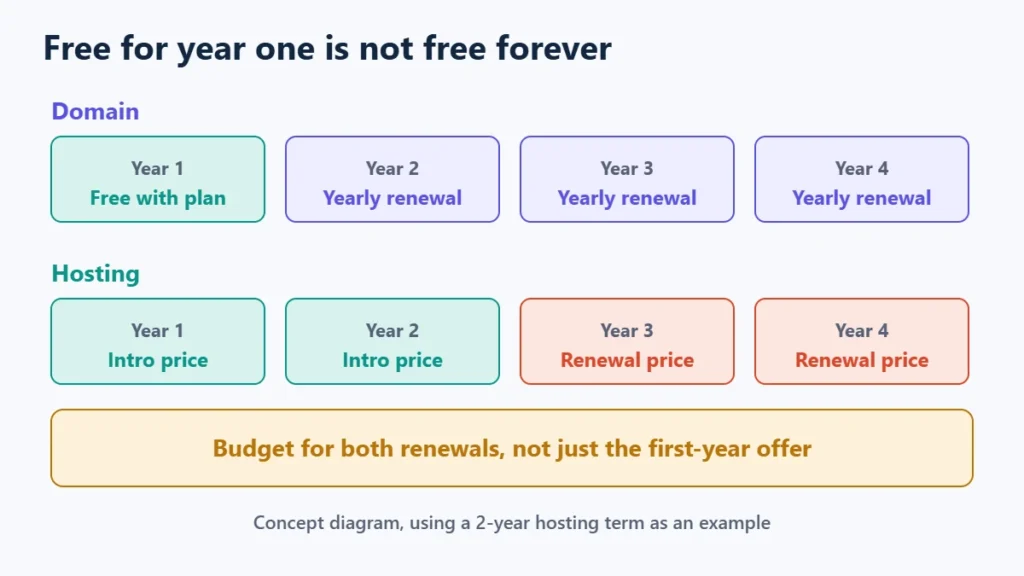
The catch with a “free domain” is that it is usually free for the first year only. From year two you pay the registrar’s renewal price, so include it in your budget. How much web hosting costs lists other extras to plan for.
Same Company or Separate?
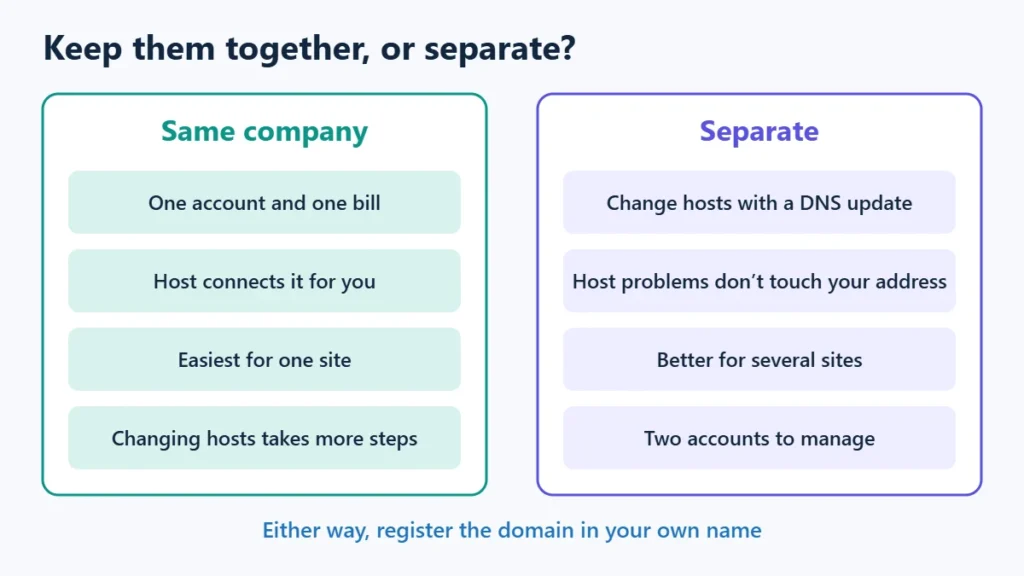
Together is simpler. One account, one bill, and the host usually connects the domain for you. It suits beginners with one site. The trade-off is that changing hosts later means either transferring the domain or managing it at a company you no longer host with.
Separate gives you more independence. If you change hosts, you only update DNS; the domain stays where it is. A billing or account problem at your host also does not put your address at risk. It suits people with several sites or anyone who expects to move hosts.
Either way, make sure the domain is registered in your name and with your email, not a developer’s or agency’s account.
What About Email?
Email at your domain, such as you@example.com, is a third service. It can come from your host, from a separate email provider, or from your domain company. Your domain’s MX records decide where mail goes. If you move hosts, email does not move with the website unless you set it up again, which is one of the most common surprises in a migration.
Getting Started: The Simple Order
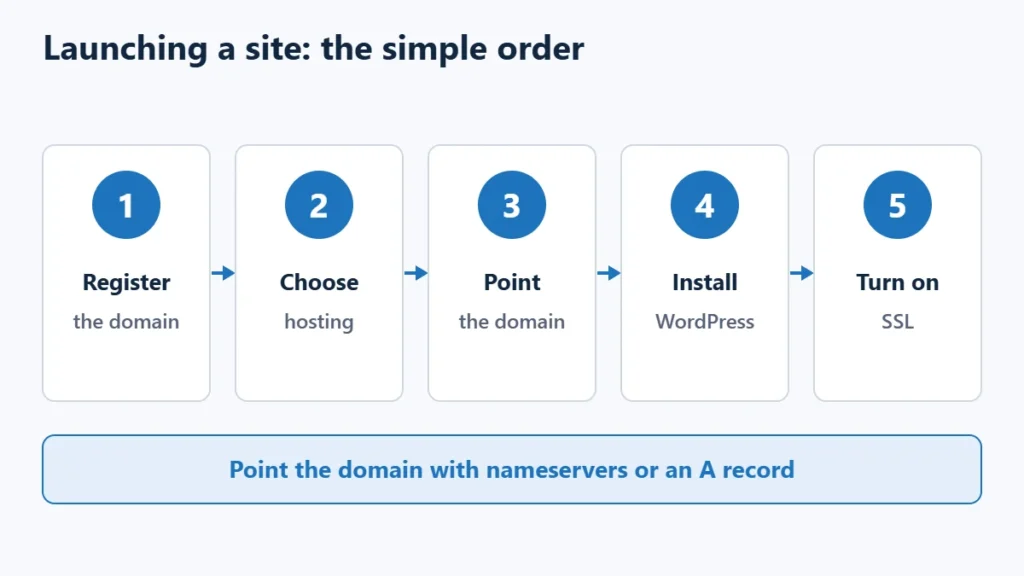
- Choose and register your domain, ideally short, easy to spell and in your own name.
- Choose hosting that fits your site. How to choose web hosting walks through it.
- Point the domain to your host with nameservers or an A record.
- Install WordPress or upload your site.
- Turn on SSL so the site loads over HTTPS.
If you want both from one provider, you can see Hostinger’s plans, which included a free first-year domain on 10 November 2026. Affiliate link: I may earn a commission at no extra cost to you.
Frequently Asked Questions
Can I have a domain without hosting?
Yes. You can register a domain and keep it unused, forward it to another site, or use it only for email.
Can I have hosting without a domain?
Technically, since many hosts give you a temporary address, but visitors need a domain to find a real website.
Do I need to buy them from the same company?
No. You can register the domain anywhere and point it to any host with DNS records.
What happens if my domain expires?
Your site and email at that domain stop working, and after any grace period the name can become available to others. Turn on auto-renewal and keep your payment details current.
Is a free domain really free?
Usually for the first year only. After that it renews at the registrar’s normal price.

Affiliate disclosure: some links on this page are affiliate links, so I may earn a commission if you buy, at no extra cost to you.