Personally used How I review
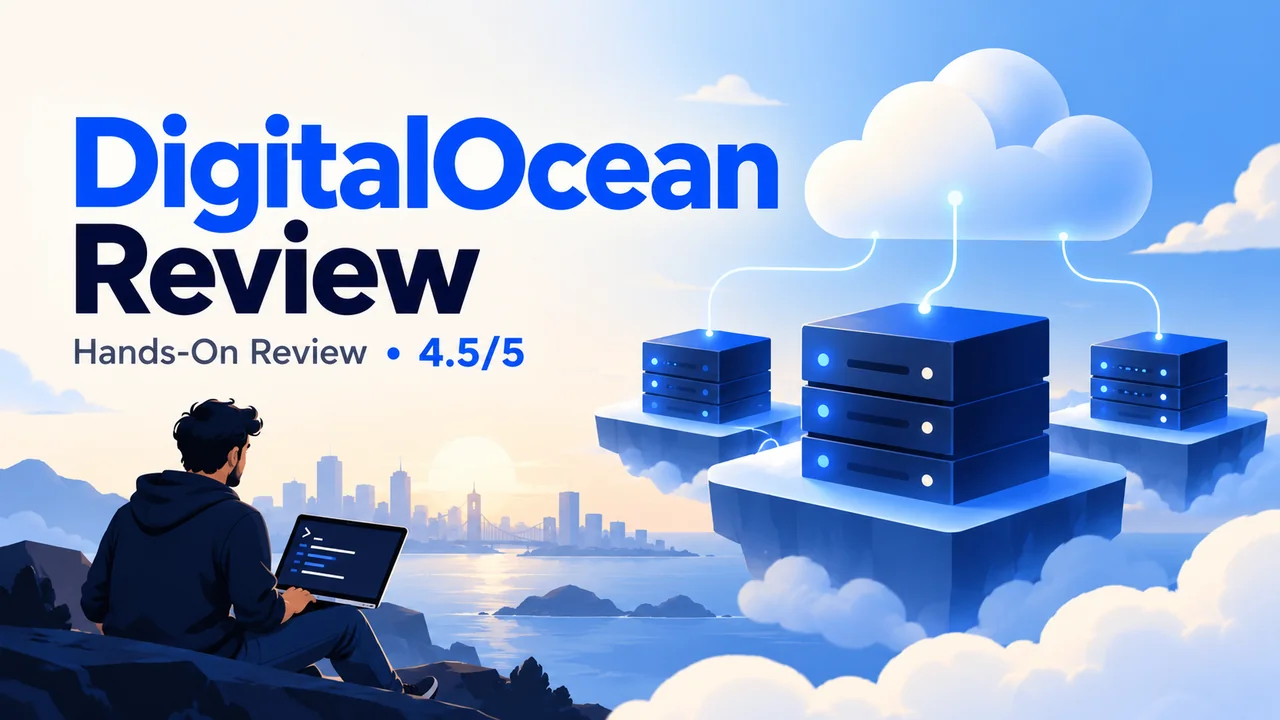
DigitalOcean is a cloud infrastructure platform for developers, startups and businesses that need virtual servers, application hosting and managed services. I have personally used DigitalOcean, and my overall rating is 4.5/5. Its biggest strength is control: you can build the environment your application needs. Its biggest limitation is the responsibility that comes with that control. Bundled Basic Droplets currently start at $4 per month, but that entry price is not a complete production hosting budget. DigitalOcean is a strong candidate if you can manage your infrastructure; readers who want someone else to maintain WordPress should consider managed hosting.
Last Fact-Checked: October 2026. Prices below are in USD, before applicable taxes. Availability, product limits and offers can change.
Table of Contents
- 1DigitalOcean review: the quick verdict
- 2What is DigitalOcean, and what is a Droplet?
- 3My experience and how I assess the platform
- 4DigitalOcean products: which service do you actually need?
- Droplets: virtual servers with direct control
- App Platform: less infrastructure work
- Managed Databases: useful, with engine-specific limits
- Kubernetes: useful when the application needs a cluster
- Spaces, Volumes and Load Balancers
- Networking, developer tools and GPU options
- 5DigitalOcean pricing: understand the billing model first
- Bundled Basic Droplet examples
- v5 configurations do not use the same monthly cap
- Other services can change the total
- Example: what a small setup can cost
- Billing details worth checking before you launch
- Signup credit: avoid relying on an old offer
- 6DigitalOcean performance and reliability: what you can conclude
- What actually affects application speed?
- Regions and latency
- SLA coverage and application uptime
- 7Security, backups and server management
- Backups and snapshots serve different purposes
- 8Is DigitalOcean good for WordPress?
- Direct DigitalOcean versus a managed layer
- 9DigitalOcean support: choose the access you need
- 10DigitalOcean pros and cons
- What makes DigitalOcean attractive
- What I would weigh before paying
- 11Who should use DigitalOcean, and who should consider alternatives?
- DigitalOcean versus traditional web hosting
- 12DigitalOcean alternatives: compare by use case
- 13DigitalOcean review: my final verdict
- 14DigitalOcean review FAQs
- Is DigitalOcean good for beginners?
- Is DigitalOcean managed or unmanaged hosting?
- How much does DigitalOcean cost per month?
- Does shutting down a Droplet stop billing?
- Is DigitalOcean free to try?
- Can I host WordPress on DigitalOcean?
- Are DigitalOcean backups included?
- Does DigitalOcean provide free live-chat support?
- Does DigitalOcean guarantee 99.99% uptime for my website?
- Is DigitalOcean Kubernetes free?
- Is DigitalOcean better than AWS or Vultr?
- Do I need DigitalOcean directly or Cloudways?
DigitalOcean review: the quick verdict
Is DigitalOcean worth it? Yes, for developers and teams that value configurable cloud infrastructure and can own their deployment, security and recovery process. For a nontechnical website owner, a managed hosting service can be a better purchase even when its monthly price is higher.
| Decision point | My assessment |
|---|---|
| Overall rating | 4.5/5, based on my personal use |
| Best fit | Developers, SaaS teams, technical agencies and cloud projects |
| Main advantage | Direct infrastructure control with a useful range of managed services |
| Main trade-off | A Droplet does not include full server or WordPress administration |
| Entry price | Bundled Basic Droplets from $4/month; other configurations have different billing |
| Before buying | Budget for backups, storage, traffic, support and administration |
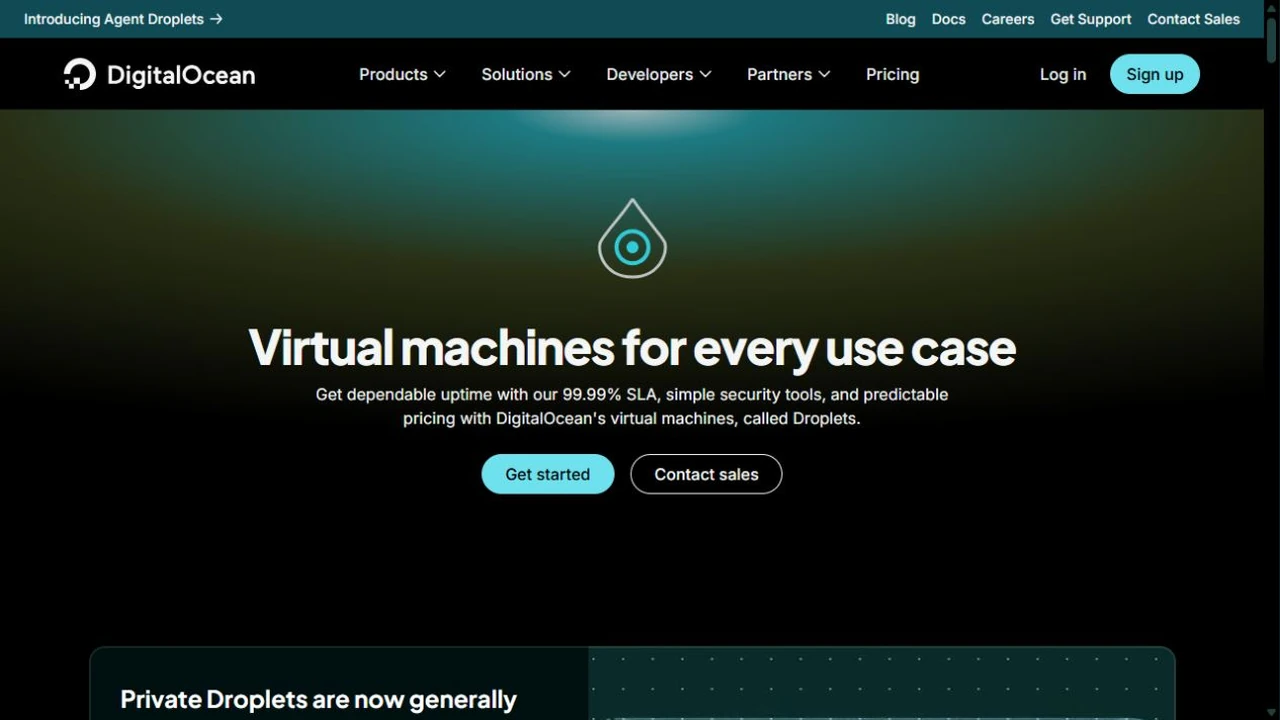
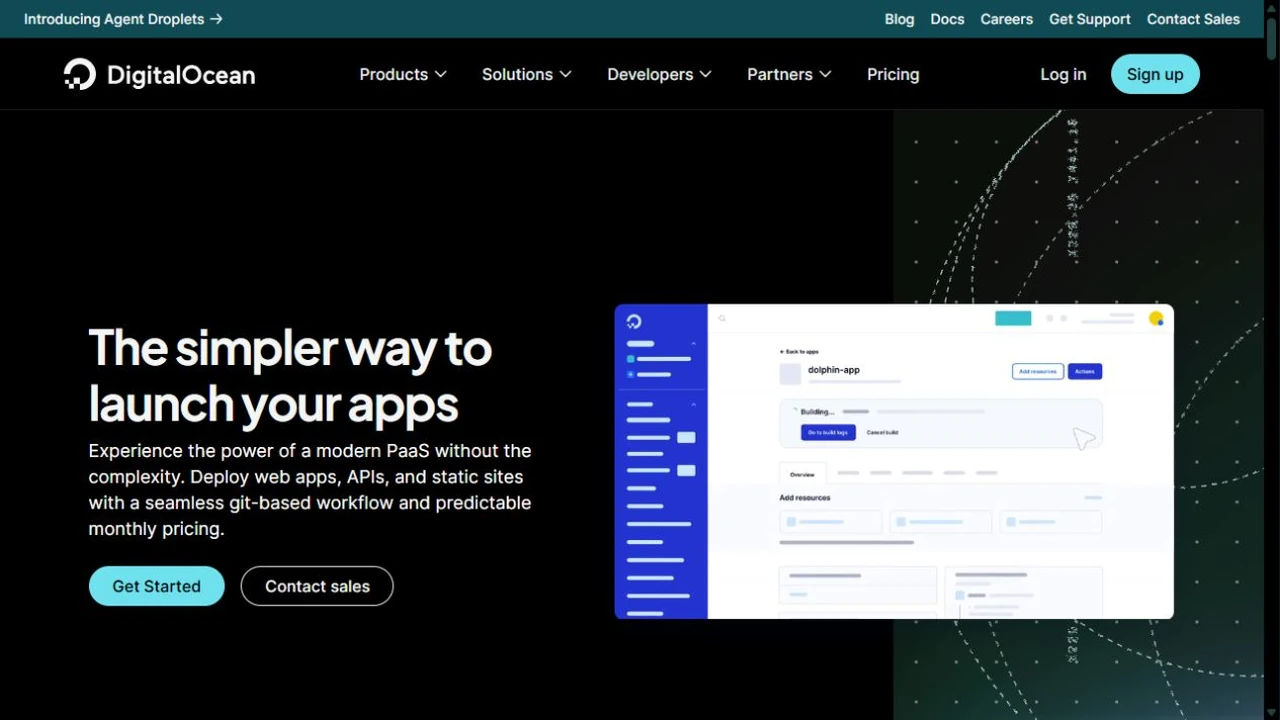
This review combines my personal use with a fresh check of DigitalOcean’s current documentation. I do not currently have an active account available for new account screenshots or benchmarks. The artwork is explanatory; the website screenshots show public product pages, not my account. Pricing examples are calculations rather than my invoices. I am not presenting measured uptime, speed tests or support response times that I cannot substantiate.
The buttons in this review link directly to DigitalOcean’s official website without affiliate tracking.
Ready to explore? Compare the products and current configurations on DigitalOcean’s official website before creating paid resources.
Prefer someone else to manage your website? Start with my managed WordPress hosting guide instead.
What is DigitalOcean, and what is a Droplet?
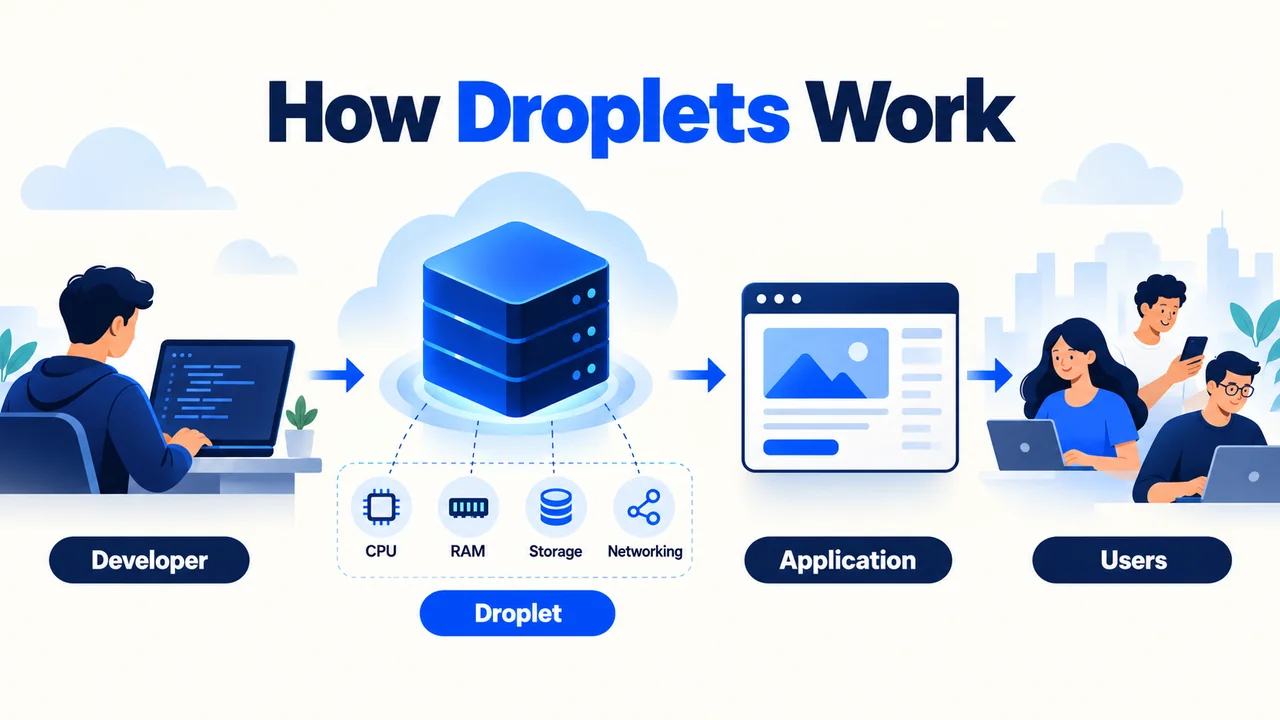
DigitalOcean provides building blocks for running applications in the cloud. Its best-known product, a Droplet, is a Linux virtual machine: a rented server environment with an operating system, CPU, memory, storage and networking. You choose what runs on it and how it is configured.
That flexibility suits a custom application, an API, a development environment or a website with specific server requirements. It also changes the buying decision. Renting a machine gives you capacity; it does not automatically provide application maintenance, a website migration, business email or someone to repair a broken plugin.
A Droplet can host WordPress, but DigitalOcean is not simply a conventional shared hosting package with a familiar control panel included. Its App Platform, Managed Databases and Kubernetes products move some operational work to the provider, each with its own management boundary.
My advice is to decide how much you want to operate before choosing a product. A capable developer may benefit from direct access. A publisher whose priority is writing and selling can find the same freedom distracting and expensive in staff time.
My experience and how I assess the platform
I have used DigitalOcean, and I consider its overall offering strong enough to rate 4.5 out of 5. This is my personal overall assessment of the platform.
I look at the platform through four questions: does the product fit the workload, can the owner operate it safely, is the total cost understandable, and is there a practical recovery plan? These questions are more useful than treating a low entry price as proof of good value.
The current product evaluation below comes from verified specifications and practical hosting considerations. My overall rating should not be read as a test of every database engine, GPU, region or support tier. I keep that personal assessment separate from the current specifications and the guidance on choosing a deployment.
For me, a credible cloud review also needs to explain when the platform is the wrong choice. DigitalOcean deserves consideration when control is useful. If no one on the team can maintain the environment, the value calculation changes substantially.
DigitalOcean products: which service do you actually need?
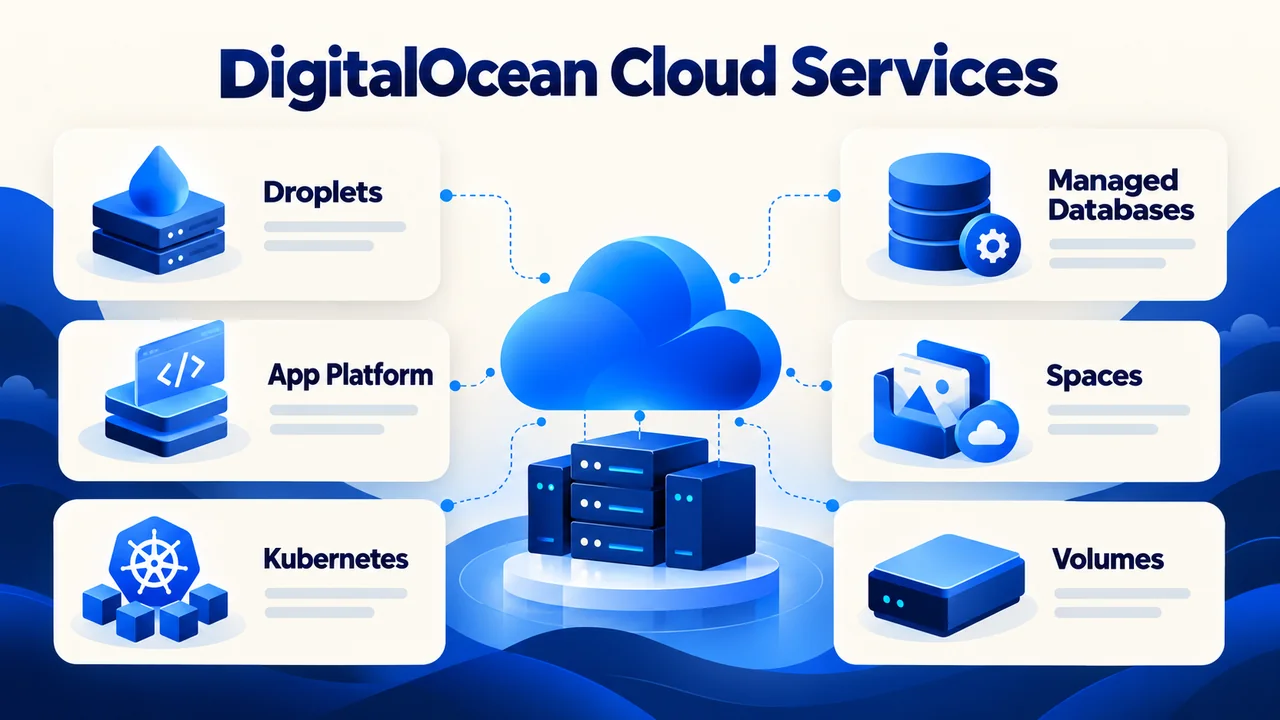
You do not need the whole catalog for one website. Start with the simplest service that meets the application requirements, then add components for a clear purpose.
| Your priority | Start by evaluating | What you still need to own |
|---|---|---|
| Full control over a Linux server | Droplets | OS, application, security and recovery |
| Deploying application code with less server work | App Platform | Code, deployment settings and persistent data |
| Publishing WordPress with someone handling operations | A suitable managed hosting service | Content and the duties outside that provider’s scope |
Droplets: virtual servers with direct control
Droplets let you choose a Linux environment and deploy your own software. Basic shared CPU plans suit workloads that do not need sustained dedicated CPU capacity. Dedicated CPU families address different compute, memory and storage requirements; the appropriate choice depends on the application.
Compare the actual family, processor option, memory, disk and transfer allowance. Two servers with the same RAM can have different CPU behavior or storage characteristics. A specification label alone is not an application benchmark.
The practical advantage is flexibility over the web stack, processes and deployment tools. The cost is ownership of operating-system updates, application dependencies, access controls, service configuration and incident response. You can automate this work, but automation still needs someone accountable for it.
App Platform: less infrastructure work
App Platform is a platform as a service for deploying applications from supported repositories or container images. It handles underlying infrastructure so a developer can concentrate more on code and deployment configuration.
Paid application components currently start at $5/month. The smallest paid configuration does not support manual scaling or autoscaling; those capabilities depend on the component type and plan. Do not assume that paying for App Platform gives every application automatic growth without further configuration.
There is also a free static-site allowance. A static frontend and a dynamic application are different purchases: free static hosting does not mean a WordPress installation or database-backed application runs free. Consider where persistent data, uploads, secrets and background jobs will live before selecting the service.
Choose App Platform when reducing server administration is valuable and the application’s architecture fits its supported deployment model. Choose a Droplet when you need more control over the machine and are prepared to operate it.
Managed Databases: useful, with engine-specific limits
DigitalOcean offers managed PostgreSQL, MySQL, MongoDB, Valkey, Kafka and OpenSearch services. Moving database infrastructure to a managed service can reduce maintenance work, but you still own schema design, queries, access permissions and application behavior.
Features differ by engine and configuration. For example, daily backups and point-in-time recovery are not universal across every engine. A small single-node database is also a different reliability choice from a configuration with standby capacity.
Important October 2026 change: new PostgreSQL and MySQL Standard Edition clusters will lose plans above 4 GiB RAM and the ability to add standby or read-only nodes. The restrictions begin on 15 October for accounts that have never created either type of cluster, and on 30 November for all accounts creating new clusters. Advanced Edition becomes the route for those requirements; existing clusters are not affected by these announced restrictions. Check the database plan change notice before budgeting a new production database.
Kubernetes: useful when the application needs a cluster
DigitalOcean Kubernetes, or DOKS, provides a managed Kubernetes control plane. The basic control plane is free, but worker nodes and associated resources are billed. A high-availability control plane costs an additional $40/month, prorated hourly.
Kubernetes is appropriate when your team already needs container orchestration, deployment coordination and cluster operations. It is usually an unnecessarily complex starting point for a single small blog. Managed control-plane infrastructure does not remove responsibility for application images, workloads, permissions, data protection or deployment failures.
Spaces, Volumes and Load Balancers
Spaces is S3-compatible object storage with a built-in CDN. It is useful for media, downloadable files and appropriate backup workflows. Object storage does not run PHP or behave like an ordinary attached server disk.
Volumes provide block storage for supported Droplet configurations. Treat additional storage as a separate resource with its own cost and recovery requirements. Adding disk space does not, by itself, solve a CPU or memory bottleneck.
Load Balancers distribute traffic to backend resources. They help an appropriate multi-server architecture, but they are not a substitute for healthy applications or database resilience. Session handling, shared uploads and state still need a design.
Networking, developer tools and GPU options
VPC networking, Cloud Firewalls, reserved IPs, monitoring, APIs and the command-line tool support more repeatable infrastructure management. Container Registry stores container images, while Functions supports serverless workloads. These tools are useful when they simplify your deployment process; they are not prerequisites for every website.
GPU offerings address accelerated workloads such as AI development and inference. Compare the specific accelerator, memory, availability and billing rules. Do not choose a GPU because the project uses an AI API elsewhere: many applications calling an external model do not need their own accelerator.
DigitalOcean pricing: understand the billing model first
DigitalOcean pricing is relatively approachable for a simple setup, but the cost of a cloud environment depends on its components. The distinction between bundled Droplets and newer resource-configurable v5 plans matters particularly in 2026.
Bundled Basic Droplet examples
The following examples are regular Basic bundled configurations, not premium processor variants or a quote for every region. RAM and storage units follow the published specifications.
| Monthly cap | CPU / RAM | SSD storage | Included transfer |
|---|---|---|---|
| $4 | 1 vCPU / 512 MiB | 10 GiB | 500 GiB |
| $6 | 1 vCPU / 1 GiB | 25 GiB | 1,000 GiB |
| $12 | 1 vCPU / 2 GiB | 50 GiB | 2,000 GiB |
| $24 | 2 vCPU / 4 GiB | 80 GiB | 4,000 GiB |
These bundled plans use per-second billing with a minimum of 60 seconds or $0.01, whichever is higher. Their monthly price caps at 672 hours. Transfer allowance accrues with usage time, so creating a server briefly does not grant the entire month’s advertised transfer allowance.
The $4 plan is an entry point, not a universal production recommendation. A WordPress stack, background tasks and a database must share its small memory budget. Select resources using the application’s needs and measurements, not a promised visitor count that no review can reliably infer from RAM alone.
v5 configurations do not use the same monthly cap
Resource-configurable v5 Droplets bill separately for CPU, RAM and boot-disk resources. Their published hourly rates do not have the bundled plans’ monthly cap. Actual runtime and calendar hours therefore affect the total.
Check the configuration shown in the control panel rather than multiplying a headline starting price across all Droplet types. Public IPv4 is listed separately for these configurations and currently has a $0.00 introductory rate, subject to change. The Droplet billing documentation explains the distinction.
Other services can change the total
| Resource | Verified example or billing note | Budget implication |
|---|---|---|
| App Platform | Paid app components from $5/month | Multiple components and databases add cost |
| Spaces | $5/month includes 250 GiB storage and 1 TiB outbound transfer | Excess storage and transfer are separate |
| Volume storage | 100 GiB costs $10/month | Attached storage is additional to compute |
| PostgreSQL | Single-node entry plan starts at $15/month | Single-node is not high availability; edition changes matter |
| DOKS | Basic control plane free; HA control plane +$40/month | Worker nodes, storage and networking are additional |
| Backups | Weekly flat-rate option 20%; daily option 30% of Droplet cost | Usage-based backup pricing is also available |
| Support | Paid plans from $24/month | Live chat begins at the $99/month Standard tier |
The PostgreSQL starting price above is for an entry single-node configuration, which the provider positions for preliminary development and testing. Do not use it as the cost of a resilient production database. Advanced Edition and standby-node requirements need their own current quote.
Other potential charges include Load Balancers, transfer overages, snapshots, additional storage, paid networking configurations and taxes. These are choices and usage costs, not mandatory additions to every Droplet. Check the current product pricing for the resources you will actually deploy.
Example: what a small setup can cost
Consider one bundled $12/month Droplet with the daily percentage-based backup option. The arithmetic is $12 + $3.60 = $15.60/month, before tax and other services. If that project also selects the base $5 Spaces subscription, the subtotal becomes $20.60/month.
This example does not include a managed database, paid support, server administration, domain registration, email delivery or traffic overages. Nor does it establish that a $12 server is suitable for your workload. It shows how quickly the full purchase can differ from the compute line item.
For a client project, I would also budget time for maintenance and recovery. A developer’s hours have a cost even when the invoice does not label them “hosting.” For a publisher, paying more for suitable managed operations may be economically sensible.
Before you choose a configuration: write down the compute, backup, storage, database and support resources you need. Compare that total with your monthly budget, including administration time.
Billing details worth checking before you launch
Powering off a Droplet does not stop its charges. Billing ends when the Droplet is destroyed, not when the operating system is shut down. Review retained storage, snapshots and other resources separately when closing a project.
Inbound transfer is free for Droplets; additional outbound transfer is generally $0.01/GiB under the documented transfer rules. Public transfer allowances are pooled at team level, with accrual rules. Traffic over the private VPC interface has a different treatment, so routing matters.
Assigned reserved IPs are free under the current policy. An unassigned reserved IPv4 can incur charges, while unassigned reserved IPv6 is free. This is distinct from the v5 public IPv4 line item. Review your resource inventory instead of assuming every address has the same billing treatment.
Set spend alerts, inspect the bill after deployments and check whether an apparently temporary resource remains active. Treat alerts as notifications rather than a substitute for monitoring resource use and cleanup.
Signup credit: avoid relying on an old offer
The current standard signup documentation describes a $5 credit expiring 90 days after signup, applied when creating a first team. A valid payment method is required before creating Droplets or other resources. The credit excludes SaaS Add-Ons and has promotional terms.
Special offers can have different eligibility, so confirm what the signup page actually grants. I am not claiming that every reader will receive an older $200 promotion or that I tested a coupon. The signup credit terms are the appropriate place to check the current standard allowance.
DigitalOcean performance and reliability: what you can conclude
DigitalOcean gives you options for compute, memory, storage and location. Those options are useful for tuning a workload, but they do not establish a universal page-load time or transactions-per-second result.
I am not publishing a new benchmark here because I do not have a current account and a reproducible test dataset. A believable comparison would specify the exact instances, region, operating system, software versions, concurrency and test duration. Without those controls, a numerical claim can be misleading.
What actually affects application speed?
For a website, inspect server response time, memory pressure, database queries, cache behavior and resource usage alongside browser metrics such as Largest Contentful Paint, Interaction to Next Paint and Cumulative Layout Shift. A larger machine may help exhausted resources; it will not automatically repair oversized images or slow third-party scripts.
For an API or SaaS application, track response-time percentiles, error rate, queue depth and database behavior under realistic load. Test the production-like workload rather than a single empty-page request. Keep the test repeatable so a configuration change has a meaningful before-and-after comparison.
The useful question is whether a particular deployment meets your response-time and reliability targets at an acceptable total cost. “Cloud hosting is fast” is not enough to answer it.
Regions and latency
The current regional documentation lists 16 data centers across 13 regions. Examples include Bangalore, Singapore, London, Frankfurt and locations in North America and Australia. DigitalOcean’s separate Paperspace infrastructure should not be merged into that count.
Choose a location close to your main users and compatible with the services your architecture needs. An Indian audience may make Bangalore worth evaluating, but location alone does not guarantee better performance. Check application latency, database placement and any residency requirements.
Not every product, processor option or GPU is available everywhere. Some older data centers also have eligibility restrictions. Consult regional availability before designing an architecture around a specific city.
SLA coverage and application uptime
The CPU Droplet SLA commits to 99.99% monthly availability per individual CPU Droplet instance, subject to its definitions and exclusions. Eligible failures can result in future service credits, and claims must follow the stated process. It is not a blanket promise that every application or all DigitalOcean products will achieve that uptime.
A VM can be available while your application is broken because of a deployment, database problem or configuration error. Products such as databases and Kubernetes have separate service terms. Read the CPU Droplet SLA when assessing contractual coverage.
If downtime has a business cost, plan application health checks, restore procedures and appropriate redundancy. A Load Balancer in front of two servers is still not a complete resilient design if both depend on one unprotected database.
Security, backups and server management
DigitalOcean provides infrastructure security features, but you still need a secure deployment. The exact split depends on whether you rent a VM or select a managed service.
For Droplets, use SSH keys, restrict administrative access, apply least privilege and patch the operating system and applications. Configure Cloud Firewalls around the traffic the application needs. For private service communication, use an appropriate VPC design rather than exposing every service publicly.
Enable account protection, protect API tokens and give team members only the access required for their work. Applications, plugins, secrets and database permissions remain important even when the provider secures the underlying infrastructure.
DigitalOcean Monitoring provides free opt-in metrics and alerts through its agent. Resource monitoring is useful, but CPU graphs alone cannot tell you whether visitors can complete a checkout. Add application or external availability checks when your project needs them.
Backups and snapshots serve different purposes
Scheduled Droplet backups and on-demand snapshots are separate products. The flat-rate backup options currently cost 20% of Droplet price for weekly backups or 30% for daily backups. Usage-based backup plans are also available, with rates depending on frequency and restorable data size.
Droplet snapshots currently cost $0.06 per GB per month; Volume snapshots are priced per GiB. A snapshot retained after a project ends can continue contributing to storage charges. Check the resource type and its pricing unit instead of assuming all recovery storage is included.
A backup is valuable only if it captures the data you need and can be restored within your recovery target. Check database consistency, uploads, configuration, retention and credentials. Test a restoration away from the live environment. For a busy transactional site, a weekly image may leave an unacceptable amount of recent data at risk.
A managed database can simplify part of this process, but its backup and recovery features vary by engine. Define recovery-point and recovery-time requirements first, then choose a configuration that meets them.
Is DigitalOcean good for WordPress?
Yes, DigitalOcean can host WordPress well when someone can manage the server and application. It is less suitable as a direct purchase for a beginner expecting fully managed WordPress support.
The Marketplace offers a WordPress deployment image to shorten initial setup. You can also install a suitable Linux web-server, PHP and database stack yourself. Either path still leaves decisions about security, updates, caching, email delivery, backups and recovery.
One-click installation is a deployment convenience. It does not promise that WordPress core, plugins and themes will be maintained for you or that a broken checkout will be diagnosed by the cloud support team.
For a serious WordPress site, choose memory based on the complete stack and test realistic workloads. Configure HTTPS, page and object caching where appropriate, dependable backups and an update process. An external mail delivery service may be preferable to trying to run mail on the same server.
Direct DigitalOcean versus a managed layer
Cloudways and server-management platforms can add workflows or operational assistance around cloud infrastructure. Their prices, responsibilities and support terms are separate from buying a Droplet directly. You are evaluating the managed layer as well as the underlying cloud.
Read my Cloudways review if you want to compare that managed approach. FlyWP and ServerAvatar are other tools to assess when managing servers. Check exactly who handles OS updates, application troubleshooting, migrations and incident recovery; a panel alone does not guarantee full administration.
If your goal is publishing without running infrastructure, compare the options in my managed WordPress hosting guide before choosing a cloud server solely for its low starting cost.
DigitalOcean support: choose the access you need
DigitalOcean’s support model deserves attention before a production launch. Free ticket support and paid live chat are different offerings, and published response targets are not my measured ticket results.
| Plan | Monthly price | Published initial response target | Main channels |
|---|---|---|---|
| Starter | Free | Under 24 hours | Email / tickets |
| Developer | $24 | Under 8 hours | Email / tickets |
| Standard | $99 | Under 2 hours | Email / tickets and live chat |
| Premium | $999 | Under 30 minutes | Email, live chat, Slack and video |
Those targets describe the support plans, not a guaranteed time to fix your application. An infrastructure issue, a billing question and a plugin conflict have different troubleshooting boundaries.
The documentation and community tutorials are valuable starting points for setup and learning. Read instructions against the current operating system and product version rather than copying an old command without checking its assumptions.
For a business-critical workload, decide how long you can wait for help and who will respond inside your own team. Paid provider support should complement an operational plan. It does not automatically replace your system administrator or developer.
DigitalOcean pros and cons
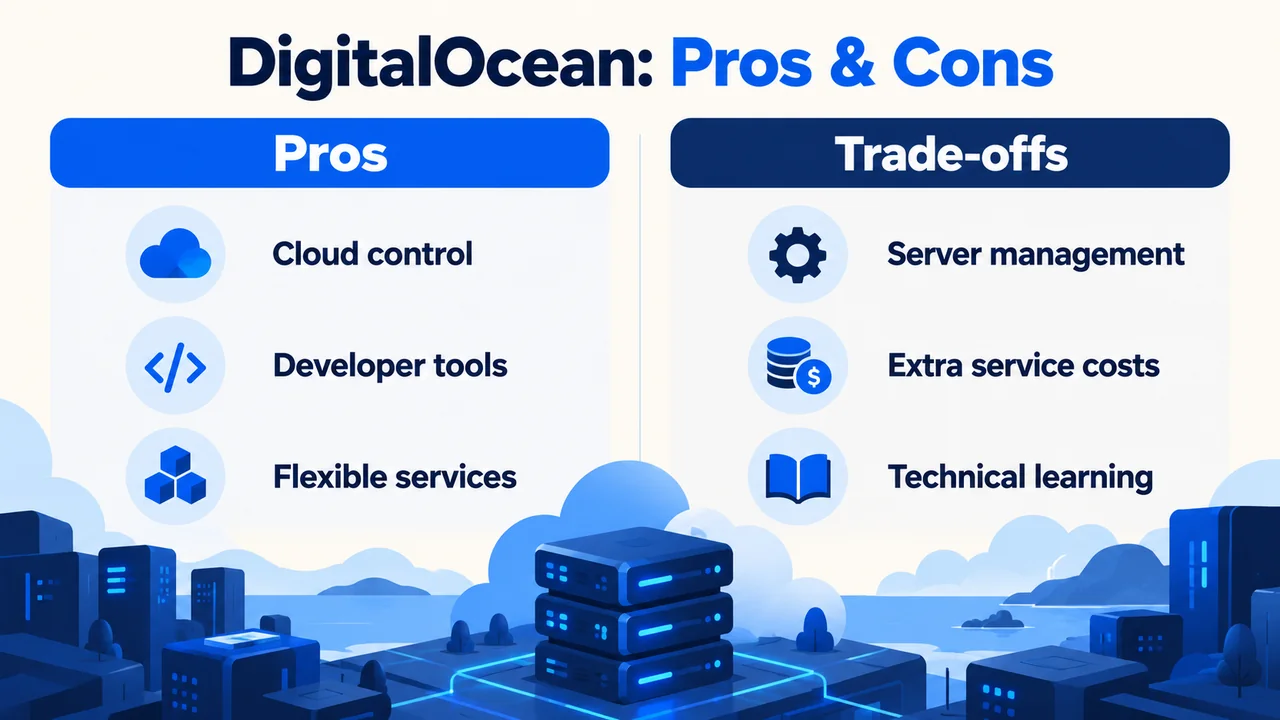
The strengths are most compelling when your project benefits from a configurable environment. The drawbacks become more significant when you want hosting to stay out of your working day.
What makes DigitalOcean attractive
- Control over the environment: useful when your application needs a particular stack or deployment process.
- A coherent cloud toolkit: compute, managed services, storage and networking can support projects beyond a simple website.
- Practical automation options: APIs and developer tools support repeatable provisioning and deployment.
- Accessible entry configurations: a small project can start without buying a large machine, provided its resource needs fit.
- Choice over management effort: Droplets and managed products let you choose different operational boundaries.
What I would weigh before paying
- Server administration remains work: direct Droplets require technical ownership.
- Entry pricing is incomplete: recovery, traffic, support and other selected services change the total.
- Cheapest does not mean production-ready: small memory or single-node capacity can be the wrong reliability choice.
- Scaling needs planning: changing server size does not resolve every application or database bottleneck.
- Support access has tiers: live chat and faster response targets require a paid plan.
These are reasons to match the platform to the project rather than reasons to dismiss cloud hosting. A technically capable team may accept the trade-offs comfortably; a small publisher may reasonably prefer a managed service.
Who should use DigitalOcean, and who should consider alternatives?
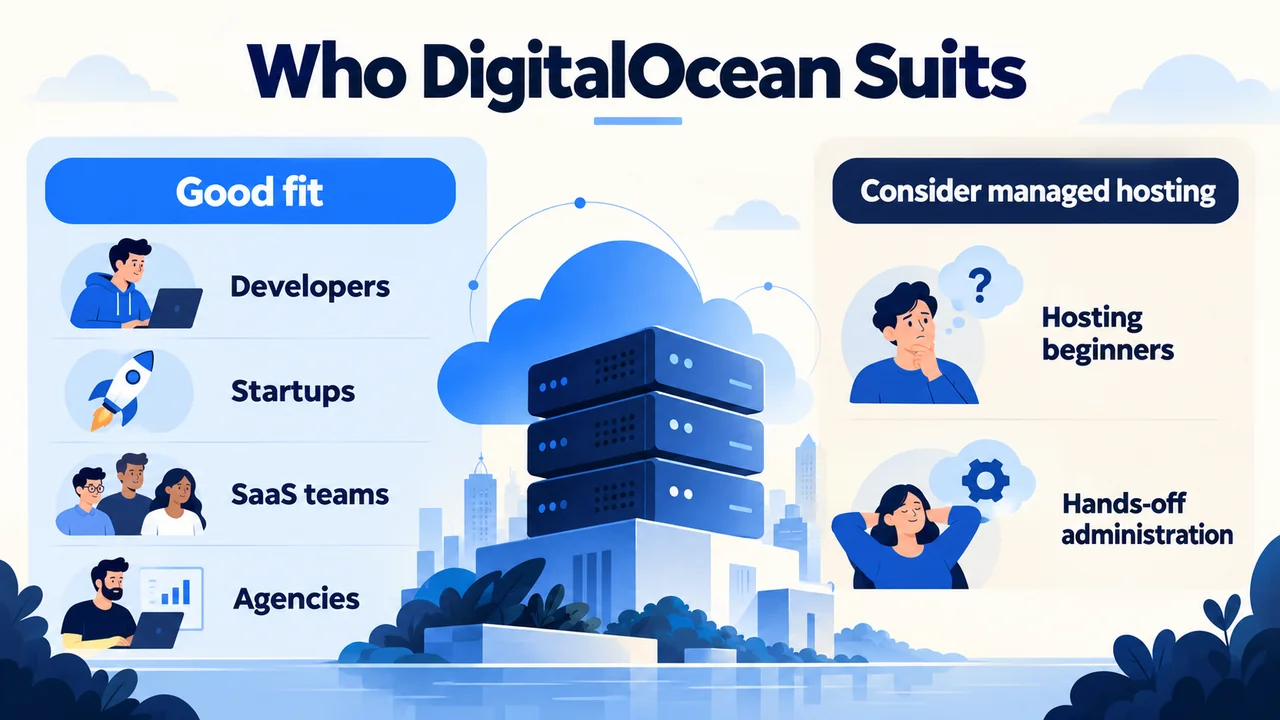
Choose DigitalOcean when you have a developer or administrator, want control over the environment, and can budget for maintenance and recovery. It is a sensible shortlist candidate for custom applications, SaaS products, technical agency projects and development environments.
Consider managed hosting when you mainly want a website to work and expect another company to handle server operations. It is also worth reconsidering a direct cloud purchase if you have no backup plan, no incident owner or no time to maintain the stack.
Before selecting a plan, answer three practical questions: who fixes a failed deployment, where the recoverable copy of important data lives, and how much the complete environment costs after introductory credits expire. If those answers are unclear, more CPU is not the next decision to make.
DigitalOcean versus traditional web hosting
| Requirement | Direct DigitalOcean Droplet | Typical managed/shared hosting |
|---|---|---|
| Server access | Greater control over the machine | Usually restricted or managed for you |
| Setup | Choose and deploy your stack | Website-focused setup is often included |
| Maintenance | Owner handles OS and applications | Provider scope varies; read the plan |
| Cost structure | Compute plus selected resources | A hosting package with stated limits |
| Best fit | Technical workloads and custom deployments | Website owners prioritizing convenience |
“Typical” matters here: hosting packages differ. Verify backup retention, renewal pricing, resource limits and support scope for the specific provider. Shared hosting can be entirely appropriate for a modest website, while an application needing custom services may justify a VM.
DigitalOcean alternatives: compare by use case
AWS: consider it when the project already depends on AWS services or needs capabilities across its broader ecosystem. The comparison should use your complete architecture, operational skill and bill, rather than declaring either provider universally cheaper or faster.
Vultr: compare it for another cloud-compute option. Check the exact location, instance resources, transfer rules and deployment requirements. Equal-looking RAM specifications do not establish equal performance, and I have not run a fresh head-to-head benchmark for this article.
Cloudways: consider a managed layer when you want DigitalOcean infrastructure with a different operations and support experience. Read the Cloudways review alongside its current service terms rather than assuming direct DigitalOcean pricing applies.
Hostinger: consider a website-focused package when simpler setup and less server work are more valuable than root-level control. My Hostinger hosting review explains that separate buying decision. Compare the plan’s ongoing price and limits, not only its introductory headline.
For a broader shortlist, see my cloud hosting comparison. There is no single best provider for every project: the right comparison starts with the application and the people who will operate it.
DigitalOcean review: my final verdict
My 4.5/5 rating reflects a positive overall assessment from personal use. DigitalOcean is a strong option for people who need cloud infrastructure and can make informed decisions about configuration, cost and operations.
The best reason to choose it is that its product model matches your project. A clear deployment process, appropriate resources and tested recovery plan can make direct cloud hosting valuable. Buying the cheapest Droplet while assuming it includes a fully managed website service is a poor starting point.
I would shortlist DigitalOcean for a technical application or a team prepared to own its stack. For a publisher who wants to spend time on content rather than servers, I would compare managed hosting first. Review the current configuration and full estimated bill before creating resources.
Next step: choose the product that matches your management skills, confirm its current limits and estimate the full bill. Start small enough to test safely, while keeping a recovery plan for important data.
DigitalOcean review FAQs
Is DigitalOcean good for beginners?
It can be useful for beginners learning cloud infrastructure, but direct Droplets are not the simplest purchase for someone who wants hands-off website hosting. Account setup and deployment are only part of the job; security, updates, backups and recovery still need an owner.
Is DigitalOcean managed or unmanaged hosting?
It offers both infrastructure and managed products. A Droplet gives you a virtual machine whose operating system and applications you manage. App Platform, Managed Databases and Kubernetes handle specific infrastructure layers, while leaving application responsibilities with you.
How much does DigitalOcean cost per month?
Bundled Basic Droplets start at $4/month, but the complete bill depends on configuration, runtime, storage, backups, traffic and selected services. Resource-configurable v5 Droplets use a different billing model without the bundled monthly cap. Estimate the entire deployment, not only its smallest server.
Does shutting down a Droplet stop billing?
No. A powered-off Droplet continues to incur charges because its resources remain allocated. Destroy the Droplet to end its compute billing, and review other retained resources separately. Back up important data and understand what destruction removes before taking that action.
Is DigitalOcean free to try?
The current standard signup documentation specifies a $5 credit that expires after 90 days, subject to eligibility and terms. A valid payment method is needed before creating resources. Separate promotions may differ; do not assume an older advertised credit applies to your account.
Can I host WordPress on DigitalOcean?
Yes. You can use a Marketplace WordPress deployment or install a suitable server stack yourself. You still need to handle updates, security, caching, email delivery and recovery unless a separately purchased managed service takes on that work.
Are DigitalOcean backups included?
Droplet backups are paid options. Weekly percentage-based backups cost 20% of the Droplet price, and daily ones cost 30%; usage-based plans also exist. Managed database recovery features vary by engine and configuration. Confirm retention and test restoration rather than assuming every resource is protected.
Does DigitalOcean provide free live-chat support?
Not under the current Starter plan, which uses email and tickets. Live chat starts with the $99/month Standard plan. Published response targets vary by tier and should not be confused with a guaranteed resolution time or full application administration.
Does DigitalOcean guarantee 99.99% uptime for my website?
The CPU Droplet SLA describes 99.99% monthly availability for an individual covered instance, with exclusions and credit conditions. It does not guarantee the uptime of your application, plugins, database or complete website. Application monitoring and a recovery plan remain necessary.
Is DigitalOcean Kubernetes free?
The basic managed control plane is free. Worker nodes and associated resources are billed, and the optional high-availability control plane adds $40/month. A cluster’s total cost includes its selected compute, storage and networking components.
Is DigitalOcean better than AWS or Vultr?
There is no universal winner. Compare your required services, exact instance specifications, regions, operational needs and total cost. DigitalOcean is worth considering for its cloud toolkit, while existing integrations or different configuration requirements may favor another provider.
Do I need DigitalOcean directly or Cloudways?
Choose direct DigitalOcean when you want to manage the infrastructure yourself or already have that capability. Consider Cloudways when its managed layer and support scope fit your needs. The two purchases have different prices, responsibilities and terms even when the underlying infrastructure is DigitalOcean.