
Managed WordPress hosting is hosting where the provider looks after the technical running of your WordPress site for you: server setup, caching, backups, security patching, updates and expert support. You still manage your content, theme and plugins. It costs more than ordinary shared hosting, typically $28 to $35 a month at entry level from specialist hosts, and suits sites where downtime or your own time is expensive.
The word “managed” is used loosely, though. This guide explains what it should include, what it usually does not, and how to tell whether you need it.
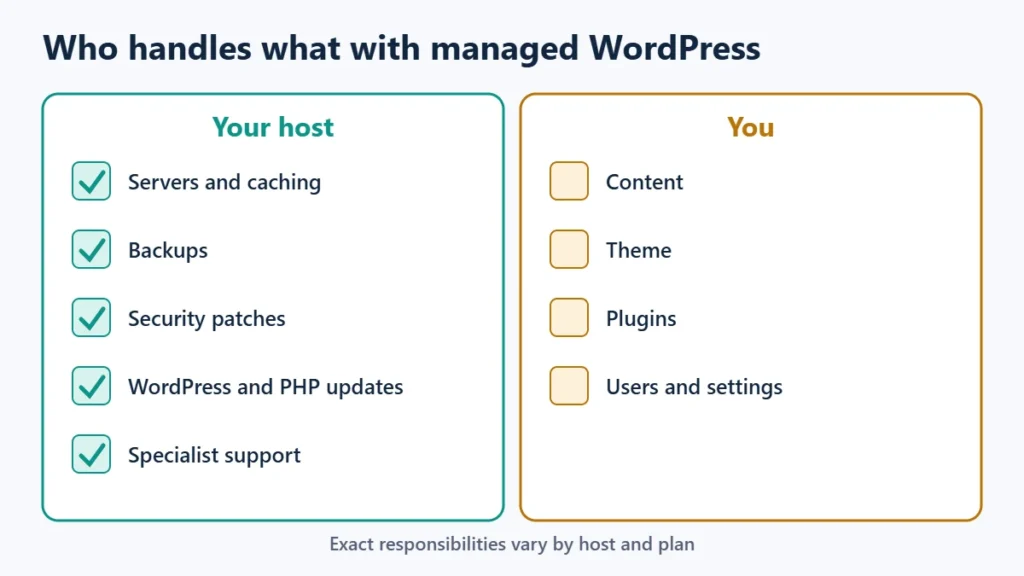
Table of Contents
- 1What Managed WordPress Hosting Includes
- 2What It Usually Does Not Include
- 3“Managed” Means Different Things at Different Hosts
- 4What It Costs
- 5Do You Need Managed WordPress Hosting?
- 6How to Choose a Managed WordPress Host
- 7Frequently Asked Questions
- Is managed WordPress hosting worth it?
- What is the difference between shared and managed WordPress hosting?
- Can I install any plugin on managed WordPress hosting?
- Does managed hosting include email?
What Managed WordPress Hosting Includes
Specialist hosts list a broadly similar set of features. On 10 November 2026:
- Server-level caching. Kinsta lists edge caching and its own page caching; WP Engine lists its EverCache system. You do not need a caching plugin.
- Automatic backups. WP Engine keeps 30 days of daily backups; Kinsta’s single-site plan keeps 14 days.
- Updates handled for you. WP Engine says it manages WordPress, PHP and MySQL updates on its Essential plan. Kinsta sells automatic plugin and theme updates with visual checks as an add-on.
- Staging environments for testing changes before they go live.
- Security patching and monitoring, such as WP Engine’s plugin risk scans and DDoS protection.
- WordPress-specialist support, with Kinsta listing 24/7 human support and WP Engine 24/7 chat.
- Migrations: free and unlimited at Kinsta; managed migration on WP Engine’s Business plans.
What It Usually Does Not Include
- Fixing your plugins and theme. The host keeps the platform running, but a broken plugin or design problem is usually still yours.
- Content and SEO. Managed hosting is infrastructure, not website management.
- Email hosting, at many managed WordPress hosts. Plan to use a separate email service.
- Total freedom with plugins. WP Engine publishes a list of disallowed plugins, mainly caching and backup tools that duplicate its own systems.
“Managed” Means Different Things at Different Hosts
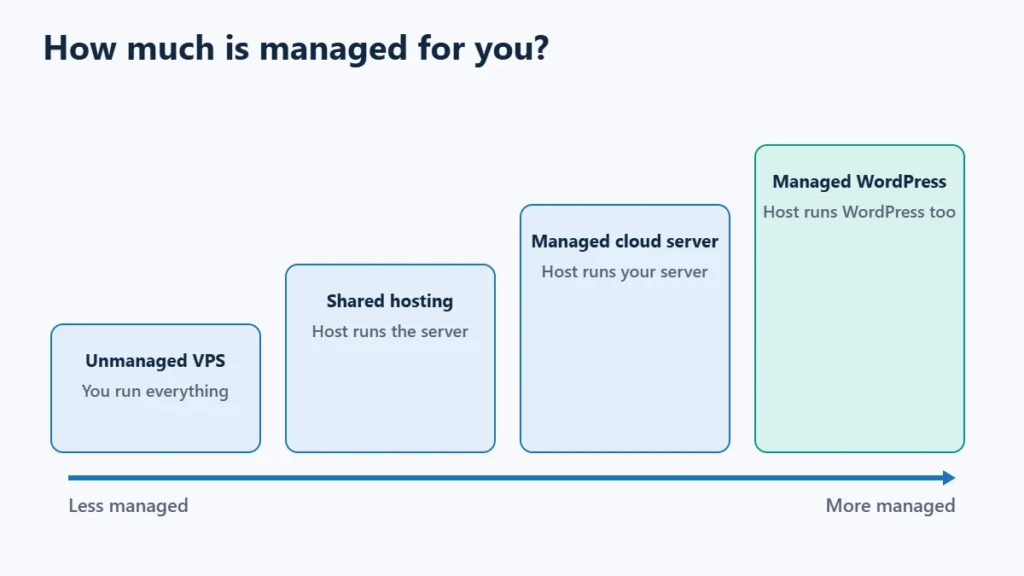
Some shared hosts also use the term. Hostinger, for example, markets “managed hosting for WordPress” with automatic updates and AI tools, at far lower prices than specialist hosts. That can be good value, but check how its backups, support scope and resources compare with a host that runs only managed WordPress. Compare the actual feature list, backup retention and support scope rather than the label.
What It Costs
| Option | Entry price | Level of management |
|---|---|---|
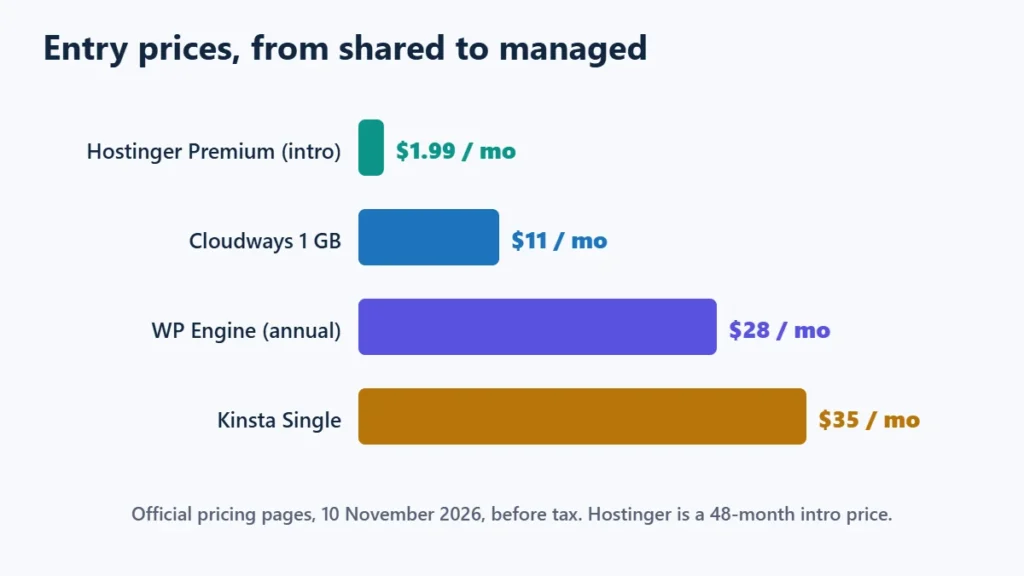
| Hostinger Premium (shared, WordPress tools) | $1.99 a month for 48 months, renews at $10.99 | Basic |
| Cloudways (managed cloud server) | $11 a month (1 GB) | Server managed, WordPress yours |
| WP Engine Essential | From $28 a month, billed annually | Specialist managed WordPress |
| Kinsta Single | $35 a month | Specialist managed WordPress |
Do You Need Managed WordPress Hosting?
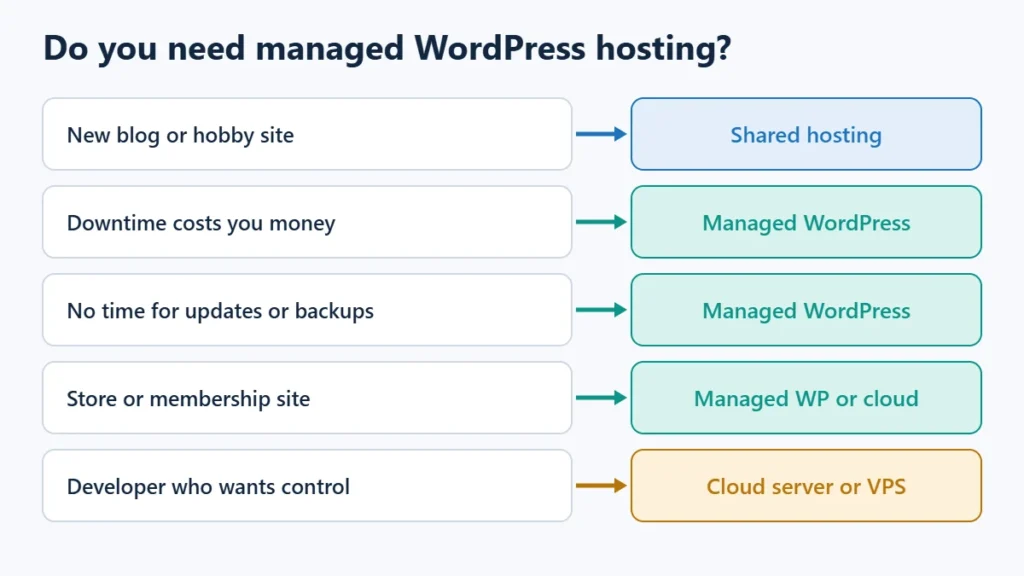
| Your situation | Better fit |
|---|---|
| New blog or hobby site | Shared hosting |
| Business site where downtime costs money | Managed WordPress |
| Store or membership site with regular traffic | Managed WordPress or a managed cloud server |
| No time or skill for updates and backups | Managed WordPress |
| Developer who wants server control | Managed cloud server or VPS |
A useful test: estimate what an hour of downtime, or an hour of your time fixing the site, is worth. If that is more than the price difference between shared and managed hosting, managed is probably worth it.
How to Choose a Managed WordPress Host
- Check how the plan is measured, whether by visits, bandwidth or storage, against your own analytics.
- Compare backup retention and whether you can download backups.
- Read the disallowed plugin list, if there is one, before you move.
- Check whether migration is included.
- Look at the refund window; Kinsta, for example, states 30 days.
Kinsta vs WP Engine compares the two best-known options, and the best managed WordPress hosting comparison covers more. You can see Kinsta’s plans. Affiliate link: I may earn a commission at no extra cost to you.
Frequently Asked Questions
Is managed WordPress hosting worth it?
For business sites where downtime or maintenance time costs money, usually yes. For a new blog, shared hosting is normally enough.
What is the difference between shared and managed WordPress hosting?
Shared hosting gives you space on a server and basic tools. Managed WordPress hosting adds WordPress-specific caching, backups, updates, security and support.
Can I install any plugin on managed WordPress hosting?
Usually most, but not all. Some hosts, such as WP Engine, block plugins that duplicate their caching or backup systems.
Does managed hosting include email?
Often not at specialist WordPress hosts. Check before buying and plan for a separate email service if needed.

Affiliate disclosure: some links on this page are affiliate links, so I may earn a commission if you buy, at no extra cost to you.