
hPanel is Hostinger’s own control panel. cPanel is a licensed panel that many hosts install on their servers. For managing one or a few websites, both cover the everyday jobs: files, databases, email, SSL, backups and one-click WordPress. The real differences are where you can use each one, what the licence costs, and how easily you can leave.
This guide compares them on those points, works out what cPanel really adds to a VPS bill, and explains what moving away from each panel involves.
Table of Contents
- 1hPanel vs cPanel at a Glance
- 2The Short Answer: You Rarely Choose the Panel First
- 3What hPanel Does Well
- 4What cPanel Does Well
- 5What cPanel Really Costs on a VPS
- 6Moving Away: The Difference That Matters Later
- 7Which Should You Choose?
- 8Frequently Asked Questions
- Is hPanel better than cPanel?
- Can I get cPanel on Hostinger?
- Is hPanel free?
- How much does a cPanel licence cost?
- Can I move a site from hPanel to a cPanel host?
- Does the control panel affect website speed?
hPanel vs cPanel at a Glance
| hPanel | cPanel | |
|---|---|---|
| Who makes it | Hostinger | cPanel, licensed to hosts and server owners |
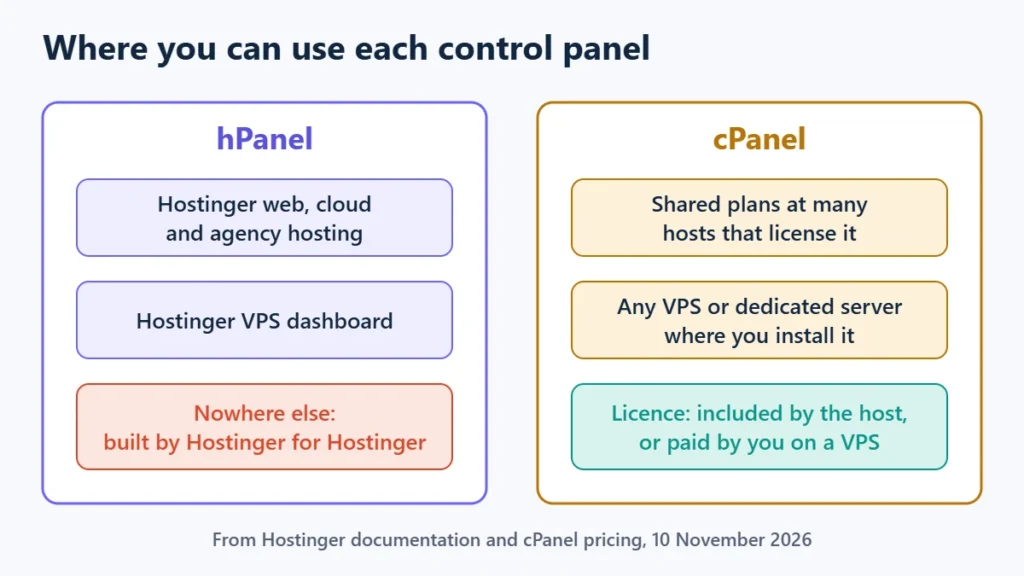
| Where you find it | Hostinger only | Many hosts’ shared plans, and any VPS or dedicated server where you install it |
| Licence cost to you | Included with Hostinger hosting | Included on hosts that bundle it; on your own server, from $29.99 a month at list price |
| WordPress tools | One-click installer and WordPress tools built in | WP Toolkit included on every cPanel plan |
| Backups | Automatic weekly, or daily on plans or add-ons that include it | Depends on the host’s settings; full backups are restored through WHM |
| Moving away | Download files and database, then import elsewhere | A cPanel account can move to another cPanel server with WHM’s Transfer Tool |
The Short Answer: You Rarely Choose the Panel First
On shared hosting, the panel comes with the host. Choose Hostinger and you get hPanel; choose a host that licenses cPanel and you get cPanel. So the useful question is usually not which panel is better in general, but whether a panel difference should change your choice of host.
For most site owners, it should not change it much. Price, renewal terms, support and performance matter more. The panel matters in three situations: when you manage many client sites, when you plan to move hosts often, or when you are buying a VPS and paying for the panel yourself.
What hPanel Does Well
Hostinger describes hPanel as the control panel that ties together domains, hosting, SSL, backups, caching and monitoring for its plans. Because one company builds both the panel and the hosting, the two fit together closely. Hostinger-specific features such as its cache and CDN settings sit in the same place as files and databases.
- Backups are built in. Hostinger’s documentation says automatic backups of files and databases run weekly by default, and daily on plans that include it or with the Daily backups add-on. You can also create and download backups manually.
- Developer access is there. FTP, SFTP, SSH with key authentication, Git deployment, cron jobs and per-site PHP settings are all managed in hPanel.
- One place for everything Hostinger. Domains, email and hosting share one dashboard, which suits people who keep everything with one provider.
The main limit is that hPanel exists only at Hostinger. Skills and habits you build in it do not transfer to another host, and tutorials written for cPanel will not match its menus. If you are weighing Hostinger as a whole, the Hostinger review covers more than the panel.
What cPanel Does Well
cPanel’s advantage is that it is everywhere. The same interface appears at many hosts, so moving between them feels familiar, and there is a large body of third-party guides that match its screens.
- Portable accounts. A server administrator can move a whole cPanel account, including its files, databases and email, to another cPanel server with WHM’s Transfer Tool.
- WordPress tools on every plan. cPanel’s pricing page lists WP Toolkit, SSL certificates, a website builder and website monitoring on every plan.
- Room to grow. Its licence tiers run from a single account to 100 or more, which suits agencies and small hosting businesses.
The catch is that the experience depends on the host. Each provider chooses which features to enable, and cPanel’s documentation notes that you cannot restore a full backup automatically from cPanel itself: that step happens in WHM, so on shared hosting you would ask your host.
What cPanel Really Costs on a VPS
On shared hosting the licence is part of the host’s price. On a VPS you usually pay for it yourself, and that changes the maths. These are cPanel’s own list prices:
| cPanel plan | Accounts | Monthly billing | Annual billing, per month |
|---|---|---|---|
| Solo | 1 | $29.99 | $27.46 |
| Admin | Up to 5 | $35.99 | $32.96 |
| Pro | Up to 30 | $53.99 | $49.46 |
| Premier | Up to 100, then $0.49 per extra account | $69.99 | Not listed |
Hostinger sells VPS plans with a one-click cPanel install, but its FAQ says the licence is bought separately. On 10 November 2026 its KVM 1 plan cost $6.49 a month for a 24-month term ($155.76 up front), renewing at $11.99 a month. Add cPanel Solo at list price and the panel costs more than the server itself:
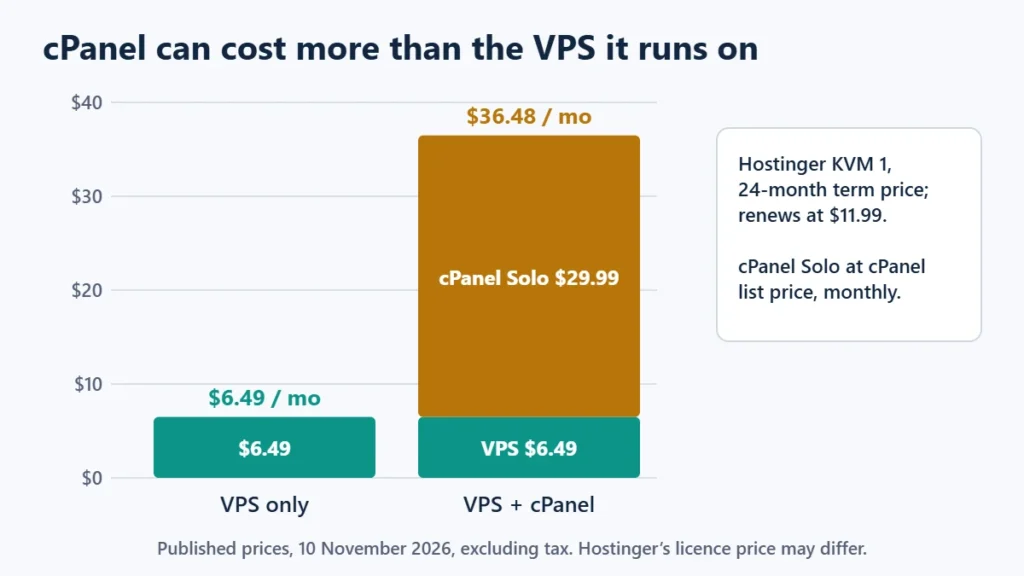
That is why hPanel’s inclusion matters more on a VPS than on shared hosting. If you only need a panel for one or two WordPress sites on a VPS, the licence fee is worth questioning. For a broader look at server options, see the best VPS hosting comparison and shared vs VPS vs cloud hosting.
Moving Away: The Difference That Matters Later
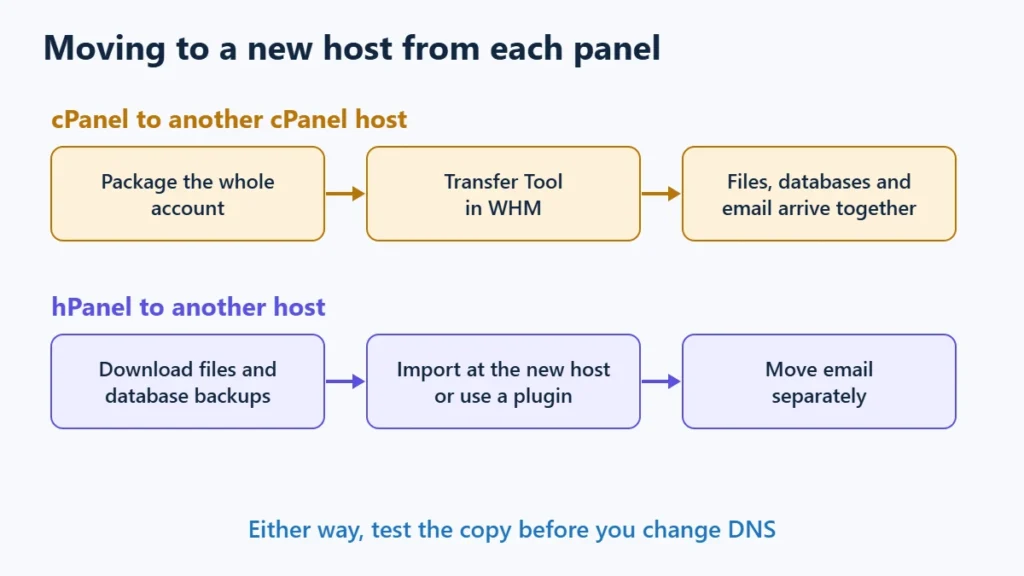
Between two cPanel hosts, a full account can move as one package, which is why many hosts offer cPanel-to-cPanel transfers. Hostinger’s own migration service also accepts a cPanel account as a source, so moving into Hostinger from cPanel is well supported.
Leaving hPanel works differently. You download your website files and database from hPanel’s backups and import them at the new host, usually with a WordPress migration plugin or by hand. Email is not part of Hostinger’s website backups, so mailboxes need their own move. None of this is difficult, but it is more than one click. The WordPress migration guide walks through the same file, database and DNS steps in the other direction.
Which Should You Choose?
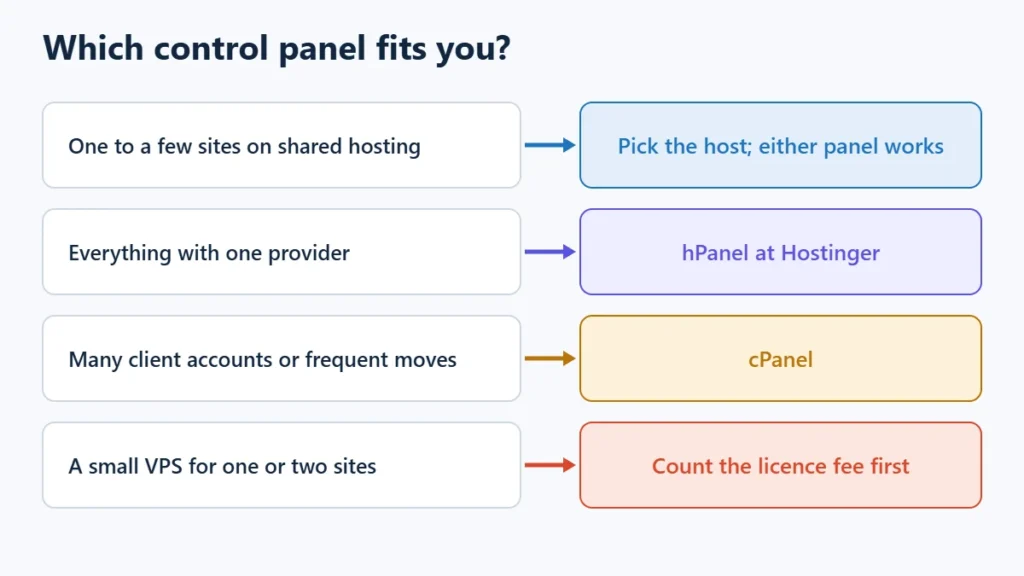
| Your situation | Better fit | Why |
|---|---|---|
| One to a few WordPress sites on shared hosting | Either | Choose the host on price, renewals and support; both panels cover the basics. |
| You want everything with one provider | hPanel | Hosting, domains and email in one Hostinger dashboard. |
| Agency managing many client accounts | cPanel | Familiar at many hosts, with per-account packages and transfers. |
| You expect to change hosts often | cPanel | Account transfers between cPanel servers are simpler. |
| Small VPS for one or two sites | Count the licence first | At list price, cPanel can cost more than the server. |
If Hostinger suits you on price and features, you can see Hostinger’s current plans. Affiliate link: I may earn a commission at no extra cost to you. Check the renewal price as well as the first term: the guide to hosting renewal prices shows why.
Frequently Asked Questions
Is hPanel better than cPanel?
Neither is better for everyone. hPanel is simpler if all your services are at Hostinger. cPanel is better if you value portability between hosts or manage many accounts.
Can I get cPanel on Hostinger?
Not on its shared web hosting, which uses hPanel. Hostinger’s VPS plans offer a one-click cPanel install, with the licence bought separately.
Is hPanel free?
It has no separate charge: it comes with Hostinger’s hosting plans. It is not available as standalone software.
How much does a cPanel licence cost?
cPanel’s list price starts at $29.99 a month for one account, or $27.46 a month billed annually, excluding VAT, as checked on 10 November 2026. Hosts that bundle cPanel include it in their own price.
Can I move a site from hPanel to a cPanel host?
Yes. Download the site’s files and database from hPanel, then import them at the new host, or use a WordPress migration plugin. Move email separately.
Does the control panel affect website speed?
Not directly. Speed depends on the server, its caching and your site. The panel is only the tool you use to manage them.

Affiliate disclosure: some links on this page are affiliate links, so I may earn a commission if you buy, at no extra cost to you.