
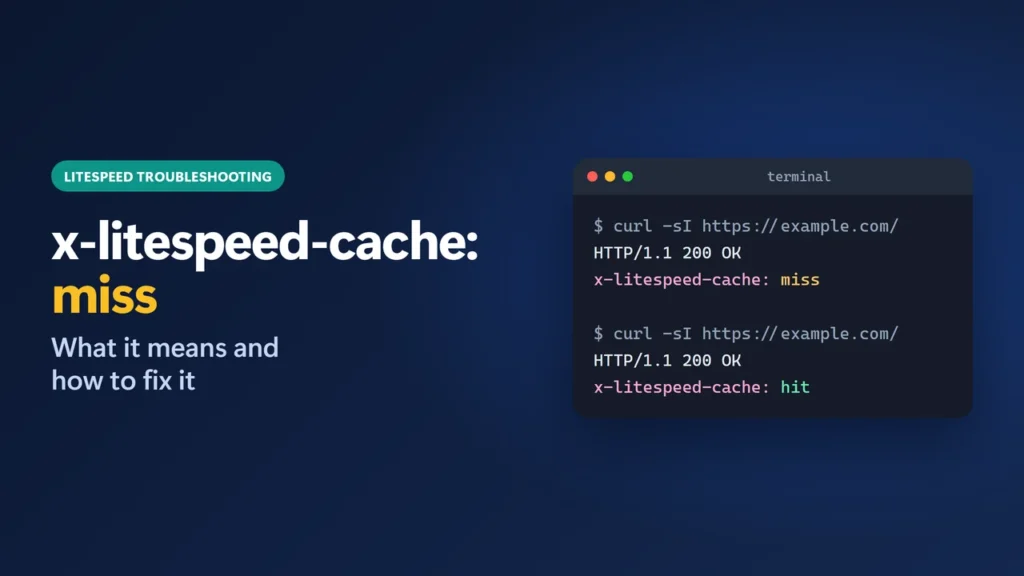
x-litespeed-cache: miss means LiteSpeed did not serve that request from its cache. The server built the page fresh and, if the page is cacheable, stored a copy. One miss is normal: reload and the header should change to hit. If you always see miss, something is stopping the page from being cached, and this guide shows how to find it.
Below you will find what every value of the header means, real results from this website, the common reasons for a permanent miss, and a step-by-step way to fix it.
How I worked this out: this site runs on LiteSpeed hosting with the LiteSpeed Cache plugin (version 7.9.2). On 23 October 2026 I sent test requests to it with curl and recorded the response headers shown below. The explanations come from LiteSpeed’s developer guide, its troubleshooting documentation and the plugin’s own source code for version 7.9.2.
Key takeaways
miss= this response was built fresh, not served from the cache. One miss after a change or a purge is normal.hit= served from the cache.hit,private= served from a per-user private cache, usually because you are logged in.x-litespeed-cache-control: no-cache= LiteSpeed decided the page must not be cached (search results, POST requests, excluded pages).- No header at all = the response did not come from LiteSpeed’s cache. Check your server, your browser cache or a CDN in front.
- By default LiteSpeed ignores
utm*,fbclid,gclidand_gatracking parameters, so links with them still get the cached page.
Table of Contents
- 1What the x-litespeed-cache Header Values Mean
- 2How to Check the Header
- 3What I Saw on This Site
- 4Normal Reasons for a Miss
- 5Why x-litespeed-cache Is Always miss (and How to Fix It)
- 1. Make sure you are testing logged out
- 2. Make sure the server is LiteSpeed
- 3. Check that caching is on
- 4. Look for a no-cache reason
- 5. Check for a CDN in front
- 6. If there is no header at all
- 7. Still stuck
- Confirm the fix
- 6Where This Fits With Your Settings
- 7x-litespeed-cache Quick Reference
- 8Frequently Asked Questions
- What does x-litespeed-cache: miss mean?
- Is x-litespeed-cache: miss a problem?
- What is x-litespeed-cache: hit,private?
- Why is my search page never cached?
- Do utm parameters break LiteSpeed Cache?
- Why is there no x-litespeed-cache header?
What the x-litespeed-cache Header Values Mean
LiteSpeed’s developer guide describes the header as one the web server inserts when it serves from cache, and says a miss means the content “has not been served from cache this time”. These are the values you will actually meet on a WordPress site:
| What you see | What it means |
|---|---|
x-litespeed-cache: hit | Served from the public page cache. This is what logged-out visitors should get. |
x-litespeed-cache: miss | Built fresh this time. If cacheable, it is stored for the next request. |
x-litespeed-cache: hit,private | Served from a private cache that belongs to one visitor, typically a logged-in user. |
x-litespeed-cache-control: no-cache | The plugin marked this response as not cacheable, so it will not become a hit while that rule applies. On this site there was no x-litespeed-cache line at all. |
| No LiteSpeed header | The response did not come through LiteSpeed’s cache at all. |
bkd mentioned on forums and some reference sites. It does not appear in LiteSpeed’s own documentation, so treat explanations of it with care.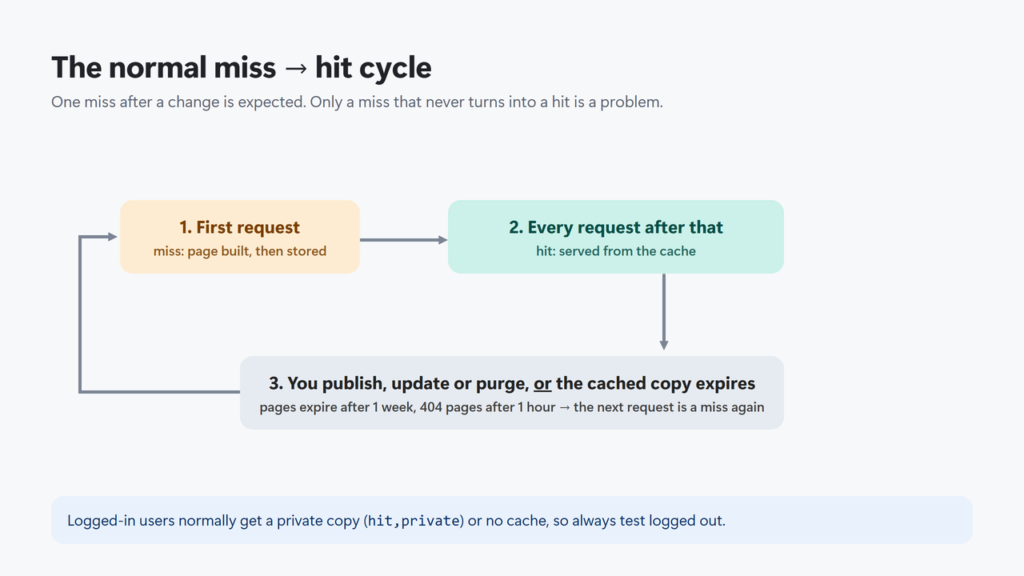
How to Check the Header
In Chrome, open the page in a private window so you are logged out, press F12, choose the Network tab, reload, click the first row and look under Response Headers. From a terminal it is quicker:
curl -sI https://example.com/ | grep -i x-litespeedOn Windows, type curl.exe rather than curl, because in Windows PowerShell 5.1 curl is a different command:
curl.exe -sI https://example.com/ | findstr /i x-litespeedRun the command twice. The second run tells you more than the first, because the first request after any change is allowed to be a miss.
What I Saw on This Site
These are real responses from this website on 23 October 2026, logged out, with LiteSpeed Cache 7.9.2:
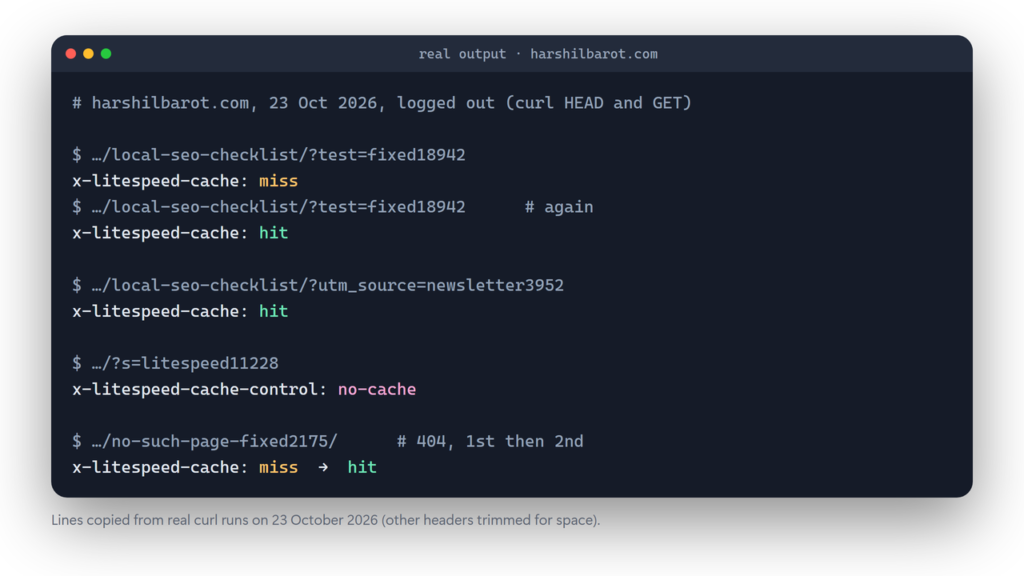
| Request | First response | Second response | Why |
|---|---|---|---|
| A normal article | hit | hit | Already cached. |
The same article with a new ?test= parameter | miss | hit | A new URL is a new cache entry. |
The article with a ?utm_source= tag | hit | hit | Tracking parameters are ignored by default. |
| A page that does not exist (404) | miss | hit | 404 pages are cached for an hour by default. |
| The login page | miss | hit | “Cache Login Page” is switched on here. |
A search results page (?s=) | no-cache | no-cache | Search results are never cached. |
Two things stand out. First, a miss followed by a hit is the cache working as designed. Second, a search page never becomes a hit, and that is correct behaviour, not a fault.
Normal Reasons for a Miss
- First visit after a purge or an update. Publishing, editing or purging clears cached copies; the next visitor gets a miss.
- The cached copy expired. Pages are kept for one week by default (604,800 seconds), 404 pages for one hour and 500 errors for ten minutes.
- A new URL. Each different query string is a separate cache entry, except the tracking parameters LiteSpeed drops by default:
fbclid,gclid,utm*and_ga. You can extend that list under Cache → [1] Cache → Drop Query String. - You are logged in. Logged-in users normally get a private cache (
hit,private) or no cache at all, not the public copy. The WordPress dashboard is never cached. - A different device type. With Cache Mobile switched on (it is off by default, and on here), phones get their own cached copy, so the first mobile visit to a page can be a miss even when desktop visits are hits.
Why x-litespeed-cache Is Always miss (and How to Fix It)
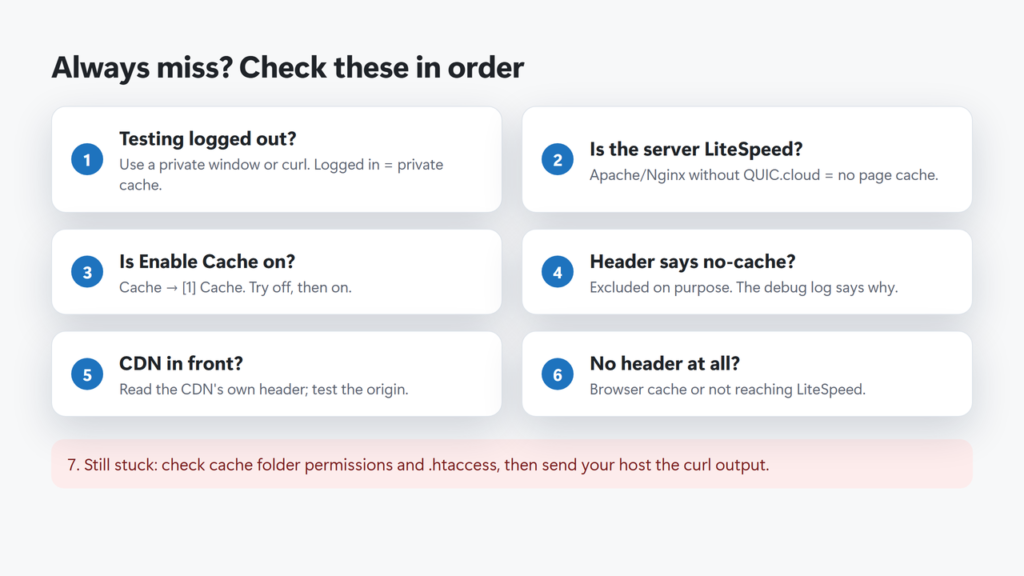
LiteSpeed’s troubleshooting page is blunt: if you always see miss, “something is wrong”. Work through these checks in order. Start with the first three; they are the quickest to rule out.
1. Make sure you are testing logged out
Use a private window or curl. Logged-in requests are handled by the private cache, so they tell you nothing about what visitors get.
2. Make sure the server is LiteSpeed
The plugin’s page cache needs LiteSpeed Enterprise, OpenLiteSpeed, LiteSpeed-based hosting or QUIC.cloud’s CDN. On Apache or Nginx without QUIC.cloud, the plugin cannot serve cached pages, so you will never see hit. A server: LiteSpeed response header confirms the server, but a CDN in front may replace it: on this site the header says hcdn, Hostinger’s CDN. If you cannot tell, ask your host. On Apache or Nginx, a plugin such as WP Rocket or FlyingPress is the usual page cache instead.
3. Check that caching is on
In LiteSpeed Cache → Cache → [1] Cache, Enable Cache must be on. LiteSpeed’s troubleshooting advice also includes switching it off and on again.
4. Look for a no-cache reason
If the response carries x-litespeed-cache-control: no-cache, the plugin is excluding the page on purpose. In version 7.9.2 the usual reasons are:
- anything other than GET or HEAD requests (so form posts are never cached);
- search results, trackbacks, previews, and feeds when the feed TTL is set to 0;
- anything matching your Do Not Cache lists for URIs, query strings, categories, tags, cookies, user agents or roles (Cache → [4] Excludes);
- pages where a theme or plugin sets the
DONOTCACHEPAGEconstant; - the post’s own Disable Cache option in the LiteSpeed box in the post editor’s sidebar.
On this site a no-cache page showed x-litespeed-cache-control: no-cache and no x-litespeed-cache line at all, so check for both headers.
If you cannot tell which rule applies, turn on LiteSpeed’s debug log (Toolbox → Debug Settings), load the page once while logged out, then open Toolbox → Log View; the log records why the page was not cached. Switch the log off afterwards.
5. Check for a CDN in front
LiteSpeed notes that some CDNs can cause misses, and that requests sent straight to the server return hit. If you use a CDN, read its own cache header for edge hits. On this site Hostinger’s CDN adds x-hcdn-cache-status, and it reports separately from LiteSpeed: in my tests LiteSpeed said hit while the CDN header said MISS for the same request. Hostinger’s CDN can also keep its own stale copy; I describe one example in my llms.txt guide.
6. If there is no header at all
LiteSpeed’s documentation says that means the page is not coming from LiteSpeed’s cache, often because the browser is reusing its own copy. Test in a private window or with curl. If the header is still missing, the request is not reaching a LiteSpeed server.
7. Still stuck
LiteSpeed’s troubleshooting page also points to the cache folder permissions (it should be 0755) and the cache paths in .htaccess. On shared hosting you may not be able to fix permissions yourself, so send support the curl output from above.
Confirm the fix
Purge the page (my guide to purging LiteSpeed Cache shows every way to do it), then request it twice while logged out. The first response should say miss and the second hit. If the second still says miss, work through checks 3, 5 and 7 again.
Where This Fits With Your Settings
A permanent miss is often caused by a setting. My LiteSpeed Cache settings guide explains the cache, purge and exclude options this site uses, and why each is on or off. If you are still choosing a host, my Hostinger review covers how this site runs on LiteSpeed hosting.
x-litespeed-cache Quick Reference
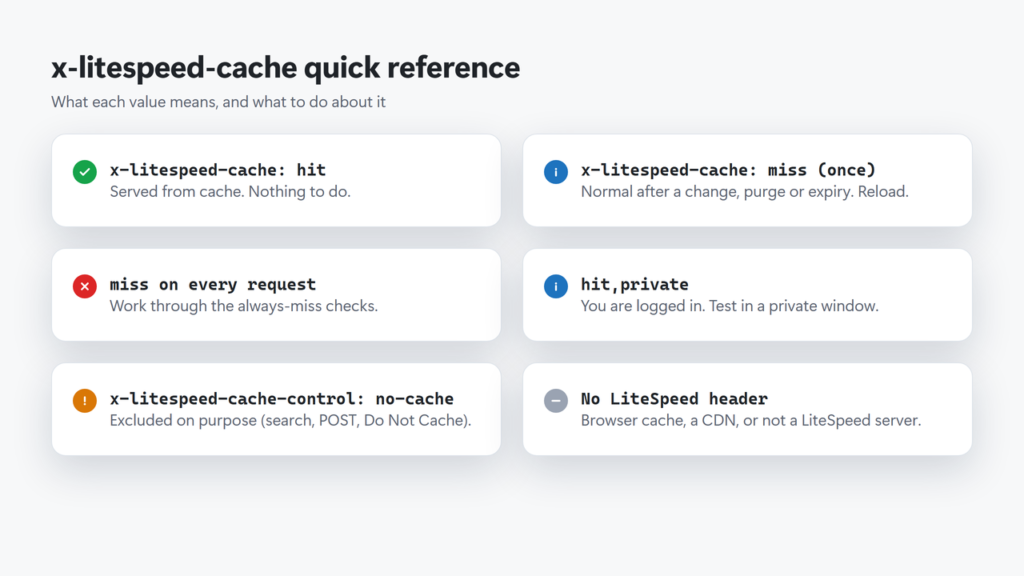
- hit: cached copy served. Nothing to do.
- miss once, then hit: normal after a change, purge or expiry.
- miss every time: work through the seven checks above.
- hit,private: you are logged in; test in a private window.
- no-cache in x-litespeed-cache-control: the page is excluded on purpose.
- No header: browser cache, a CDN or a non-LiteSpeed server.
Frequently Asked Questions
What does x-litespeed-cache: miss mean?
LiteSpeed did not serve that response from its cache; the page was built fresh. If the page is cacheable it is stored, and the next request should show hit.
Is x-litespeed-cache: miss a problem?
Not on its own. A miss after publishing, editing, purging or after the cached copy expires is normal. It is only a problem if every logged-out request shows miss.
What is x-litespeed-cache: hit,private?
The response came from a private cache that belongs to one visitor, usually a logged-in user. Test logged out to see what the public gets.
Why is my search page never cached?
LiteSpeed Cache never caches WordPress search results. They return x-litespeed-cache-control: no-cache, which is expected.
Do utm parameters break LiteSpeed Cache?
No. By default the plugin ignores utm*, fbclid, gclid and _ga, so links with them get the normal cached page.
Why is there no x-litespeed-cache header?
First look for x-litespeed-cache-control: no-cache. If it is there, the page is excluded from the cache on purpose. If neither LiteSpeed header appears, the response did not come through LiteSpeed’s cache: common causes are your browser’s own cache, a CDN in front of the site, or a server that is not LiteSpeed.