With an unmanaged VPS, the host keeps the hardware and network running and everything inside the server is your job: the operating system, security updates, the web server, backups and fixing problems. With a managed VPS, the provider takes on much of that work for you. Unmanaged is cheaper for the same resources. Managed costs more but saves time and needs far less Linux knowledge.
This guide explains who does what, compares real prices, and helps you choose.
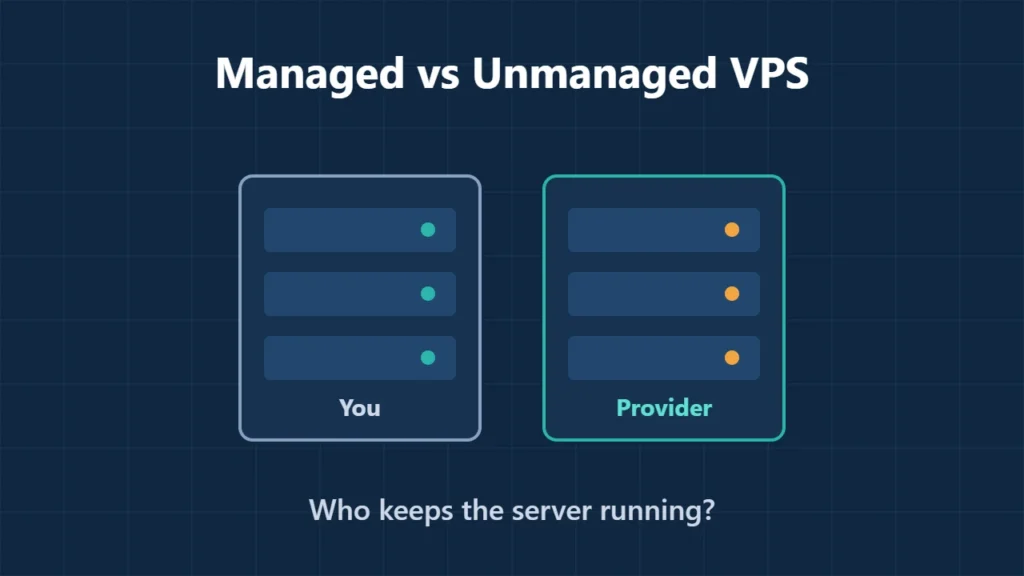
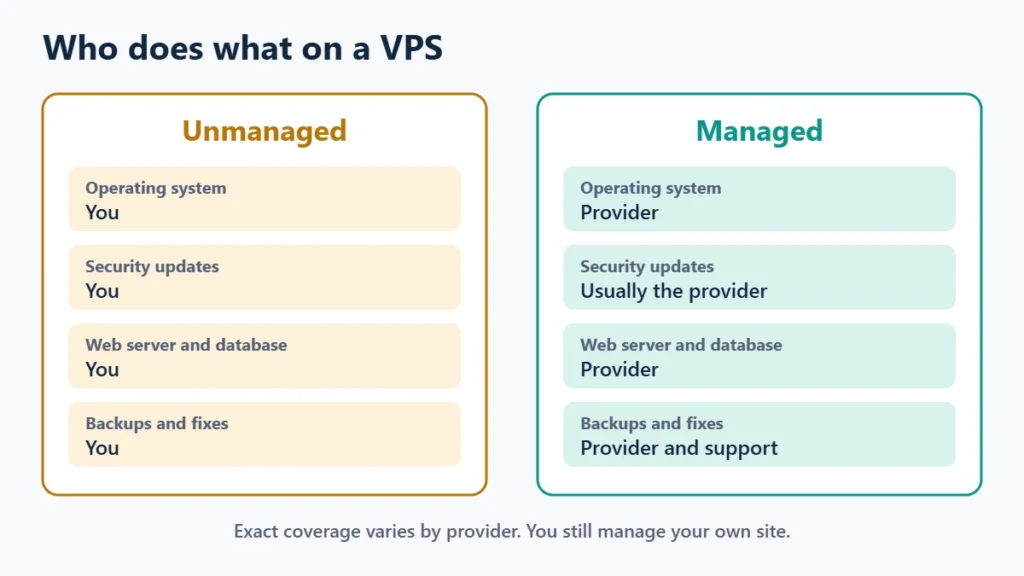
Table of Contents
Who Does What
| Task | Unmanaged VPS | Managed VPS |
|---|---|---|
| Hardware, network, power | Host | Host |
| Operating system setup | You | Provider |
| Security updates | You | Usually the provider; check the plan |
| Web server, PHP, database | You install and tune them | Provider sets them up |
| Backups | You, unless the host adds them | Usually included |
| When something breaks | You diagnose it | Support helps with the server |
| Root access and full control | Yes | Sometimes limited |
DigitalOcean states it plainly: its core Droplet offering is unmanaged, which means you are responsible for managing the server. “Managed” has no fixed definition, though, so read what a provider actually covers before you pay for it.
What an Unmanaged VPS Costs
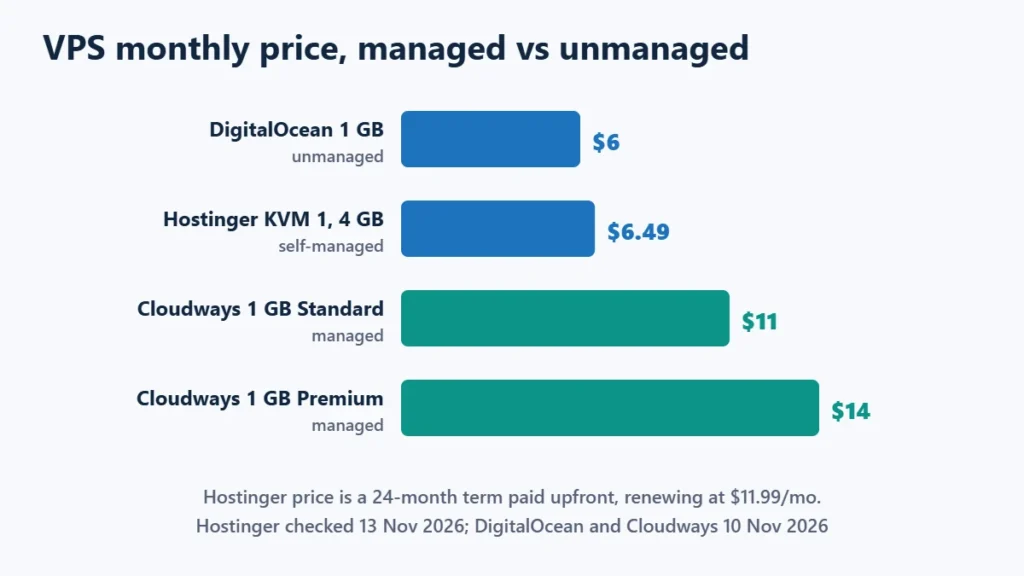
Unmanaged servers give you the most memory and CPU for the money:
- DigitalOcean charged $6 a month for a 1 GB Droplet on 10 November 2026.
- Hostinger listed its KVM 1 plan (1 vCPU, 4 GB memory, 50 GB NVMe) at $6.49 a month on a 24-month term, paid upfront, renewing at $11.99 a month. KVM 2 (2 vCPU, 8 GB) was $8.79 a month, renewing at $14.99. These were Black Friday prices on 13 November 2026.
Hostinger’s VPS is self-managed, but it adds more help than a bare server: free weekly backups, a managed firewall, DDoS protection, full root access, and an AI assistant (Hostinger Agent) for setup and troubleshooting. You still keep the server’s software and security up to date yourself. The shared vs VPS vs cloud hosting guide covers how this compares with shared plans.
What a Managed VPS Costs
Managed plans cost more for the same resources because you pay for the management layer. Cloudways, which runs servers on providers such as DigitalOcean, charged $11 a month for a 1 GB Standard DigitalOcean server and $14 for a 1 GB Premium one on 10 November 2026. Its plans include 24/7 support, automated backups, a firewall and server monitoring. Compare that with DigitalOcean’s own $6 for 1 GB: the extra $5 or so is what the management costs at that size. Cloudways vs DigitalOcean works through the maths at larger sizes.
ScalaHosting is another option, selling managed VPS plans with its own SPanel control panel included; the ScalaHosting review has the details.
Which Should You Choose?
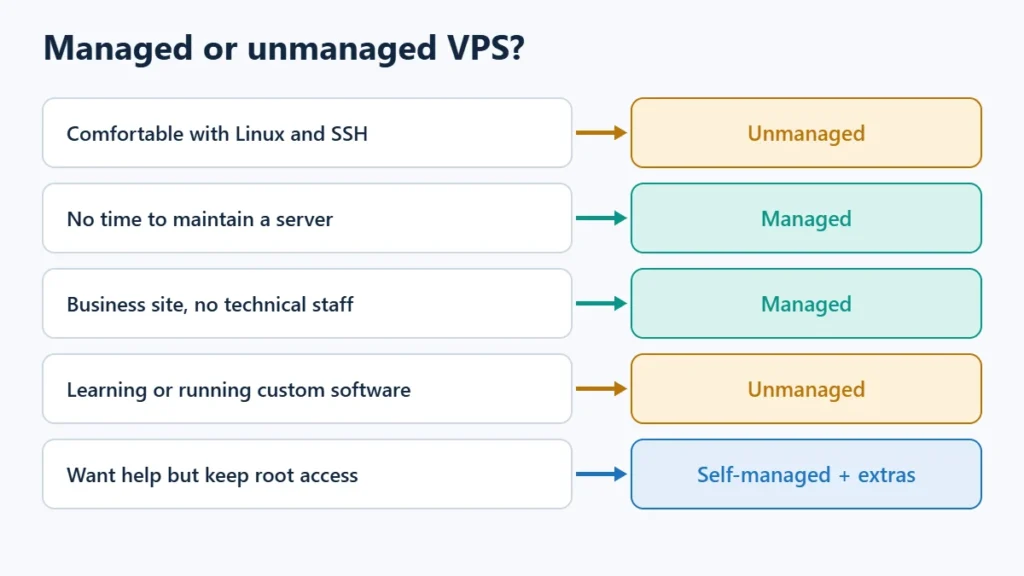
| Your situation | Choose |
|---|---|
| You are comfortable with Linux and the command line | Unmanaged |
| You run custom software or want full control | Unmanaged |
| You run a business site and have no technical staff | Managed |
| Your time costs more than the price difference | Managed |
| You want help but still want root access | A self-managed VPS with extras, such as Hostinger’s |
Be honest about the hidden cost of unmanaged hosting. A server nobody patches becomes a security risk, and a broken update at night is yours to fix. If that sounds stressful, managed hosting is worth the extra few dollars.
If you go unmanaged, these are the basics you take on from day one:
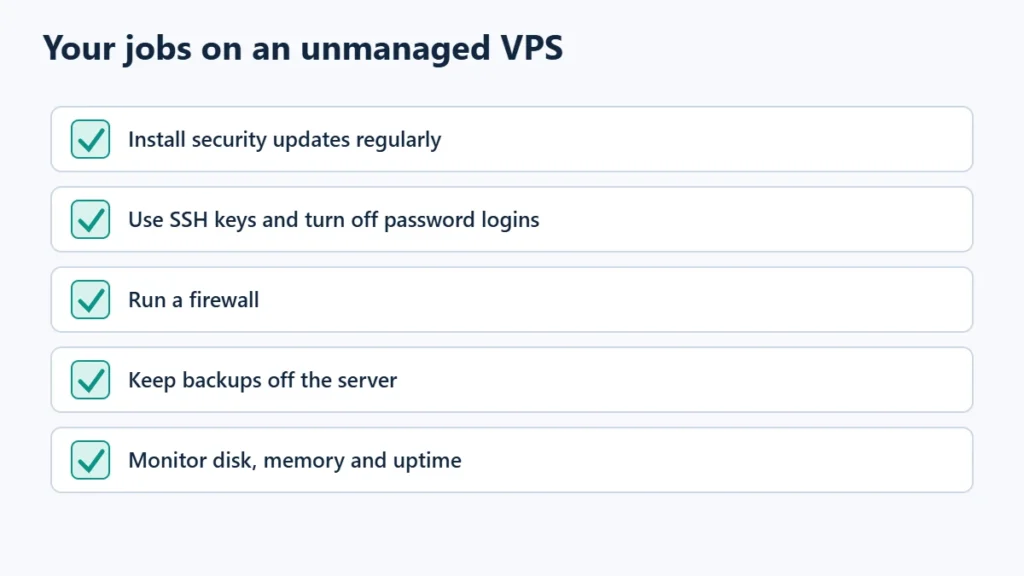
Hostinger’s self-managed plans cover some of this with weekly backups and a managed firewall, but updates remain your job. If you only run WordPress, managed WordPress hosting may suit you better than any VPS.
To compare plans, see Hostinger’s VPS plans or Cloudways, and the best VPS hosting guide for more options. Affiliate links: I may earn a commission at no extra cost to you.
Frequently Asked Questions
Is an unmanaged VPS safe?
It can be, if you keep it updated, use a firewall, disable password logins over SSH and keep backups. The risk is a server nobody maintains.
Is Hostinger VPS managed?
No. Hostinger describes its VPS as self-managed, with extras such as weekly backups, a managed firewall and an AI assistant. Its web and cloud hosting plans are the managed options.
Do I need a VPS at all?
Many sites don’t. Shared or cloud hosting handles most small and medium sites. A VPS makes sense when you need dedicated resources, custom software or root access.
Can I switch from unmanaged to managed later?
Usually by migrating to a new server or provider rather than flipping a switch, so it is worth choosing carefully at the start.

Affiliate disclosure: some links on this page are affiliate links, so I may earn a commission if you buy, at no extra cost to you.