A paid VPN is the safer choice for most people, but a free VPN can be fine if it comes from a reputable provider that is open about how the free tier is paid for. The risk with most free VPNs is the business model: running servers costs money, and a service that does not charge you may earn it through ads or your data instead. Free plans from trustworthy providers are funded by paying customers and limit features rather than privacy.
This guide explains what free VPNs leave out, how to spot a risky one, and when paying is worth it.
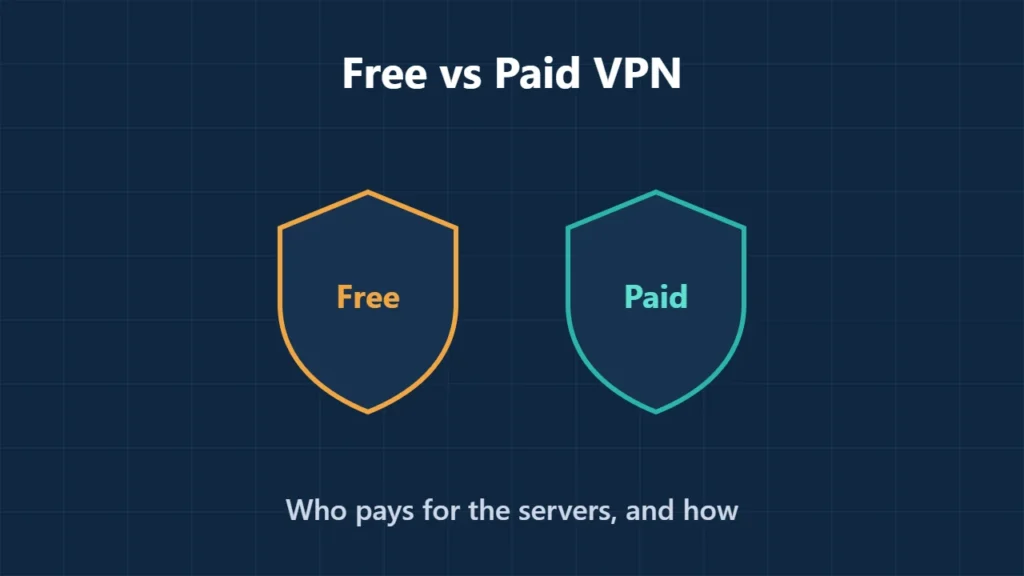
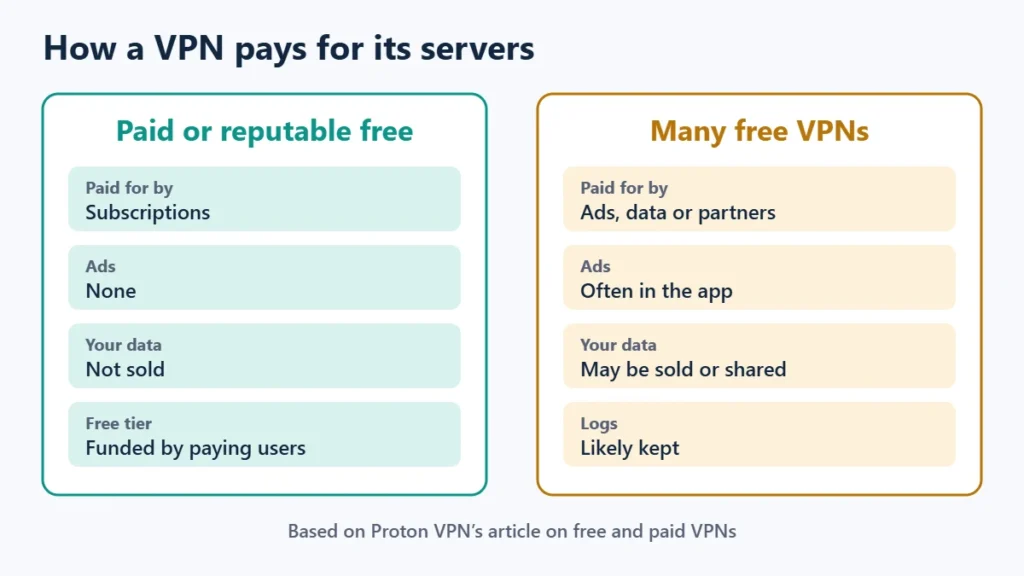
Table of Contents
How Free VPNs Pay for Themselves
Proton argues that most free VPN services will almost certainly keep logs and show you ads, and will probably sell your data or share your details with partners. It also warns that some may infect your device with malware. A VPN sees all the traffic you send through it, so a provider that profits from data is the wrong company to trust with it.
A second type is the “freemium” plan: a limited free tier designed to sell you the paid one. Proton describes these as typically capped at under 500 MB a month, with slow speeds, and often supported by ads. They are less risky than ad-funded VPNs but rarely useful day to day.
What a Reputable Free Plan Looks Like
Proton VPN’s free plan is the clearest example of a free tier funded by paying subscribers. On 13 November 2026 its documentation listed:
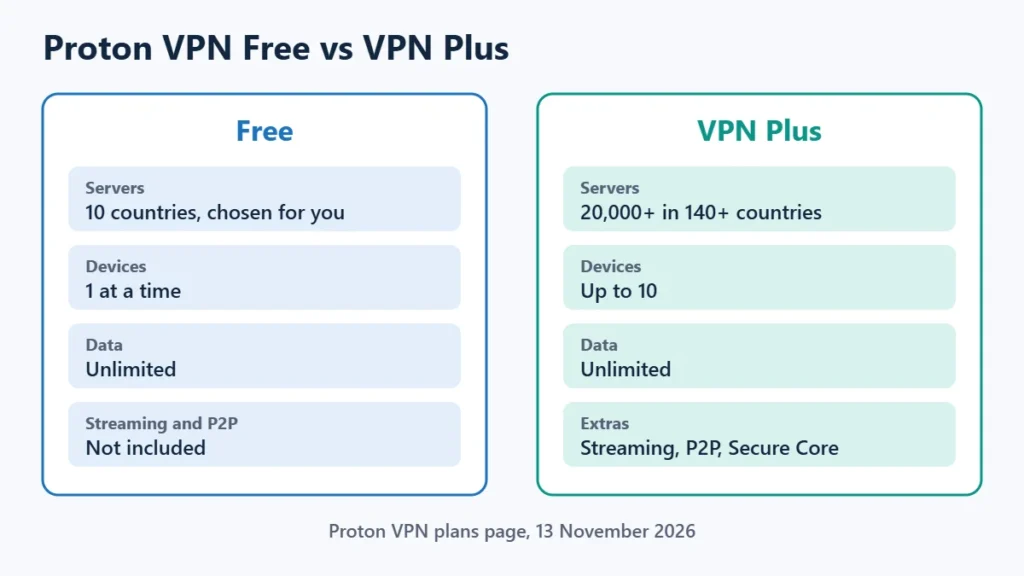
| Proton VPN Free | Proton VPN Plus | |
|---|---|---|
| Servers | 10 countries, chosen for you | 20,000+ servers in 140+ countries |
| Devices at once | 1 | Up to 10 |
| Data limit | None | None |
| Streaming and P2P | No | Yes |
| Extras | None of the below | Secure Core, NetShield ad blocker, split tunnelling, port forwarding |
Proton says the free plan has no ads and no logs and uses the same encryption as its paid plans. That makes it a sensible choice for occasional use, such as on public Wi-Fi. The Proton VPN review covers it in more depth.
What You Get by Paying
- More locations, so you can pick a nearby server or a specific country.
- More devices, from 10 on Proton VPN Plus to unlimited on Surfshark, according to this site’s Surfshark review.
- Streaming and torrenting support, which free plans usually block.
- Extra privacy features such as multi-hop routing, ad and tracker blocking, and split tunnelling.
- A refund window. Proton offers 30 days on paid plans, so you can try a paid VPN with limited risk.
Paying does not automatically buy privacy, though. A paid VPN still needs a credible no-logs policy; what a no-logs VPN is explains how to judge one. Some popular paid VPNs, such as NordVPN, have no free plan at all; this site’s NordVPN review found only a three-day free trial on Android.
How to Spot a Risky Free VPN
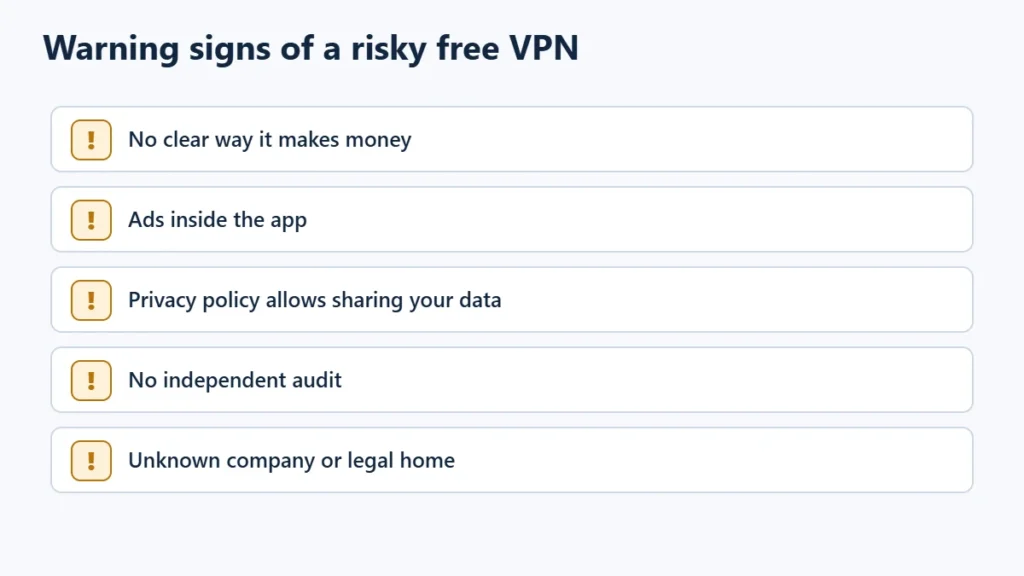
- No clear business model. If there is no paid plan, ask how the servers are paid for.
- Ads in the app suggest your activity is being used to target them.
- A privacy policy that allows sharing data with partners or advertisers.
- No independent audit of the no-logs claim.
- An unknown company or no clear legal home.
Which Should You Use?
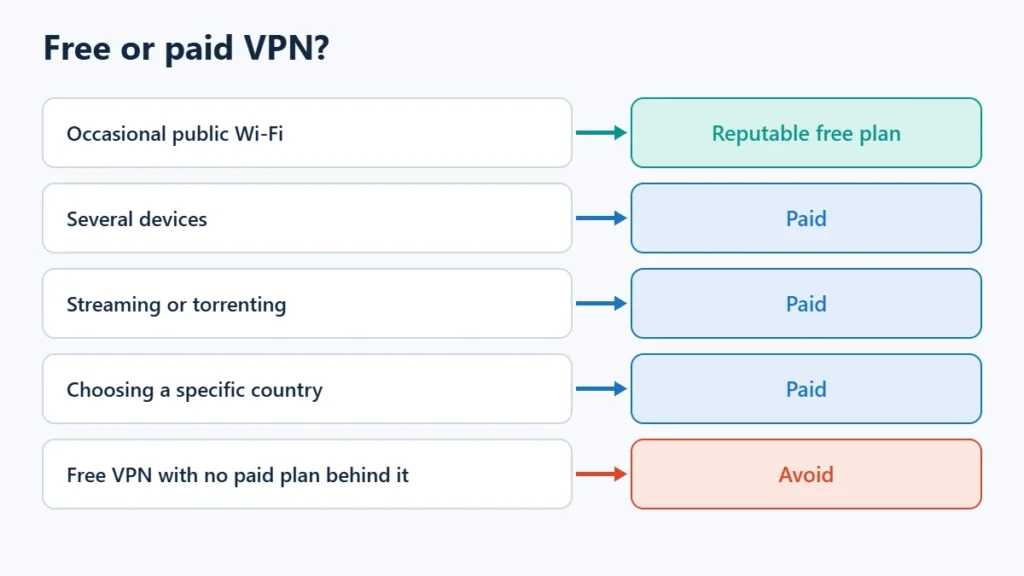
| You want to… | Choose |
|---|---|
| Protect yourself on public Wi-Fi now and then | A reputable free plan, such as Proton VPN Free |
| Use a VPN on several devices | Paid |
| Stream or torrent | Paid |
| Pick a specific country | Paid |
| Use a free VPN with no paid plan behind it | Avoid |
If you are not sure a VPN suits you at all, start with is a VPN worth it. To compare paid options, see Proton VPN and Surfshark, or the best VPN services comparison. Affiliate links: I may earn a commission at no extra cost to you.
Frequently Asked Questions
Are free VPNs safe?
Some are, most are not. A free plan from a provider funded by paid subscriptions and with an audited no-logs policy is a reasonable choice. A free VPN with no paid plan and ads in the app is best avoided.
Is a free VPN slower than a paid one?
Often, because free servers are shared by many users and some freemium plans limit speed. Proton says it does not artificially limit speed on its free plan, but free users get fewer servers to choose from.
Can I stream with a free VPN?
Usually not. Proton’s free plan does not include streaming, and Proton says freemium plans in general don’t allow it.
What is the best free VPN?
On this site, Proton VPN’s free plan is the one recommended: no data limit and no ads, though limited to one device and servers in 10 countries chosen for you.

Affiliate disclosure: some links on this page are affiliate links, so I may earn a commission if you buy, at no extra cost to you.