Online privacy is no longer optional. Every day, millions of people use public WiFi, stream content, shop online, work remotely, and share personal information through internet-connected devices. At the same time, advertisers, tracking systems, cybercriminals, and even unsecured networks continue collecting user data in the background. Because of this, VPN services have become one of the most important online privacy tools in modern digital life.
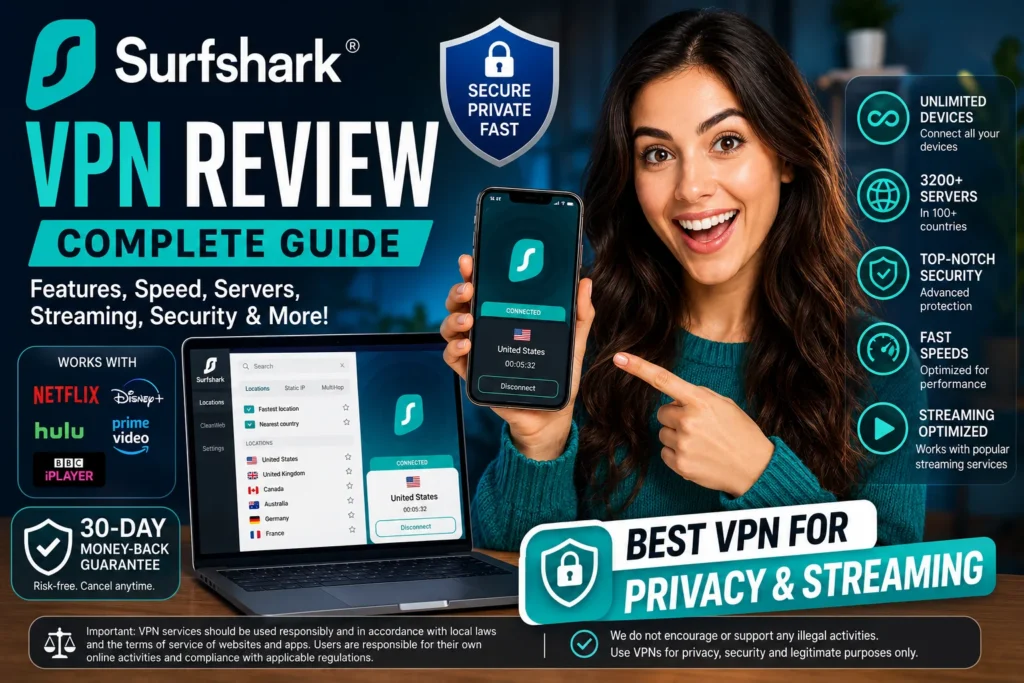
Surfshark VPN is currently one of the fastest-growing VPN providers in the world. It offers strong security features, fast speeds, unlimited device connections, and affordable long-term pricing. Unlike many VPN services that focus only on technical users, Surfshark keeps things simple for beginners while still offering advanced privacy tools for experienced users.
In this complete Surfshark Review, you will learn everything about Surfshark VPN Features, Surfshark VPN Pricing, server coverage, streaming performance, gaming experience, security tools, speed tests, and real-world usability. This guide is designed for beginners, but it also includes enough detail for advanced users who want to compare VPN providers carefully before buying.
If you are searching for the Best VPN 2026 for streaming, privacy, remote work, public WiFi protection, or secure browsing, this detailed guide will help you decide whether Surfshark is worth your money.
Table of Contents
- 1What Is Surfshark VPN?
- 2Why VPN Usage Is Growing Rapidly
- 3First Impressions and Real User Experience
- 4Surfshark VPN Features Explained
- Unlimited Simultaneous Connections
- WireGuard Protocol
- CleanWeb Ad Blocking
- MultiHop Connections
- Alternative ID
- Kill Switch
- No Logs Policy
- 5Surfshark VPN Servers and Global Network
- 6Surfshark VPN Speed Test and Performance
- Real-World Browsing Performance
- Streaming Performance
- Gaming Performance
- Torrenting Support
- 7Surfshark VPN For Streaming Services
- Netflix Compatibility
- Other Streaming Platforms
- Smart TV Compatibility
- 8Surfshark VPN Apps and Device Compatibility
- Surfshark VPN For Windows
- Surfshark VPN For Mac
- Surfshark VPN For Android
- Surfshark VPN For iPhone
- Browser Extensions
- 9Surfshark VPN Security and Privacy Protection
- AES-256 Encryption
- RAM-Only Infrastructure
- DNS Leak Protection
- Public WiFi Security
- Safe Browsing Tools
- 10Surfshark VPN Pricing and Subscription Plans
- Subscription Plans
- Surfshark One
- Surfshark One Plus
- Value for Money
- 11Surfshark VPN Comparison With Competitors
- Surfshark VPN Vs NordVPN
- Surfshark VPN Vs ExpressVPN
- 12Who Should Buy Surfshark VPN?
- 13Who May Not Need Surfshark VPN?
- 14Pros and Cons of Surfshark VPN
- Pros
- Cons
- 15Is Surfshark VPN Worth It in 2026?
- 16Final Verdict
- 17FAQs
- Is Surfshark VPN safe to use daily?
- Does Surfshark work with Netflix?
- Can I use Surfshark on unlimited devices?
- Is Surfshark good for gaming?
- Does Surfshark support torrenting?
- Which devices support Surfshark VPN?
- Is Surfshark affordable compared to competitors?
- Does Surfshark slow internet speed?
What Is Surfshark VPN?
Surfshark VPN is a premium virtual private network service that helps improve online privacy and internet security by encrypting internet traffic and masking the user’s IP address.
In simple words, Surfshark creates a secure digital tunnel between your device and the internet. This helps reduce tracking and improves protection while browsing websites, using apps, streaming content, or accessing online services.
Surfshark officially launched in 2018. Although it entered the market later than some major competitors, it quickly gained popularity because of its affordable pricing and premium-level features.
Today, Surfshark supports:
- Windows
- macOS
- Android
- iPhone
- Linux
- Smart TVs
- Routers
- Browser extensions
One feature that immediately made Surfshark stand out was Surfshark VPN Unlimited Devices support. Unlike many competitors that limit simultaneous connections, Surfshark allows users to connect unlimited devices under one subscription.
This makes Surfshark highly attractive for:
- Families
- Students
- Remote workers
- Small businesses
- Frequent travelers
- Multi-device households
Because of its strong balance between pricing and features, Surfshark is often recommended as:
- Best Cheap VPN
- Secure VPN Service
- Affordable VPN Service
- VPN For Beginners
- Best VPN For Privacy.
Why VPN Usage Is Growing Rapidly
VPN adoption has increased dramatically over the last few years. Many users previously believed VPNs were only for technical experts or cybersecurity professionals. However, that perception has changed.
Modern users now understand the importance of:
- Online privacy
- Secure browsing
- Data protection
- Public WiFi security
- Streaming flexibility
- Remote work safety
As internet usage grows globally, privacy concerns continue increasing too.
People now use VPN services for:
- Protecting personal data
- Reducing tracking
- Safer browsing on public networks.
- Securing remote work sessions.
- Improving privacy during travel.
- Protecting sensitive business communication.
This growing demand helped Surfshark become one of the most recognized VPN brands globally.
First Impressions and Real User Experience
One area where Surfshark performs exceptionally well is user experience.
During setup and testing, the apps felt modern, lightweight, and easy to understand. Unlike some VPN providers that overload the interface with technical settings, Surfshark keeps everything clean and beginner-friendly.
The installation process usually takes only a few minutes:
- Download the app
- Install it
- Log into your account
- Connect to a server
Even users who have never used a VPN before can get started quickly.
During real-world usage, Surfshark remained stable during:
- Long browsing sessions
- Streaming
- Video calls
- Online meetings
- Gaming sessions
Server switching was also smooth and quick on most devices.
The experience felt polished rather than overly technical, which is important for mainstream users.
Surfshark VPN Features Explained
Surfshark includes several privacy and security tools designed to improve both convenience and online protection.
Unlimited Simultaneous Connections
Surfshark VPN Unlimited Devices support is one of the service’s biggest advantages.
Most VPN providers allow between 5 and 10 devices per subscription. Surfshark removes that limitation completely.
You can connect:
- Smartphones
- Tablets
- Laptops
- Smart TVs
- Gaming consoles
- Desktop computers
all at the same time.
For larger families or users with multiple devices, this feature adds tremendous value.
WireGuard Protocol
Surfshark VPN WireGuard support improves:
- Speed
- Stability
- Efficiency
- Security
WireGuard is considered one of the fastest modern VPN protocols available today.
During testing on high-speed internet connections, WireGuard helped maintain strong download speeds suitable for:
- 4K streaming
- Online gaming
- Video conferencing
- Large downloads
For users searching for a VPN With Fast Servers, WireGuard support is a major advantage.
CleanWeb Ad Blocking
Surfshark VPN CleanWeb blocks:
- Advertisements
- Trackers
- Malware
- Phishing links
This creates a cleaner browsing experience while also improving security.
Pages often load faster because many unwanted scripts and trackers are blocked before loading.
Users searching for:
- VPN With Ad Blocker
- VPN With Malware Protection
- VPN For Safe Browsing.
often appreciate this feature.
MultiHop Connections
Surfshark VPN MultiHop routes traffic through two VPN servers instead of one.
This additional layer helps improve privacy during sensitive browsing sessions.
Although MultiHop may slightly reduce speed, it offers stronger privacy for users who prioritize security over maximum performance.
Alternative ID
Surfshark VPN Alternative ID creates an alternative identity and email address for online registrations.
This can help reduce:
- Spam emails
- Marketing tracking
- Exposure of personal information.
Kill Switch
The Kill Switch automatically disconnects internet access if the VPN connection unexpectedly drops.
This helps prevent accidental exposure of browsing activity.
No Logs Policy
Surfshark VPN No Logs Policy states that the company does not monitor or store browsing activity logs.
For privacy-focused users, this is one of the most important factors when choosing a VPN provider.
Surfshark VPN Servers and Global Network
Server coverage directly affects VPN speed, reliability, and accessibility.
Surfshark VPN Servers are available across more than 100 countries globally.
Popular server regions include:
- United States
- United Kingdom
- Canada
- Australia
- Germany
- France
- Singapore
- India
Surfshark VPN USA Servers are especially useful for users who want strong performance and broad streaming compatibility.
Meanwhile, Surfshark VPN UK Servers are commonly used for British streaming services and local browsing needs.
A VPN With Global Servers network provides several advantages:
- Better regional coverage
- Improved connection stability
- Reduced server congestion
- Faster local connections.
For international travelers and remote workers, wide server availability becomes extremely useful.
Surfshark VPN Speed Test and Performance
Speed matters a lot when choosing a VPN.
Nobody wants buffering during movies or lag during online gaming.
Fortunately, Surfshark VPN Performance is generally strong across most use cases.
Real-World Browsing Performance
During daily browsing tests, websites loaded quickly and remained stable on nearby servers.
Basic activities like:
- Watching YouTube
- Browsing websites
- Checking emails
- Video conferencing
worked smoothly without major interruptions.
Streaming Performance
Surfshark VPN Streaming performance is excellent for HD and 4K streaming on nearby servers.
Users commonly choose Surfshark as:
- Best VPN For Streaming
- Best VPN For Netflix
- Cheap VPN For Streaming.
The VPN works well with several popular streaming services depending on regional availability and platform policies.
Gaming Performance
Surfshark VPN Gaming performance is reliable for most casual and competitive players.
Benefits include:
- Reduced ISP throttling
- IP address protection
- More secure gaming sessions.
Nearby servers typically provide the best results with lower latency.
Torrenting Support
Surfshark VPN Torrenting support allows secure P2P file transfers for legitimate use cases.
The VPN includes:
- P2P-friendly servers
- Strong encryption
- Kill Switch support
Users transferring large files often appreciate Surfshark’s combination of privacy and speed.
Surfshark VPN For Streaming Services
Streaming remains one of the most common reasons people buy VPN subscriptions.
Many users want safer streaming access while traveling or using public networks.
Netflix Compatibility
Surfshark VPN Netflix compatibility is one of the service’s biggest strengths.
Users can access different Netflix regions depending on:
- Country availability
- Server location
- Streaming platform policies.
Other Streaming Platforms
Surfshark also supports:
- Disney Plus
- Hulu
- Amazon Prime Video
- BBC iPlayer
Availability may vary depending on the region and platform restrictions.
Smart TV Compatibility
Surfshark supports:
- VPN For Android TV
- VPN For Smart TV
- Fire TV devices
This allows users to improve streaming privacy directly on large-screen devices.
Surfshark VPN Apps and Device Compatibility
Surfshark apps are designed to feel simple and modern.
The interface avoids unnecessary complexity while still offering advanced settings for experienced users.
Surfshark VPN For Windows
Surfshark VPN For Windows includes:
- Quick-connect functionality
- Favorite server lists
- Protocol settings
- Security controls
The app feels polished and easy to navigate.
Surfshark VPN For Mac
Surfshark VPN For Mac performs smoothly and integrates well with macOS devices.
Surfshark VPN For Android
The Android app offers:
- Fast setup
- Stable performance
- Smooth streaming support
- Simple navigation
Surfshark VPN For iPhone
Surfshark VPN For iPhone provides strong privacy protection while maintaining a clean and responsive interface.
Browser Extensions
Surfshark also offers:
- VPN For Chrome
- VPN For Firefox
These extensions help protect browser activity more conveniently.
Surfshark VPN Security and Privacy Protection
Security remains one of Surfshark’s strongest areas.
AES-256 Encryption
Surfshark VPN Encryption uses AES-256 technology, which is widely trusted within the cybersecurity industry.
This encryption helps secure:
- Passwords
- Financial information
- Messages
- Browsing activity
RAM-Only Infrastructure
Surfshark uses RAM-only servers that automatically erase temporary data after rebooting.
This improves privacy protection significantly.
DNS Leak Protection
DNS leak prevention helps keep browsing activity protected while connected to the VPN.
Public WiFi Security
Public networks can expose users to cybersecurity risks.
Surfshark helps improve security while using:
- Airports
- Hotels
- Cafés
- Shared networks
That is why many people search for:
- VPN For Public WiFi
- VPN For Secure Internet Access
- Secure Browsing VPN
Safe Browsing Tools
Surfshark VPN Safe Browsing tools help users avoid suspicious websites and online tracking systems.
Surfshark VPN Pricing and Subscription Plans
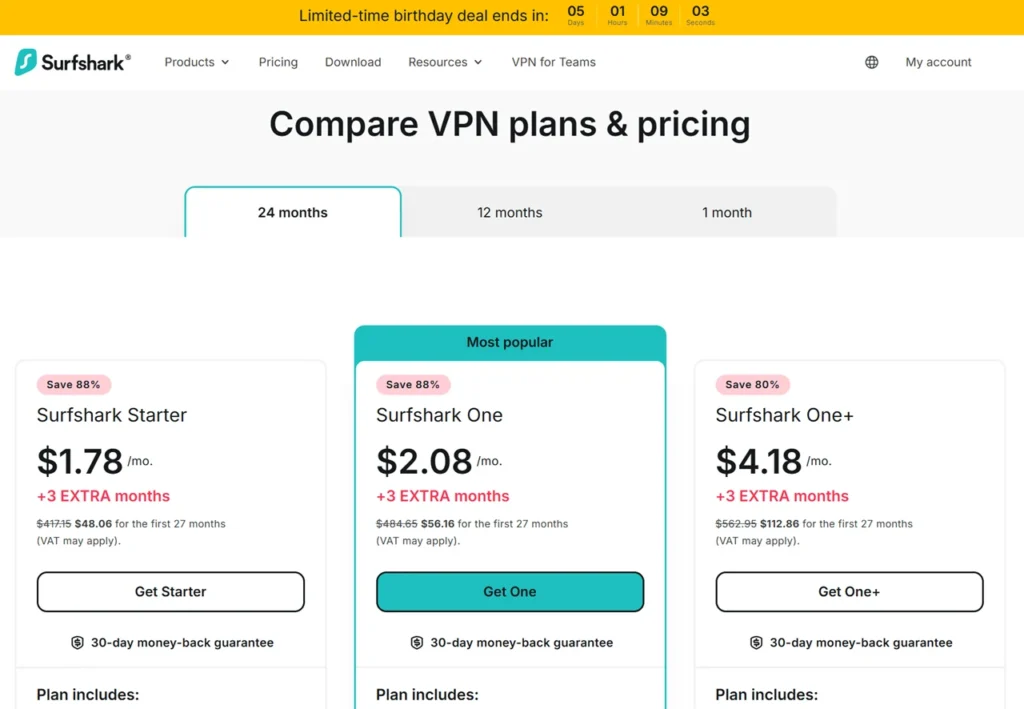
Pricing is one of Surfshark’s biggest advantages.
Compared to many premium competitors, Surfshark often provides better long-term value.
Subscription Plans
Surfshark VPN Subscription Plans usually include:
- Monthly plans
- One-year plans
- Two-year plans
Longer plans generally offer the biggest savings.
Surfshark One
Surfshark One includes:
- VPN protection
- Surfshark Antivirus
- Surfshark Search
- Surfshark Data Breach Alerts
Surfshark One Plus
Surfshark One Plus adds additional privacy and identity monitoring tools.
Value for Money
Users searching for:
- Surfshark VPN Deals
- Surfshark VPN Discount
- Surfshark VPN Cheap Plans
often consider Surfshark one of the best-value VPN providers available.
Surfshark VPN Comparison With Competitors
Surfshark VPN Vs NordVPN
NordVPN offers strong security and advanced features.
However, Surfshark stands out because of:
- Unlimited device support
- Lower pricing
- Simpler interface
Surfshark VPN Vs ExpressVPN
ExpressVPN provides premium performance but usually costs more.
Surfshark offers:
- More affordable plans
- Excellent streaming support
- Strong privacy tools
For many users, Surfshark delivers better value overall.
Who Should Buy Surfshark VPN?
Surfshark is ideal for:
- Families
- Beginners
- Travelers
- Remote workers
- Streaming users
- Multi-device households
It is especially useful for users who want premium features without premium-level pricing.
Who May Not Need Surfshark VPN?
Surfshark may not be necessary for users who:
- Rarely use public internet
- Only browse basic websites occasionally.
- Do not need privacy tools
- Prefer highly advanced manual customization.
However, for most modern internet users, VPN protection provides useful additional security.
Pros and Cons of Surfshark VPN
Pros
- Unlimited device support
- Affordable long-term plans
- Excellent streaming compatibility
- Beginner-friendly apps
- Strong security tools
- Fast WireGuard performance
- Large global server network
Cons
- Monthly plans cost more
- Some distant servers may slow slightly.
- Advanced customization is limited compared to some competitors.
Is Surfshark VPN Worth It in 2026?
For most users, Surfshark offers excellent value.
It combines:
- Strong privacy tools
- Fast speeds
- Affordable pricing
- Streaming compatibility
- Easy usability
Whether you want:
- VPN For Online Privacy
- VPN For Streaming Movies
- VPN For Remote Work
- VPN For Travel
- Internet Security Tools
- Online Privacy Tools
Surfshark remains one of the strongest all-around choices in 2026.
Final Verdict
Surfshark VPN successfully combines affordability, strong security, streaming support, and beginner-friendly usability into one polished service.
Its unlimited device support, modern privacy features, fast speeds, and broad compatibility make it suitable for both new and experienced users.
While no VPN service is perfect, Surfshark performs extremely well across most important categories including:
- Streaming
- Gaming
- Public WiFi security
- Remote work protection
- Daily browsing privacy
For users searching for a reliable and affordable VPN service in 2026, Surfshark remains one of the best options available today.
Disclaimer: VPN services should be used responsibly and according to local laws, platform policies, and terms of service. Users are responsible for complying with regulations applicable in their region.
FAQs
Is Surfshark VPN safe to use daily?
Yes, Surfshark uses strong encryption, secure protocols, DNS leak protection, and additional privacy tools designed to improve online security.
Does Surfshark work with Netflix?
Yes, Surfshark supports Netflix and several other streaming services depending on region availability and platform policies.
Can I use Surfshark on unlimited devices?
Yes, Surfshark allows unlimited simultaneous device connections under one subscription plan.
Is Surfshark good for gaming?
Yes, Surfshark provides stable speeds and secure connections suitable for online gaming.
Does Surfshark support torrenting?
Yes, Surfshark supports secure P2P file transfers for legitimate use cases.
Which devices support Surfshark VPN?
Surfshark supports Windows, Mac, Android, iPhone, Linux, Smart TVs, routers, and browser extensions.
Is Surfshark affordable compared to competitors?
Yes, Surfshark is often considered one of the most affordable premium VPN services available today.
Does Surfshark slow internet speed?
Some speed reduction is normal with any VPN service, but Surfshark generally maintains fast and stable performance on nearby servers.