DreamHost is an independently owned US host that has been running websites since 1997. It offers shared web hosting, DreamPress managed WordPress hosting, VPS and dedicated servers, all on NVMe storage. I rate it 4.5/5: reliable, beginner-friendly and generous on its entry plan, with a custom control panel and renewal prices to budget for.

Table of Contents
- 1Quick Verdict
- 2What DreamHost Is
- 3A Note on the WordPress.org Recommendation
- 4DreamHost Plans and Pricing
- 5VPS, Dedicated and Cloud Options
- 6Performance and Features
- 7Control Panel and Support
- 8Pros and Cons
- 9DreamHost vs Alternatives
- 10Who Should Use DreamHost — and Who Should Skip It
- 11Final Verdict
- 12FAQs
- 1. Is DreamHost good for beginners?
- 2. Is DreamHost officially recommended by WordPress?
- 3. Does DreamHost provide free SSL?
- 4. Is DreamHost good for ecommerce websites?
- 5. Which DreamHost plan is best for beginners?
- 6. Does DreamHost offer VPS hosting?
- 7. How is DreamHost uptime performance?
- 8. Is DreamHost better than Bluehost?
Quick Verdict
DreamHost is an independently owned host with NVMe storage, free SSL, daily automated backups and a 100% uptime guarantee on its web hosting plans. It is a dependable, beginner-friendly choice for WordPress sites — just budget for the renewal price after the first year.
Pros
- Independently owned, with a long WordPress track record
- 100% uptime guarantee
- Free domain, SSL and automated backups
- Up to 25 sites and 25 GB NVMe on the entry plan
- Strong privacy protection
Cons
- Renewal prices rise after the intro term
- Custom control panel (no cPanel)
- No phone support
Review scope: my rating reflects my own assessment of DreamHost’s hosting. Plans, prices and the WordPress.org hosting list were rechecked on the official websites on 13 October 2026. This review does not include a controlled speed or uptime benchmark.
What DreamHost Is
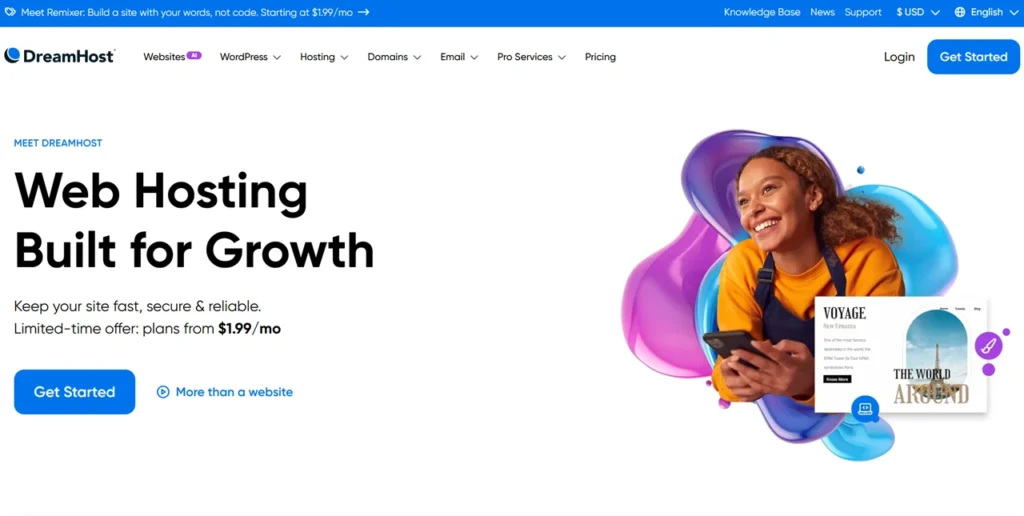
DreamHost is aimed at bloggers, small businesses, freelancers and developers. Its range covers:
- Shared web hosting (Launch, Growth and Scale plans)
- Managed WordPress hosting (DreamPress)
- Managed and self-managed VPS
- Dedicated servers
- Domains, professional email and a website builder
A Note on the WordPress.org Recommendation
Older versions of this review called DreamHost one of only three hosts recommended by WordPress.org. That is no longer the case: when I checked the WordPress.org hosting page on 13 October 2026, it listed Pressable, Bluehost and Hostinger, and the list was the same when rechecked on 15 November 2026. DreamHost was on that list for many years, and its WordPress experience has not gone away, but the endorsement should not be part of your decision today.
DreamHost Plans and Pricing
| Plan | First year | Renews at | Websites | NVMe storage | Approx. visits/month |
|---|---|---|---|---|---|
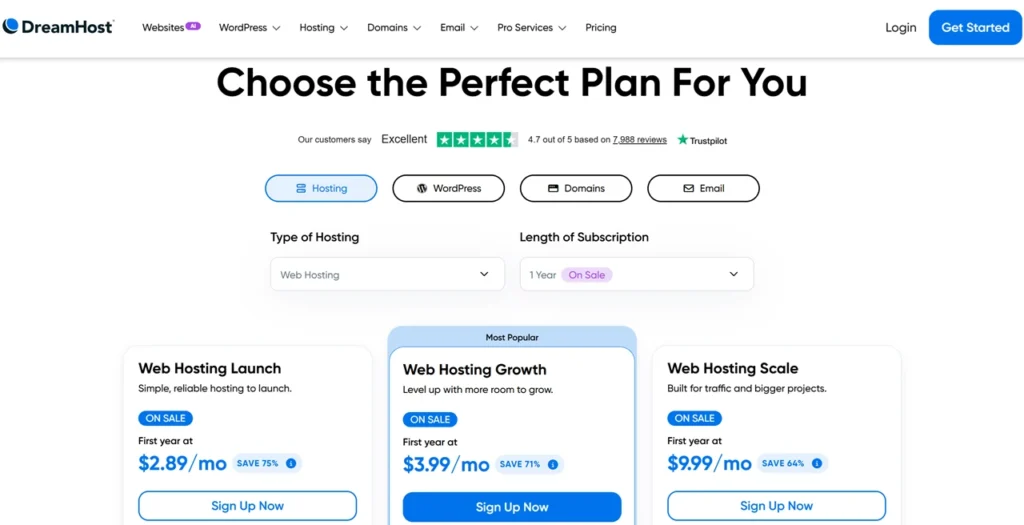
| Web Hosting Launch | $2.89/month | $10.99/month | 25 | 25 GB | 40,000 |
| Web Hosting Growth | $3.99/month | $12.99/month | 50 | 50 GB | 200,000 |
| Web Hosting Scale | $9.99/month | $25.99/month | 100 | 100 GB | 400,000 |
| DreamPress 1 (managed WordPress) | $14.99/month | $19.99/month | 1 | 15 GB | 40,000 |
All three web hosting plans include unmetered bandwidth, daily automated backups, unlimited free SSL certificates, on-demand performance scans and a free domain for the first year. Mailboxes are free for the first three months only, and the money-back guarantee is 30 days. Prices and terms change, so confirm them on DreamHost’s official website before you buy, or browse all my hosting reviews for alternatives.
VPS, Dedicated and Cloud Options
For growing sites, DreamHost’s Managed VPS Business plan starts at $13.75/month for the first year (renewing at $31.99) with 2 cores, 2 GB of RAM, 60 GB NVMe and unlimited sites. Developers who want full root access can choose self-managed VPS plans from $6.99/month for the first year (renewing at $11.99) with 2 vCPUs and 4 GB of RAM. Dedicated servers sit above that. If you are weighing cloud platforms instead, see my cloud hosting comparison.
Performance and Features
- NVMe storage on web hosting, DreamPress and VPS plans.
- Backups — daily automated backups on web hosting; DreamPress keeps 14 days of backups.
- CDN — DreamHost offers a Bunny CDN integration.
- Uptime — a 100% uptime guarantee.
- Privacy — free WHOIS privacy on domains registered with DreamHost.
- Developer tools — SSH access and Git support, plus root access on self-managed VPS.
As with any host, real speed depends on your theme, plugins and images as much as on the server. Use caching, compress images and pick DreamPress or a VPS once a site outgrows shared hosting.
Control Panel and Support
DreamHost uses its own control panel rather than cPanel. If you are used to cPanel it takes a little adjustment, but WordPress installs in one click and domains, email, SSL and users are all managed in one place. Support is available 24/7 by web chat and email tickets — DreamHost says chats are answered in under a minute — and there is no phone support.
Pros and Cons
| Pros | Cons |
|---|---|
| Up to 25 sites and 25 GB NVMe on the entry plan | Renewals cost three to four times the first-year price |
| Daily backups, free SSL and a free first-year domain | Mailboxes are free for only three months |
| 100% uptime guarantee; independently owned | Custom control panel instead of cPanel |
| Clear upgrade path to DreamPress, VPS and dedicated | No phone support; 30-day refund window |
DreamHost vs Alternatives
- Bluehost renews for less on its entry plan and offers phone support from its Business plan, but hosts fewer sites on the entry tier.
- Hostinger usually costs less upfront on a long term and runs on LiteSpeed with its own hPanel dashboard.
- SiteGround is a premium choice with strong support and performance tools, at higher renewal prices.
Who Should Use DreamHost — and Who Should Skip It
It suits beginners, bloggers and small businesses that want an easy WordPress host with room for many sites, plus developers who want a VPS with root access later. Skip it if you need cPanel or phone support, or if the cheapest long-term price matters more than features.
Final Verdict
DreamHost earns 4.5/5 from me. The entry plan is generous, backups are daily and the uptime guarantee is strong, but the WordPress.org listing and the old 97-day guarantee are gone, and renewals rise sharply after year one. Compare the renewal price for your plan before you sign up.
FAQs
1. Is DreamHost good for beginners?
Yes. DreamHost is beginner-friendly and offers easy WordPress installation, simple dashboards, and affordable hosting plans.
2. Is DreamHost officially recommended by WordPress?
Not at the moment. When I checked on 13 October 2026, the WordPress.org hosting page listed Pressable, Bluehost and Hostinger, and it was the same on 15 November 2026. DreamHost was on that list for many years and still has a long WordPress track record.
3. Does DreamHost provide free SSL?
Yes. DreamHost includes free SSL certificates with hosting plans.
4. Is DreamHost good for ecommerce websites?
Yes. DreamHost supports WooCommerce and provides secure hosting features suitable for ecommerce stores.
5. Which DreamHost plan is best for beginners?
DreamHost Shared Hosting is usually the best starting point for beginners and bloggers.
6. Does DreamHost offer VPS hosting?
Yes. DreamHost VPS Hosting provides dedicated resources and improved performance for growing websites.
7. How is DreamHost uptime performance?
DreamHost generally delivers strong uptime performance and stable website reliability.
8. Is DreamHost better than Bluehost?
DreamHost is often preferred for better transparency, privacy, unlimited traffic support, and long-term value. However, Bluehost may suit users who want phone support, which it includes from its Business plan upwards.

Affiliate disclosure: some links on this page are affiliate links, so I may earn a commission if you buy, at no extra cost to you.