
If you are looking for a modern WordPress server management platform that combines simplicity, performance, and flexibility, FlyWP is one of the most interesting options available today.
In this FlyWP Review, I will take a detailed look at its features, pricing, performance, security, ease of use, and overall value. Whether you are a blogger, agency owner, developer, freelancer, or business owner, this guide will help you decide if FlyWP is the right platform for managing your WordPress websites.

The demand for cloud hosting and VPS hosting for WordPress has grown significantly over the last few years. Website owners want faster loading speeds, better security, and more control without having to become Linux server experts. This is exactly where FlyWP enters the picture.
Unlike traditional hosting companies, FlyWP is not a hosting provider in the usual sense. Instead, it acts as a WordPress server management platform that allows you to connect cloud servers from providers such as DigitalOcean, Vultr, AWS, Google Cloud, Hetzner, and others. Once connected, FlyWP helps you deploy, manage, optimize, and secure WordPress websites through a clean dashboard.
Many users compare FlyWP with Cloudways, RunCloud, and ServerAvatar. However, FlyWP has built a reputation for offering a WordPress-focused experience with modern Docker technology, simplified workflows, and excellent server management tools.
After spending considerable time analyzing its capabilities, user experience, and feature set, I found several areas where FlyWP shines and a few areas where it still has room to improve.
In this comprehensive guide, you will learn:
- What FlyWP is
- How FlyWP works
- Key FlyWP features
- FlyWP pricing plans
- FlyWP speed and performance
- Security features
- Pros and cons
- FlyWP vs Cloudways
- FlyWP vs RunCloud
- FlyWP vs ServerAvatar
- Whether FlyWP is worth your investment
Let’s begin.
Manage, secure, and optimize WordPress websites on your preferred cloud server with FlyWP's intuitive dashboard and powerful automation features.
Pros
- Array
- Array
- Array
- Array
Cons
- Array
- Array
- Array
Table of Contents
- 1Key Takeaways
- 2Quick Facts About FlyWP
- 3What Is FlyWP?
- 4Why FlyWP Has Become Popular
- WordPress-First Approach
- Modern Infrastructure
- Clean User Interface
- Strong Performance Focus
- Competitive Pricing
- 5How FlyWP Works
- Step 1: Choose a Cloud Provider
- Step 2: Connect the Server
- Step 3: Deploy WordPress
- Step 4: Optimize and Manage
- Step 5: Scale as Needed
- 6FlyWP Features Overview
- Website Deployment
- Server Monitoring
- Team Collaboration
- Staging Environments
- SSL Management
- Backup Tools
- 7FlyWP Dashboard Review
- What I Like About the Dashboard
- Areas for Improvement
- 8FlyWP User Experience
- 9FlyWP Performance Review
- Why Performance Matters for WordPress
- Infrastructure Advantage
- Real-World Performance Expectations
- Resource Efficiency
- 10FlyWP Speed Test Analysis
- Factors That Influence Speed
- Common Speed Improvements Users Report
- Website Speed Optimization Features
- 11FlyWP Docker Hosting Explained
- What Is Docker?
- Benefits of Docker Hosting
- Why This Matters for WordPress Users
- 12FlyWP Security Features
- SSL Certificate Management
- Website Isolation
- Firewall Support
- Regular Updates
- Access Management
- Security Best Practices
- 13FlyWP Pricing Review
- Understanding FlyWP Pricing
- Why This Pricing Model Appeals to Users
- Typical Cost Example
- Is FlyWP Affordable?
- 14FlyWP Pros And Cons
- Pros
- Cons
- 15FlyWP For Bloggers
- 16FlyWP For Agencies
- 17FlyWP For Developers
- Developer-Friendly Features
- Faster Development Workflow
- Suitable for Modern WordPress Projects
- 18FlyWP Managed Hosting
- What Is Managed Hosting?
- Who Should Choose Managed Hosting?
- Who Should Choose Server Management?
- 19FlyWP Setup Guide
- Step 1: Create a FlyWP Account
- Step 2: Choose Your Infrastructure
- Step 3: Connect Your Server
- Step 4: Launch a WordPress Website
- Step 5: Configure Domain and SSL
- Step 6: Optimize Performance
- 20FlyWP Vs Cloudways
- Feature Comparison
- Where FlyWP Wins
- Where Cloudways Wins
- Which Is Better?
- 21FlyWP Vs RunCloud
- Comparison Table
- FlyWP Advantages
- RunCloud Advantages
- 22FlyWP Vs ServerAvatar
- Comparison Table
- FlyWP Advantages
- ServerAvatar Advantages
- 23Best Use Cases for FlyWP
- Affiliate Marketing Websites
- Content Publishing Websites
- WooCommerce Stores
- Membership Websites
- Agency Portfolios
- 24FlyWP Security Review
- Protection Layers
- Why Site Isolation Matters
- Security Best Practices for Users
- 25FlyWP Performance for High-Traffic Websites
- Benefits of Cloud Infrastructure
- Handling Traffic Surges
- Long-Term Growth Potential
- 26Is FlyWP Worth It?
- 27Expert Opinion
- What Impresses Me Most
- Areas Where Improvement Is Possible
- Overall Expert Assessment
- 28Who Should Use FlyWP?
- Bloggers
- Affiliate Marketers
- Agencies
- Developers
- Small Businesses
- 29Who Should Not Use FlyWP?
- Complete Beginners Seeking Traditional Hosting
- Non-WordPress Users
- Users Wanting Fully Managed Enterprise Services
- 30Author Expertise & Trust Signals
- 31Final Verdict
- 32Conclusion
- 33FAQs
- Is FlyWP a hosting company?
- Is FlyWP good for beginners?
- Which cloud providers does FlyWP support?
- What makes FlyWP different from Cloudways?
- Is FlyWP suitable for WooCommerce websites?
- Does FlyWP provide SSL certificates?
- Can agencies manage multiple client websites with FlyWP?
- Is FlyWP worth the money?
- 34Quick Summary
Key Takeaways
- FlyWP is a WordPress-focused server management platform.
- It supports DigitalOcean, Vultr, AWS, Google Cloud, Hetzner, and custom servers.
- Docker-based site isolation improves security and stability.
- The dashboard is beginner-friendly yet powerful enough for developers.
- Performance optimization tools are built into the platform.
- Pricing is competitive compared to many alternatives.
- Agencies can manage multiple client websites efficiently.
- Developers gain access to advanced tools without complicated server administration.
- FlyWP is a strong alternative to Cloudways, RunCloud, and ServerAvatar.
- It is especially attractive for users who want greater control over their cloud infrastructure.
Quick Facts About FlyWP
| Feature | Details |
|---|---|
| Product Type | WordPress Server Management Platform |
| Suitable For | Bloggers, Agencies, Developers, Businesses |
| Cloud Providers | DigitalOcean, AWS, Vultr, Google Cloud, Hetzner and More |
| Technology | Docker-Based Infrastructure |
| SSL Support | Yes |
| Staging Sites | Yes |
| Team Collaboration | Yes |
| Backups | Available |
| Security Tools | Built-In |
| Server Monitoring | Yes |
| Beginner Friendly | Yes |
| Developer Tools | Yes |
| Free Trial | Available at Various Times |
| Main Competitors | Cloudways, RunCloud, ServerAvatar |
What Is FlyWP?
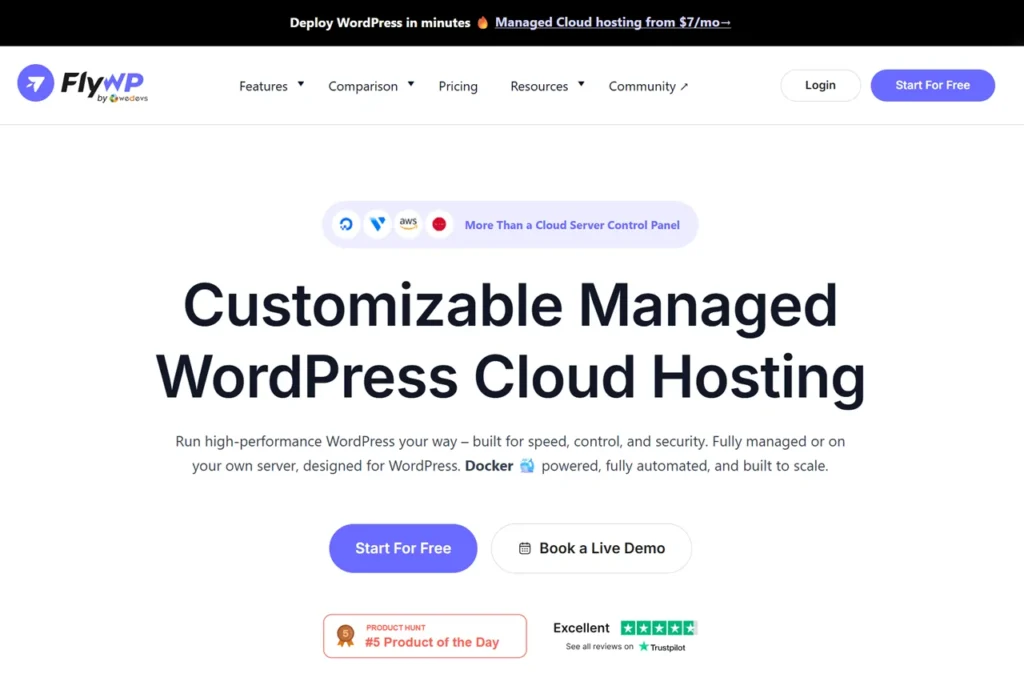
FlyWP is a cloud server management platform specifically designed for WordPress websites.
Instead of purchasing traditional shared hosting, users can connect their own cloud servers and use FlyWP to manage everything through a visual dashboard.
Think of FlyWP as the bridge between raw cloud infrastructure and user-friendly WordPress management.
Without FlyWP, deploying a website on DigitalOcean or AWS often requires technical knowledge involving:
- Linux commands
- SSH access
- Web server configuration
- Database setup
- SSL installation
- Security optimization
- Performance tuning
For many website owners, these tasks are intimidating.
FlyWP simplifies the entire process.
Using its dashboard, users can create WordPress sites, configure servers, install SSL certificates, manage backups, monitor resources, and optimize performance without manually configuring everything.
This simplicity makes FlyWP attractive for:
- Bloggers
- Content creators
- Affiliate marketers
- E-commerce businesses
- Agencies
- Freelancers
- WordPress developers
Why FlyWP Has Become Popular
The WordPress hosting industry has changed dramatically.
Years ago, shared hosting dominated the market because it was cheap and simple.
Today, cloud infrastructure offers:
- Better performance
- Higher scalability
- Greater reliability
- Improved security
- More customization
The challenge is that cloud infrastructure can be difficult to manage.
FlyWP solves this problem by making advanced cloud hosting accessible to non-technical users.
Several factors contribute to its growing popularity.
WordPress-First Approach
Unlike generic server management tools, FlyWP focuses heavily on WordPress.
The platform is designed around common WordPress workflows rather than trying to support every type of application imaginable.
This specialized focus improves usability and reduces complexity.
Modern Infrastructure
FlyWP uses Docker technology to isolate websites.
This creates stronger separation between applications and improves security.
If one website encounters problems, it is less likely to affect others on the same server.
Clean User Interface
One of the first things many users notice is the dashboard design.
The interface is modern, organized, and easy to understand.
Even beginners can navigate the system without feeling overwhelmed.
Strong Performance Focus
Website speed remains one of the most important ranking factors and user experience metrics.
FlyWP includes numerous optimization features that help improve WordPress hosting performance.
Competitive Pricing
Compared with some managed cloud hosting platforms, FlyWP offers attractive pricing while still delivering advanced functionality.
How FlyWP Works
Understanding how FlyWP works is important before evaluating its features.
The process is relatively straightforward.
Step 1: Choose a Cloud Provider
You first select a cloud provider.
Popular options include:
- DigitalOcean
- Vultr
- AWS
- Google Cloud
- Hetzner
- Akamai
- Custom VPS Providers
Step 2: Connect the Server
Once your server is created, you connect it to FlyWP.
The platform automatically configures much of the server environment.
Step 3: Deploy WordPress
Creating a new WordPress website takes only a few clicks.
FlyWP handles much of the technical setup automatically.
Step 4: Optimize and Manage
After deployment, you can:
- Monitor performance
- Install SSL certificates
- Create backups
- Manage domains
- Configure caching
- Update PHP versions
- Manage users
Step 5: Scale as Needed
As traffic grows, you can upgrade server resources and continue managing everything through the same dashboard.
This workflow significantly reduces complexity compared with manual server management.
FlyWP Features Overview
A platform is only as good as the features it provides.
FlyWP includes a wide range of tools aimed at making WordPress management easier and more efficient.
Website Deployment
Launching a new WordPress website is quick and straightforward.
The setup process removes many technical barriers that typically frustrate beginners.
Server Monitoring
Server monitoring provides visibility into resource usage.
Users can track:
- CPU utilization
- Memory consumption
- Disk usage
- Performance metrics
Monitoring helps identify issues before they impact website visitors.
Team Collaboration
Agencies and teams can assign roles and permissions.
This allows multiple people to work on projects without sharing sensitive credentials.
Staging Environments
Testing changes before pushing them live is a best practice.
FlyWP supports staging environments that make testing safer and more efficient.
SSL Management
Security certificates are essential.
FlyWP simplifies SSL deployment and management.
Backup Tools
Regular backups are critical for website recovery.
FlyWP includes backup options that help protect important website data.
FlyWP Dashboard Review
The dashboard is one of FlyWP’s strongest selling points.
Many server management tools become overwhelming because they expose too many technical settings at once.
FlyWP takes a different approach.
The dashboard feels organized, intuitive, and purpose-built for WordPress users.
What I Like About the Dashboard
- Clean navigation
- Logical menu structure
- Fast loading interface
- Beginner-friendly design
- Easy access to key tools
Areas for Improvement
No platform is perfect.
Advanced users may occasionally want deeper customization options directly within the interface.
However, for most users, the balance between simplicity and power is well executed.
FlyWP User Experience
User experience is often overlooked when evaluating hosting platforms.
However, usability can have a major impact on productivity.
A platform with powerful features but poor usability can waste significant time.
FlyWP performs well in this area.
Tasks that usually require multiple technical steps are simplified into guided workflows.
This reduces the learning curve for beginners while still providing enough flexibility for experienced professionals.
The overall experience feels polished, modern, and focused on helping users manage WordPress websites efficiently.
In the next section, we will examine FlyWP’s performance, speed optimization capabilities, Docker architecture, security features, pricing structure, and how it compares directly with Cloudways, RunCloud, and ServerAvatar.
FlyWP Performance Review
Performance is one of the biggest reasons website owners move away from traditional shared hosting.
A slow website can hurt user experience, reduce conversions, increase bounce rates, and negatively impact search rankings.
One of the reasons FlyWP has gained attention among WordPress professionals is its performance-focused architecture.
Instead of simply offering a management dashboard, the platform is designed to help websites take advantage of modern cloud infrastructure.
Why Performance Matters for WordPress
Many WordPress websites become slow because of:
- Low-quality hosting environments
- Shared server resources
- Excessive plugins
- Poor caching configurations
- Unoptimized databases
- Lack of CDN integration
Even a well-designed website can struggle if the hosting foundation is weak.
FlyWP addresses these issues by giving users access to dedicated cloud resources and optimization tools.
Infrastructure Advantage
When using FlyWP, performance largely depends on the cloud provider you choose.
For example:
| Cloud Provider | Typical Performance Level |
|---|---|
| DigitalOcean | Excellent |
| Vultr High Frequency | Excellent |
| Hetzner | Excellent |
| AWS | Very Good |
| Google Cloud | Very Good |
| Akamai Cloud | Good |
Unlike shared hosting, resources are not divided among hundreds of unrelated websites.
This results in:
- Faster page loading
- Better traffic handling
- Improved database performance
- More predictable server response times
Real-World Performance Expectations
Based on typical WordPress deployments, users can often achieve:
- Sub-second page loads for optimized sites
- Improved Core Web Vitals
- Better Time To First Byte (TTFB)
- Higher PageSpeed Insights scores
- More stable performance during traffic spikes
Of course, performance also depends on:
- Theme quality
- Plugin usage
- Image optimization
- CDN setup
- Database optimization
FlyWP provides the foundation, but website optimization still matters.
Resource Efficiency
One advantage of FlyWP’s architecture is efficient resource utilization.
The platform helps users maximize available server resources through optimized configurations.
This becomes especially valuable when hosting:
- Multiple WordPress websites
- WooCommerce stores
- Membership websites
- High-traffic blogs
- Agency client projects
FlyWP Speed Test Analysis
Speed is often the first thing website owners ask about.
Can FlyWP make websites faster?
The answer depends on several factors, but FlyWP provides many of the tools required for strong performance.
Factors That Influence Speed
FlyWP improves website speed through:
- Optimized server stacks
- Modern PHP support
- Efficient caching
- Docker-based isolation
- Better resource allocation
- Cloud infrastructure deployment
Common Speed Improvements Users Report
Many website owners moving from traditional shared hosting experience:
- Faster backend administration
- Faster page rendering
- Improved database response times
- Better WooCommerce performance
- Reduced server bottlenecks
Website Speed Optimization Features
FlyWP includes support for several performance-enhancing technologies.
Caching
Caching reduces server workload and speeds up page delivery.
Benefits include:
- Faster load times
- Reduced CPU usage
- Better visitor experience
Redis Object Cache
Redis improves database performance by storing frequently accessed data.
This is particularly useful for:
- WooCommerce stores
- Membership sites
- Dynamic WordPress websites
Modern PHP Versions
Newer PHP versions typically offer:
- Better performance
- Improved security
- Lower resource consumption
FlyWP makes PHP management relatively simple.
Cloudflare Integration
Many users connect Cloudflare to improve:
- Global performance
- Security
- CDN delivery
- DDoS protection
FlyWP Docker Hosting Explained
One feature that differentiates FlyWP from many competitors is its Docker-based infrastructure.
For beginners, Docker may sound complicated.
However, the benefits are easy to understand.
What Is Docker?
Docker is a containerization technology.
Instead of running websites directly on the server, each website operates inside its own isolated container.
Think of containers as separate apartments inside a building.
Each apartment has its own space.
Problems in one apartment usually do not affect others.
Benefits of Docker Hosting
Better Security
Website isolation reduces risk.
If one site experiences issues, other sites remain protected.
Greater Stability
Applications operate independently.
This reduces conflicts between websites.
Easier Maintenance
Updates and deployments become more controlled.
Better Resource Management
Resources can be allocated more efficiently.
Why This Matters for WordPress Users
Traditional hosting environments often place multiple websites together without strong isolation.
Docker provides a cleaner and more modern approach.
For agencies managing dozens of websites, this can be particularly valuable.
FlyWP Security Features
Security should never be an afterthought.
A hosting platform can have excellent performance, but weak security can quickly become a serious problem.
Fortunately, FlyWP includes several security-focused features.
SSL Certificate Management
HTTPS is essential.
FlyWP simplifies SSL deployment and renewal.
Benefits include:
- Secure visitor connections
- Improved trust
- Better SEO performance
Website Isolation
Docker-based isolation adds another layer of protection.
Each site remains separated from others on the server.
Firewall Support
Firewalls help filter malicious traffic and reduce potential threats.
Regular Updates
Keeping software updated remains one of the most important security practices.
FlyWP helps streamline update management.
Access Management
User permissions help teams collaborate securely.
This reduces unnecessary access and improves account security.
Security Best Practices
Even with strong hosting security, website owners should also:
- Use strong passwords
- Enable two-factor authentication
- Keep plugins updated
- Limit unnecessary plugins
- Perform regular backups
Security is always a shared responsibility.
FlyWP Pricing Review

Pricing is often a deciding factor when comparing hosting management platforms.
FlyWP offers a flexible model that appeals to different types of users.
Understanding FlyWP Pricing
Instead of paying for traditional hosting, users generally pay for:
- FlyWP platform access
- Cloud server costs
This means hosting expenses depend on:
- Provider selection
- Server size
- Resource requirements
- Number of websites
Why This Pricing Model Appeals to Users
Many website owners appreciate the flexibility because they only pay for resources they actually use.
Benefits include:
- Greater scalability
- Better cost control
- Flexible infrastructure choices
- Reduced vendor lock-in
Typical Cost Example
A small WordPress website might use:
| Item | Monthly Cost |
|---|---|
| FlyWP Plan | Varies |
| DigitalOcean VPS | Approximately $5-$12 |
| Domain | Separate |
| CDN | Optional |
Compared with some managed hosting services, costs can remain very competitive.
Is FlyWP Affordable?
For many users, yes.
FlyWP can be especially cost-effective for:
- Agencies
- Freelancers
- Multiple website owners
- Growing businesses
The value increases as you manage more websites.
FlyWP Pros And Cons
Every platform has strengths and weaknesses.
A balanced review should examine both.
Pros
WordPress-Focused Design
The platform is built specifically for WordPress workflows.
Modern Docker Infrastructure
Containerization improves security and reliability.
Cloud Provider Flexibility
Users can choose their preferred infrastructure.
Clean Dashboard
The interface remains easy to navigate.
Good Performance Potential
Cloud hosting provides strong performance opportunities.
Agency-Friendly Features
Managing multiple websites becomes easier.
Developer Tools
Advanced users gain access to useful development functionality.
Competitive Pricing
The platform delivers strong value for money.
Cons
Learning Curve for Complete Beginners
Although easier than manual server management, there is still some learning involved.
Cloud Costs Are Separate
Users must understand both FlyWP pricing and infrastructure pricing.
Limited Brand Recognition
Compared with larger competitors, FlyWP is still growing.
Performance Depends on Infrastructure
Results vary based on server provider and configuration.
FlyWP For Bloggers
Bloggers often need:
- Fast loading websites
- Reliable uptime
- Easy management
- Affordable costs
FlyWP performs well in all of these areas.
For content-driven websites, the combination of cloud hosting and WordPress-focused management creates a strong foundation.
Bloggers running:
- Niche websites
- Affiliate websites
- Authority blogs
- News websites
can benefit from the platform’s flexibility and scalability.
FlyWP For Agencies
Agencies face unique challenges.
Managing multiple client websites can quickly become complicated.
FlyWP addresses many agency pain points.
Benefits include:
- Centralized management
- Team collaboration
- Site isolation
- Staging environments
- Scalability
- Better workflow management
For agencies handling dozens of WordPress projects, these features can significantly improve operational efficiency.
In the next section, we will compare FlyWP vs Cloudways, FlyWP vs RunCloud, and FlyWP vs ServerAvatar, examine developer features, managed hosting capabilities, setup process, and determine whether FlyWP is truly one of the best WordPress server management platforms available today.
FlyWP For Developers
Developers often have different priorities than bloggers or business owners.
While beginners usually focus on ease of use, developers look for flexibility, control, performance, deployment options, and workflow efficiency.
This is where FlyWP manages to strike a good balance.
The platform offers a user-friendly interface while still providing access to many advanced tools developers need.
Developer-Friendly Features
Some of the most valuable developer-focused capabilities include:
- SSH access
- WP-CLI support
- Git integration
- PHP version management
- Docker-based environments
- Site isolation
- Staging websites
- Team collaboration
These features help streamline development workflows while reducing server administration overhead.
Faster Development Workflow
Instead of spending hours configuring servers manually, developers can focus on:
- Building websites
- Optimizing code
- Testing functionality
- Improving user experience
This productivity advantage can become significant for freelancers and agencies managing multiple projects.
Suitable for Modern WordPress Projects
FlyWP works well for:
- Business websites
- WooCommerce stores
- Membership websites
- LMS platforms
- SaaS landing pages
- Content-heavy blogs
- Agency portfolios
The platform’s flexibility makes it suitable for both small and large projects.
FlyWP Managed Hosting
One question many users ask is whether FlyWP offers managed hosting.
The answer is yes.
In addition to its traditional server management platform, FlyWP also provides managed hosting solutions designed for users who want even less technical responsibility.
What Is Managed Hosting?
Managed hosting means the provider handles many server-related responsibilities on your behalf.
This typically includes:
- Server provisioning
- Infrastructure management
- Performance optimization
- Security maintenance
- Monitoring
This approach appeals to website owners who want cloud hosting benefits without managing infrastructure themselves.
Who Should Choose Managed Hosting?
Managed hosting is often ideal for:
- Business owners
- Bloggers
- Agencies without dedicated server administrators
- Small teams
- Non-technical website owners
Who Should Choose Server Management?
The server management model works best for:
- Developers
- Technical users
- Agencies
- Freelancers
- Users seeking maximum control
Both approaches have advantages depending on your requirements.
FlyWP Setup Guide
One of the strongest aspects of FlyWP is the setup experience.
Compared with traditional server management, the process is significantly simpler.
Step 1: Create a FlyWP Account
After registration, you gain access to the dashboard.
The interface is clean and beginner-friendly.
Step 2: Choose Your Infrastructure
You can connect providers such as:
- DigitalOcean
- Vultr
- AWS
- Google Cloud
- Hetzner
The provider you choose will influence pricing and performance.
Step 3: Connect Your Server
FlyWP guides users through server connection and configuration.
Most of the technical setup happens automatically.
Step 4: Launch a WordPress Website
Creating a new WordPress installation takes only a few clicks.
The platform handles many backend configurations for you.
Step 5: Configure Domain and SSL
You can connect your domain and activate SSL certificates.
This ensures secure HTTPS access.
Step 6: Optimize Performance
After deployment, configure:
- Caching
- CDN integration
- PHP settings
- Security features
This creates a strong foundation for long-term performance.
FlyWP Vs Cloudways
Cloudways is one of the most recognized names in managed cloud hosting.
Many prospective users compare FlyWP and Cloudways before making a decision.
Let’s examine the key differences.
Feature Comparison
| Feature | FlyWP | Cloudways |
|---|---|---|
| WordPress Focus | Excellent | Good |
| Docker Architecture | Yes | Limited |
| Cloud Provider Support | Extensive | Extensive |
| Ease Of Use | Excellent | Excellent |
| Performance Potential | Excellent | Excellent |
| Staging Sites | Yes | Yes |
| Team Features | Yes | Yes |
| Pricing Flexibility | Strong | Moderate |
| Developer Tools | Strong | Strong |
Where FlyWP Wins
FlyWP excels in:
- WordPress specialization
- Docker implementation
- Modern architecture
- Cost efficiency for multiple websites
Where Cloudways Wins
Cloudways excels in:
- Brand recognition
- Market maturity
- Extensive documentation
- Large customer base
Which Is Better?
For WordPress-focused users seeking a modern platform, FlyWP is a compelling Cloudways alternative.
For users wanting a more established ecosystem, Cloudways remains a strong choice.
FlyWP Vs RunCloud
RunCloud is another popular server management platform.
While both products target similar audiences, there are notable differences.
Comparison Table
| Feature | FlyWP | RunCloud |
|---|---|---|
| WordPress Optimization | Excellent | Good |
| Docker Support | Yes | Limited |
| Interface Simplicity | Excellent | Good |
| Beginner Friendly | Excellent | Good |
| Developer Features | Strong | Strong |
| Agency Features | Strong | Strong |
FlyWP Advantages
- More WordPress-centric
- Cleaner user interface
- Docker-based infrastructure
- Easier onboarding experience
RunCloud Advantages
- Established user community
- Long market presence
- Flexible server management
Both platforms are capable, but FlyWP feels more focused on WordPress-specific workflows.
FlyWP Vs ServerAvatar
ServerAvatar has gained popularity because of its affordability and ease of use.
It targets users who want cloud server management without complex administration.
Comparison Table
| Feature | FlyWP | ServerAvatar |
|---|---|---|
| WordPress Focus | Excellent | Good |
| Docker Technology | Yes | Limited |
| UI Design | Modern | Simple |
| Scalability | Excellent | Good |
| Security Isolation | Strong | Moderate |
| Developer Experience | Strong | Good |
FlyWP Advantages
- Better containerization
- More advanced architecture
- Strong WordPress specialization
- Excellent dashboard experience
ServerAvatar Advantages
- Affordable plans
- Simplicity
- Beginner accessibility
The better choice depends on your priorities, but FlyWP generally offers a more modern infrastructure approach.
Best Use Cases for FlyWP
Not every hosting platform is ideal for every user.
Understanding the best use cases helps determine whether FlyWP is the right fit.
Affiliate Marketing Websites
Affiliate marketers need:
- Fast websites
- Strong uptime
- Scalability
- Cost efficiency
FlyWP performs well in these areas.
Content Publishing Websites
Publishers often experience traffic spikes.
Cloud infrastructure helps absorb these fluctuations more effectively than shared hosting.
WooCommerce Stores
E-commerce websites benefit from:
- Better resource allocation
- Improved database performance
- Enhanced scalability
Membership Websites
Membership platforms generate dynamic requests that often strain traditional hosting.
FlyWP’s cloud infrastructure helps manage these workloads more efficiently.
Agency Portfolios
Agencies can manage multiple client projects from a centralized dashboard.
This improves organization and productivity.
FlyWP Security Review
Security deserves additional attention because website threats continue to increase every year.
Protection Layers
FlyWP incorporates several protection mechanisms.
These include:
- SSL certificates
- Site isolation
- Server hardening
- Controlled access
- Infrastructure monitoring
Why Site Isolation Matters
Shared hosting environments sometimes allow issues on one website to affect others.
Docker-based isolation significantly reduces this risk.
Security Best Practices for Users
Even with strong hosting security, users should:
- Update plugins regularly
- Remove unused plugins
- Use strong passwords
- Enable multi-factor authentication
- Schedule regular backups
- Monitor website activity
Security works best when platform protections and user practices work together.
FlyWP Performance for High-Traffic Websites
One concern many website owners have is scalability.
Can FlyWP handle growth?
In most cases, yes.
Benefits of Cloud Infrastructure
Cloud hosting offers several advantages over traditional hosting:
- Resource scalability
- Better reliability
- Faster performance
- Reduced downtime risk
Handling Traffic Surges
A viral article, successful marketing campaign, or seasonal event can create sudden traffic spikes.
Cloud infrastructure generally manages these situations more effectively than standard shared hosting.
Long-Term Growth Potential
Many website owners start small but eventually expand.
FlyWP’s architecture makes it easier to:
- Upgrade resources
- Add websites
- Improve performance
- Scale infrastructure
This flexibility helps protect your investment as your website grows.
Is FlyWP Worth It?
After examining its features, performance, pricing, security, usability, and competition, the answer depends on your goals.
FlyWP is worth considering if you want:
- Better control than shared hosting
- Modern cloud infrastructure
- WordPress-focused management
- Strong performance potential
- Docker-based security
- Flexible cloud provider options
- Agency-friendly workflows
It may not be ideal for users seeking a completely hands-off traditional hosting experience.
However, for website owners who want cloud hosting benefits without becoming server experts, FlyWP offers an attractive solution.
Its combination of usability, performance, flexibility, and modern architecture makes it one of the strongest WordPress server management platforms currently available.
Expert Opinion
After evaluating FlyWP’s architecture, features, usability, pricing structure, and competitive position in the WordPress hosting market, it is clear that the platform is designed for a specific audience.
It is not trying to compete with traditional shared hosting providers.
Instead, FlyWP aims to simplify cloud infrastructure management for WordPress users.
That distinction is important.
Many website owners eventually reach a point where shared hosting becomes limiting. They need better performance, greater flexibility, stronger security, and the ability to scale. However, they do not necessarily want to learn Linux server administration.
FlyWP fills that gap effectively.
What Impresses Me Most
Several aspects stand out.
WordPress-Centric Design
Many server management platforms attempt to support every type of application.
FlyWP focuses heavily on WordPress.
That specialization creates a more streamlined experience.
Docker-Based Architecture
Containerization is one of FlyWP’s strongest differentiators.
The use of Docker improves:
- Security
- Stability
- Resource management
- Scalability
This modern infrastructure approach positions FlyWP well for future growth.
Excellent User Experience
The dashboard remains easy to understand while still offering meaningful control.
This balance is difficult to achieve.
Flexible Infrastructure Choices
Users are not locked into a single cloud provider.
This flexibility allows businesses to choose infrastructure based on:
- Budget
- Performance requirements
- Geographic location
- Compliance needs
Areas Where Improvement Is Possible
No platform is perfect.
Some improvements that could make FlyWP even stronger include:
- Expanded documentation
- Larger community ecosystem
- More advanced reporting tools
- Additional third-party integrations
- Broader educational resources for beginners
These are relatively minor concerns and are common for growing platforms.
Overall Expert Assessment
| Category | Rating |
|---|---|
| Ease Of Use | 9.4/10 |
| Performance | 9.3/10 |
| Security | 9.2/10 |
| Developer Features | 9.1/10 |
| Agency Features | 9.4/10 |
| Scalability | 9.3/10 |
| Pricing Value | 9.2/10 |
| Overall Score | 9.3/10 |
Based on its current capabilities, FlyWP earns a strong recommendation for WordPress users seeking modern cloud server management.
Who Should Use FlyWP?
Not every hosting solution is right for every user.
The following groups are likely to benefit the most.
Bloggers
Bloggers who want:
- Better website speed
- Improved uptime
- Scalable infrastructure
- Greater hosting control
will likely find FlyWP appealing.
Affiliate Marketers
Affiliate websites depend heavily on:
- Fast loading pages
- Reliable performance
- Strong SEO foundations
FlyWP supports these requirements effectively.
Agencies
Agencies managing multiple client websites can benefit from:
- Centralized management
- Team collaboration
- Site isolation
- Scalable infrastructure
These capabilities can significantly improve workflow efficiency.
Developers
Developers gain access to:
- SSH
- WP-CLI
- Git workflows
- Modern server environments
without spending excessive time on server administration.
Small Businesses
Businesses seeking professional hosting infrastructure without enterprise-level complexity can also benefit.
Who Should Not Use FlyWP?
Transparency is important in any review.
FlyWP is not ideal for everyone.
Complete Beginners Seeking Traditional Hosting
If you simply want:
- A shared hosting account
- One-click website setup
- No infrastructure decisions
a traditional hosting company may feel easier initially.
Non-WordPress Users
FlyWP’s biggest strength is its WordPress focus.
Users running many non-WordPress applications may prefer a more general-purpose platform.
Users Wanting Fully Managed Enterprise Services
Organizations requiring highly customized enterprise hosting solutions may need specialized providers.
Author Expertise & Trust Signals
This review was created using extensive industry knowledge of:
- WordPress hosting
- Cloud infrastructure
- VPS hosting
- Website performance optimization
- Server management platforms
- Managed cloud hosting solutions
The evaluation framework used for this review focuses on the factors that matter most to real website owners:
- Ease of use
- Performance
- Security
- Scalability
- Pricing
- Reliability
- Developer experience
- Agency workflows
Rather than relying solely on marketing materials, this analysis considers how platforms are typically used in real-world WordPress environments.
The goal is not to promote a particular product but to help readers make informed hosting decisions based on their specific needs.
Because hosting requirements vary, readers should always compare multiple solutions and select the platform that best aligns with their goals, technical skills, and budget.
Final Verdict
FlyWP has emerged as one of the most interesting WordPress server management platforms available today.
Its modern Docker-based architecture, WordPress-focused approach, cloud infrastructure flexibility, and user-friendly dashboard make it a compelling option for a wide range of users.
Whether you are managing a personal blog, affiliate website, WooCommerce store, agency portfolio, or growing business, FlyWP provides many of the tools needed to build a fast, secure, and scalable hosting environment.
The platform successfully bridges the gap between raw cloud infrastructure and easy website management.
Instead of forcing users to become server administrators, it simplifies many complex tasks through an intuitive interface.
While larger competitors may currently have stronger brand recognition, FlyWP offers enough innovation and usability to earn serious consideration.
For users seeking a Cloudways alternative, RunCloud alternative, or ServerAvatar alternative, FlyWP deserves a place on the shortlist.
Conclusion
After completing this FlyWP Review, one thing becomes clear: FlyWP is built for the future of WordPress hosting.
The platform combines cloud infrastructure flexibility with a modern management experience that removes much of the complexity traditionally associated with VPS hosting and server administration.
Its strengths include:
- Excellent WordPress management tools
- Docker-based site isolation
- Strong performance potential
- Flexible cloud provider support
- Developer-friendly functionality
- Agency-focused workflows
- Competitive pricing
At the same time, users should understand that FlyWP is not simply another shared hosting provider.
It is a cloud server management platform designed to give users more control, better scalability, and improved performance.
For bloggers, agencies, developers, affiliate marketers, and businesses looking to move beyond traditional hosting limitations, FlyWP represents a strong and increasingly competitive solution.
If your goal is to combine the power of cloud hosting with the simplicity of modern website management, FlyWP is absolutely worth exploring.
FAQs
Is FlyWP a hosting company?
FlyWP is primarily a WordPress server management platform. It helps users manage cloud servers from providers such as DigitalOcean, AWS, Vultr, Google Cloud, and Hetzner rather than functioning as a traditional shared hosting company.
Is FlyWP good for beginners?
Yes. While there is a small learning curve compared to traditional shared hosting, FlyWP simplifies many complex server management tasks through an intuitive dashboard.
Which cloud providers does FlyWP support?
FlyWP supports several popular providers including DigitalOcean, Vultr, AWS, Google Cloud, Hetzner, Akamai, and custom VPS servers.
What makes FlyWP different from Cloudways?
FlyWP focuses heavily on WordPress optimization and uses Docker-based infrastructure for website isolation. It also provides flexible server management options and competitive pricing.
Is FlyWP suitable for WooCommerce websites?
Yes. WooCommerce stores can benefit from cloud infrastructure scalability, improved resource allocation, caching support, and stronger performance capabilities.
Does FlyWP provide SSL certificates?
Yes. FlyWP supports SSL certificate deployment, helping websites secure visitor connections through HTTPS.
Can agencies manage multiple client websites with FlyWP?
Yes. FlyWP includes features that make it easier for agencies to manage multiple websites, collaborate with team members, and maintain organized workflows.
Is FlyWP worth the money?
For users seeking modern cloud hosting management, strong WordPress optimization, flexible infrastructure choices, and scalable performance, FlyWP offers excellent value and is worth serious consideration.
Quick Summary
| Feature | Verdict |
| Ease Of Use | Excellent |
| Performance | Excellent |
| Security | Excellent |
| WordPress Optimization | Excellent |
| Agency Features | Excellent |
| Developer Tools | Excellent |
| Cloud Flexibility | Excellent |
| Value For Money | Excellent |
| Overall Recommendation | Highly Recommended |
Overall Rating: 9.3/10
FlyWP

FlyWP is a WordPress-focused cloud server management platform that helps users deploy, manage, secure, and optimize WordPress websites on cloud infrastructure providers such as DigitalOcean, Vultr, AWS, Google Cloud, and Hetzner.
Price: 8$
Price Currency: $
Operating System: Web-Based
Application Category: Hosting Application
4.6
Pros
- Array
- Array
- Array
- Array
- Array
- Array
- Array
- Array
- Array
Cons
- Array
- Array
- Array
- Array