A multi-hop VPN, also called a double VPN, sends your traffic through two VPN servers instead of one before it reaches the internet. The first server sees your real IP address but not where you are going; the second sees the destination but only the first server’s address. That makes it harder to link you to your activity, even if one server is compromised. The trade-off is speed: an extra hop usually makes your connection slower.
This guide explains how multi-hop works, how the main providers do it, and when it is worth turning on.
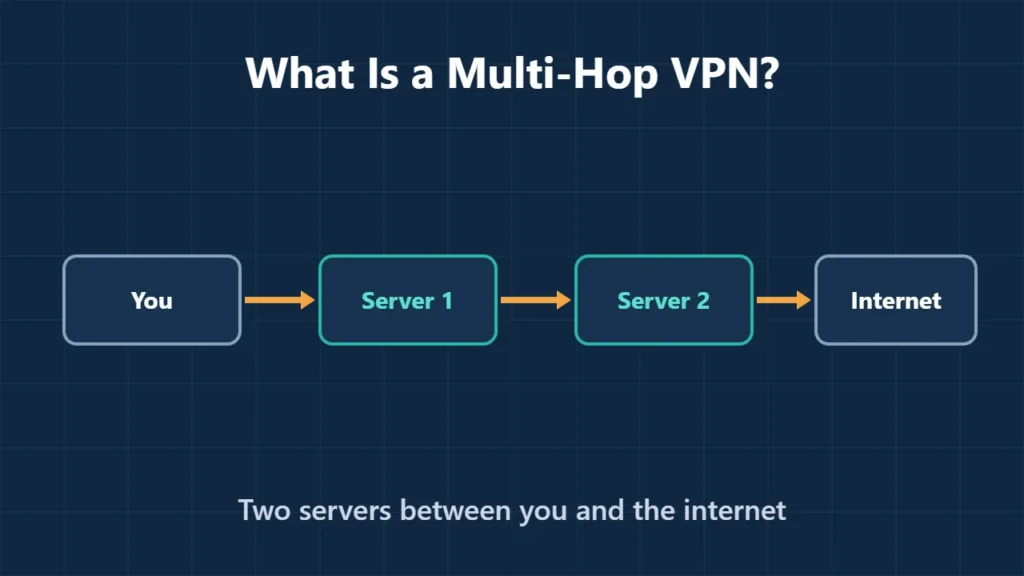
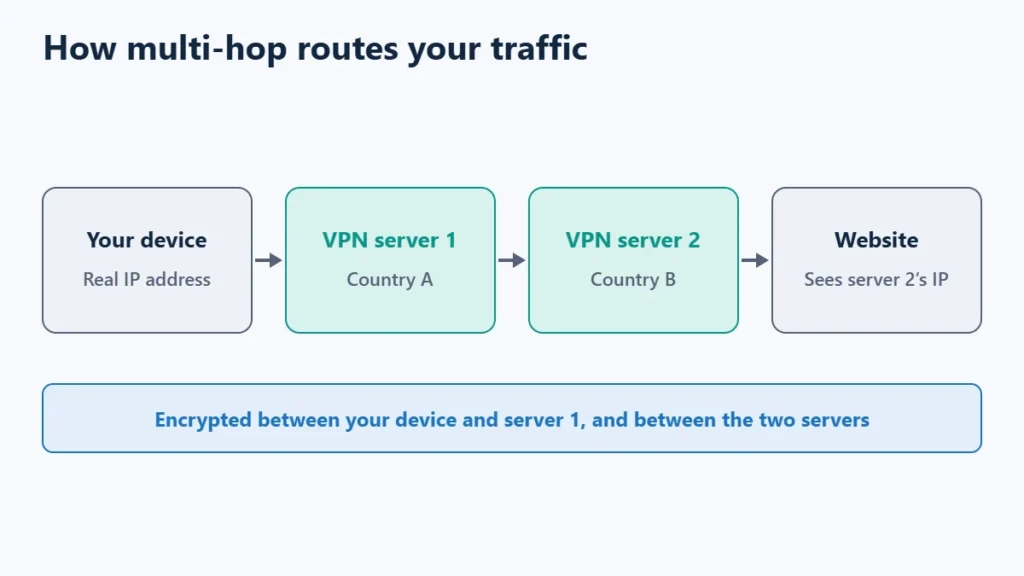
Table of Contents
How Multi-Hop Works
With a normal VPN, one server knows both who you are (your IP address) and where your traffic goes. Multi-hop splits that knowledge across two servers, usually in different countries:
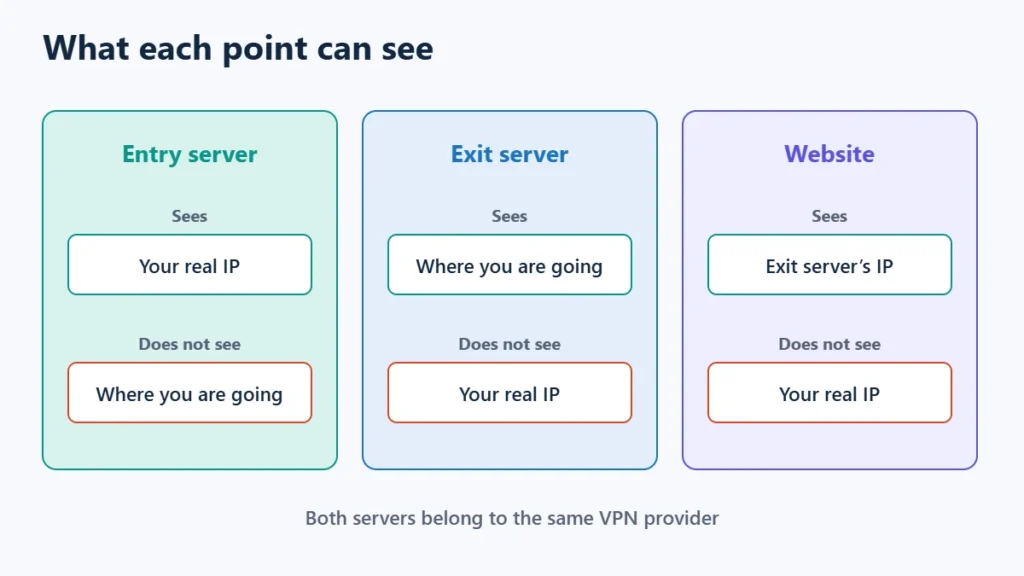
- Entry server: sees your real IP address and passes encrypted traffic on.
- Exit server: sends traffic to the website, but sees the entry server’s address rather than yours.
- The website: sees only the exit server’s IP address.
Surfshark describes its version as routing traffic through two VPN servers and encrypting your data twice. Proton says the purpose of its Secure Core feature is to mitigate some of the risks from a compromised VPN server.
How the Main Providers Do It
| VPN | Feature | How it works | Plans |
|---|---|---|---|
| Proton VPN | Secure Core | Traffic passes first through Secure Core servers in Iceland, Switzerland or Sweden, chosen for their strong privacy laws, then to the country you pick | All paid plans; not on the free plan |
| Surfshark | Multi Hop | Choose preset server pairs in different countries, or build your own pair | All plans, per this site’s review |
| NordVPN | Double VPN | Offered among its specialty servers | Listed in this site’s review |
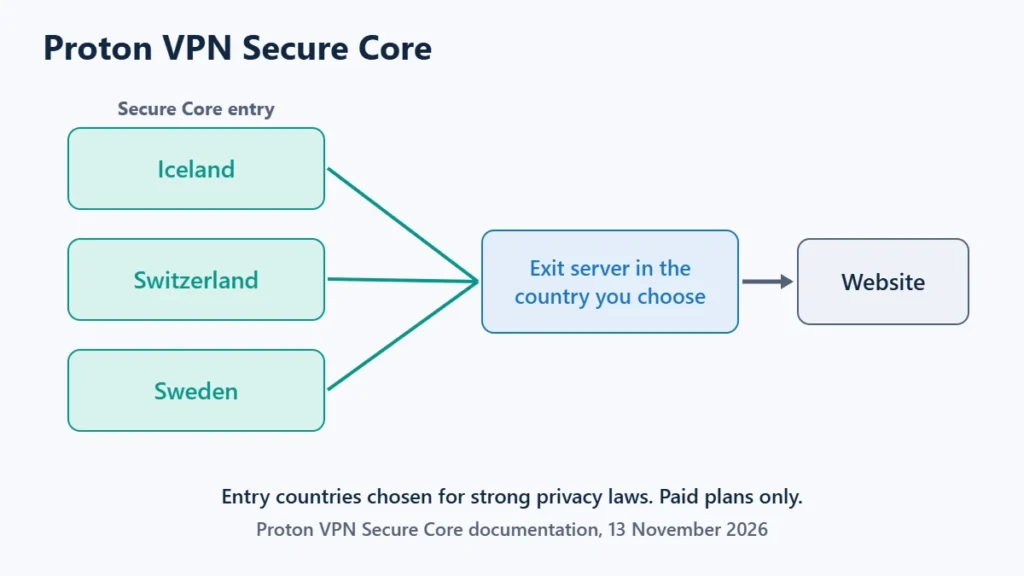
Proton’s approach is the most structured: the entry hop is always one of its Secure Core locations, and when you pick a Secure Core country, the app routes you through the best one automatically. Not every exit country supports every entry location. Surfshark gives you more freedom to pick both ends and offers Multi Hop on iOS, macOS, Android, Windows and Linux. See the Proton VPN, Surfshark and NordVPN reviews for each provider’s wider features.
The Downsides
- Slower speeds. Surfshark says Multi Hop reduces your overall speed in most cases, because traffic travels further and is encrypted twice.
- Not for streaming. Surfshark advises against it for streaming, and Proton’s review notes Secure Core servers don’t always support streaming.
- Same company, both hops. Both servers belong to one provider, so you are still trusting that provider. A credible no-logs policy matters as much as ever.
- No protection from everything. It does not stop tracking by cookies, logged-in accounts or browser fingerprinting.
Avoid building your own double VPN by running two separate VPN apps at once. Surfshark warns that separate VPNs can conflict and may cause data leaks. Use the provider’s built-in feature instead.
When Is Multi-Hop Worth It?
| Your situation | Use |
|---|---|
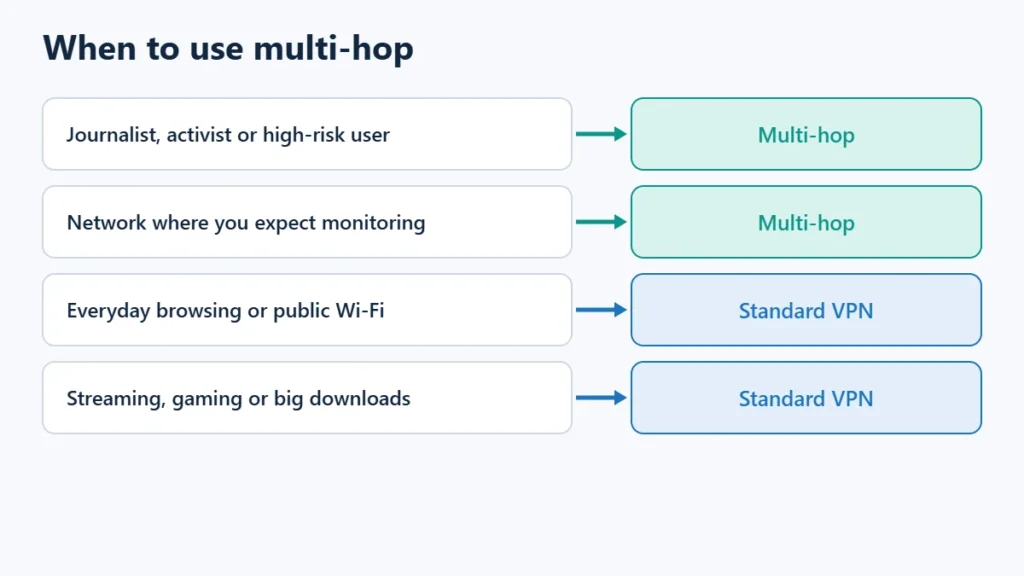
| Journalist, activist or other high-risk user | Multi-hop |
| On a network where you expect monitoring | Multi-hop |
| Everyday browsing or public Wi-Fi | A standard VPN is enough |
| Streaming, gaming or large downloads | A standard VPN |
For most people, a single-hop VPN with a kill switch turned on gives enough protection. Keep multi-hop for the times when someone tracing your connection would be a real problem. If you need the strongest anonymity, Proton also offers Tor over VPN. To compare providers with built-in multi-hop, see Proton VPN and Surfshark. Affiliate links: I may earn a commission at no extra cost to you.
Frequently Asked Questions
Is double VPN the same as multi-hop?
Yes. Providers use different names (Double VPN, Multi Hop, Secure Core), but all route traffic through more than one VPN server.
Does multi-hop make me anonymous?
No. It makes it harder to link your IP address to your activity, but accounts, cookies and browser fingerprinting can still identify you.
Is multi-hop available on free VPN plans?
Not on Proton VPN, where Secure Core is limited to paid plans. Check each provider’s plan details.
Should I leave multi-hop on all the time?
Usually not. Because it slows your connection, most people turn it on only when they need the extra protection.

Affiliate disclosure: some links on this page are affiliate links, so I may earn a commission if you buy, at no extra cost to you.