
A CDN, or content delivery network, is a network of servers around the world that keeps copies of your website’s files and delivers them from the location closest to each visitor. That makes pages load faster for people far from your hosting server and takes load off the server itself. For many sites a CDN is free: Cloudflare’s free plan includes one.
This guide explains how a CDN works, what it does and does not speed up, what it costs, and whether your site needs one.
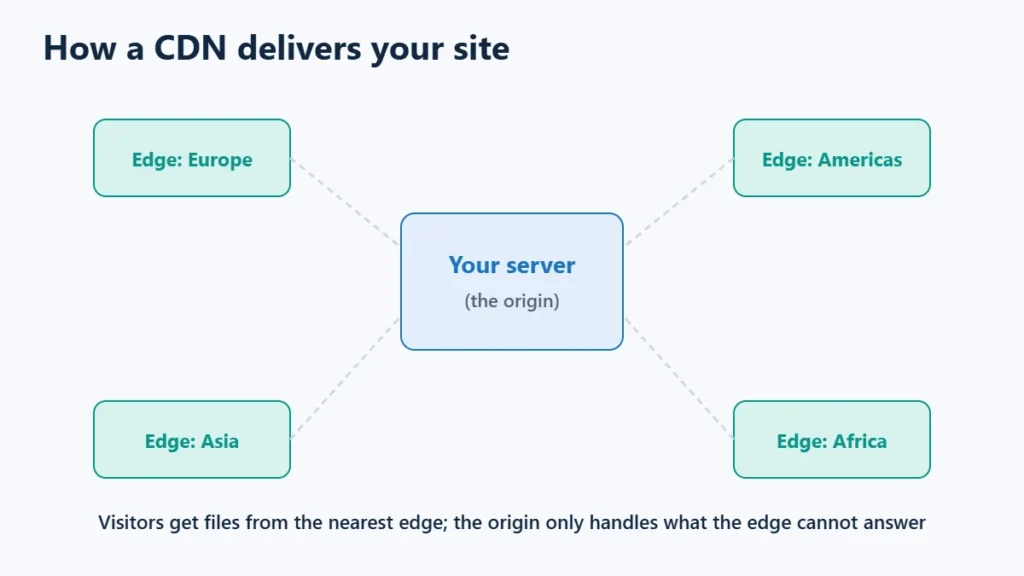
Table of Contents
How a CDN Works
Without a CDN, every visitor’s browser fetches files from your hosting server, wherever it is. A visitor on another continent waits for each request to travel the whole distance.
With a CDN, copies of your files are stored on “edge” servers in many cities. The first visitor near an edge server causes it to fetch the file from your server, the origin; later visitors in that region get the stored copy straight from the edge. Your origin only hears about requests the edge cannot answer.
What a CDN Speeds Up, and What It Does Not
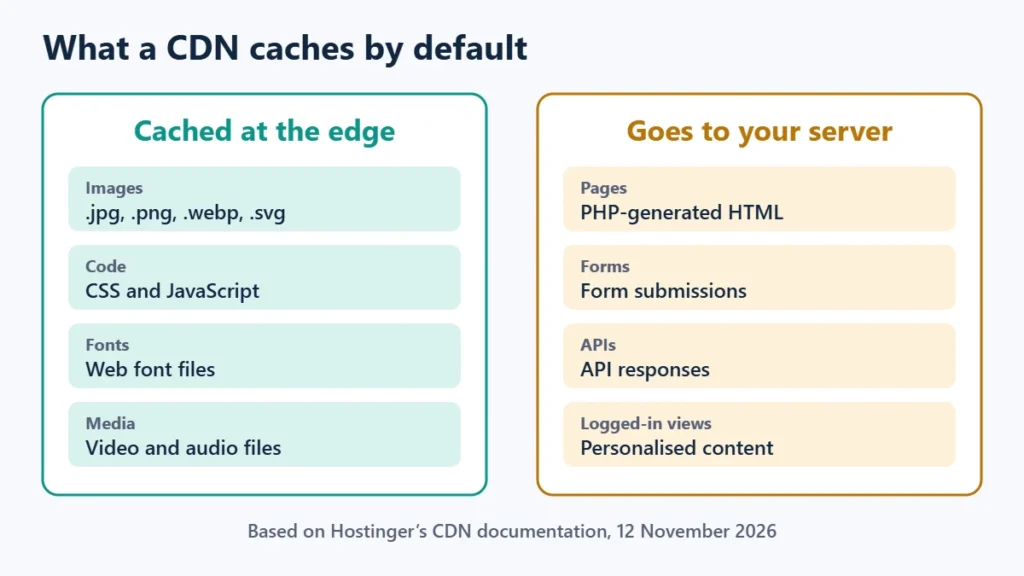
Most CDNs cache static files by default. Hostinger’s documentation lists images, CSS, JavaScript, fonts, and video and media files, and says dynamic content such as PHP pages, form posts and API responses is never CDN-cached on its service; it always goes to your origin.
So a CDN helps most with heavy pages and distant visitors. For the HTML page itself, your server and page cache still matter. Some CDNs can cache full pages too, but that needs careful setup for logged-in users and shops. The guide to reducing TTFB in WordPress explains how the CDN and page cache layers work together.
Other Benefits
- Less load on your server, because repeat requests are answered at the edge.
- DDoS protection. Cloudflare lists unmetered DDoS protection on every plan, including Free.
- Free SSL at the edge. Cloudflare includes a Universal SSL certificate on Free.
- Security rules, such as IP blocking or a web application firewall, on many CDNs.
What a CDN Costs
| Option | Price | Notes |
|---|---|---|
| Cloudflare Free | $0 | CDN, DNS, DDoS protection and Universal SSL included |
| Cloudflare Pro | $20 a month billed annually, or $25 monthly | Adds features for professional sites |
| bunny.net CDN | From $0.01 per GB in Europe and North America | Pay as you go, $1 monthly minimum, 14-day free trial |
| Hostinger CDN | Included | On Premium plans and higher |
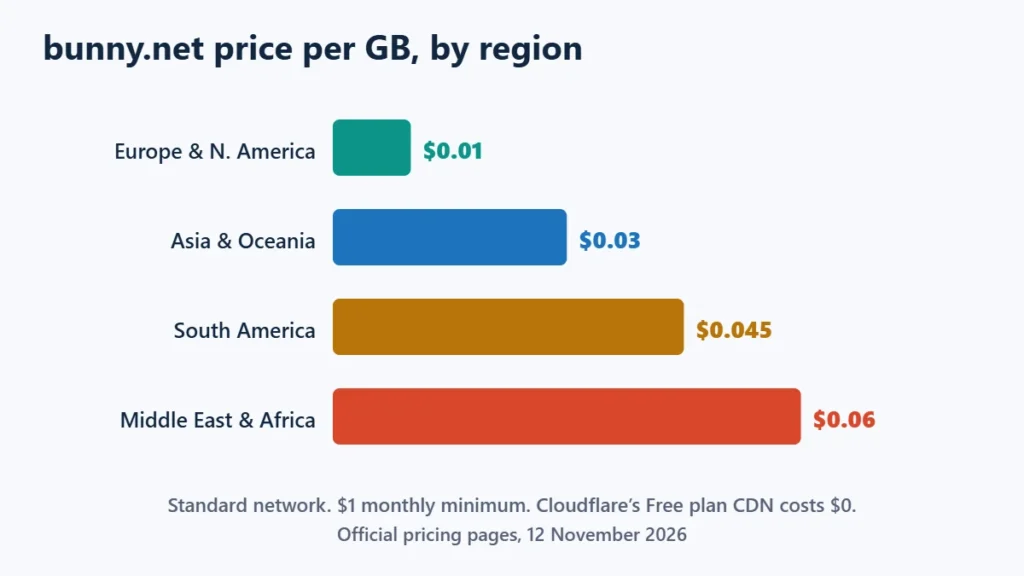
Pay-as-you-go pricing depends on where your visitors are. On bunny.net’s standard network, delivery cost $0.01 per GB in Europe and North America but $0.06 in the Middle East and Africa. The BunnyCDN review covers it in more detail, and you can see bunny.net’s pricing. Affiliate link: I may earn a commission at no extra cost to you.
Do You Need a CDN?
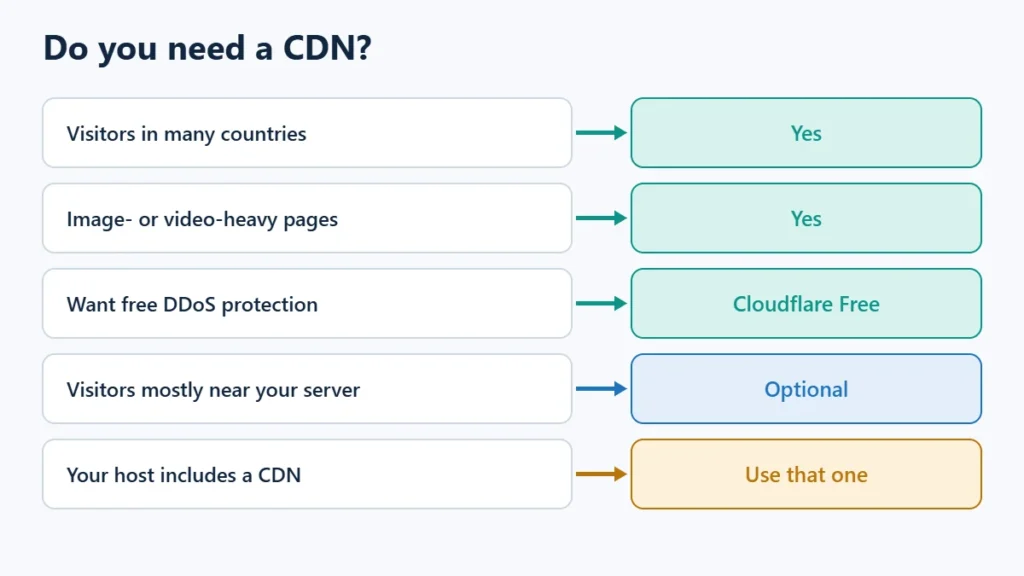
| Your site | CDN? |
|---|---|
| Visitors in many countries | Yes |
| Image- or video-heavy pages | Yes |
| You want free DDoS protection and SSL at the edge | Yes, Cloudflare Free covers it |
| Small site, most visitors near your server | Optional |
| Your host includes a CDN | Use that one first |
Use one CDN at a time. Stacking two can cause redirect loops and confusing cache behaviour. Hostinger CDN vs Cloudflare explains how to choose between a host’s CDN and Cloudflare.
How to Set One Up
- Host’s built-in CDN: Hostinger’s is under Performance, then CDN, in the website dashboard, and needs no code changes.
- Cloudflare: add your site and switch your domain’s nameservers to Cloudflare.
- Pull-zone CDNs such as bunny.net: create a zone that points to your site, then use a plugin or your cache plugin to rewrite file URLs to the CDN address.
After any change to images, CSS or scripts, purge the CDN cache so visitors get fresh copies. If you use LiteSpeed Cache, the guide to purging LiteSpeed Cache covers the page cache side. If you are on Hostinger, you can see its plans, which include a CDN from Premium upwards. Affiliate link: I may earn a commission at no extra cost to you.
Frequently Asked Questions
Is a CDN the same as web hosting?
No. Hosting stores and runs your site. A CDN sits in front of it and delivers copies of files from nearby servers.
Does a CDN help SEO?
Indirectly, by making pages faster for distant visitors. It does not change rankings on its own.
Is Cloudflare’s free CDN enough?
For many small and medium sites, yes. Its free plan includes the CDN, DDoS protection and SSL.
Why do I still see old images after updating?
The CDN is serving its cached copy. Purge the CDN cache and wait a few minutes for the change to spread.

Affiliate disclosure: some links on this page are affiliate links, so I may earn a commission if you buy, at no extra cost to you.