
A hosting uptime guarantee is a promise of availability, not a promise that your site never goes down. If the host misses it, you usually get a small account credit that you must request yourself. On 10 November 2026, Kinsta’s 99.9% guarantee only paid out after more than 43 minutes of downtime in a month, starting at a 5% credit.
This guide explains what the percentages mean in minutes, what the fine print excludes, and how much a guarantee is really worth.
Table of Contents
- 1What the Percentages Mean in Minutes
- 2What Two Real SLAs Say
- 3How Much Is a Guarantee Worth?
- 4The Fine Print to Check
- 5How to Protect Yourself Beyond the Guarantee
- 6Frequently Asked Questions
- What does a 99.9% uptime guarantee mean?
- Do I get a refund if my host goes down?
- Is 100% uptime possible?
- How can I check my site’s real uptime?
What the Percentages Mean in Minutes
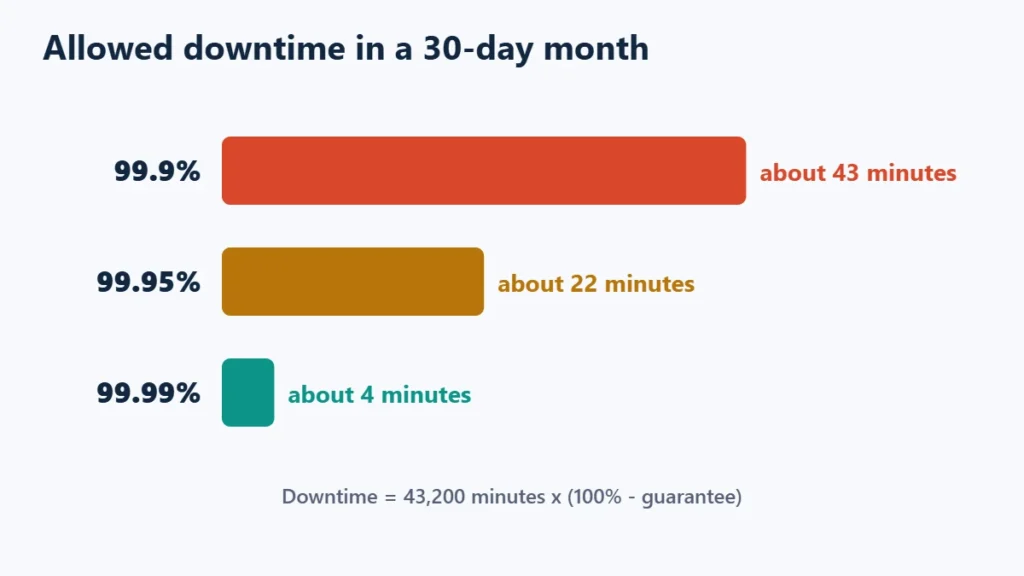
| Uptime guarantee | Allowed downtime per 30-day month | Per year, roughly |
|---|---|---|
| 99.9% | About 43 minutes | About 8.8 hours |
| 99.95% | About 22 minutes | About 4.4 hours |
| 99.99% | About 4 minutes | About 53 minutes |
Each extra “9” cuts the allowed downtime by a factor of ten, which is why 99.99% guarantees usually come with higher-tier plans.
What Two Real SLAs Say
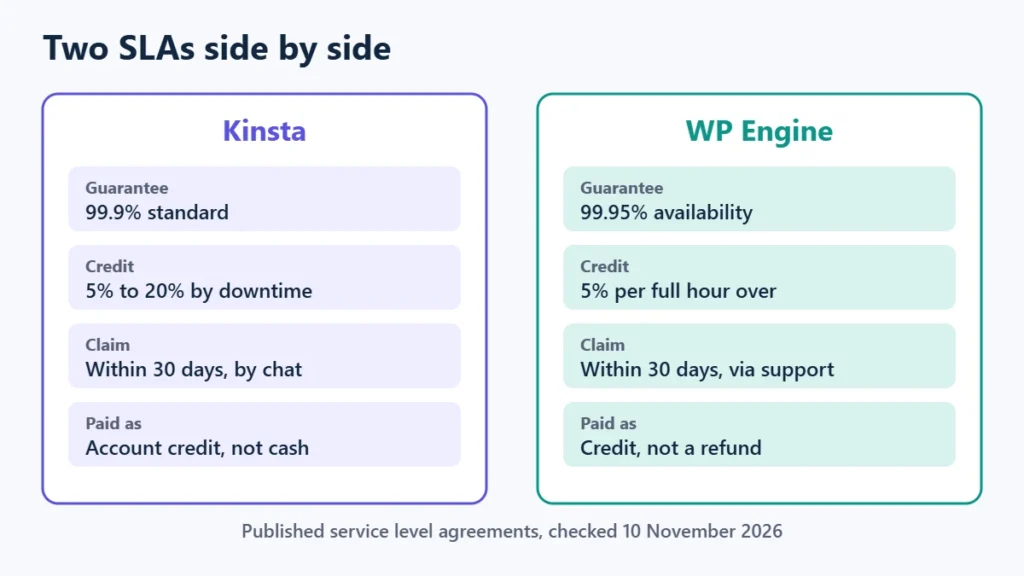
| Kinsta | WP Engine | |
|---|---|---|
| Standard guarantee | 99.9%, unless a higher figure is in your order | 99.95% service availability |
| Higher tier | 99.99% where agreed | 99.99% “Enhanced SLA”; its plans page lists a 99.99% SLA from Business plans, not Essential |
| Credit | 5% to 20% of the monthly value, by length of downtime | 5% of monthly fees per full hour beyond the target |
| How to claim | Written request within 30 days, through chat | Contact support within 30 days |
| Cash refund? | No; credits have no cash value | No; credits are not paid as refunds |
| Excluded | Maintenance from 2 am to 5 am local data-centre time, and other listed exclusions | Scheduled and emergency maintenance, your own actions, and other excused downtime |
How Much Is a Guarantee Worth?
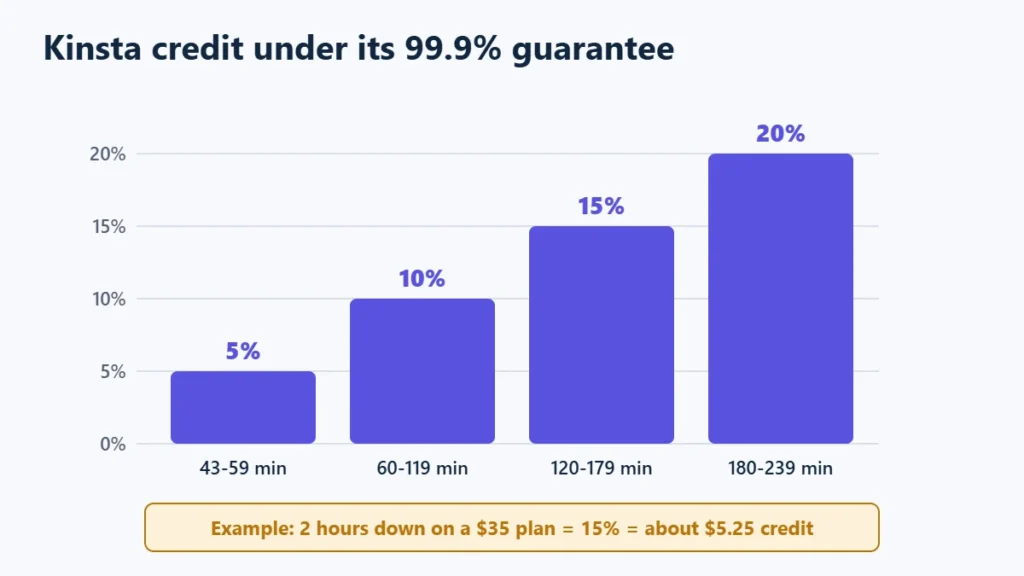
Take Kinsta’s $35-a-month single-site plan. If the site was down for two hours in a month, its SLA table puts that in the 120 to 179 minute band, a 15% credit: about $5.25 off a future bill. If you run a shop, two hours offline almost certainly cost more than that.
That is the key point about uptime guarantees. They show a host’s confidence and give you a small remedy, but they do not compensate for lost sales. Treat them as one signal among several, not as insurance.
The Fine Print to Check
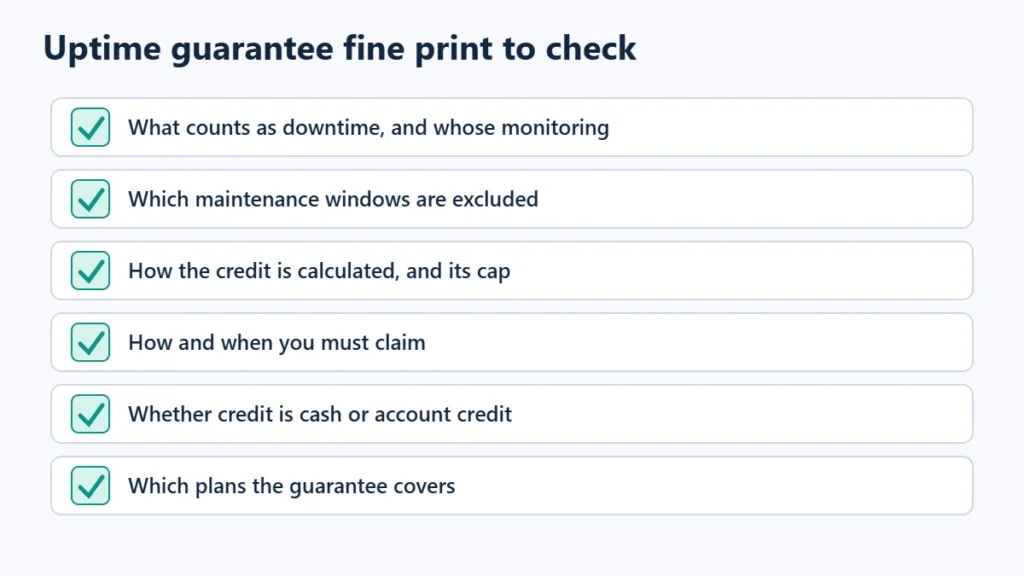
- What counts as downtime, and whose monitoring decides it. WP Engine says credits are based on its own monitoring.
- Maintenance exclusions, including the time windows.
- How the credit is calculated, and its cap. Kinsta caps credits at the month’s subscription value.
- How to claim: both hosts require you to ask within 30 days.
- Which plans are covered. Higher guarantees are often limited to higher tiers.
- Whether a guarantee exists at all. Many budget hosts advertise uptime figures without a formal credit policy, so look for the actual terms.
How to Protect Yourself Beyond the Guarantee
- Use an independent uptime monitor so you know about outages and have your own record.
- Keep your own backups, separate from the host.
- Use a CDN that can serve cached pages during short outages.
- For revenue-critical sites, choose a plan with a higher guarantee or isolated resources.
What is managed WordPress hosting explains when a premium host is worth it, and how to choose web hosting covers the other checks. If you want a 99.9% guarantee with credits spelled out, you can see Kinsta’s plans. Affiliate link: I may earn a commission at no extra cost to you.
Frequently Asked Questions
What does a 99.9% uptime guarantee mean?
That the host aims to keep your site available 99.9% of the time, allowing about 43 minutes of downtime in a 30-day month before any credit applies.
Do I get a refund if my host goes down?
Usually not cash. Kinsta and WP Engine both give account credits, and you must request them within 30 days.
Is 100% uptime possible?
Not in practice. Hardware, networks and maintenance all cause occasional downtime. A 100% claim usually refers to a narrow part of the service, such as the network.
How can I check my site’s real uptime?
Use an independent monitoring service that checks your site every few minutes and alerts you to outages.

Affiliate disclosure: some links on this page are affiliate links, so I may earn a commission if you buy, at no extra cost to you.