A VPN is worth it if you want to hide your browsing from your internet provider or a network you do not trust, mask your IP address from the sites you visit, or appear to be in another country. It is not worth paying for if you expect it to make you anonymous, stop malware, or fix the security of ordinary HTTPS browsing, which is already encrypted.
This guide explains what a VPN really changes, when it helps, when it does not, and what it costs.
Table of Contents
- 1What a VPN Actually Changes
- 2When a VPN Is Worth It
- 3When a VPN Is Not Worth It
- 4What a VPN Costs
- 5How to Decide
- 6If You Decide You Want One
- 7Frequently Asked Questions
- Do I need a VPN at home?
- Does a VPN make me anonymous?
- Is a free VPN safe?
- Is a VPN worth it for public Wi-Fi?
- Is a VPN worth it for gaming or streaming?
- Are VPNs legal?
What a VPN Actually Changes
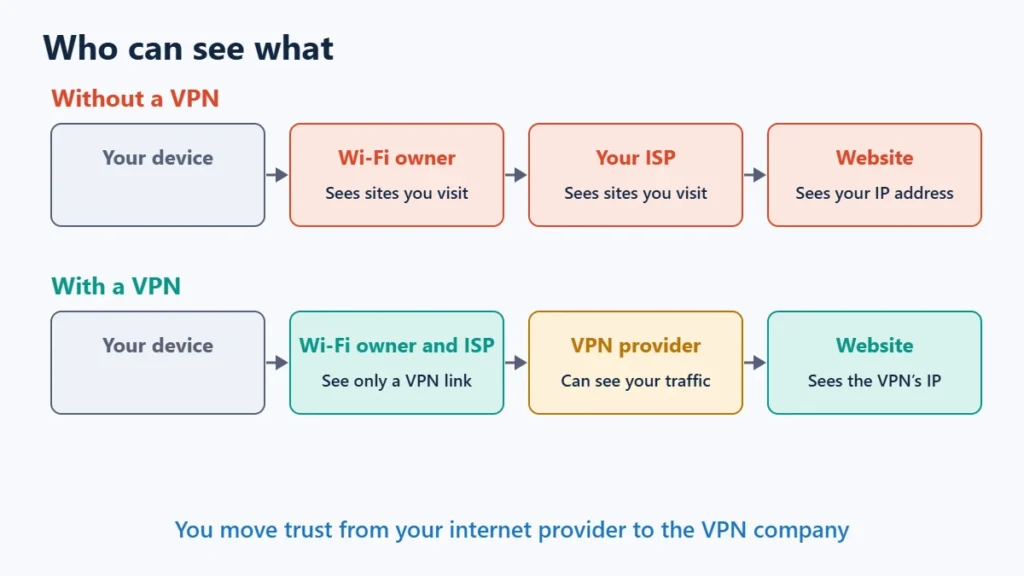
A VPN sends your traffic through an encrypted tunnel to a server run by the VPN company. As the EFF explains, that has two effects:
- Websites see the VPN’s IP address, not yours, so they see the server’s location instead of your general location.
- Your internet provider and the local network owner, such as a café or hotel, can see that you are connected to a VPN but not which sites you visit.
The trade-off is trust. The EFF points out that your browsing becomes visible to the VPN provider instead. You are moving trust from your internet provider to the VPN company, so choosing a trustworthy one matters more than any feature list.
When a VPN Is Worth It
- You do not want your internet provider seeing your browsing. HTTPS hides page content but not the sites you connect to. A VPN hides that list from your provider.
- You use networks you do not trust, where you do not know who runs the Wi-Fi or its connection. The EFF says a trusted VPN may be useful in exactly that case.
- You want to mask your IP address from the websites and services you use.
- You travel and want an address in your home country, for example to reach services that only work there. Check each service’s terms first, since some restrict VPN use.
- Your network blocks sites or services you have a legitimate reason to reach. Some VPNs have modes designed for restrictive networks, but check the law where you are.
When a VPN Is Not Worth It
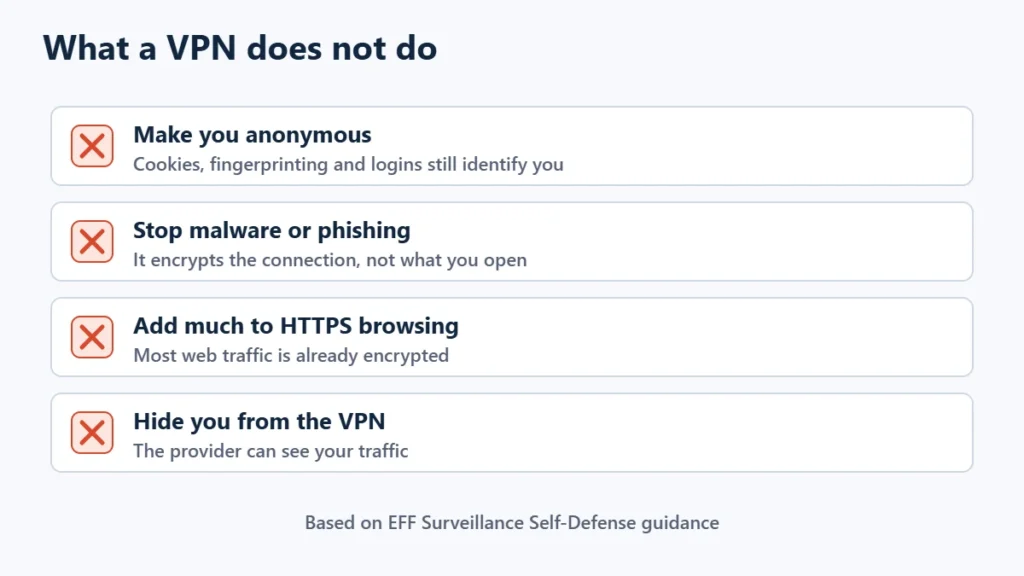
- For anonymity. The EFF is clear that a VPN is not an anonymity tool. Sites can still track you with cookies, tracking pixels, browser fingerprinting and your logged-in accounts.
- As basic protection on public Wi-Fi. The EFF notes that this used to be standard advice, but most web traffic now uses HTTPS, so a VPN is no longer necessary for most people’s security on public networks.
- Against malware, scams and phishing. A VPN encrypts the connection; it does not stop you opening a bad file or entering a password on a fake site. Some VPN bundles add separate security tools, but those are extras, not the VPN itself.
- To hide from the VPN company. It can see your traffic, and it knows your payment details. The EFF suggests gift cards or temporary card numbers if that worries you.
What a VPN Costs
| Option | Price | Notes |
|---|---|---|
| Proton VPN Free | $0 | 1 device, medium speed, servers in 10 randomly selected countries, no ads |
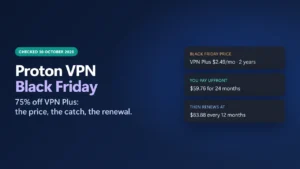
| Proton VPN Plus, 1 year | $35.88 for the first year ($2.99 a month) | Renews at $83.88 a year; monthly plan $9.99 |
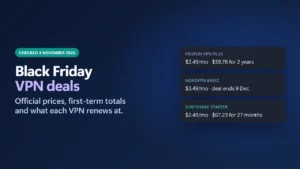
| Surfshark Starter, 27 months | $67.23 for the first 27 months ($2.49 a month) | Black Friday price; 30-day money-back guarantee |
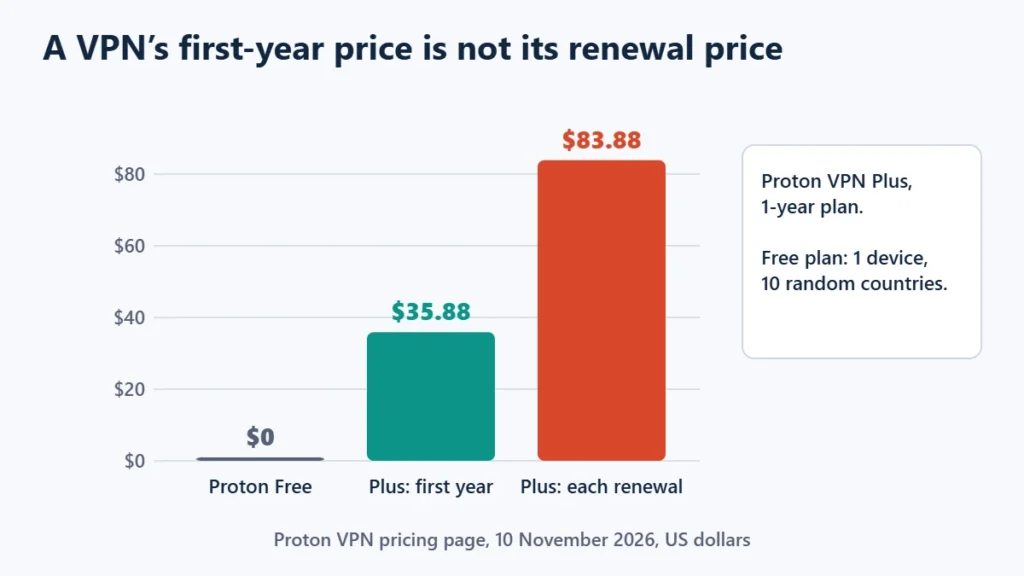
As with web hosting, the low price is an introductory one. Proton VPN Plus more than doubles at renewal. Budget for the renewal price if you plan to keep the service, and avoid unknown free VPNs: as the EFF notes, a VPN can see your traffic, so its business model matters. A reputable free tier, like Proton’s, is a safer way to try one.
Current sale prices from more providers are in Black Friday VPN deals and Cyber Monday VPN deals.
How to Decide
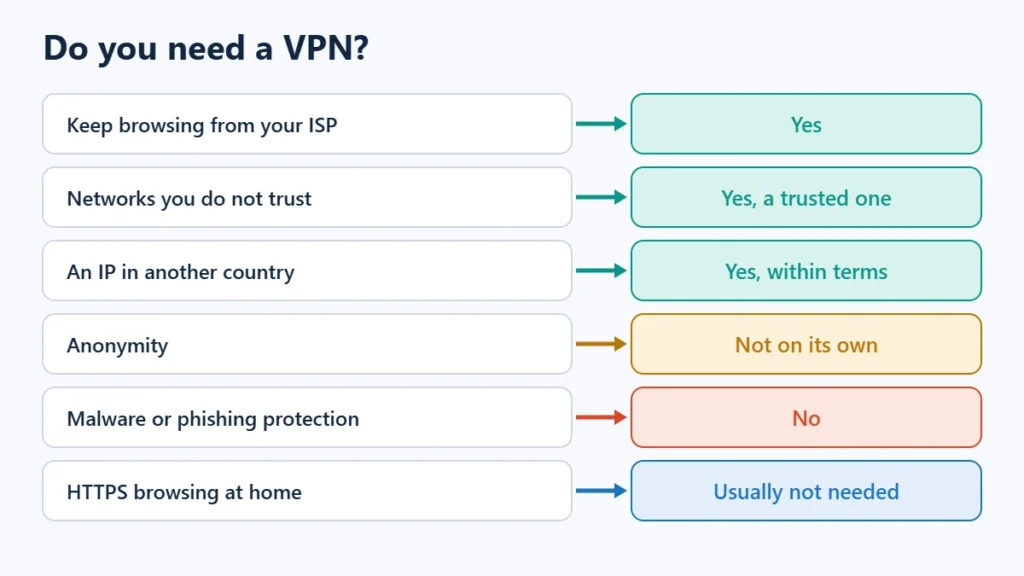
| What you want | Is a VPN worth it? |
|---|---|
| Keep your browsing from your internet provider | Yes |
| Safer use of networks you do not trust | Yes, with a trustworthy VPN |
| An IP address in another country | Yes, within each service’s terms |
| Anonymity | Not on its own |
| Protection from malware or phishing | No |
| Basic browsing at home on HTTPS sites | Usually not needed |
If You Decide You Want One
Look for an independently audited no-logs policy, a kill switch that blocks traffic if the VPN drops, a modern protocol such as WireGuard, and a clear refund window. WireGuard vs OpenVPN explains the protocol choice, and the best VPN services comparison covers the main options. The Proton VPN review and Surfshark review look at two of them in detail.
To compare current plans, see Proton VPN or Surfshark. Affiliate links: I may earn a commission at no extra cost to you.
Frequently Asked Questions
Do I need a VPN at home?
Not for basic security, since HTTPS already encrypts most browsing. You may want one at home to keep your browsing history from your internet provider.
Does a VPN make me anonymous?
No. It hides your IP address from websites and your browsing from your provider, but cookies, fingerprinting and logged-in accounts can still identify you, and the VPN provider can see your traffic.
Is a free VPN safe?
It depends on the provider. A VPN can see your traffic, so an unknown free service is a risk. Reputable providers with a free tier, such as Proton VPN, are a safer choice.
Is a VPN worth it for public Wi-Fi?
Less than it used to be. The EFF says HTTPS now protects most traffic, but a trusted VPN can still help on networks you do not trust, because it hides which sites you visit.
Is a VPN worth it for gaming or streaming?
Only for specific needs, such as reaching a service while travelling. A VPN adds a hop to your connection, and streaming services set their own rules on VPN use.
Are VPNs legal?
In many countries, yes, but some restrict or ban them. Check the rules where you live and where you travel.

Affiliate disclosure: some links on this page are affiliate links, so I may earn a commission if you buy, at no extra cost to you.