NitroPack is an all-in-one speed plugin — caching, CDN, and image/code optimization in one install. In my own test it lifted a WordPress blog from PageSpeed 61 to 94 and cut load time from 4.5 s to 1.7 s, with almost no manual tuning.
Pros
- Big, near-automatic speed gains
- Built-in CDN included
- Free plan for small sites
- Beginner-friendly setup
Cons
- Pageview-based pricing scales up fast
- Aggressive optimization needs testing on complex sites
- Less manual control than some plugins
⚡ Key Takeaways
- NitroPack is an all-in-one speed service: caching, a built-in CDN, and image and code optimisation in one install.
- In my own test it took a WordPress blog from PageSpeed 61 to 94 and load time from 4.5 s to 1.7 s.
- There is a free plan for very small sites (1,000 pageviews a month); paid plans start at $7 a month billed annually.
- Pricing is based on monthly pageviews, so costs rise with traffic.
- Best for people who want strong Core Web Vitals without manual optimisation.
Table of Contents
- 1NitroPack at a Glance
- 2My Case Study: Before and After NitroPack
- 3How NitroPack Works
- 4Setting Up NitroPack
- 5NitroPack Pricing
- 6Pros and Cons
- 7NitroPack vs WP Rocket vs LiteSpeed Cache
- 8Who Should Use NitroPack — and Who Should Skip It
- 9Final Verdict
- 10FAQs
- What is NitroPack?
- Does NitroPack improve Core Web Vitals?
- Is NitroPack good for WordPress?
- Can NitroPack improve SEO rankings?
- Is NitroPack free?
- How fast can NitroPack improve speed?
- What are the best alternatives?
- Is NitroPack safe to use?
NitroPack at a Glance
| Factor | Assessment |
|---|---|
| What it is | All-in-one speed optimisation: caching, CDN, image and code optimisation |
| Best for | Sites that need fast Core Web Vitals without manual tuning |
| Free plan | Yes — 1 site, 1,000 pageviews and 1 GB of CDN bandwidth a month |
| Paid from | $7/month billed annually ($8 monthly) — priced by monthly pageviews |
| Setup difficulty | Beginner-friendly; largely automatic after install |
| My measured result | PageSpeed 61 → 94, load time 4.5 s → 1.7 s |
| Main drawback | Pageview-based pricing gets expensive as traffic grows |

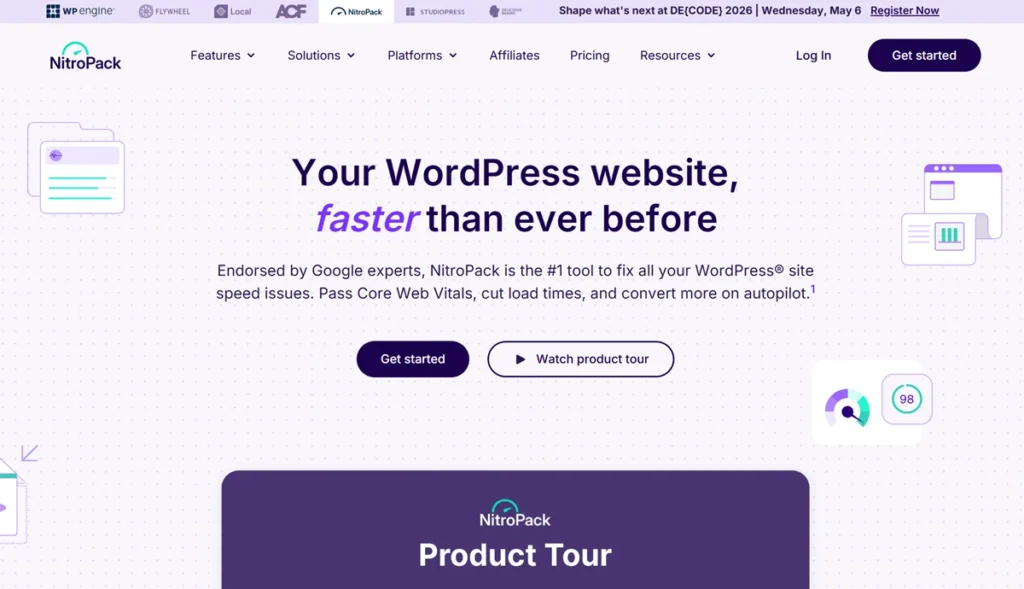
NitroPack is a cloud-based optimisation service with a WordPress plugin. Instead of combining a caching plugin, an image optimiser, a CDN and a script manager, you install one tool and let it optimise pages on its own servers before they reach visitors.
My Case Study: Before and After NitroPack
I tested NitroPack on a content-heavy WordPress blog with more than 120 articles, heavy images and several third-party scripts. Before optimisation, pages took 4.5 seconds to load, the PageSpeed score was 61 and Largest Contentful Paint was 3.8 seconds.
| Metric (my case study) | Before NitroPack | After NitroPack |
|---|---|---|
| Load time | 4.5 s | 1.7 s |
| Google PageSpeed score | 61 | 94 |
| Largest Contentful Paint (LCP) | 3.8 s | 1.9 s |
| Bounce rate | Baseline | −22% |
Real results from my own test: NitroPack installed on a content-heavy WordPress blog (120+ articles, heavy images, multiple third-party scripts). Your results will vary with your theme, host, and starting point. Screenshots of this test aren’t published, so treat the figures as indicative rather than a benchmark.
The improvement was immediate: load time fell to 1.7 seconds, the PageSpeed score rose to 94 and LCP dropped to 1.9 seconds. Engagement improved too — bounce rate fell by 22% and average session time rose. Your results will vary with your theme, host and starting point, but a site with heavy images and scripts is exactly where NitroPack helps most.
How NitroPack Works
- Caching — pre-rendered pages are served without server processing, with smart cache invalidation and device-aware caching.
- CDN — static files are delivered from edge servers worldwide.
- Code optimisation — removes unused CSS, minifies HTML, CSS and JavaScript, and delays non-critical scripts.
- Images and media — compression, WebP conversion, lazy loading (including background images) and video facades.
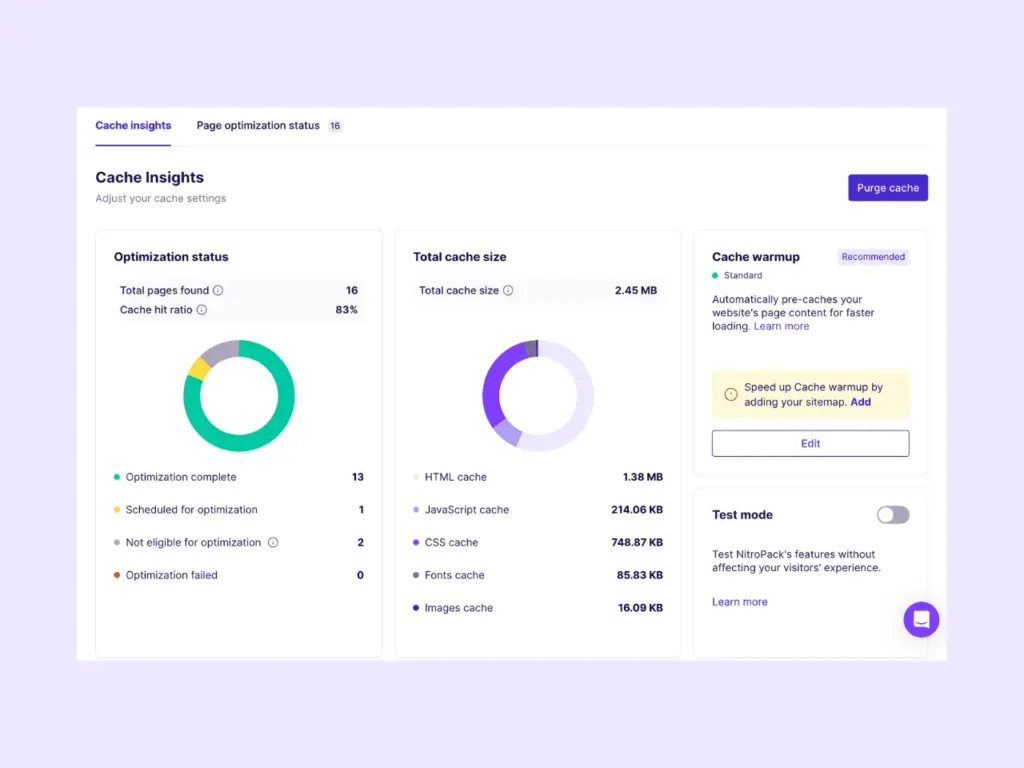
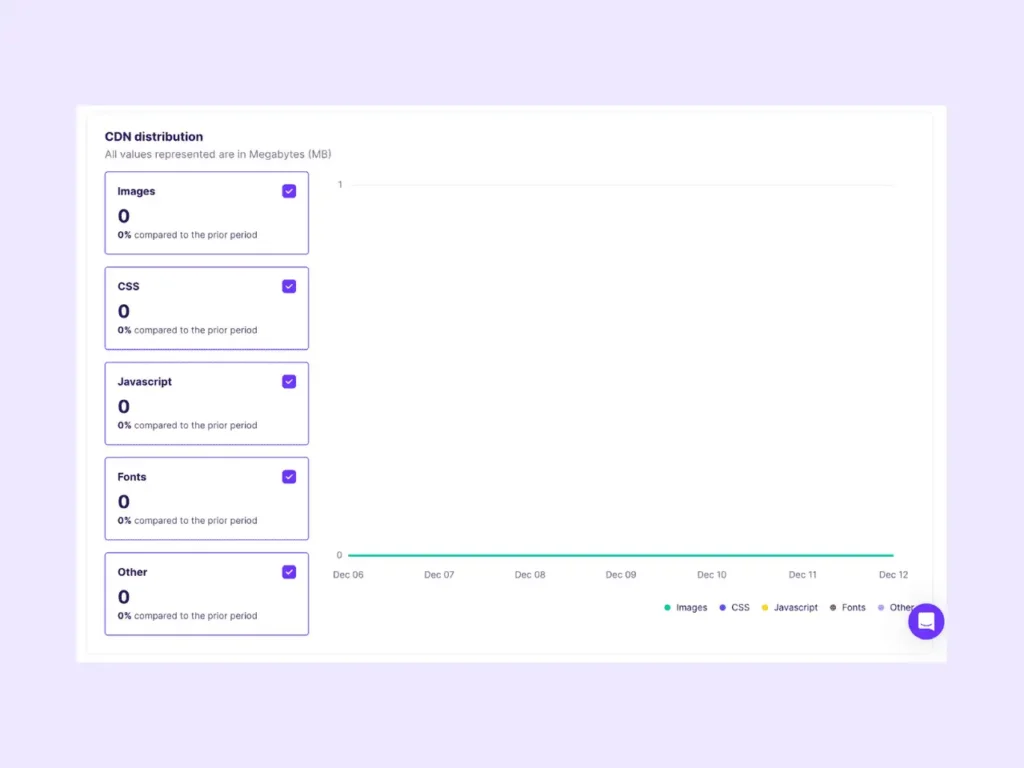
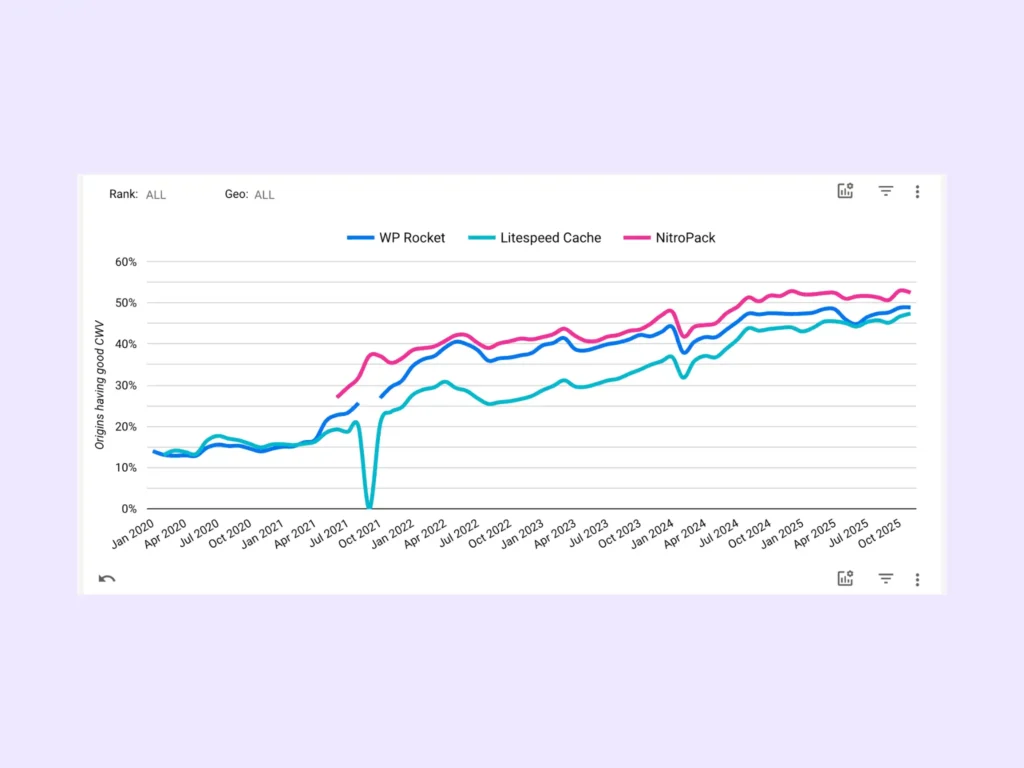
Together these target the three Core Web Vitals: Largest Contentful Paint, Interaction to Next Paint and Cumulative Layout Shift.


Setting Up NitroPack
- Install the NitroPack WordPress plugin and connect your site to your NitroPack account.
- Choose an optimisation mode — start with a balanced mode and test before switching to the strongest one.
- Let NitroPack build its cache, then check your key pages, forms and checkout.
- Deactivate other caching plugins so they do not conflict.

The stronger modes delay more scripts. On complex or highly dynamic sites, test carefully and exclude anything that breaks.
NitroPack Pricing
| Plan | Price (annual / monthly) | Sites | Monthly pageviews | CDN bandwidth |
|---|---|---|---|---|
| Free | $0 | 1 | 1,000 | 1 GB |
| Starter | $7 / $8 per month | 1 | 8,000 | 5 GB |
| Plus | $18 / $22 per month | 1 | 40,000 | 25 GB |
| Pro | $83.01 / $99.99 per month | 3 | 540,000 | 270 GB |
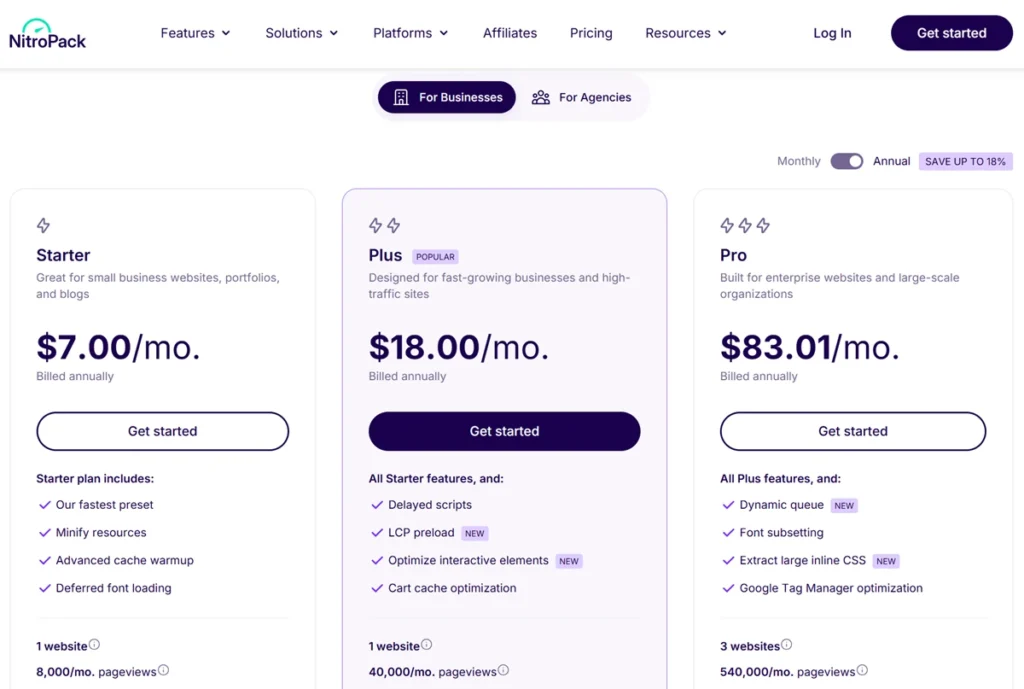
Because plans are sized by pageviews, a growing site moves up tiers quickly. If you prefer a one-off yearly licence that does not depend on traffic, compare it with a plugin-based option.
Pros and Cons
| Pros | Cons |
|---|---|
| Big, near-automatic speed gains (61 → 94 in my test) | Pageview-based pricing scales up fast |
| Built-in CDN included on every plan | Aggressive modes need testing on complex sites |
| Free plan to try it | Less manual control than plugin-based tools |
NitroPack vs WP Rocket vs LiteSpeed Cache
NitroPack includes a CDN and is the most automated of the three. WP Rocket runs as a plugin on your own server with a flat yearly licence, and needs a separate CDN beyond its small free RocketCDN allowance. LiteSpeed Cache is free and powerful but needs a LiteSpeed server and more configuration. If you prefer predictable yearly pricing, compare my FlyingPress review and WP Rocket review; for lightweight cleanup rather than full optimisation, see my Perfmatters review. If you would rather tune LiteSpeed Cache yourself, my LiteSpeed Cache settings guide shows the settings this site uses. All six speed tools I have reviewed are compared in my best WordPress speed plugins guide.
Who Should Use NitroPack — and Who Should Skip It
It suits bloggers, small businesses and stores that want strong Core Web Vitals without learning every performance setting. Skip it if you need full server-level control, run a highly dynamic site, already have a tuned optimisation stack, or have high traffic on a tight budget.
Final Verdict
NitroPack earns 4.7/5 from me. It delivered the biggest speed gain I have measured from a single tool, with almost no manual work. Watch the pageview pricing as you grow, test the stronger modes on complex pages, and it is one of the easiest ways to pass Core Web Vitals. Confirm current plans on NitroPack’s official site before you buy.
FAQs
What is NitroPack?
NitroPack is a website speed optimization tool that improves performance and SEO.
Does NitroPack improve Core Web Vitals?
Yes, it optimizes LCP, CLS, and INP metrics.
Is NitroPack good for WordPress?
Yes, it works very well as a WordPress speed optimization plugin.
Can NitroPack improve SEO rankings?
It can help. Faster pages improve page experience, which supports rankings, but content quality and relevance matter more.
Is NitroPack free?
It offers a free plan, but advanced features require paid plans.
How fast can NitroPack improve speed?
Most improvements appear within minutes to hours.
What are the best alternatives?
WP Rocket and LiteSpeed Cache are popular alternatives.
Is NitroPack safe to use?
Yes, it is safe and widely used for optimization.