A proxy and a VPN both route your traffic through another server, so websites see that server’s IP address instead of yours. The difference is coverage and protection: a VPN usually encrypts all of your device’s traffic with a dedicated VPN protocol, while a proxy usually handles one app, such as your browser, and may not encrypt the connection at all.
This guide explains how each works, when a proxy is enough, and when you want a VPN.
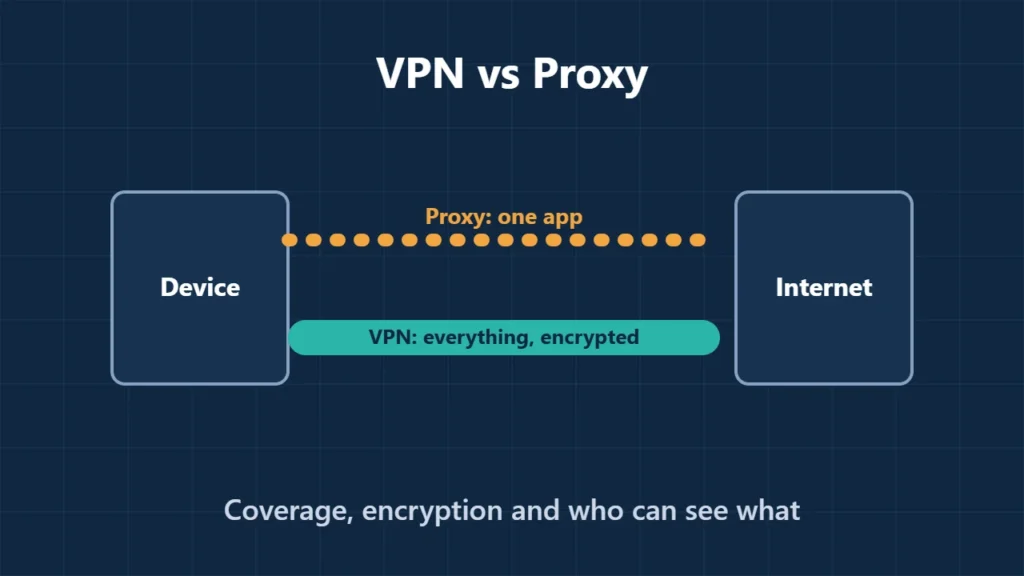
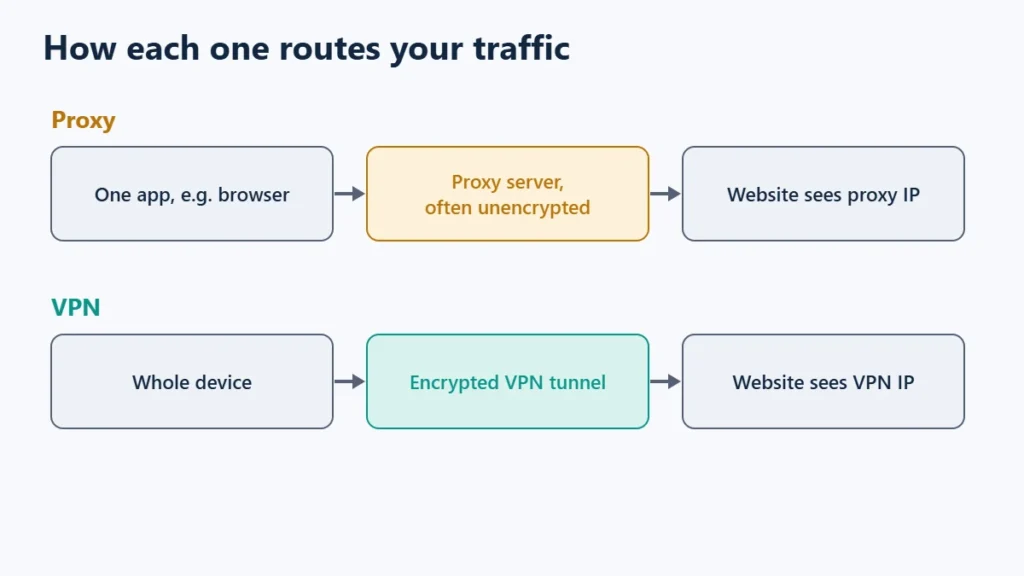
Table of Contents
VPN vs Proxy at a Glance
| Proxy | VPN | |
|---|---|---|
| Hides your IP from websites | Yes | Yes |
| Coverage | Usually one app, set up per app | Usually the whole device |
| Encryption | Not always; SOCKS proxies do not encrypt by themselves | Yes, with protocols such as WireGuard or OpenVPN |
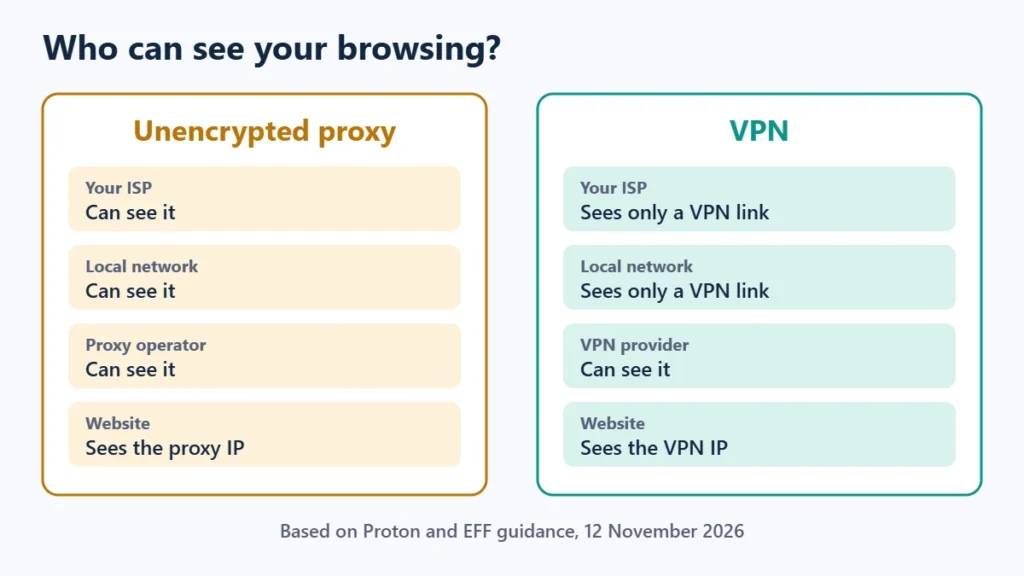
| Hides browsing from your ISP | Only if the connection to the proxy is encrypted | Yes |
| Who can see your traffic | The proxy operator | The VPN provider |
| Typical use | Changing IP in one app | Privacy for everything on the device |
How a Proxy Works
Proton describes a proxy as a server that sits between your device and the internet: your traffic goes through it and reaches websites with its IP address and location. When people say “proxy” without context, they usually mean one of two kinds:
- HTTP proxies, built for web traffic and set up in a browser or app.
- SOCKS proxies, a lower-level protocol that passes any traffic along without interpreting it. SOCKS does not add encryption on its own.
Proton notes that the connection to a proxy is not always encrypted. If it is not, your internet provider and anyone on your local network can still see what you do. And because traffic passes through the proxy, whoever runs it can monitor your activity.
How a VPN Is Different
Proton describes a VPN server as a type of encrypted forward proxy, with key differences. It protects the whole internet connection rather than one app, it uses dedicated VPN protocols such as WireGuard and OpenVPN instead of simple HTTPS, and commercial VPN providers face far more public scrutiny than most proxy services.
The trust question remains, though. As the EFF points out, a VPN provider can see the traffic you send through it, just as a proxy operator can. Is a VPN worth it explains what a VPN does and does not protect, and WireGuard vs OpenVPN covers the protocols.
The Risk With Free Proxies
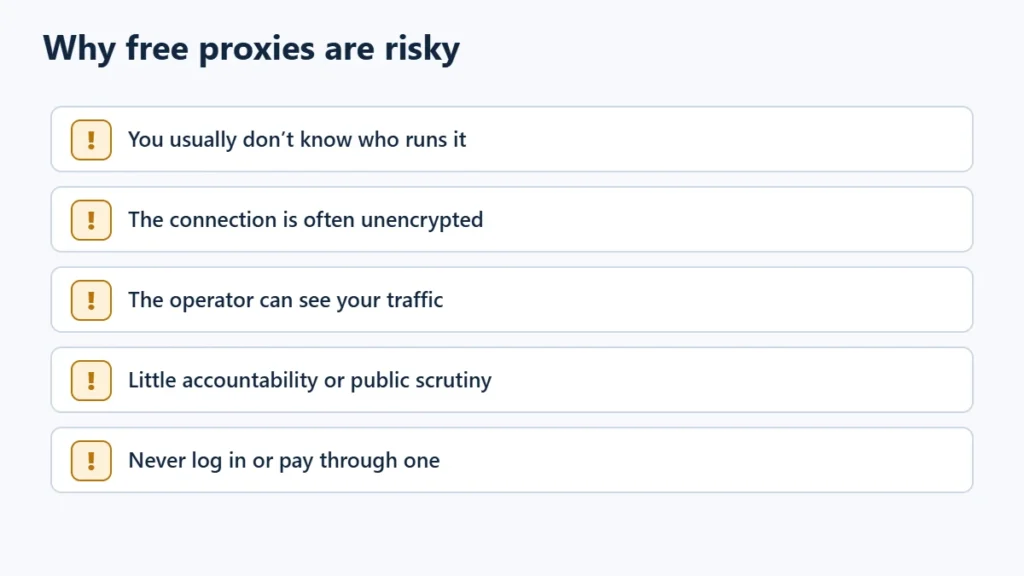
Free public proxies are easy to find and best avoided for anything personal. You usually do not know who runs them, whether the connection is encrypted, or what they do with your traffic. Proton notes that the commercial proxy market is far less developed, and less open to scrutiny, than the VPN industry. Never log in to accounts or enter payment details through an unknown proxy.
Which Should You Use?
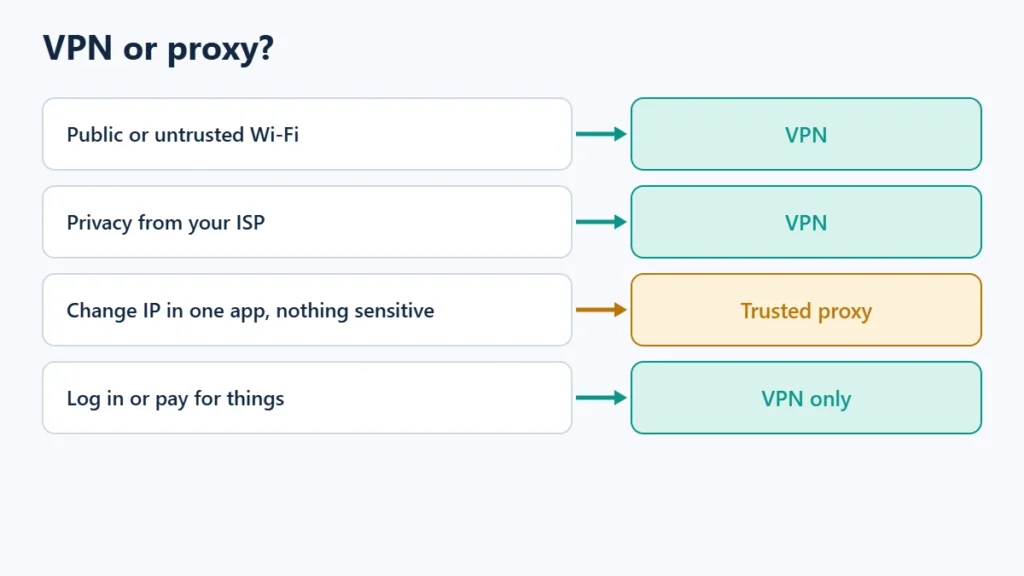
| You want to… | Use |
|---|---|
| Protect all browsing on public or untrusted Wi-Fi | VPN |
| Keep your browsing from your internet provider | VPN |
| Change the IP for one app, with nothing sensitive involved | A trusted proxy is enough |
| Protect most apps but leave some outside | A VPN with split tunnelling |
| Log in to accounts or pay for things | VPN, never an unknown proxy |
If you choose a VPN, turn on its kill switch so traffic does not leak if it drops. You can compare Proton VPN and Surfshark. Affiliate links: I may earn a commission at no extra cost to you.
Frequently Asked Questions
Is a proxy safer than a VPN?
Generally no. A VPN usually encrypts all traffic; many proxies do not encrypt and cover only one app.
Does a proxy hide my IP address?
Yes, from the websites you visit through it. It does not hide your activity from your internet provider unless the connection to the proxy is encrypted.
Can I use a proxy and a VPN together?
Yes, but it adds complexity and another party that can see your traffic. For most people a VPN alone is simpler.
Is a VPN a type of proxy?
In a technical sense, yes. Proton describes a VPN server as an encrypted forward proxy that covers your whole connection.

Affiliate disclosure: some links on this page are affiliate links, so I may earn a commission if you buy, at no extra cost to you.