
Cloudways and DigitalOcean are not really rivals: Cloudways is a managed hosting service that can run on DigitalOcean’s servers, and DigitalOcean has owned Cloudways since 2022. The real choice is whether to rent a DigitalOcean server and look after it yourself, or pay Cloudways more each month to manage that server for you.
This guide compares what you get, what you are responsible for, and what each option costs for the same server size, including the backups people forget to price in.
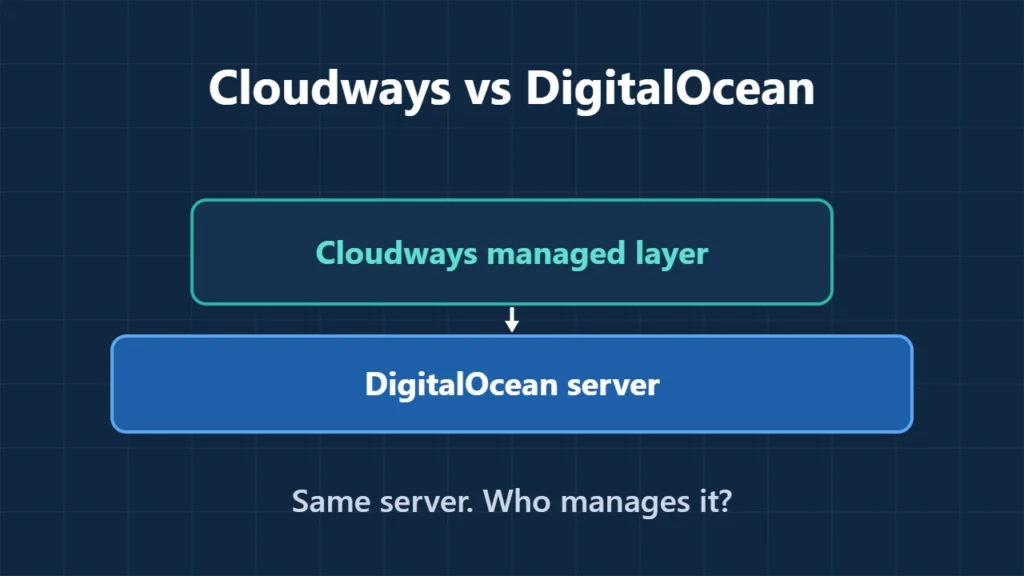
Table of Contents
- 1Cloudways vs DigitalOcean at a Glance
- 2How the Two Are Related
- 3Same Server, Different Price
- 4What You Take On With a Plain Droplet
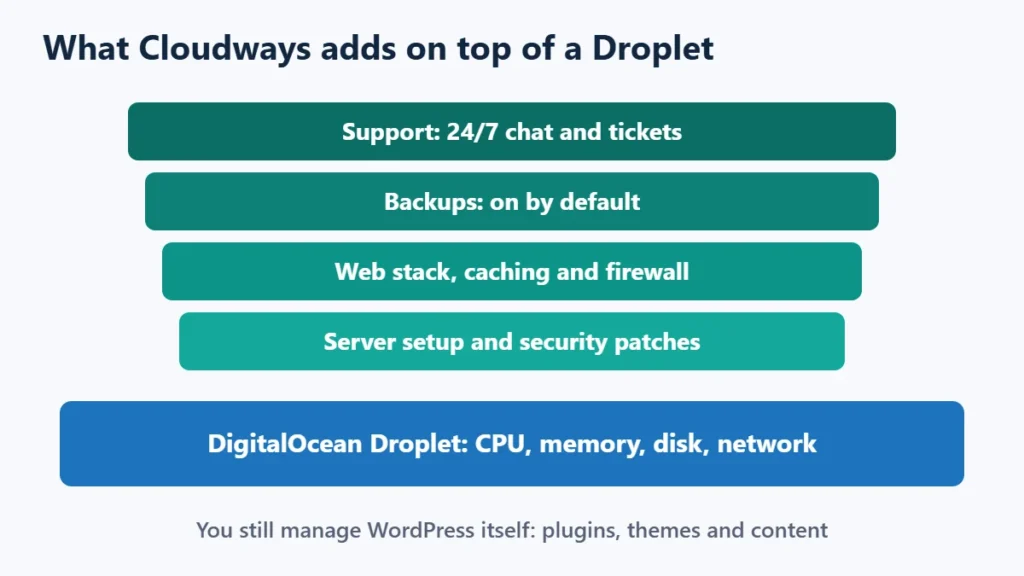
- 5What Cloudways Adds
- 6Which Should You Choose?
- 7Frequently Asked Questions
- Does DigitalOcean own Cloudways?
- Is Cloudways just DigitalOcean with a markup?
- Is a DigitalOcean Droplet good for WordPress?
- Can I move from a Droplet to Cloudways later?
- Is Cloudways faster than DigitalOcean?
- Which is cheaper for a small site?
Cloudways vs DigitalOcean at a Glance
| DigitalOcean Droplet | Cloudways on DigitalOcean | |
|---|---|---|
| What you buy | A virtual server | A managed server and hosting stack |
| 1 GB server | $6 a month | $11 a month (Standard) |
| Backups | Optional: 20% of the server price weekly, 30% daily | Included and mandatory; $0.033 per GB of offsite storage |
| Server setup and updates | You | Cloudways |
| WordPress | 1-Click app on Ubuntu, then you maintain it | Managed stack with one-click apps, unlimited sites |
| Billing | Hourly, capped at the monthly price | Hourly, capped at the monthly price |
| Help | Unmanaged: fixing the software you install is up to you | 24/7 support on all plans; paid Advanced and Premium add-ons |
How the Two Are Related
DigitalOcean announced its purchase of Cloudways in August 2022, and Cloudways continued as its own brand. Cloudways still lets you pick other infrastructure, including Vultr, Linode, AWS and Google Cloud, but DigitalOcean is its default choice.
When you choose DigitalOcean inside Cloudways, your site runs on DigitalOcean hardware either way. What differs is who sets up the server, keeps it patched, runs backups and fixes it when something breaks.
Same Server, Different Price
Cloudways’ Standard DigitalOcean servers have the same memory, CPU, storage and transfer as DigitalOcean’s Basic Regular Droplets, which makes a direct price comparison possible:
| Server | DigitalOcean | DigitalOcean + daily backups | Cloudways Standard | Monthly difference |
|---|---|---|---|---|
| 1 GB, 1 vCPU, 25 GB | $6 | $7.80 | $11 | $3.20 |
| 2 GB, 1 vCPU, 50 GB | $12 | $15.60 | $24 | $8.40 |
| 4 GB, 2 vCPU, 80 GB | $24 | $31.20 | $46 | $14.80 |
| 8 GB, 4 vCPU, 160 GB | $48 | $62.40 | $88 | $25.60 |
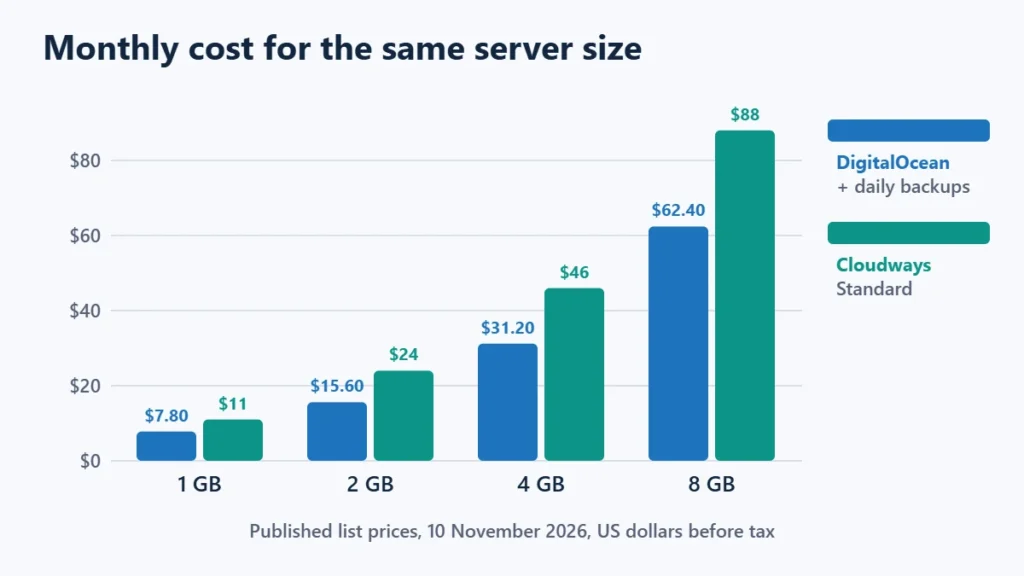
So the managed layer costs roughly $3 to $26 a month at these sizes, once backups are counted on both sides. Cloudways also sells Premium DigitalOcean servers with NVMe storage, starting at $14 a month for 1 GB.
Current offer: on 10 November 2026, Cloudways was advertising 80% off the listed prices for the first two months, up to $200 off per month, with a countdown ending on 6 December 2026. After two months, prices return to the list price. The Cloudways Black Friday guide covers the terms.
What You Take On With a Plain Droplet
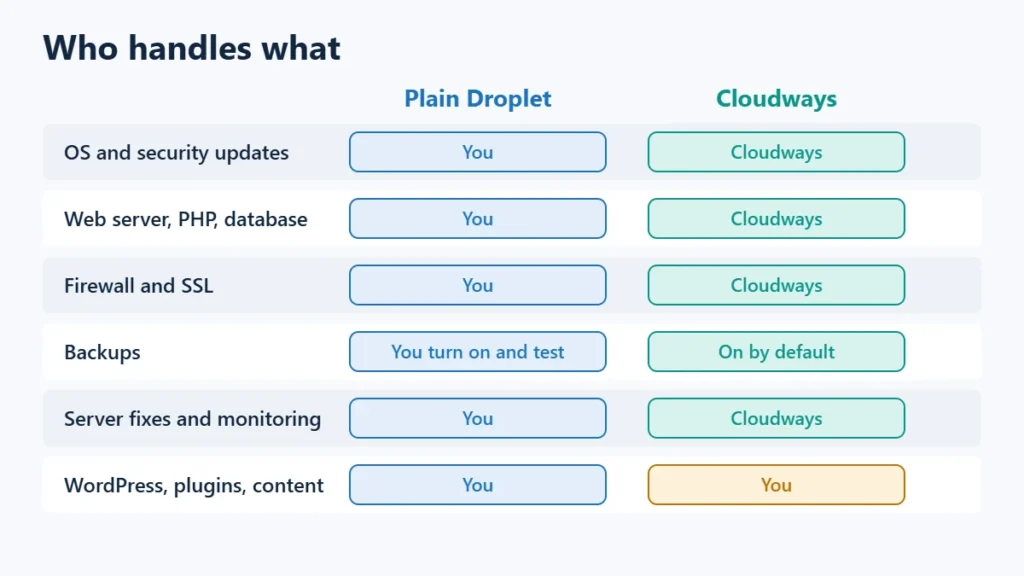
DigitalOcean’s WordPress 1-Click app gives you a working start on Ubuntu 24.04 with PHP, MySQL, the Caddy web server and fail2ban. After that, the server is yours to look after:
- Operating system and package updates, including security patches.
- Web server, PHP and database versions and configuration.
- Firewall rules, login protection and SSL renewal checks.
- Turning on backups and testing that you can restore them.
- Monitoring, and fixing the server when it runs out of memory or disk.
- Email delivery, which is usually better handled by a separate mail service.
None of this is unusual for a developer, and some people prefer the control. The DigitalOcean review goes further into Droplet responsibilities. If those tasks sound like a burden, the extra few dollars for Cloudways buys you out of them.
What Cloudways Adds
- A managed stack. Cloudways’ pricing page lists its Lightning Stack, a built-in firewall with IP blocking, Redis, staging and cloning, a WordPress vulnerability scanner and vertical scaling. Object Cache Pro is free only on servers with 4 GB of memory or more.
- Backups by default. Backups cannot be switched off; you pay only for offsite storage.
- Unlimited sites per server. Its Flexible plans list unlimited websites and visits, limited in practice by the server’s resources.
- Free migration and 24/7 support by chat or ticket on every plan, with paid Advanced and Premium support for faster responses.
- A free trial. Its FAQ lists a 5-day Flexible trial with no credit card, which does not cover AWS or Google Cloud servers.
You still manage WordPress itself: plugins, themes, content and user accounts. For a closer look at the service, see the Cloudways review.
Which Should You Choose?
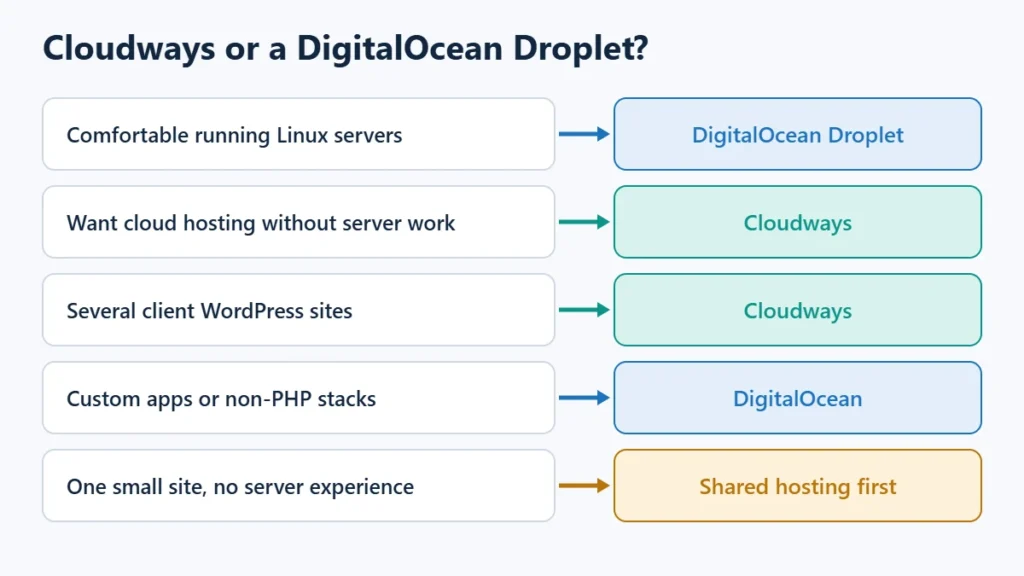
| Your situation | Better fit |
|---|---|
| You run Linux servers comfortably and want the lowest bill | DigitalOcean Droplet |
| You want cloud performance without server administration | Cloudways |
| You run several client WordPress sites on one server | Cloudways |
| You run custom apps, containers or non-PHP stacks | DigitalOcean |
| You have one small site and no server experience | Consider shared hosting first |
If you are coming from shared hosting, Hostinger vs Cloudways explains when the move is worth it, and the best cloud hosting providers comparison covers other managed options.
If Cloudways fits, you can start a Cloudways trial here. Affiliate link: I may earn a commission at no extra cost to you.
Frequently Asked Questions
Does DigitalOcean own Cloudways?
Yes. DigitalOcean announced the acquisition in August 2022, and Cloudways operates as a brand within DigitalOcean.
Is Cloudways just DigitalOcean with a markup?
The server can be the same, but Cloudways adds the stack, patching, backups, migrations and support. On 10 November 2026 that difference was $3.20 to $25.60 a month for 1 GB to 8 GB servers, compared with DigitalOcean plus daily backups.
Is a DigitalOcean Droplet good for WordPress?
Yes, if you can run a Linux server. The WordPress 1-Click app gets you started quickly, but updates, security and backups are your job afterwards.
Can I move from a Droplet to Cloudways later?
Yes. Cloudways lists free migration, and you can also move a WordPress site yourself with a migration plugin.
Is Cloudways faster than DigitalOcean?
Not inherently, since it can run on the same hardware. Any difference comes from configuration, such as Cloudways’ stack and caching versus how you set up your own Droplet.
Which is cheaper for a small site?
A Droplet is cheaper on paper: $6 against $11 a month for 1 GB. Count your own time for maintenance before deciding.

Affiliate disclosure: some links on this page are affiliate links, so I may earn a commission if you buy, at no extra cost to you.