If you want a direct answer: FlyingPress is one of the most powerful tools to improve WordPress speed, Core Web Vitals, and SEO performance without complex technical work. It combines caching, code optimization, and smart loading techniques into one plugin. However, the real results depend on proper configuration and understanding how each feature works.
In this FlyingPress review, you will learn everything you need, including setup, best settings, real-world performance impact, and expert strategies to build a faster WordPress site.
What is FlyingPress?
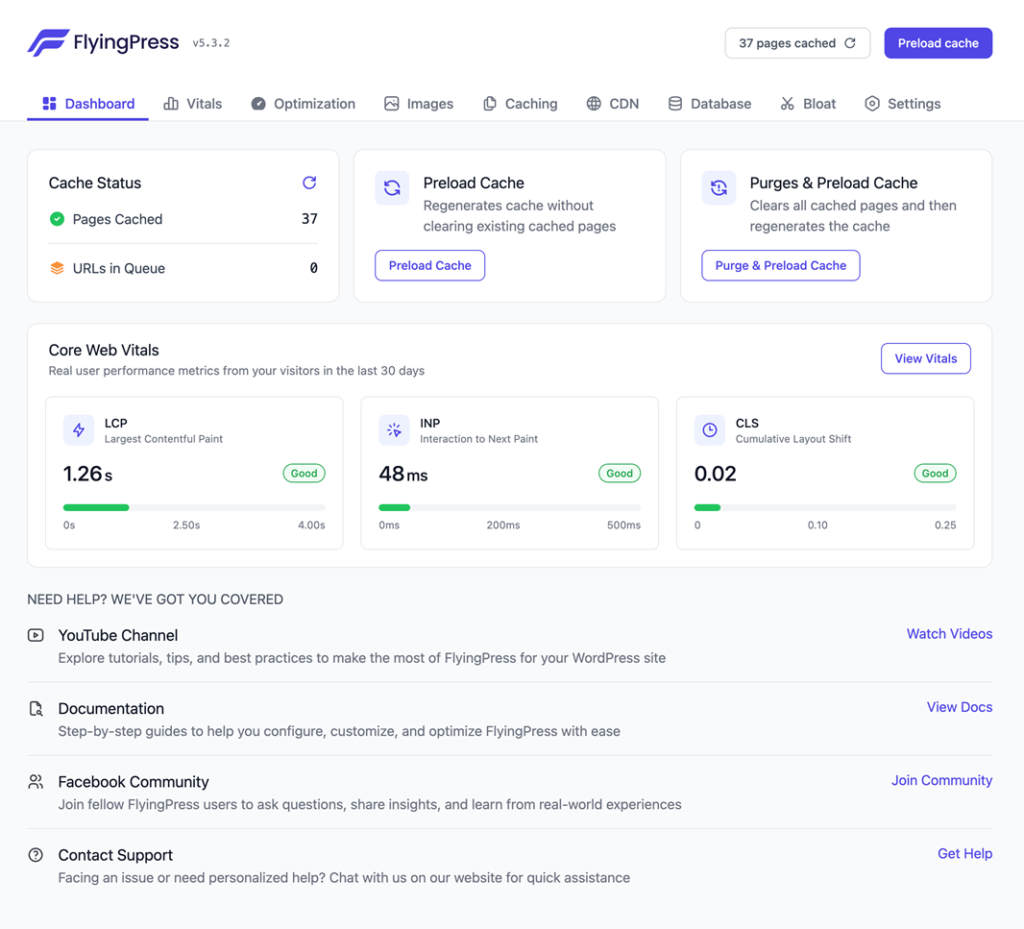
FlyingPress is a premium FlyingPress WordPress plugin designed to improve website speed and performance using modern optimization techniques. Unlike traditional plugins that focus only on caching, it works on multiple layers of performance.
It optimizes:
- Page loading behavior
- File delivery
- Resource prioritization
- Database efficiency
Because of this, FlyingPress performance plugin acts as a complete solution for speed optimization rather than a single-feature tool.
Why FlyingPress Matters for SEO and Rankings
Website speed directly affects how users interact with your content. A slow site increases bounce rate, while a fast site improves engagement.
FlyingPress SEO optimization focuses on improving real-world metrics used by Google:
- Load time
- Visual stability
- Interactivity
These factors influence search rankings and visibility. When your website becomes faster, you naturally improve your chances of ranking higher.
FlyingPress improve SEO rankings is not just theory. It is based on measurable improvements in performance and user experience.
FlyingPress Features Explained in Detail
Understanding features is important, but knowing how they work in real scenarios is what makes a difference.
Page Caching (Core Speed Foundation)
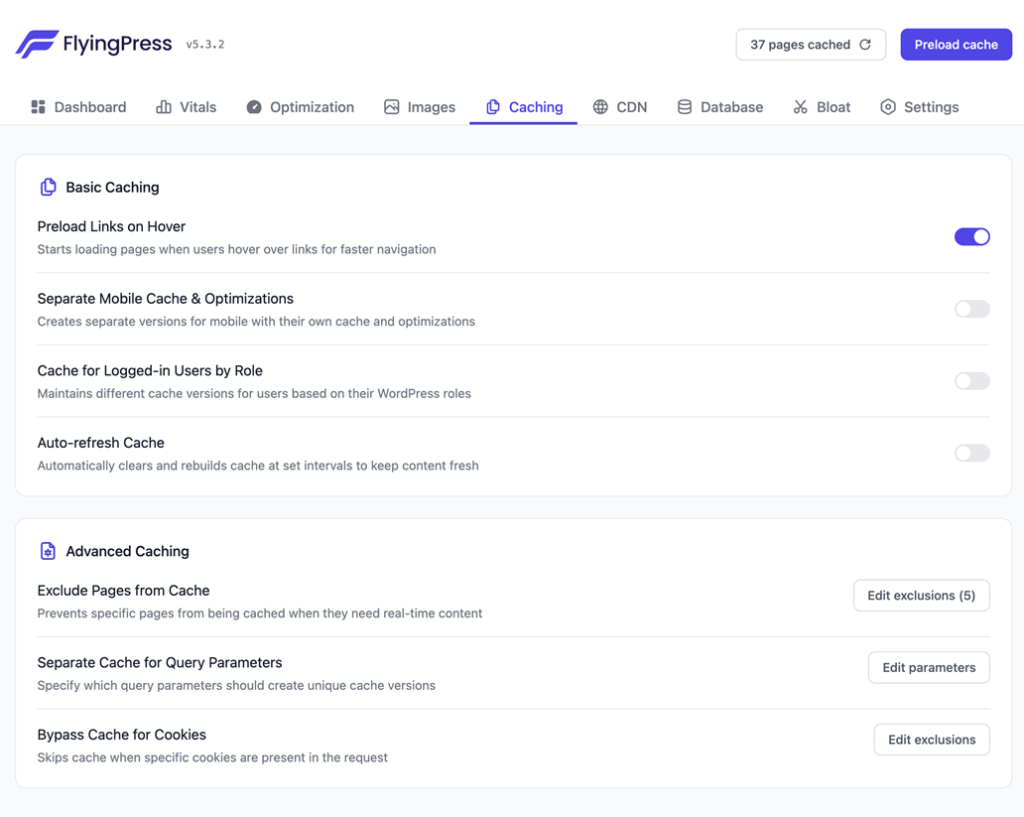
FlyingPress cache plugin WordPress creates static versions of pages. Instead of processing every request dynamically, the server delivers pre-generated content.
This reduces:
- Server load
- Database queries
- Response time
FlyingPress cache settings allow you to control cache behavior, exclusions, and duration.
For large websites, this becomes the backbone of speed optimization.
CSS Optimization (Clean and Lightweight Pages)
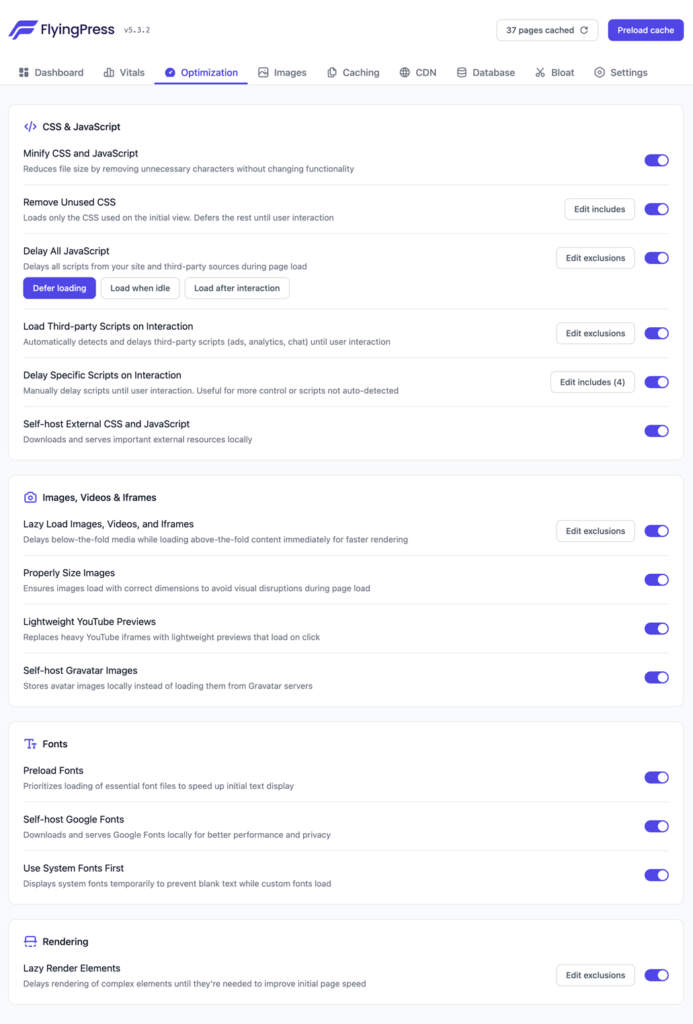
Most websites load unnecessary CSS files. FlyingPress CSS optimization removes unused styles and keeps only essential code.
FlyingPress remove unused CSS improves:
- Page size
- Render speed
- Visual stability
This is especially useful for themes and page builders that load heavy stylesheets.
JavaScript Optimization (Smarter Script Loading)
JavaScript often blocks page rendering. FlyingPress JavaScript optimization solves this by delaying non-essential scripts.
FlyingPress delay JavaScript ensures:
- Faster initial load
- Better user interaction
- Improved INP score
However, scripts like ads or analytics may need exclusions to avoid issues.
Lazy Loading (Optimized Media Delivery)
Images and videos are heavy elements. FlyingPress lazy load ensures they load only when needed.
FlyingPress image optimization combined with lazy loading improves:
- Mobile performance
- Page speed
- User experience
This is critical for content-heavy blogs and media websites.

Preloading (Improving Perceived Speed)
FlyingPress preload settings allow important resources to load earlier.
This improves:
- LCP performance
- First content visibility
- User perception of speed
However, excessive preloading can increase load time, so balance is key.
Database Optimization (Backend Performance Boost)

WordPress databases grow over time. FlyingPress database optimization cleans unnecessary data.
It removes:
- Post revisions
- Spam comments
- Expired entries
This leads to faster backend and improved overall performance.
CDN Integration (Global Speed Enhancement)
FlyingPress CDN setup ensures faster delivery of content worldwide.
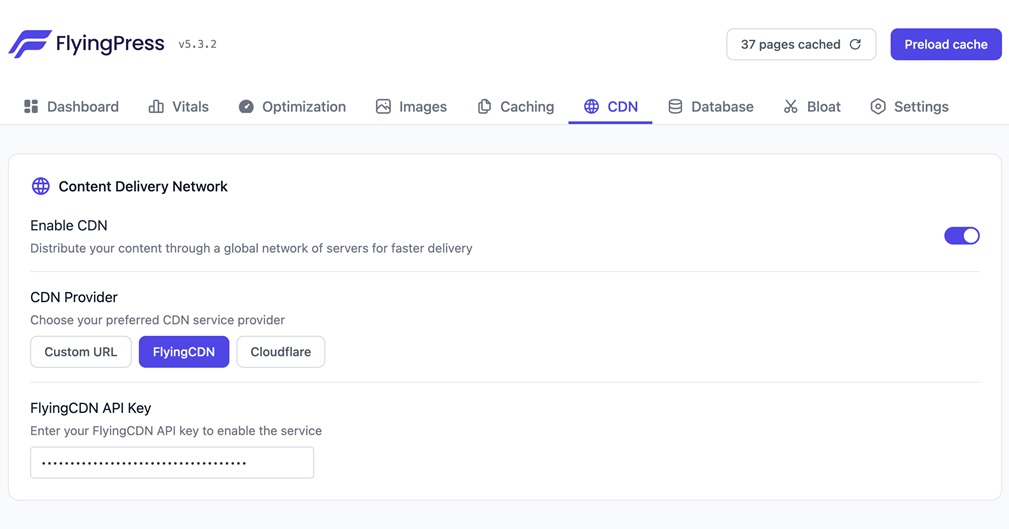
FlyingPress Cloudflare integration is widely used because it:
- Reduces latency
- Improves caching
- Enhances security
For global traffic, CDN integration is essential.
FlyingPress Setup Guide (Step-by-Step for Beginners)
Setting up FlyingPress correctly is simple but important.
Step-by-Step Setup
- Install and activate plugin
- Enable caching
- Turn on CSS optimization
- Enable JavaScript delay
- Activate lazy loading
- Configure preload carefully
- Schedule database cleanup
- Connect CDN
This FlyingPress setup guide ensures your website becomes faster without breaking functionality.
FlyingPress Best Settings 2026 (Expert Configuration)
To achieve the best results, use balanced settings.
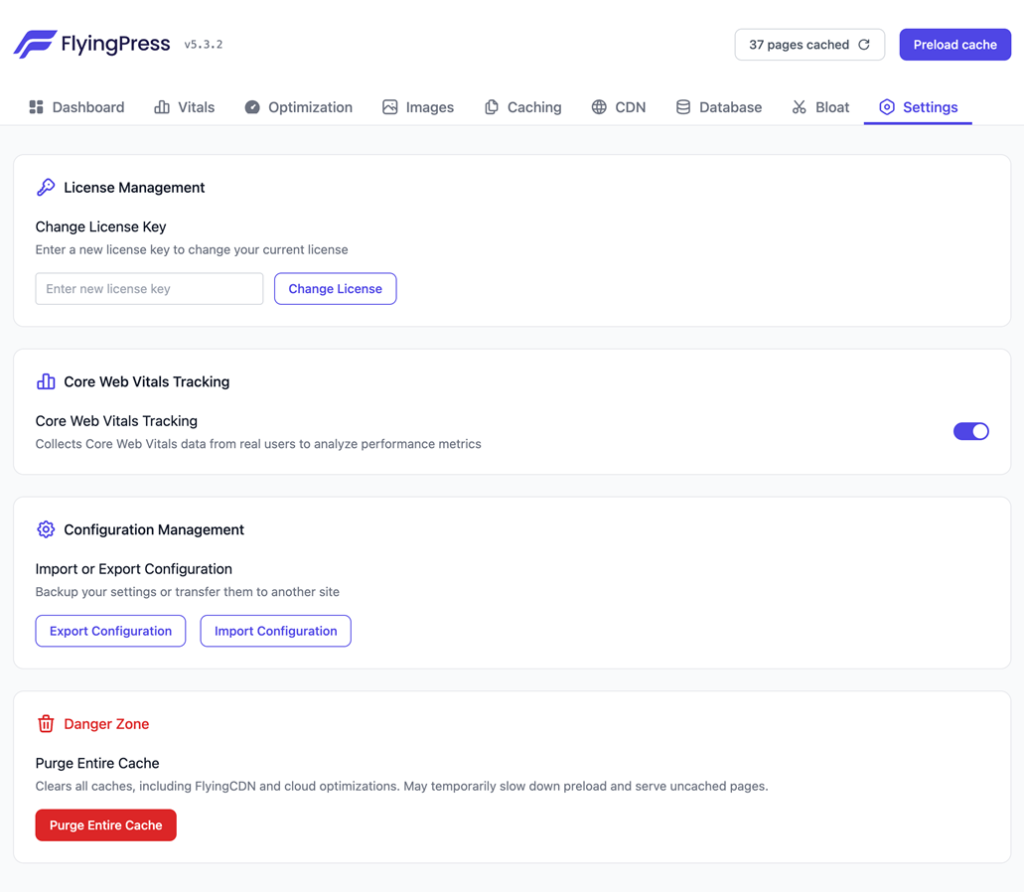
Recommended configuration:
- Enable page caching
- Remove unused CSS
- Delay non-critical JavaScript
- Enable lazy loading
- Limit preload usage
- Clean database weekly
These FlyingPress best settings 2026 provide strong performance without causing issues.
Core Web Vitals Optimization with FlyingPress
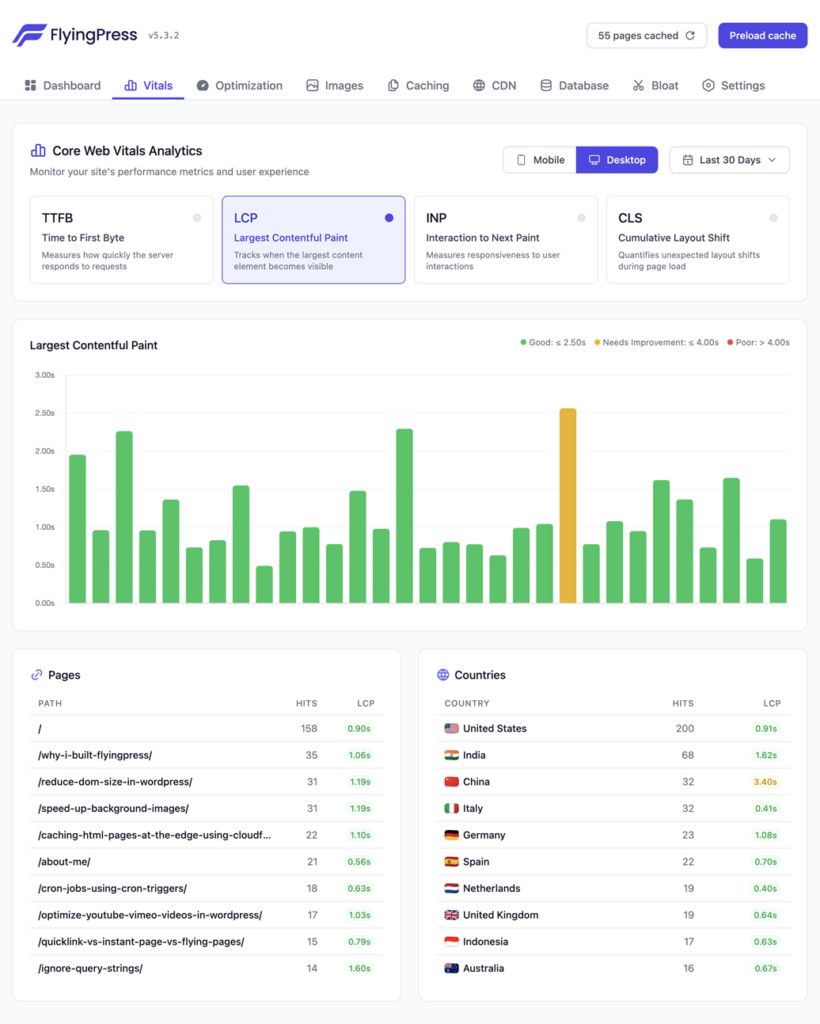
FlyingPress is designed to improve Core Web Vitals.
LCP Optimization
FlyingPress LCP optimization improves loading of main content.
CLS Fix
FlyingPress CLS fix prevents layout shifts by managing fonts and images.
INP Optimization
FlyingPress INP optimization improves responsiveness by controlling scripts.
This makes FlyingPress a high performance plugin for SEO.
Real-World Use Cases (Where FlyingPress Works Best)
Blogging Websites
Improves loading speed and engagement.
Affiliate Sites
Faster pages increase conversions.
News Websites
Handles high traffic efficiently.
E-commerce Stores
Improves product page performance.
FlyingPress faster WordPress site becomes a major advantage in all these cases.
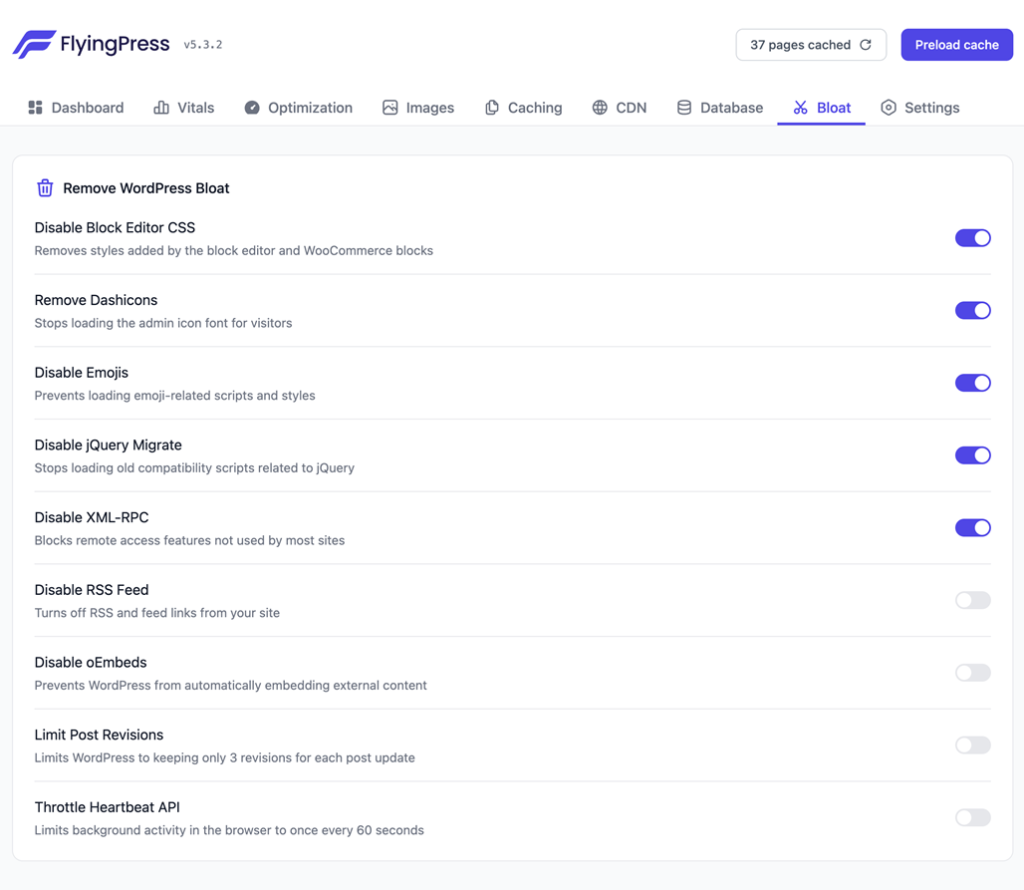
Advanced Optimization Strategies (Expert Insights)
To go beyond basic setup:
- Optimize mobile performance separately
- Exclude critical scripts from delay
- Use CDN for global traffic
- Monitor performance regularly
FlyingPress speed optimization works best when combined with smart strategies.
FlyingPress vs WP Rocket vs LiteSpeed Cache
FlyingPress vs WP Rocket
FlyingPress offers deeper optimization features.
FlyingPress vs LiteSpeed Cache
LiteSpeed depends on server type, while FlyingPress works everywhere.
Final Insight
FlyingPress provides better balance between simplicity and performance.
Hosting and FlyingPress (Critical Connection)
Even the best plugin cannot fix poor hosting.
For best results:
- Use fast hosting
- Choose optimized servers
- Avoid overloaded shared hosting
FlyingPress improve loading speed works best with strong hosting.
Common Mistakes to Avoid
Avoid these errors:
- Enabling all settings blindly
- Ignoring script exclusions
- Overusing preload
- Not testing after changes
Proper FlyingPress configuration ensures stable performance.
Performance Testing and Results
Always test your site before and after setup.
Use tools like:
- PageSpeed Insights
- GTmetrix
FlyingPress speed test helps you track improvements.
FlyingPress Google PageSpeed score often improves significantly when configured correctly.
FlyingPress Pricing and Value
FlyingPress pricing starts around $60 per year.
Although it is a paid plugin, it replaces multiple tools and provides strong performance improvements.
For serious websites, it is a valuable investment.
FlyingPress Alternatives
Some alternatives include:
- WP Rocket
- LiteSpeed Cache
- NitroPack
However, FlyingPress alternative tools may not provide the same balance of control and ease.
Conclusion
FlyingPress is a complete performance solution for WordPress websites. It simplifies complex optimization processes while delivering real improvements in speed, user experience, and SEO.
With the right setup, it can significantly improve your website’s performance and help you stay competitive in search rankings. If you are serious about speed and growth, FlyingPress is worth considering.
FAQs
What is FlyingPress used for?
It is used to improve website speed and performance.
Does FlyingPress improve SEO rankings?
Yes, faster websites often rank better.
Is FlyingPress beginner-friendly?
Yes, it is easy to set up.
Can FlyingPress break my website?
Only if configured incorrectly.
Does FlyingPress work with all hosting?
Yes, it works on most hosting environments.
Is FlyingPress better than free plugins?
In most cases, yes.
Do I need CDN with FlyingPress?
It is recommended for better performance.
How fast can FlyingPress make my site?
It depends on your setup, but improvements are noticeable.

Harshil Barot is a Digital Marketing Strategist and SEO specialist with 10+ years of experience in organic traffic growth, website optimization, and lead generation. He shares practical insights and reviews web hosting and digital tools based on real-world testing.
Hello, Harshil,
This is one of the more honest and practical reviews of FlyingPress I’ve come across. I really appreciate how you didn’t just hype the tool but actually broke down where it shines and where it might not be perfect. The part about real-world performance vs just chasing PageSpeed scores stood out to me, since a lot of plugins focus too much on numbers rather than user experience.
Overall, this was super helpful—especially for someone trying to decide between FlyingPress and other optimization plugins. Thanks for putting in the effort to make such a detailed and balanced review!